

How to Build a Crypto Trading Bot with Binance and Python
How to Build a Crypto Trading Bot with Binance and Python: Connect to Binance
Heard about the amazing opportunities available for crypto bot trading and keen to get involved? Got some Python skills?
If so, this series is for you.
Update August 2023
I could never have anticipated how popular my series and articles on algorithmic trading would become.
After a listening to my readers/viewers feedback, I realized that many people were spending huge amounts of time trying to solve installation/configuration problems — rather than experiencing the joy of algorithmic trading.
I want to change this narrative — and in so doing, open up algorithmic trading for everyone.
To do this, I’ve recently launched Tradeoxy: Trading For Everyone.
If you’re reading this, Tradeoxy will simplify 90% of this series, using a series of powerful API’s and easy to use tooling.
Currently it’s in the early-access / building stage and I’d be incredibly grateful if you’d join us on this adventure. Your feedback will help us shape a better product.
Join the early access program (for free) here.
You can also view our launch video, and follow our journey on LinkedIn, Twitter, Instagram, YouTube.
About the Series
In this series, I show you how to use the REST API from Binance, the world’s largest centralized crypto trading platform, to build a crypto trading bot. Together, we build an example trading bot that identifies fast-rising crypto assets, buying them low and selling them high. By the end of the series, you’ll have everything you need to build your own trading bot. If you’d like further assistance, contact me here.
All activity is demonstrated in Python. Each episode contains working code samples, with the full code accessible on GitHub here.
Note: all code is for example use only and I make no guarantees about the strategy. Do your own research and use it at your own risk 😊.
In this Episode
By the end of this episode, you’ll be connecting to Binance and retrieving some market data. This will set the stage for the rest of our series.
About Binance
Binance is the world’s largest crypto exchange by a number of metrics. If you’re looking to get involved in the world of crypto trading, it’s a great place to start for a few reasons:
- Plenty of trading options
- Huge range of trading/staking/futures possibilities
- Huge number of trading pairs (2100 at the time of writing!)
- Free to be involved (other than trading fees)
- Generous free REST API limits
- Well documented API
- Active security team, with a Bug Bounty on Bugcrowd
I’ve personally been using Binance since 2017 and have always found it to be an impressive platform. If you’d like to sign up, here’s my referral link. I will get some money (fee schedule here) if you do, however it doesn’t cost you anything.
Prepare Your API Key
Algorithmic trading on Binance requires you to set up an API. Setting up the API provides you with two keys — an api_key and a secret_key. Both of these are required to connect to Binance. Set it up as follows:
- Log on to Binance
- Navigate to the person icon at top right and select API Management
- Choose Create API
- Go through the options and store your API Key and Secret Key somewhere safe (especially the Secret Key!)
- Edit the restrictions to include
Enable Spot & Margin Trading - (Highly Recommended) update your IP restrictions to ‘Restrict access to trusted IPs only’. This option will limit any access to your API such that only the IPs you specify are allowed.
Set Up Your Environment
Before getting into trading, take some time to set up your environment. Here’s what I’m using:
- OS: Windows 10 (with a bit of final editing on my M1 Macbook Air)
- IDE: Pycharm Community Edition
- Python 3.10 (and a bit of testing on 3.9)
- VCS: Git
Set Up Settings
As secure developers (and to save a ton of money), we should never expose private information directly in our code. Instead, we should import the credentials, then pass them into the code as variables.
There are many ways to do this, however, to keep it simple, I’ll do this through a settings.json file. Here’s what it looks like:
Now, immediately add settings.json to your .gitignore
Next, update main.py to import the settings into your program:
Note the use of of the variable import_filepath to determine where settings.json is located. This can be anywhere on your computer.
If you push Play on your IDE now, it should show you your BinanceKeys.
Test the Connection
With your keys set up, let’s start interacting with Binance. We’ll do this by using a Python library provided by Binance called binance-connector-python.
Let’s check that Binance is up and running. Create a file called binance_interaction.py and add the following code:
Then, in __main__ add the following:
Retrieve Account Information
Let’s continue working on the program startup by testing that the api_key and secret_key retrieved earlier work.
Create a new function in binance_interaction.py called query_account:
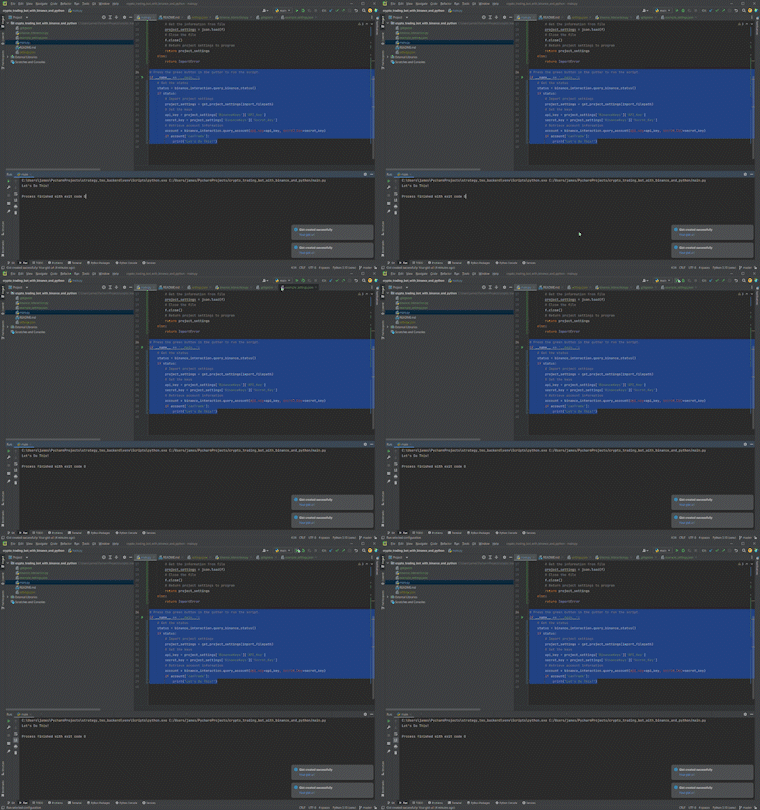
Now let’s update __main__. I’ll use this opportunity to hold off loading the keys until after we confirm that Binance is running. Here’s what it looks like (with a quick test to confirm that trading is in fact enabled on the account 😁):
All going well, here’s what you should see:
Retrieve Some Market Data
The final component of this episode is retrieving some market data.
Code Design
Before providing the code, I’ll quickly outline the design choices I’ve made for this function.
There are many different pieces of market data that can be retrieved from Binance. The library used in this series outlines most of them here. In order to keep this tutorial straightforward, I’ll only be focusing on the Candlestick data (called klines in Binance).
The structure of the code and results will be the same as in previous tutorials I’ve written.
Get Candles
Add the function get_candlestick_data to binance_interaction.py:
Update __main__
You could now update __main__ to retrieve a Crypto pair of your choice and print out the results 😊. We’ll be taking it back and out and moving it to a strategy function later, but it can be fun to play around with.
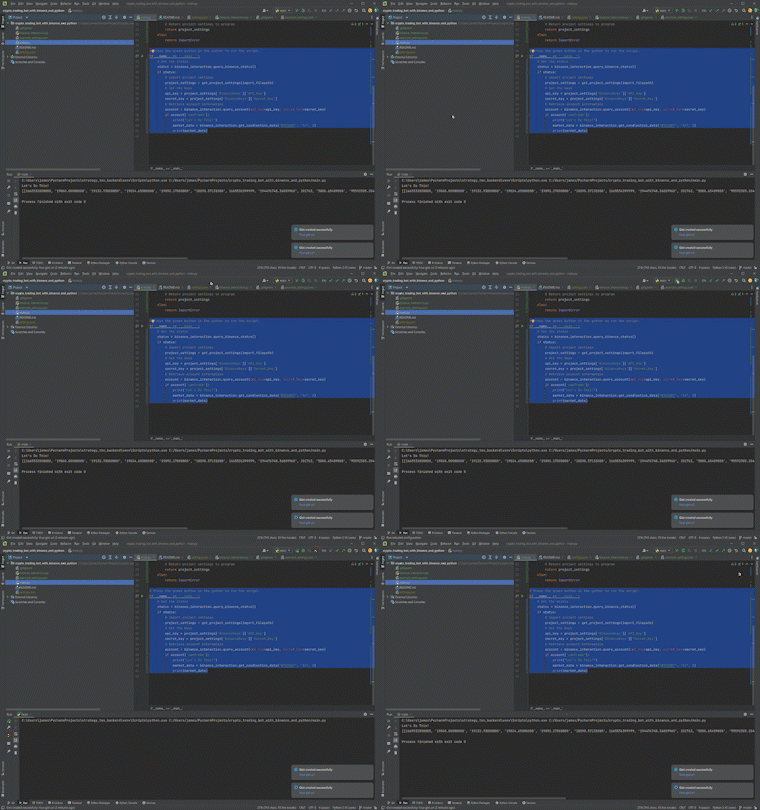
Here’s what it could look like:
I tested it with the symbol BTCUSDT on a timeframe of 1h and a qty of 2. Here’s what I got:
That’s It for Episode 1
That’s a wrap! You’re well on your way to developing a crypto trading bot. We’ve connected to Binance, confirmed you can trade, and learned how to securely import sensitive variables!
In the next episode, we’ll dive straight into our strategy.
List of Episodes
- Connecting to Binance
- Crypto Trading Bot Strategy Example
- Automating Trade Placement
- Binance Crypto Bot Take Off: Putting it All Together
Say Hi!
I love hearing from my readers, so feel free to reach out. It means a ton to me when you clap for my articles or drop a friendly comment — it helps me know that my content is helping.
❤
New to trading? Try crypto trading bots or copy trading


