
How to Automate Your Google Docs to Medium?
Step by Step Guide to Automating Google Docs to Medium

Join Our Online Entrepreneurs Club where you can be part of a growing community of online entrepreneurs that are on a similar journey like yourself.
How do you automate your Google Docs to Medium?
How do you upload Google Docs to Medium?
Is there a way to automate Google Docs?
Is there a google doc to Medium Chrome Extension?
These are the questions that came to mind as I became annoyed with the manual process of copying and pasting my Google Docs into the Medium platform.
Whether you know me online or offline, you should know that if I can find a way to automate it or outsource it, I will do it. Cheers to no longer doing things you don’t like to do!
With that being said, I found a solution that you can plug and play, it may take a little bit of time and effort, but I promise that it will be worth it.
If you enjoy this article and resource, please take the time to highlight, respond, clap, follow, bookmark — you know, all the engagement activities since it will really help share this resource to more people!
Let’s get into it.
Ingredients:
- Zapier
- Google Docs Account
- Medium Account
- Patience (Most Important)
Whether you are familiar with Zapier or you are not, it’s in my opinion the holy grail of automation tools. In summary, it allows platforms to communicate together so you don’t have to manually connect one platform to another.
- You only need the free account
Download Your Free Google Docs to Medium Template
Trigger
Zapier needs to have a trigger to start the automation, in this case we are having a Google Docs in a specific folder be the trigger:
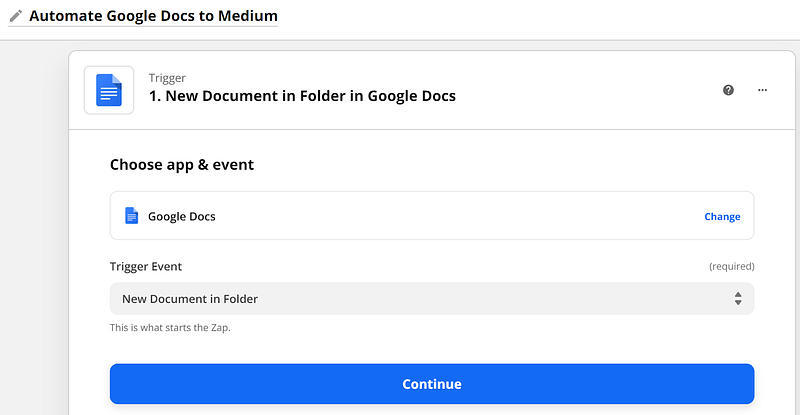
You will need to hook up your account to Zapier:
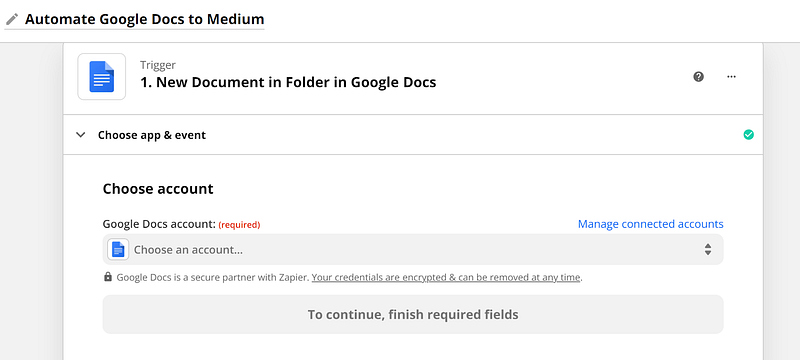
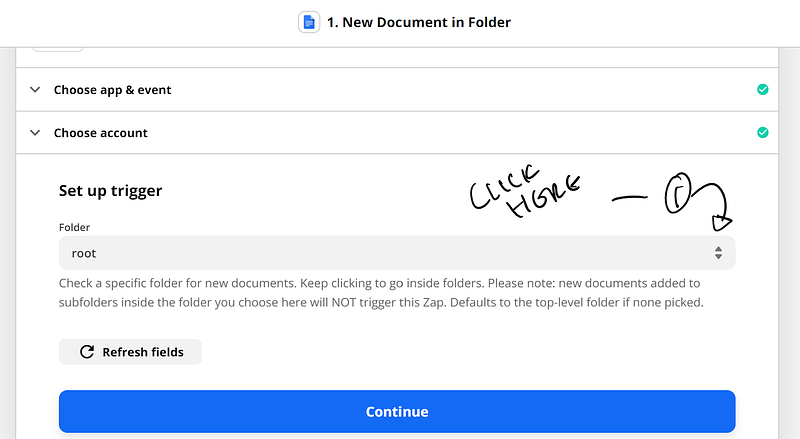
Once you’ve hooked up your Google Account, you will need to make sure you select the right folder for the content to be pulled from.
- You will have to click on the following tab (root) and select the folders section and map out the correct folder you would like your automation to pull from
You’re going to test your trigger to see if the selected file you wanted came up
Note: you will have to have a file already in there for the test to pull from
Once you’ve gotten the correct document, select Medium to be the connection and your action event will be to create story:
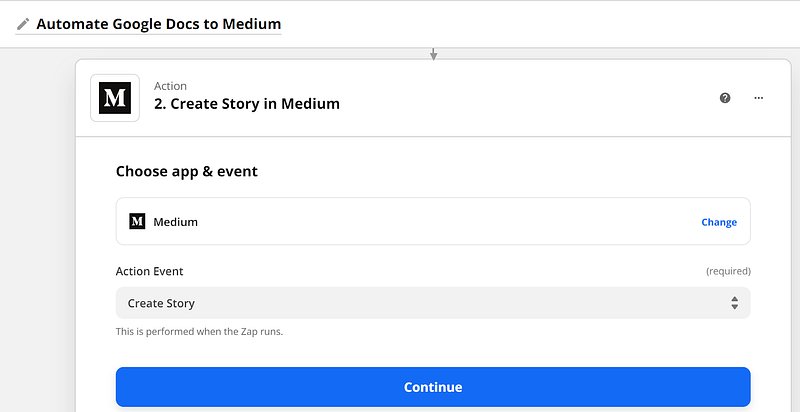
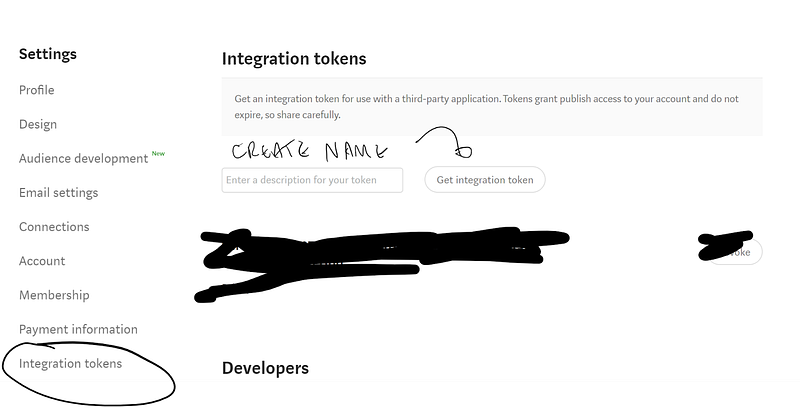
In order for you to connect your Medium account you will need to create an integration token on your Medium Account.
Go to your Medium settings and look up under integration tokens
Create a Name for the token, for example: Zapier
Once you do so, copy the token (it will be a very long name with different characters) and then paste it into Zapier.
Now we get to the action part.
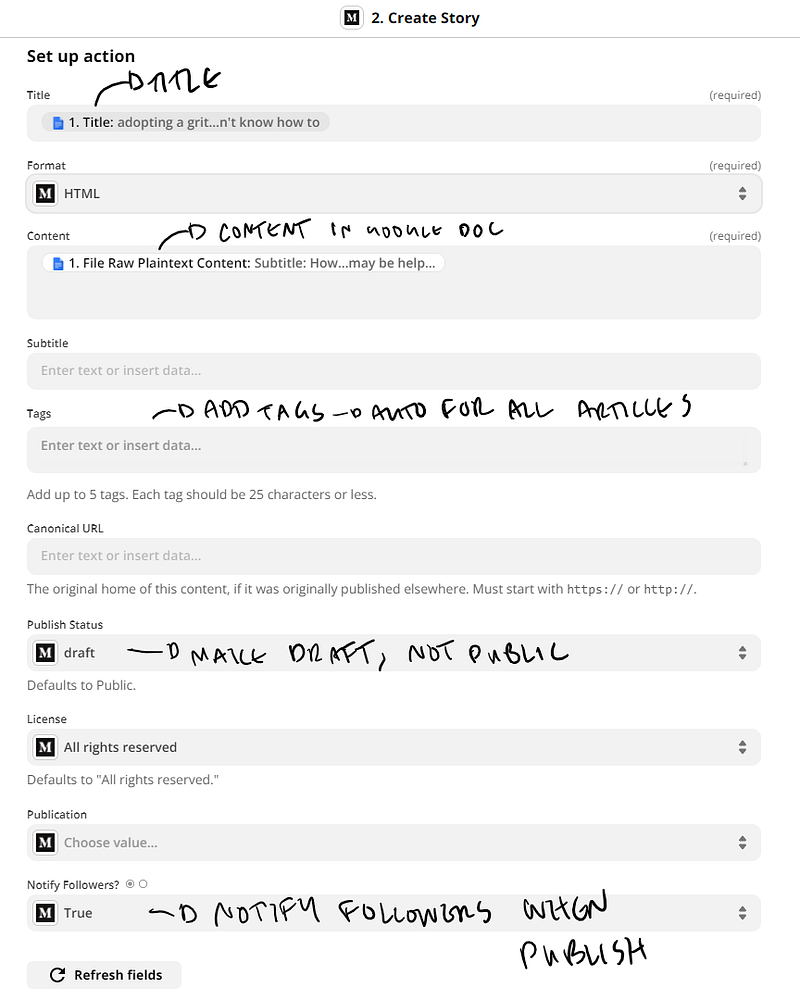
After you’ve connected your Medium account it’s time to set the action to pull the data from the Google Doc to create the story:
The following picture below shows the ingredients you will need to fill.
In the title selection pick: 1. Title
In the content section pick: 1. File Raw HTML Content
For subtitle, you will have to manually write the subtitle in your Medium article.
For tags, I only recommend putting something in there if you’re always publishing within a specific tag. If it changes then you will have to refer to Medium to reflect that.
For Publish Status: Make sure it’s in DRAFT -> or your stories will automatically publish without you putting the final touches
For License, select all rights reserved.
For Notify Followers, select true if you want your followers to know when you publish.
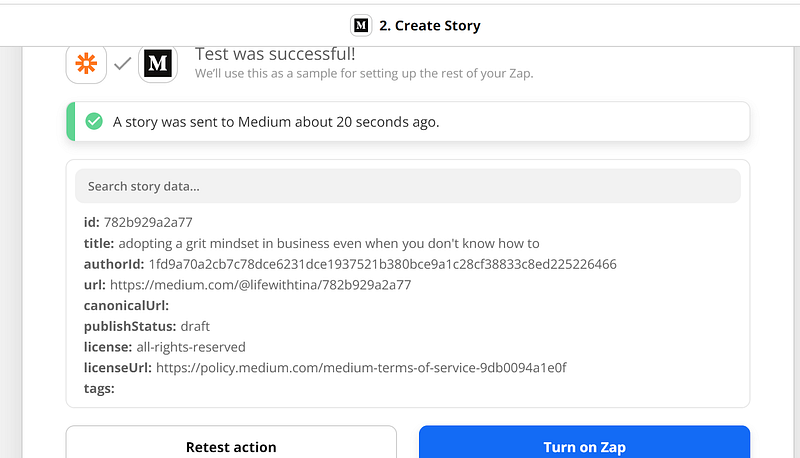
Select Continue, make sure everything tests well and then turn on your Zap:
That’s it! Let me know in the comments what was your #1 takeaway?
[UPDATE] Creating a Plug + Play Medium Article Database
Are you tired of manually having to upload your Medium links to a google sheet to reference in the future?
Do you want a database to hold all your Medium links, google doc links, publications, etc?
Do you want to automatically add your Medium article to a database with the click of a button?
Have no fear, the Medium Article Database is here.
You get:
- plug and play Airtable Database (just copy it, no technical experience needed)
- mini-course on setting up a Google Docs to Medium Automation
- Google Docs to Medium Template
- Zapier Workflow Automation Template
What are you waiting for?
Grab it here and get 20% off with the Code: follower
Join Our Online Entrepreneurs Club where you can be part of a growing community of online entrepreneurs that are on a similar journey like yourself.
Check out our Online Entrepreneur Resources (You Don’t Want to Miss Out)
Check Out Our Gumroad Store for other Plug and Play Automation Templates!
Click that follow button and mail+ icon to get content about all things business, productivity, money, and self improvement. Get a Medium membership to get access to amazing content by amazing writers.


