How to Assess Active Directory for Vulnerabilities Using Tenable Nessus’ Active Directory Starter Scan Template

The Nessus vulnerability scanner from Tenable is a widely known tool for conducting vulnerability assessments of networks and devices, such as workstations, network gear, and servers. While Tenable does have a separate Active Directory security product called Tenable.ad, one capability of Nessus (as well as their enterprise solution Tenable.io) that is very rarely talked about is scanning the Active Directory configuration for vulnerabilities.
Vulnerability Coverage
Included in Nessus is a scan template called “Active Directory Starter Scan”. For some reason, it is difficult to find detailed information on this template, however, according to a blog post from Tenable, this scan runs the following ten checks on your Active Directory configuration:
- Kerberoasting: A Domain admin or Enterprise admin account is vulnerable to the Kerberoasting attack
- Weak Kerberos encryption: The Kerberos encryption is too weak on one user account leading to potential credential theft
- Kerberos pre-authentication validation: The Kerberos pre-authentication is disabled on one user account leading to potential credential theft
- Non-expiring account password: A user account may never renew its password.
- Unconstrained delegation: Unconstrained delegation is allowed on a computer account allowing potential credential theft
- Null sessions: The Anonymous or Everyone group is part of the “Pre-Windows 2000 Compatible Access” allowing null session attacks
- Kerberos KRBTGT: The Kerberos master key is too old and could be used as a backdoor
- Dangerous trust relationship: No security mechanism has been activated on a trust relationship allowing lateral movement across AD domains
- Primary Group ID integrity: A potential backdoor using the Group ID has been found on a user account
- Blank passwords: A user account may use a blank password to authenticate on the domain
Creating Credentials
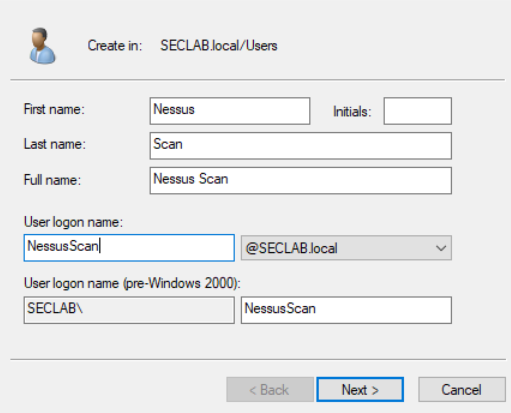
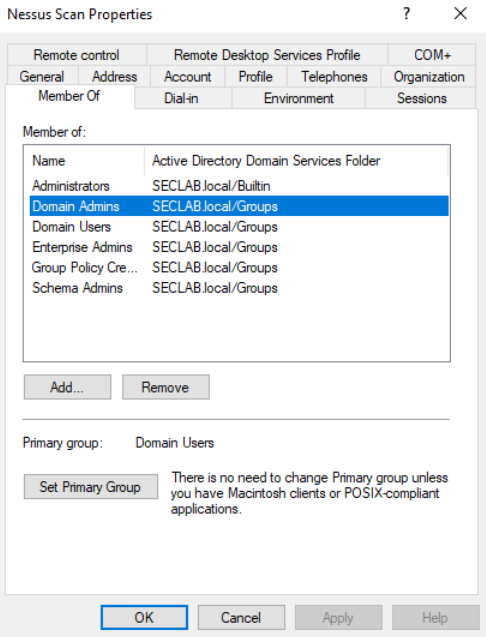
Before setting up an Active Directory Starter Scan with Nessus, you’ll need to provide Nessus with Domain Admin credentials in the form of ADSI. In order to do that, I recommend creating a service account for Nessus to use.
- I created a new user in Active Directory called “NessusScan”
2. Add the user account to the “Domain Admins” group
Configure Scan
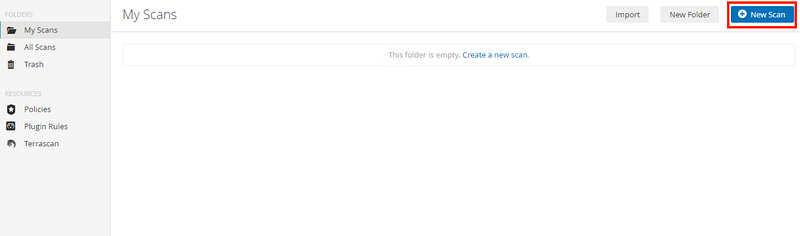
- If using Nessus, create a new scan
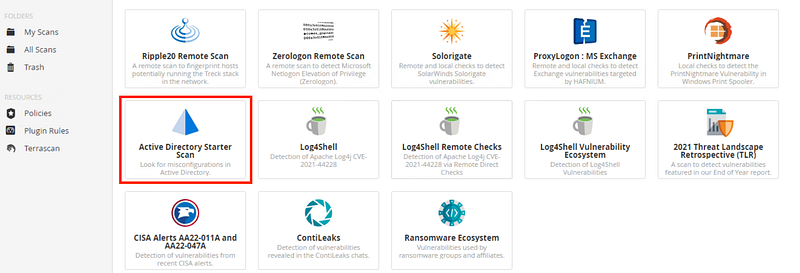
2. Select “Active Directory Starter Scan”
3. Under “targets”, enter the IP address for the domain controller

4. Under credentials, select the category miscellaneous, and then ADSI
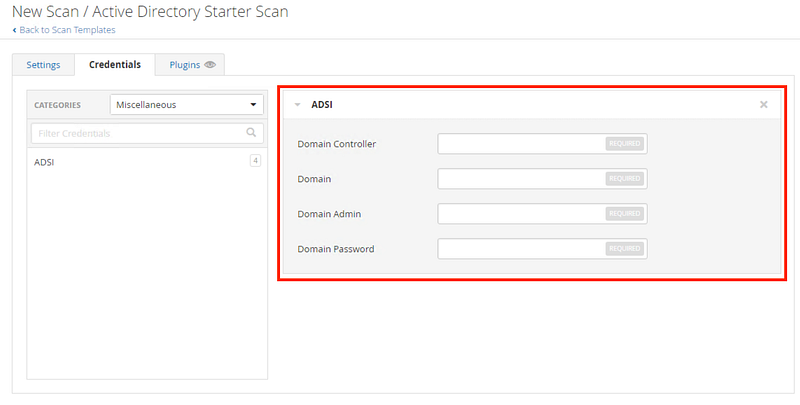
The four required fields are:
- Domain Controller: The name of the domain controller for ActiveSync
- Domain: The name of the NetBIOS domain for ActiveSync
- Domain Admin: The domain administrator’s username
- Domain Password: The domain administrator’s password
For my lab, this looks like the following:
- LAB-DC
- SECLAB
- NessusScan
- *Password*
5. Save the scan and click “launch”, or alternatively, use the schedule feature during configuration

Results
After exporting the results as an HTML report, we can see two hosts come back from the scan: the Active Directory Domain Controller(s) as an IP and the Active Directory Domain Controller(s) configuration (In my case, LAB-DC).

Taking a look at the asset LAB-DC, we see various vulnerabilities that I purposefully introduced to my Active Directory security lab environment. In this case, our AD scan found 1 high-severity vulnerability and 3 medium-severity vulnerabilities.

Kerberoasting
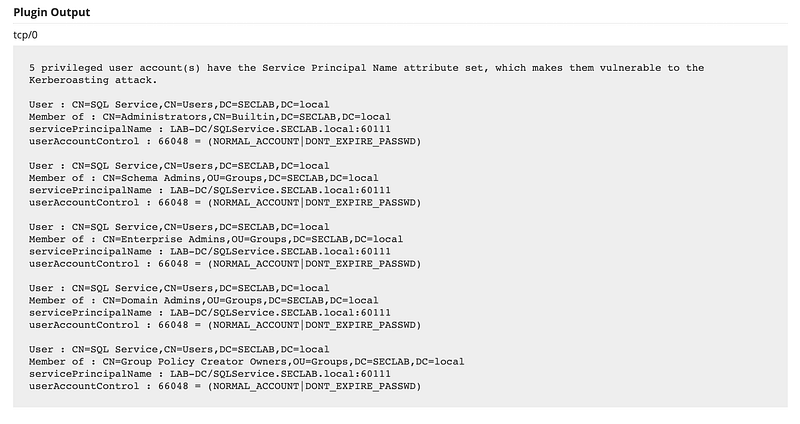
The high-severity vulnerability we found was Kerberoasting. This is because we have one or more accounts associated with a Service Principal Name (SPN), making the credentials vulnerability to brute force.

To see which accounts are affected, we can scroll down to the output section.
Kerberos Pre-authentication Validation
The first medium-severity vulnerability found was (missing) Kerberos Pre-authentication Validation. This is a setting that is (and should be) enabled by default when creating new user accounts, however, it is possible to have it turned off.
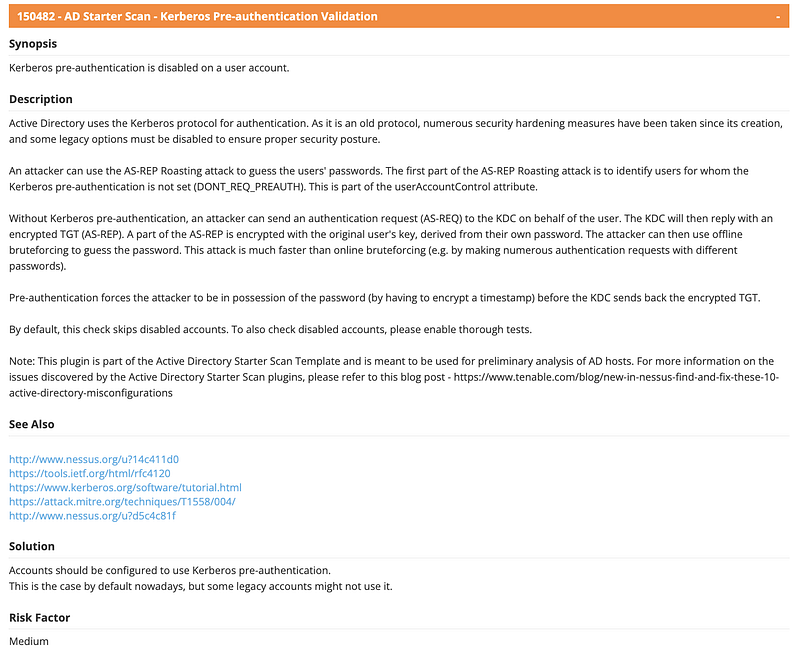
To see which accounts are affected, we can scroll down to the output section.

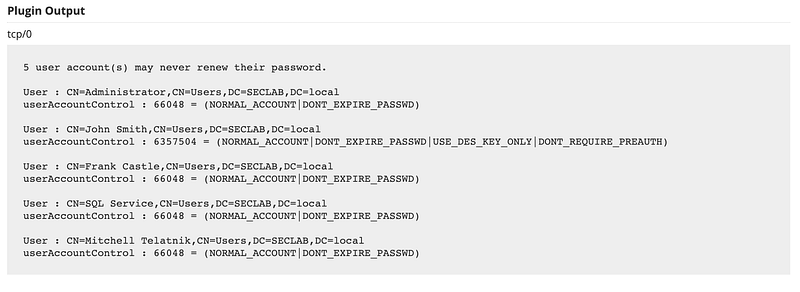
Non-Expiring Account Password
The second medium-severity vulnerability we found was Expiring Account Password, which are accounts who’s passwords do not expire, and hence can remain unchanged for prolonged periods.
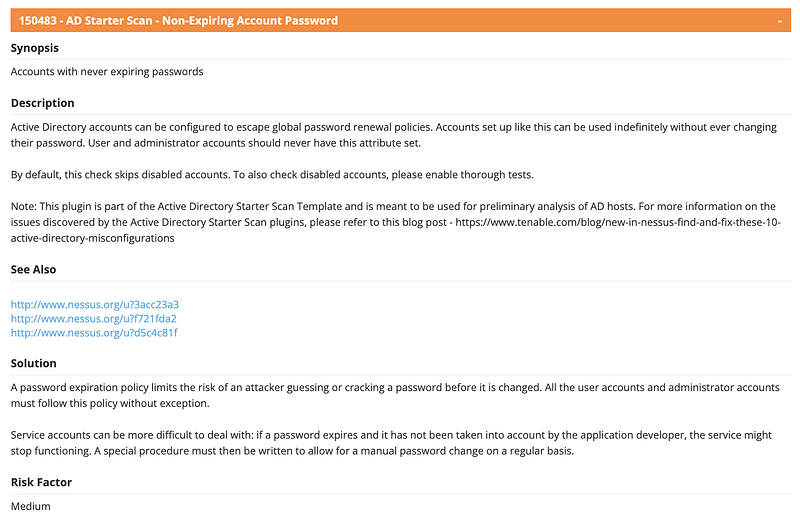
To see which accounts are affected, we can scroll to the output section.
Weak Kerberos Encryption
The third and final medium-severity vulnerability we found was Weak Kerberos Encryption. Kerberos can be configured to use various encryption methods. It is still possible to configure an account to use DES encryption, which is not secure. By default, new accounts will not be configured to use DES.
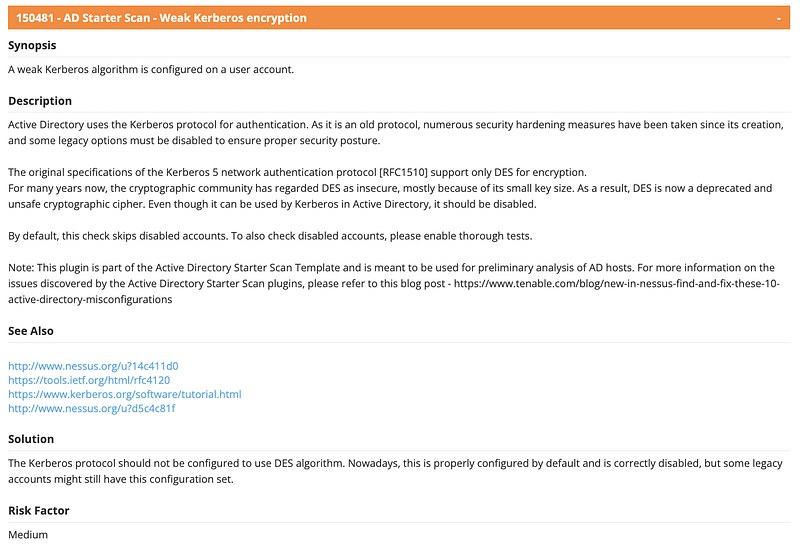
To see which accounts are affected, we can scroll to the output section.

Conclusion
Nessus and other Tenable products such as Tenable.io are widely used by security professionals to conduct vulnerability assessments. However, there are many powerful capabilities, such as auditing Active Directory configurations that are often not utilized. Next time to you need to get a quick understanding of the security issues with an Active Directory configuration — reach for your Nessus scanner!