avatarDavid Lindgren

Summary

This article provides a method for aligning multiple single-word text layers to the baseline in Adobe After Effects.

Abstract

The article addresses a common challenge faced by Adobe After Effects users: aligning text layers with both uppercase and lowercase letters to a consistent baseline. The author explains a workaround that involves temporarily converting text to all caps, using the "Align Bottom" feature, and then reverting to the original case. This technique ensures accurate baseline alignment, which is crucial for visual coherence in text animations and titles. The author also promotes a YouTube playlist with similar tutorials and invites readers to subscribe for more content. Additionally, the article encourages readers to consider a Medium membership to support the creator and access more stories.

Opinions

  • The author believes that aligning text to the baseline is a valuable skill for After Effects users.
  • They suggest that the default "Align Bottom" function may not suffice for accurate baseline alignment, especially with lowercase letters.
  • The author endorses their solution as a simple and effective method to achieve consistent baseline alignment across various text layers.
  • They advocate for the value of their YouTube tutorials, implying that viewers will find them time-saving and beneficial for their workflow.
  • The author expresses gratitude to the readers and encourages continuous learning and improvement in creative skills.
  • They highlight the benefits of a Medium membership, emphasizing the direct support it provides to content creators and the access it grants to a wide range of stories and tutorials.

How to align text to baseline in Adobe After Effects

I got a question recently about how you can align multiple single-word layers of text to the baseline in After Effects and I wanted to share my answer in this article, so this is how I would do it:
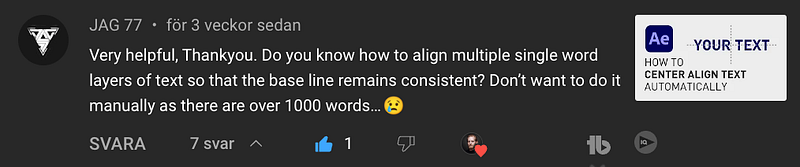
A question I got on my YouTube channel

I created a composition with three text layers and placed the first layer on a line. Now, I could simply hold down “Shift”, select all text layers, go to the “Align” window and click “Align Bottom” and that would work for uppercase letters.

If you have lowercase letters, it aligns the text to the bottom of the layer instead of the baseline of the text.
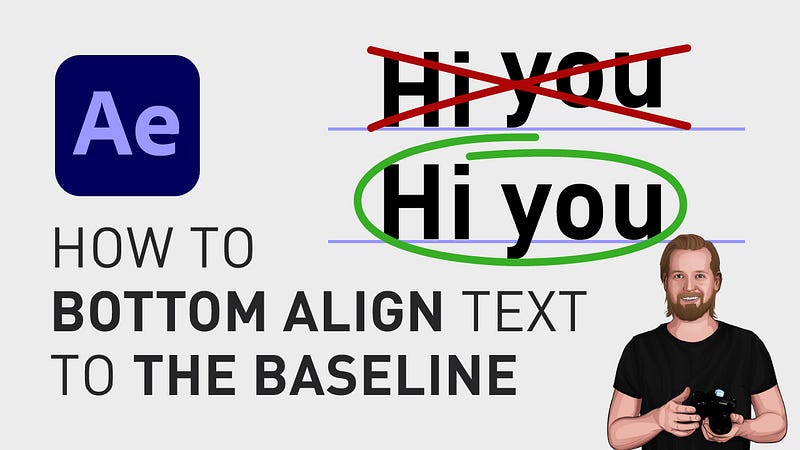
How to bottom align text to the baseline

However, you can solve this very easily if you go to the “Character” window, click the “All caps”-icon, go back to the “Align” window, click “Align Bottom”, then go back to the “Character” window again and deselect “All caps” and there you go, aligned to the baseline!

For more short tutorials about aligning text or shapes, check out this playlist.

Also, consider subscribing because I have way more time-saving tutorials like this on my YouTube channel.

Thanks for reading, keep learning, and have a great day! ☀️

3 other stories that might interest you: ⭐️ I think I just figured out life 🤯 ⭐️ 5 tips for making money on YouTube (How to get started today!) ⭐️ 25 things I learned during my first year as a Video Editor

— — — — — — —

Did you know? You can get full access to every story on Medium for just $5/month here! Becoming a Medium member directly supports me ♥ ️(and other writers on Medium) so that we can keep creating helpful content for you! 🙏

How To Edit Video
After Effects
How To After Effects
Adobe After Effects
After Effects Tutorial
Recommended from ReadMedium