
How to Add Upscribe Forms to Your Medium Posts
Plus some best practices.
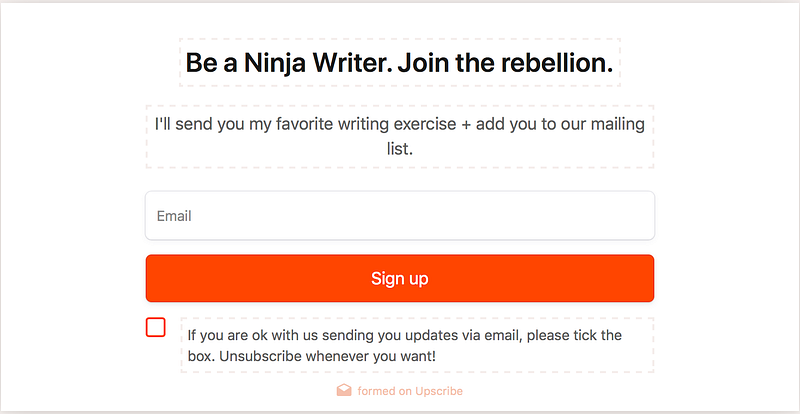
I’ve been asked several times how to add email sign-up forms to Medium blog posts, so I thought I’d write up a quick little how-to.
The Big Question: Yes. Medium allows forms behind the paywall.
I emailed Medium a while back to ask if it’s okay to put an email sign-up form on posts that are part of the Medium Partnership Program.
Here’s the response I got:
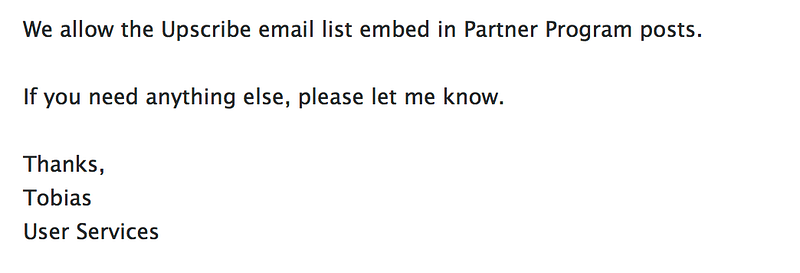
So. Quick and to the point. Thanks, Tobias!
What that means is that you can get paid for Medium posts, even if they include an Upscribe form.
Since the only purpose of an Upscribe form is to capture email addresses, Medium will allow you to invite readers to your list via a form on a post behind the paywall.
My feeling is that because Medium’s guidelines include the note below, they’ve left it open for them to remove your post from the Partnership Program (meaning, your post would not be behind the paywall and you wouldn’t be paid — but your post would still be available to read) if they decide that there’s too much marketing going on.

Medium strives to provide paying members with an ad-free reading experience. Part of that means they keep posts that explicitly ask for money (including claps or donations — for instance linking to a commercial site like Etsy) are not allowed.
Posts With Forms Are Allowed, But Not Often Curated
This is my own personal experience — so take it with a grain of salt.
It seems to me that Medium allows forms, for sure. I’ve had email confirmation and I’ve never had a post with a form in it either removed from the partnership program or brought to my attention as a violation.
That said, though, my posts with forms are rarely (almost never) curated. Which means they are not as well distributed by Medium as posts that don’t have a form.
The posts that include a form and are curated always include forms that are directly linked to the post. For instance, a form that promises something directly linked to the post you’re writing.
For instance, if I’m writing about a tool that I’ve developed for writers, I can include a form a reader can use to get a free copy and Medium might still curate that post.
Including that form, though, makes it much more likely that my post will not be curated.
So, I have to be conscious of the purpose of my post. Sometimes I write something that I know will convert well to my email list and it’s worth it to have a form, even if it means forgoing curation. Sometimes I want my posts to have wider distribution and the form isn’t worth it.
How To Use Upscribe to Post Forms on Medium
Okay, here’s the how-to part.
Go to Upscribe and sign up. There is a free version that allows you 100 form views per month and does not include integration with your email server. It costs $9 per month for up to 5000 views per month and integration.
Integrate Upscribe with your email server. To do that, click ‘integrate’ at the top of the screen. Choose your server and follow the directions. Upscribe will walk you right through it.
Once you’re integrated, you can set Upscribe so that your new form connects directly to your email server and you won’t have to manually upload new subscribers to your email list.
Click ‘Create New Form’ to start building your form. It’s super easy to design your form. Just change the wording. Click save. And that’s it. Your form is ready to use.
Post your form. You can either post your form directly on Medium or hyperlink text to a form that will open in a new tab.
To post your form directly, copy the link Upscribe provides. Past it where you want your form to appear. Hit your enter key. The form will automagically populate.
When you go to the ‘my forms’ page on Upscribe, you’ll see all your forms. Each one has a ‘copy link’ button. Just click that button, then paste the link into your Medium post where you want the form to show up.
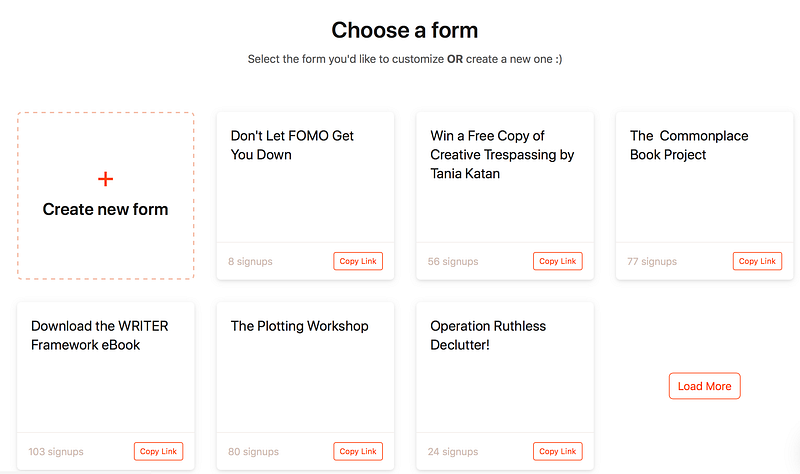
So when I paste this link:
And then hit enter, this form shows up:
Voila. (That’s a live form.)
Alternatively, you can write text inviting people to join your list. When you highlight it, a small bar will pop up with a link symbol. Click that and input the link you copied from Upscribe.
For instance: Join the waiting list for my workshops.
There you go! No go forth and build your email list.
Here’s my secret weapon for sticking with whatever your thing is. (<
Shaunta Grimes is a writer and teacher. She lives in Reno with her husband, three superstar kids, and a yellow rescue dog named Maybelline Scout. Her most recent book is The Astonishing Maybe and she’s represented by Elizabeth Bennett at Transatlantic Literary Agency. Find Shaunta on Twitter @shauntagrimes. She is the original Ninja Writer.
(DISCLAIMER: This post includes an affiliate link.)


