
How To Add or Subtract A Set Amount To All Cells In A Column Using Google Sheets

This is commonly searched for online only to find a solution using Excel by Microsoft. You’ve also probably seen where people are trying to show you how to get the SUM of cells etc…
This is NOT that method. This method is used for adding one specific number amount to all the cells or just certain ones.
Example: You’ve got a chart that looks like this:
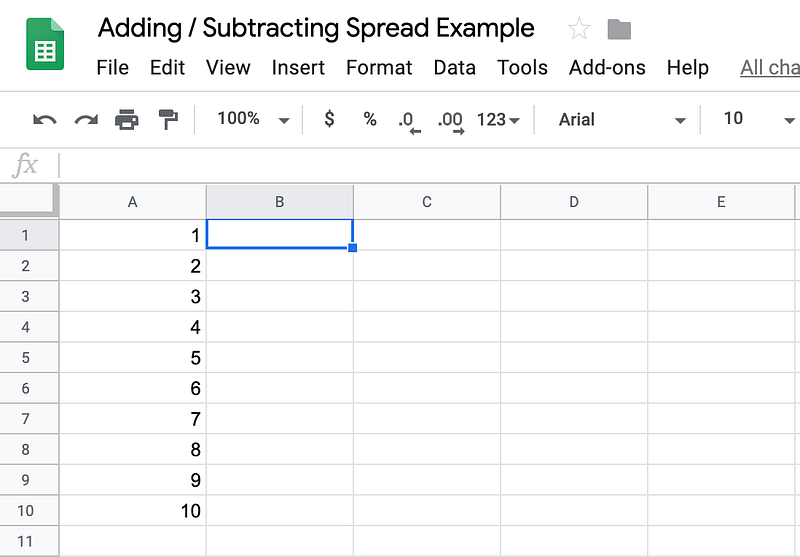
And you’re wanting to add 10 to each cell block for example. You can always do this manually but if you’ve got over 10 cell blocks, that’s just ridiculous.

So, what you’ll need to do is use this formula: =ArrayFormula(A1:A10+10)
You simply copy and paste the code into the first cell of any column besides the one you’re wanting to use. I’m using B1 in the screenshot above. You can use whatever cell you’d like.
Here is what it will look when implementing the code (remember, I’m pasting this code into cell B1):
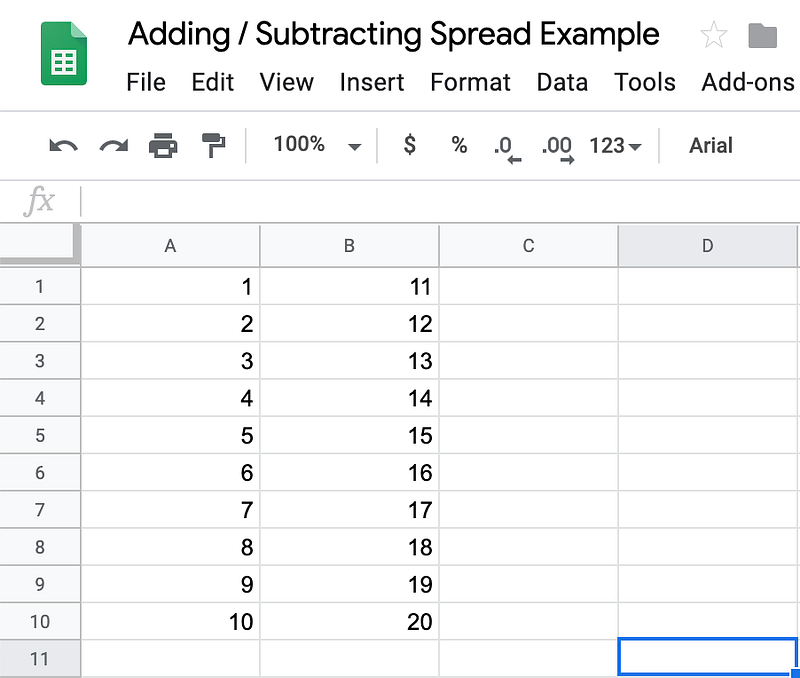
As you can see, all the numbers from column A have had the additional 10 added to them in column B where we get our new total for each cell.
Hold on, we’re not done.
If you try to copy and paste column B to let’s say, column C, for example, this is what will happen:
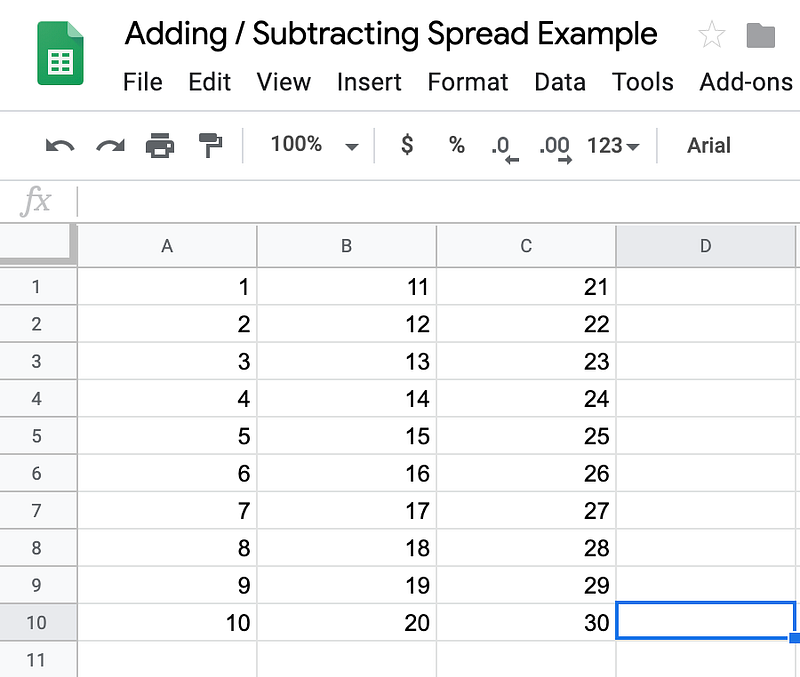
You’re essentially just copying the formula again and moving it.
So, how do you copy and paste the numbers that you’ve created and want from column B without them altering?
First, you have to highlight and copy all the cells you’d like to keep.
For me, it’s B1:B10 (for you it will be different).
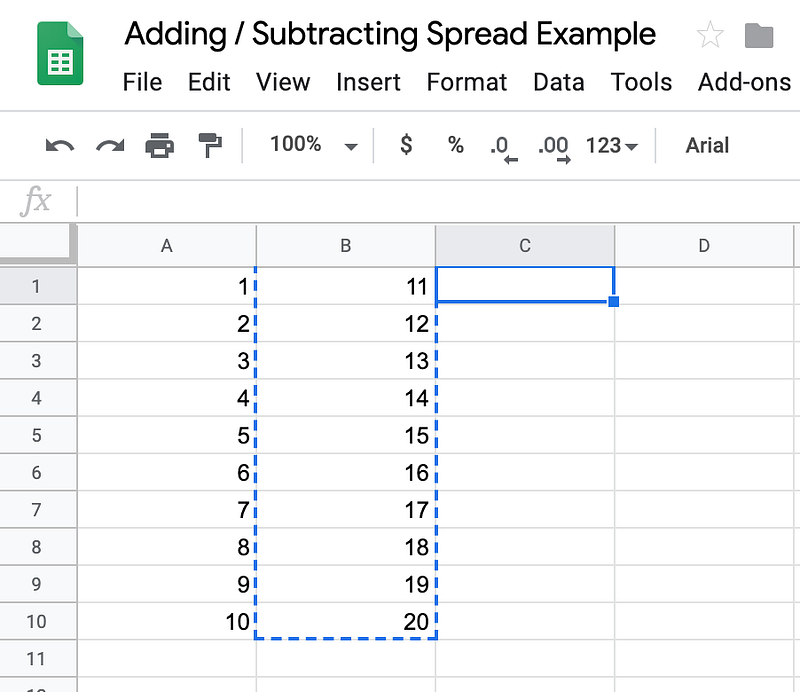
Then, you’ll want to select a new cell in a new column. For me, I’m using C1.
Now, you can either right-click on your mouse/trackpad OR go to Edit->Paste Special->Past Values Only. Screenshot below:
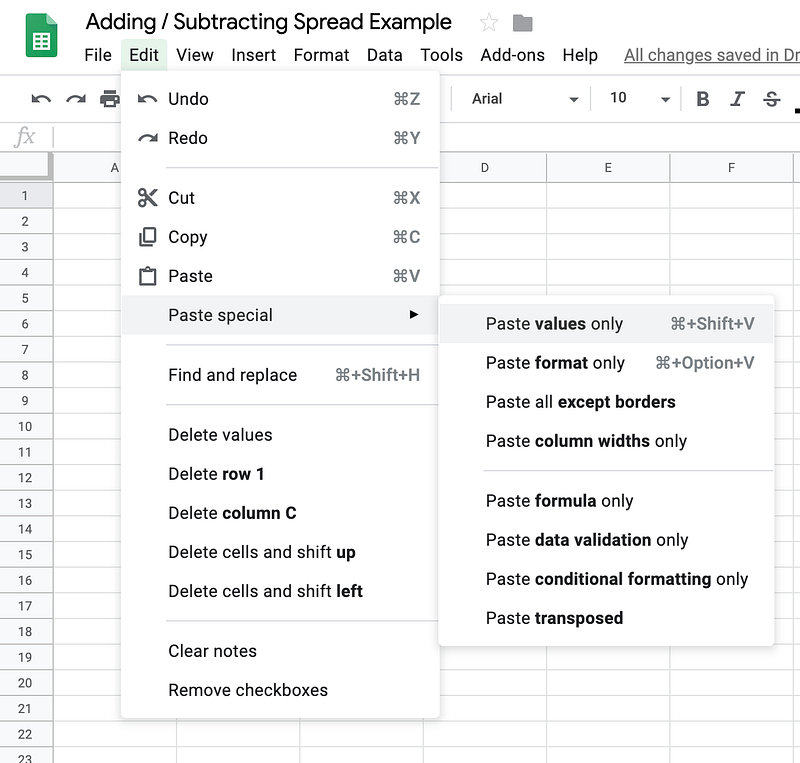
Click ‘Past Values Only’ and you should get this result:
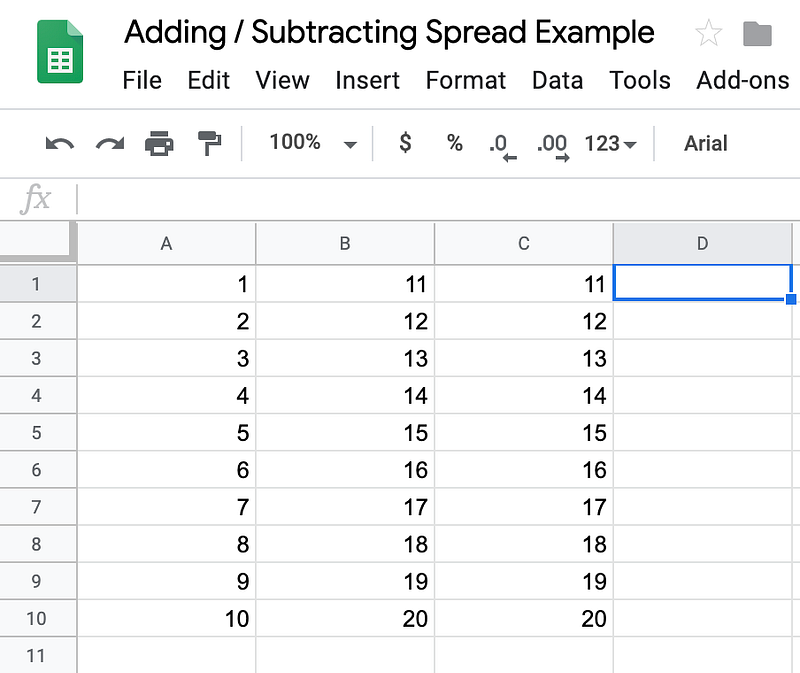
You can now delete columns A & B.
Copy and paste your new values anywhere you’d like with regular Copy & Paste methods. They won’t change now.
Hope you’ve enjoyed this easy tutorial and it comes in handy for you!
-C
Contact me at https://www.charleshearnofficial.com if you have further questions or concerns!


