avatarFrost

Free AI web copilot to create summaries, insights and extended knowledge, download it at here

1411

Abstract

ljs-keyword">py</span></pre></div><blockquote id="7ce9"><p>Make sure you have python3 installed on your system to run the tool.</p></blockquote><figure id="6497"><img src="https://cdn-images-1.readmedium.com/v2/resize:fit:800/1*LeivNgFNKkZOyQNqWyK1Kw.jpeg"><figcaption></figcaption></figure><p id="25c1">Here you will have options to select a template, these templates are just different types of phishing pages to create a link that will get the location from the victim. In my case, I will choose the Near You option by entering the number 0.</p><p id="3838">Next, you need Ngrok to make the link accessible anywhere on the internet.</p><p id="8638">Ngrok is an amazing service that exposes local servers to the public internet over secure tunnels. <a href="https://gist.github.com/SalahHamza/799cac56b8c2cd20e6bfeb8886f18455https://gist.github.com/SalahHamza/799cac56b8c2cd20e6bfeb8886f18455">Click here </a>to learn how to install Ngrok.</p><p id="5171">Once you have Ngrok installed on your system, open a new terminal and type the following command:</p><div id="dd07"><pre><span class="hljs-attribute">ngrok</span> http <span class="hljs-number">8080</span></pre></div><figure id="b89d"><img src="https://cdn-images-1.readmedium.com/v2/resize:fit:800/1*iySbp_Ibzi6LQ84wy-Xy2A.jpeg"><figcaption></figcaption></figure><p id="78c8">At this point, you need to use your social engineering skills and send the fo

Options

rwarding link to the victim.</p><p id="2991">The link is suspicious for the victim, so you can mask the address using a link shortener or embed the link into a button.</p><p id="df4e">If the victim will click on the link he will be prompted to allow the location and as soon as they allow the location, you will grab their exact location as shown in the below picture.</p><figure id="f49f"><img src="https://cdn-images-1.readmedium.com/v2/resize:fit:800/1*iDz6LhEHqEav73qaHtw3Rg.jpeg"><figcaption></figcaption></figure><p id="9ccf">You will also get the Google Maps user’s location link, just copy and paste it into your web browser to see the location.</p><figure id="87f9"><img src="https://cdn-images-1.readmedium.com/v2/resize:fit:800/1*YpvU65WJvfRvdCcXk00KMA.jpeg"><figcaption></figcaption></figure><p id="7566">Now you can see the exact locati.</p><blockquote id="ad35"><p>This tool is for educational purposes only, and not for causing malicious or damaging attacks.</p></blockquote><p id="bd32">I hope you enjoyed this article. If you want to support my writing, I would really appreciate if you took a second to leave some claps and a follow! You can also buy me a coffee to fuel my next article.</p><figure id="899d"><img src="https://cdn-images-1.readmedium.com/v2/resize:fit:800/1*KdYzs9MTaRdpYoSSuu6n8w.jpeg"><figcaption></figcaption></figure><p id="113f">Thank you for reading!</p></article></body>

How to Accurately Locate Smartphones using Seeker
Introduction

In this tutorial, you will learn how to find someone’s location by using a tool called Seeker.

The great thing about Seeker is that other tools and services provide IP geolocation, which is NOT accurate at all and only provides an ISP location rather than the target location.

Seeker works best with smartphones because it makes use of the HTML API to obtain location permission and then grabs the Longitude and Latitude using the device’s GPS Hardware.

If the GPS Hardware is not present, such as on a computer, seeker fallbacks to IP geolocation, or it will look for coordinates.

Install Seeker

To install the tool, you need to download/clone the package from Github using the following command.

git clone https://github.com/thewhiteh4t/seeker.git

Then change the directory to the seeker folder using cd seeker in the terminal, and type the following command to start the tool.

python3 seeker.py

Make sure you have python3 installed on your system to run the tool.
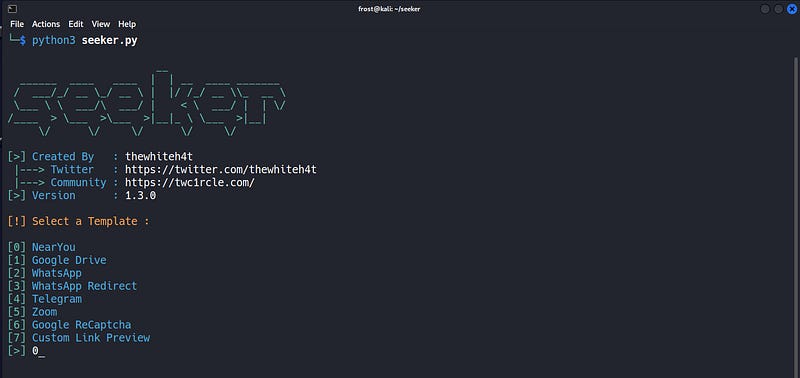
Here you will have options to select a template, these templates are just different types of phishing pages to create a link that will get the location from the victim. In my case, I will choose the Near You option by entering the number 0.

Next, you need Ngrok to make the link accessible anywhere on the internet.

Ngrok is an amazing service that exposes local servers to the public internet over secure tunnels. Click here to learn how to install Ngrok.

Once you have Ngrok installed on your system, open a new terminal and type the following command:

ngrok http 8080
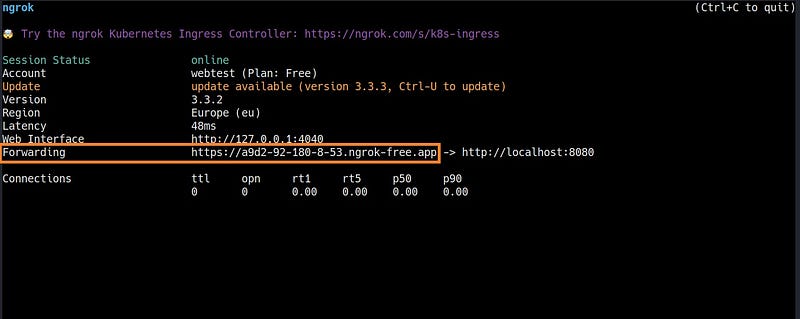
At this point, you need to use your social engineering skills and send the forwarding link to the victim.

The link is suspicious for the victim, so you can mask the address using a link shortener or embed the link into a button.

If the victim will click on the link he will be prompted to allow the location and as soon as they allow the location, you will grab their exact location as shown in the below picture.
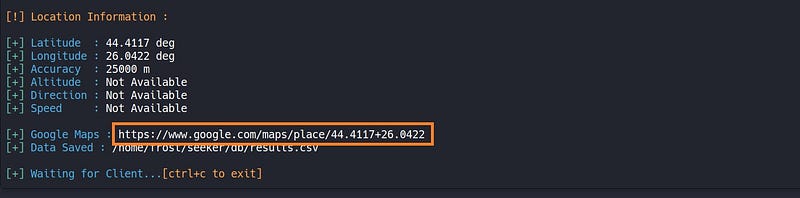
You will also get the Google Maps user’s location link, just copy and paste it into your web browser to see the location.
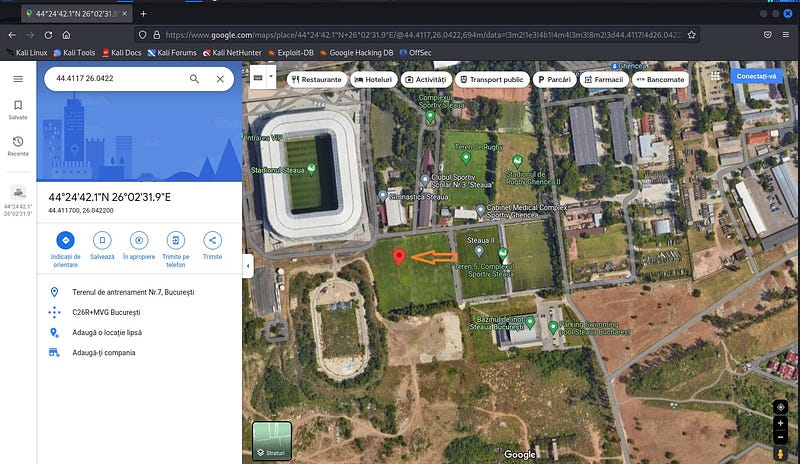
Now you can see the exact locati.

This tool is for educational purposes only, and not for causing malicious or damaging attacks.

I hope you enjoyed this article. If you want to support my writing, I would really appreciate if you took a second to leave some claps and a follow! You can also buy me a coffee to fuel my next article.

Thank you for reading!

Social Engineering
Phone Hacking
Internet
Hacking Tools
Ngrok
Recommended from ReadMedium