
How to access Llama 2: Free Generative AI LLM Alternative to ChatGPT API
Step-by-step tutorial to get Llama 2 API tokens for absolute beginners

Llama 2 is a group of large language models (LLMs) developed by Meta. It is an open-source model freely available for research and commercial use. If you are interested in finding a free alternative to the ChatGPT API, Llama 2 is worth checking out. In this tutorial, we will go through how to get access to Llama 2 generative AI large language models (LLMs).
Resources for this post:
Step 0: Llama 2 Training Data
Llama 2 used public data that includes about 2 trillion tokens for the model. The fine-tuning phase incorporated publicly accessible instructional datasets, complemented by over a million new human-annotated examples.
Regarding data recency, the pretraining data is capped at September 2022, whereas some of the tuning data extends to July 2023.
Step 1: Fill Out Meta’s Application Form
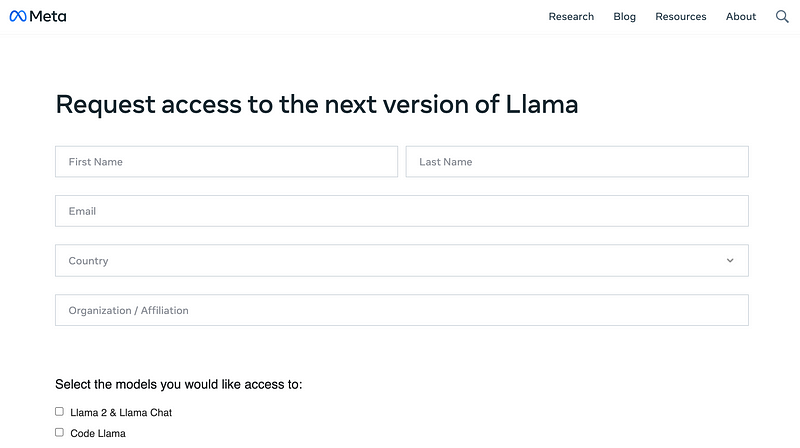
Request access to the models in the official Meta Llama 2 repository by filling out the access form on Meta’s website.
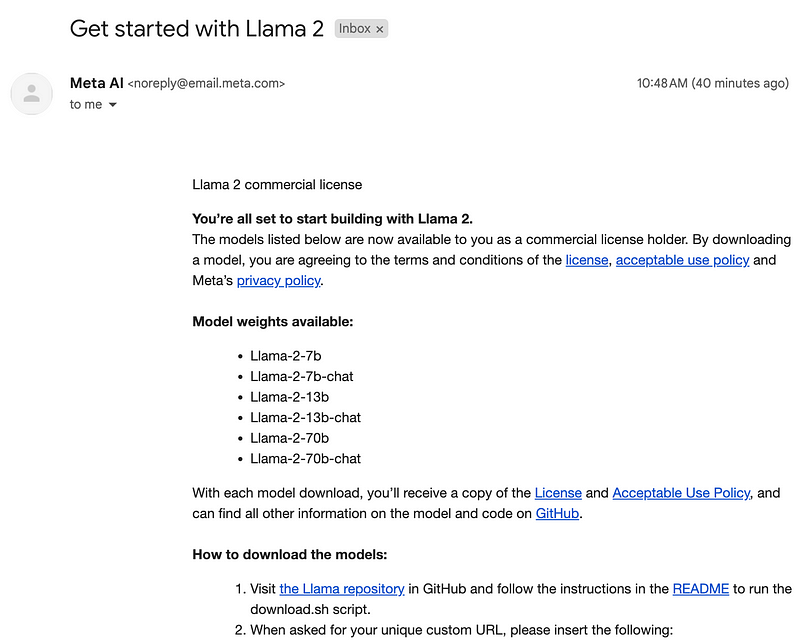
Access is granted almost immediately, and you will receive an email looking like the one below at the address which you signed up with.
Step 2: Llama 2 models Download Options
After getting access to Llama 2 models, you have two options to download the Llama 2 models.
- Download the models to your local drive following the instructions in the email. Doing this requires a computer with a large hard drive and a good GPU.
- Download the model via Hugging Face. You can use it with an online cloud notebook such as Google Colab. Read this blog post by Hugging Face to learn more about the Llama 2 models hosted on Hugging Face. In this tutorial, we will focus on the second method.
Step 3: Llama 2 models Hugging Face Verification
Login to your Hugging Face account and go to the Models section, then search for the models with the name llama.
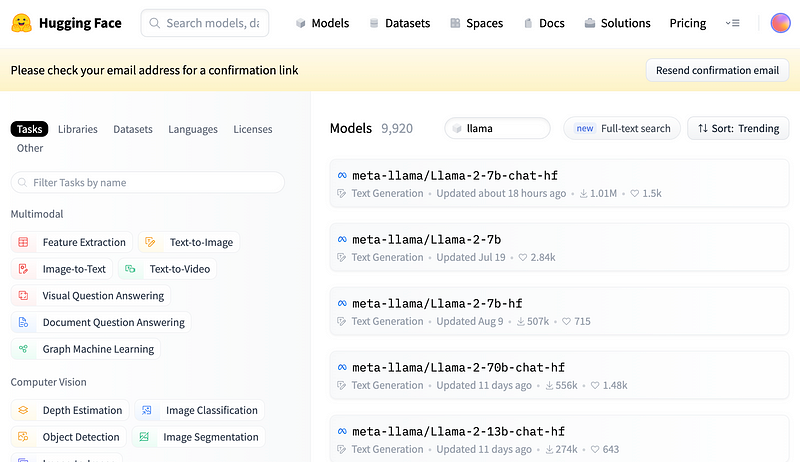
We can see that the model named meta-llama/Llama-2–7b-chat-hf has the highest download volume. Click the model name and you will see a form for accessing Llama 2 on Hugging Face.
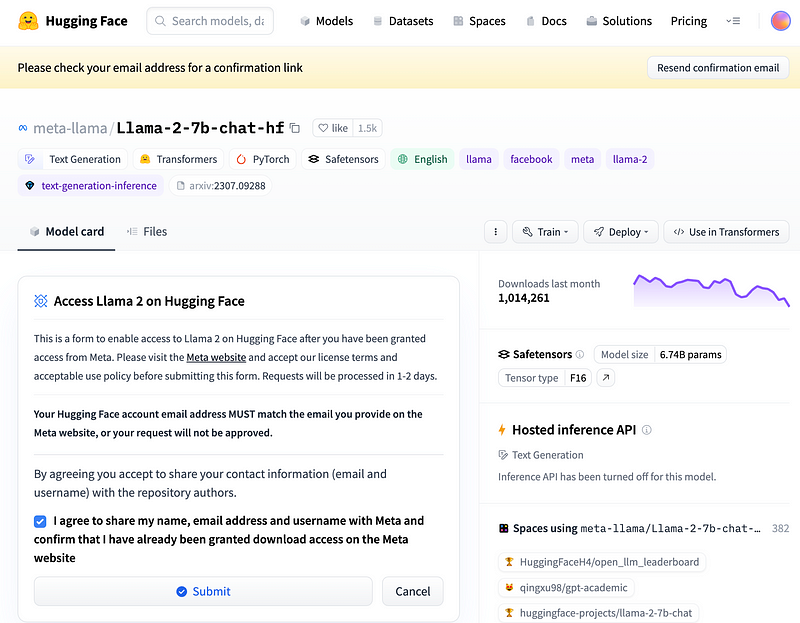
If you agree with the statements, please submit the form by clicking the Submit button. Note that your Hugging Face account email must match the email you used in step 1 when filling out Meta’s application form.
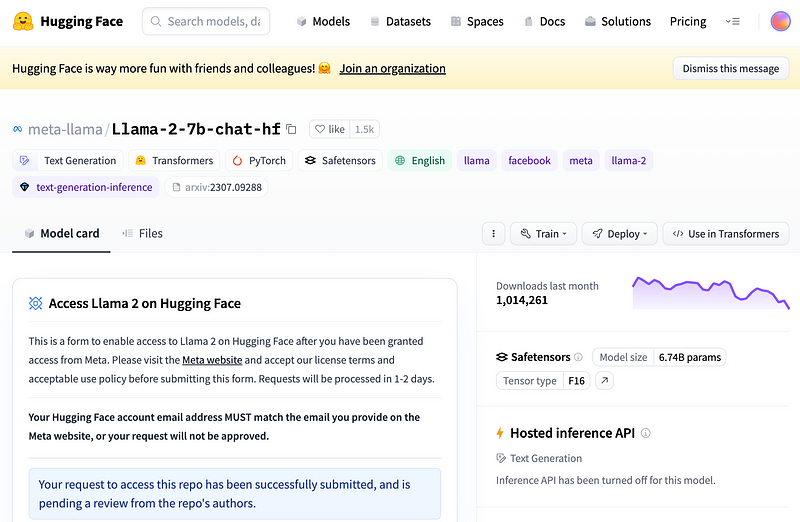
After submitting the Hugging Face Llama 2 access form, you will see a blue box with the message “Your request to access this repo has been successfully submitted, and is pending a review from the repo’s authors.” Within a couple of hours, you will receive an email granting access to the Llama 2 model.
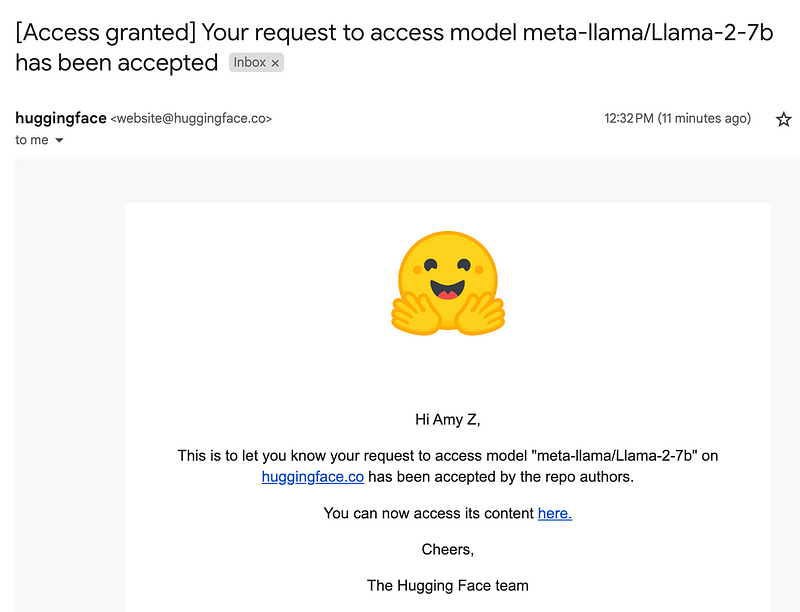
The model meta-llama/Llama-2–7b-chat-hf is a fine-tuned version of the meta-llama/Llama-2–7b model, and you will get access to all the variations of this model.
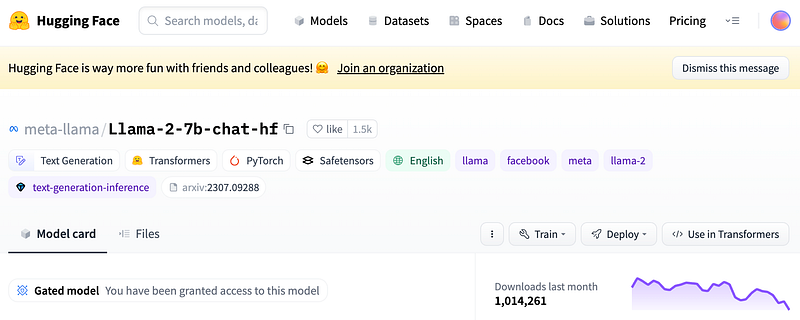
Now refresh your Hugging Face page for the selected model, and you will see a message saying “You have been granted access to this model”.
Step 4: Get Hugging Face Access Token
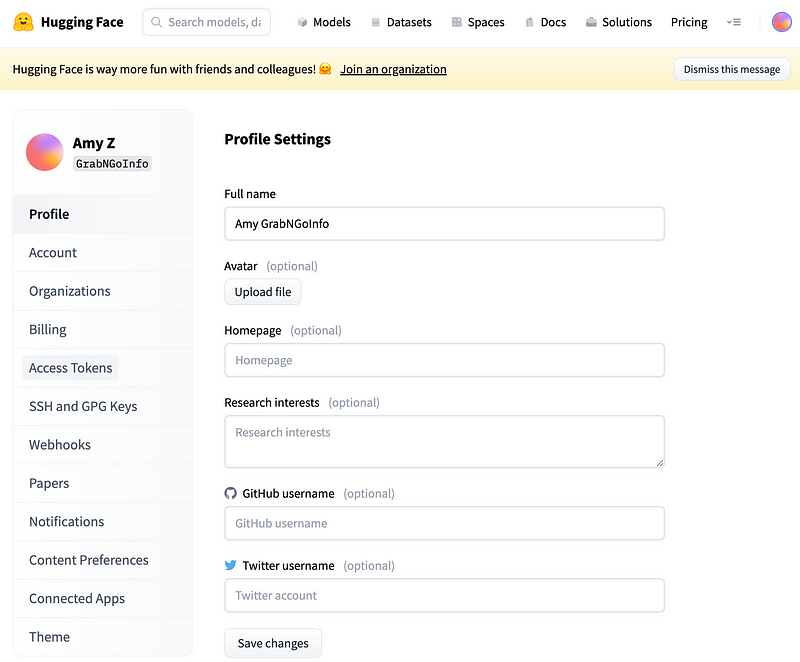
We need a Hugging Face access token associated with the verified account before downloading the model. To get the Hugging Face token, click the profile picture on the upper right corner, then click Settings.
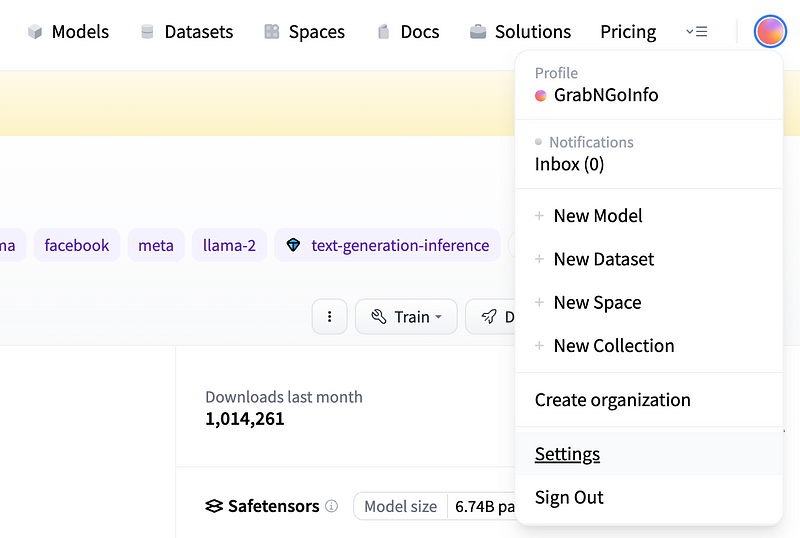
After that, click Access Tokens on the left sidebar.
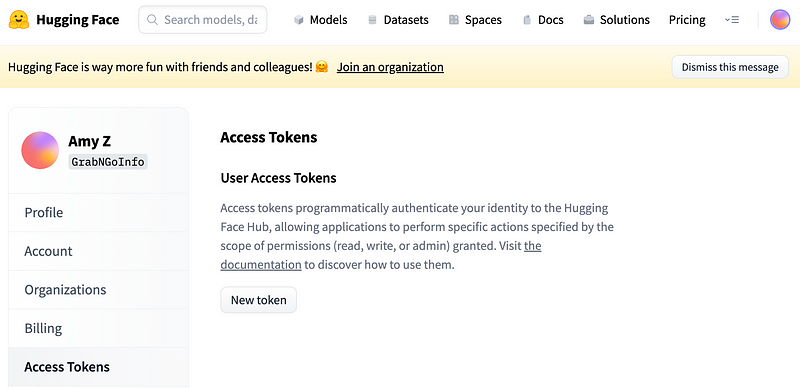
Then click New Token on the Access Tokens page.
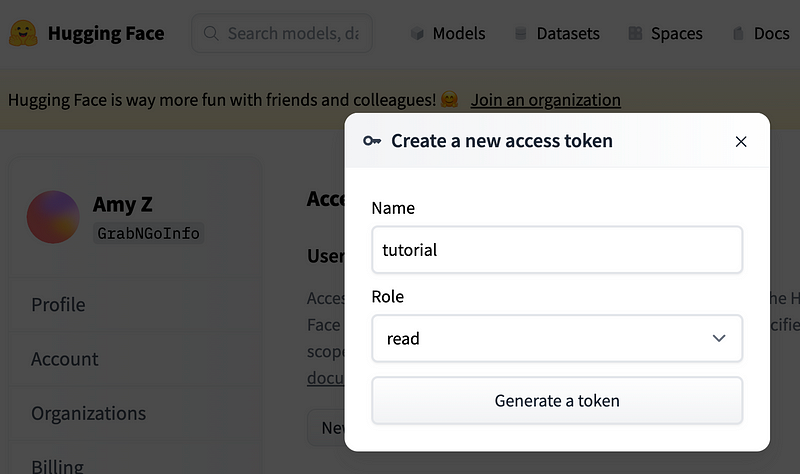
Give your new token a name, choose the role, and click Generate a token button.
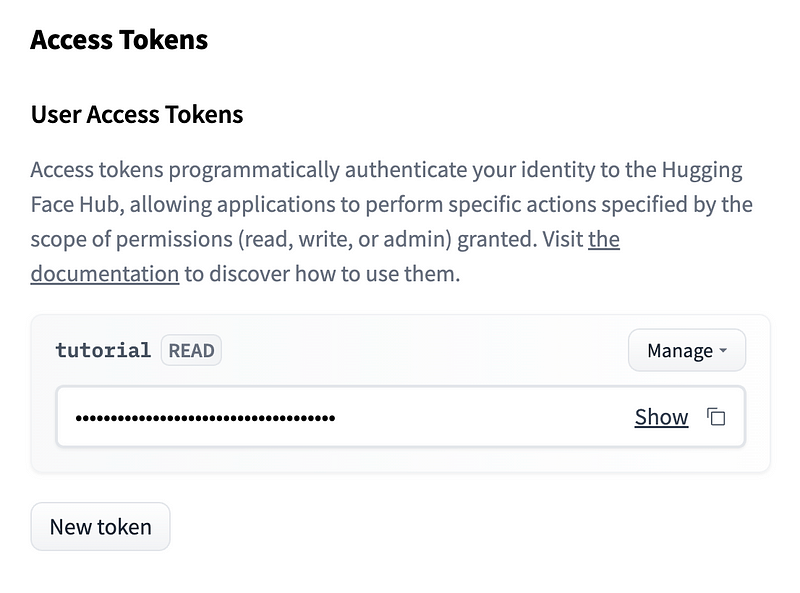
You can copy the token after it is successfully generated, and Llama 2 is ready to use!
More tutorials are available on GrabNGoInfo YouTube Channel, GrabNGoInfo.com, and LinkedIn.
Should you find this article enjoyable, show your appreciation on Medium with claps and comments. Don’t forget to hit the follow button for more content like this. Unlock unlimited access to a world of knowledge — become a Medium member today through my referral link and empower your learning journey!
Recommended Tutorials
- GrabNGoInfo Machine Learning Tutorials Inventory
- Recommendation System: User-Based Collaborative Filtering
- Recommendation System: Item-Based Collaborative Filtering
- Topic Modeling with Deep Learning Using Python BERTopic
- Five Ways To Create Tables In Databricks
- Hyperparameter Tuning for Time Series Causal Impact Analysis in Python
- Top 20 AB Test Interview Questions and Answers
- Top 10 Causal Inference Interview Questions and Answers


