
How TLS Stops Hackers From STEALING Your Credit Card?
This post is a part of the post series about computer networking fundamentals (explained simple).
Read the previous post on computer latency by clicking here.
Do you use internet banking? If you are not stuck in the dinosaur age, I am sure that you have an internet banking app on your phone (my grandmother still signs the transfers manually, but she doesn’t read tech blogs).
Now let’s use this to explain why the security of your connection matters.
Your payment request to your bank (say, to pay for an XYZ in an online store) is traveling over the public internet — XYZ being something you do not need but think you do — e.g., a pizza oven.

As you already know, the request is traveling (hopping) over a bunch of servers till the request reaches your bank’s computer.
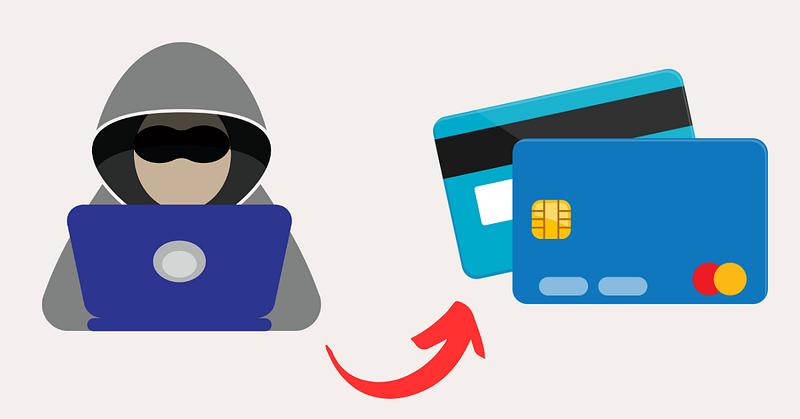
These servers have a public IP, and someone can steal (intercept) your credit card details along the way!
TLS (Transport Layer Security)
To reduce the likelihood of fraud, the smart guys invented TLS (Transport Layer Security).
With TLS, when the connection is initiated from your computer, and the sensitive information is sent over the internet, no attacker can benefit from your private details since the data is scrambled (appears random) during the transit!
So, for everyone except you and your bank, the payment instructions will look like this.
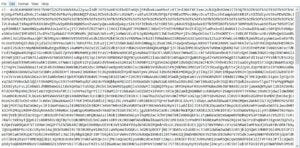
The majority of today’s websites and apps actually use TLS. For instance, you can tell if a website uses the TLS protocol if it has the letter S in the URL (next to HTTP) — so, HTTPS. This goes together with a padlock next to the address (🔒).
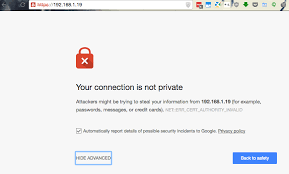
Based on this, most modern browsers will not even let you access the websites that do not use the secured connection (TLS) — you might see the warning.
All right, you know why you should care for TLS. Let’s now zoom in and understand what’s behind the scenes.
TLS handshake
The secured connection between server and client is established via the TLS handshake process — client here means a device accessing the server.
This can be a website (browser), mobile app (REST-API), CLI (command line interface) client, or anything capable of contacting the server.
Like this meme, the client and the server must acknowledge and authenticate each other (get to know one another) before they get into a closer relationship (a hug) and start transferring the data.
CA (certificate authority) is a middleman that facilitates this identity verification process.
Certificate authorities are companies that issue digital certificates that confirm the server’s identity.
The certificate usually contains the details about the issuing authority, the certificate receiver (e.g., issued to ing.nl of the IP of 143.176.147.29), the expiry date of a certificate, and so forth.
Public and private keys

Once the certificate is installed on my bank’s servers, the server will contain something called public and private keys.
The public key is a key that is used to encrypt (scramble) the data, while the private key is used to reverse the operation and decrypt the data (make it readable for humans again).
During the TLS handshake, the client understands that the server communicates via TLS, verifies its certificate against its certificate base (e.g., OS-wide certificates), and checks if it is still valid (not expired).
Once this is all good, the server sends its public key over the internet to the client, and the client then uses it to scramble the data it wants to send (your credit card details, for instance).
Once the information reaches the server, the private key decrypts the data (makes it readable again).
The trick here is that the data is encrypted with the public key that can be sent publicly but decrypted ONLY with the private key that is never sent over the public internet!
Since the private key never leaves the server, the server is the only point to see the originally sent data (and you, the sender, of course).
That’s how the data in transit (traveling via the internet) is completely useless to anyone but you (the sender) and the receiver (the bank’s server).
Ready to start your tech career?
Check out this free resource that walks you step-by-step towards your first tech position — regardless of your experience — in my free guide.


