
How I Use Logseq to Take Notes and Organize My Life
the Best Free Note-Taking App to Supercharge Your Productivity and Write More
Logseq is a note-taking app that is not known by many people but it’s one of the best personal knowledge management tools I’ve ever used.
Read: the Best FREE Note-Taking App for Writers and Students
I’ve tried many note-taking apps before like Evernote, OneNote and Obsidian. Until recently, I’ve been using Roam Research as my primary note app. But I switched to Logseq simply because it suits my workflow better, and it’s free. If you want to know the difference between Roam and Logseq, please watch this comparison video I made:
How I Use Logseq
Timeline Note-Taking
This is Logseq. It’s a simple, yet super powerful outliner app. Like many note apps nowadays, you get a note for each day, which is called a journal in Logseq. For me, this is where I write everything.
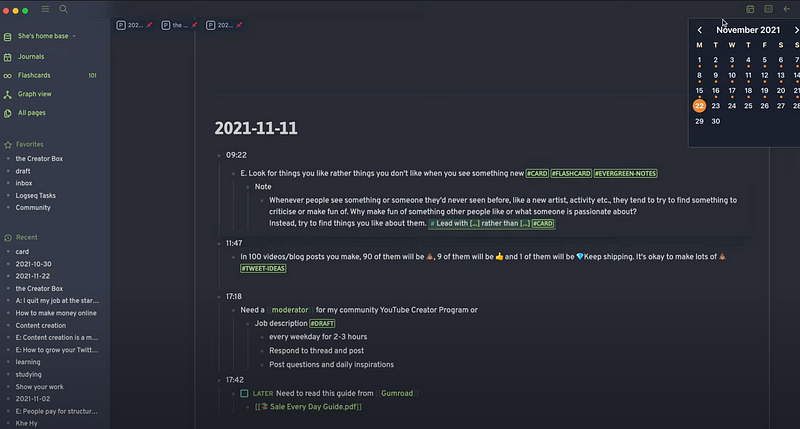
As you can see, I write things chronologically in this timeline. For example, I do my morning pages in the morning, then I wanted to write a thought I got while meditating. In the afternoon, you can see I was planning a new video for YouTube.
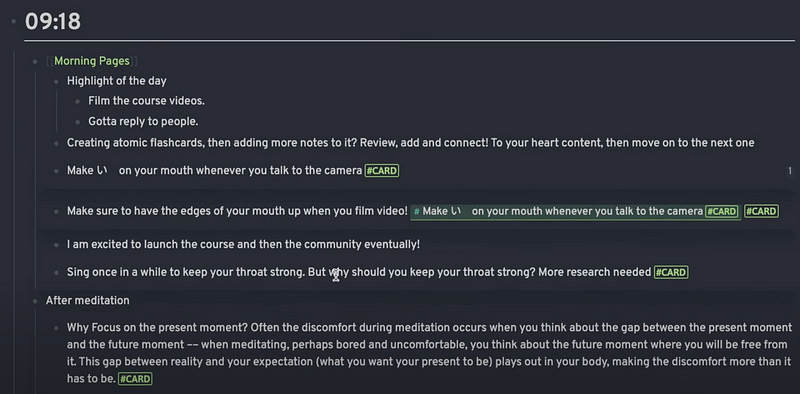

It’s kind of like Interstitial Journaling which I talked about in a video before. But I found this method incredibly useful because I can write down anything on this page regardless of category or genre. That means you don’t have to think about which folder to put this note in or what title you should give to it. Also, it saves so much time because you don’t have to spend time navigating between a bunch of folders. You can just write it down without wasting your mental energy and time on these things.
For instance, I can write down what I learned about how using mouthwash can raise your blood pressure. After that, I can write about my new blog post on the same page.


It saves you from the burden to organise your notes which was one of the problems I had with traditional note-taking apps like Evernote and OneNote. Apps like Logseq lets me focus on writing, instead of organising stuff.
Read: Raindrop + Logseq/Obsidian/Roam = 🔥
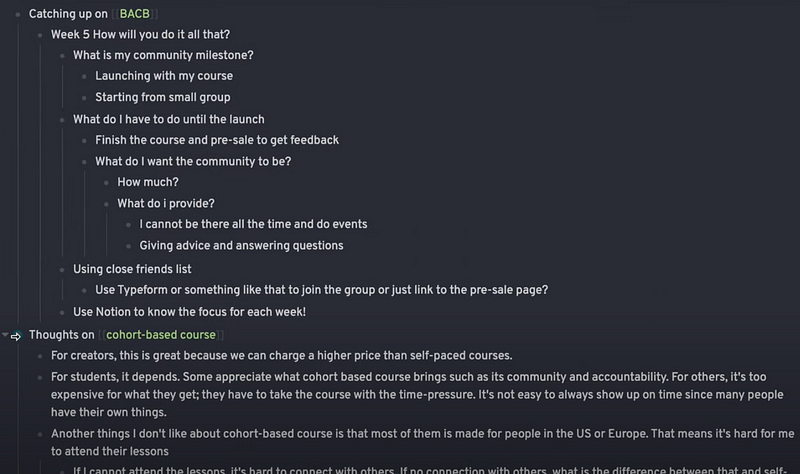
Another reason why I love this method is that it helps me remember what I learned and what I did. Since everything is part of the timeline, you can always see the context of every block. For example, I can see I thought about cohort-based courses because, just before, I was catching up on an online course I’m taking. This might be just me, but knowing the context of each note helps me to remember these things more vividly for a long time. That’s probably because you can use the context like, what you did before and after, as a hook to remember as to why you made that note in the first place.
Importing highlights with Readwise integration
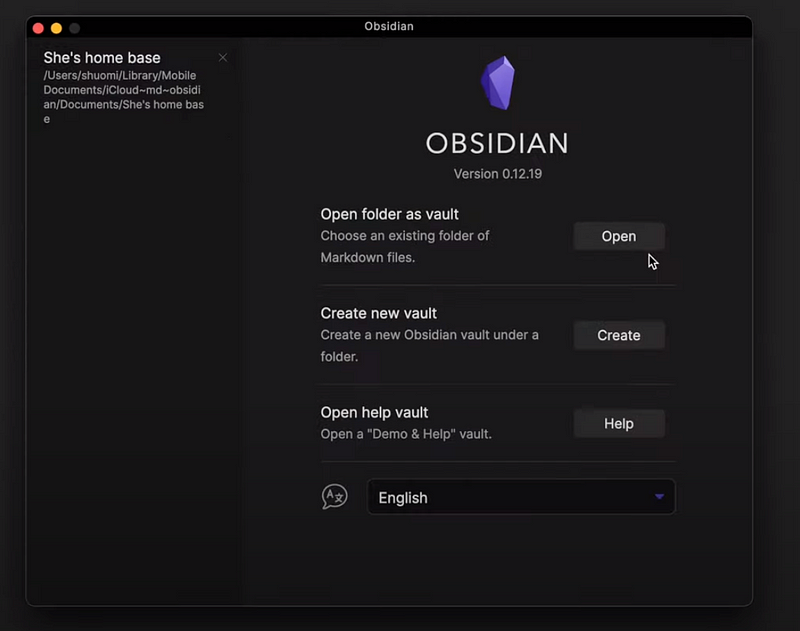
Importing highlights from the articles and books you read is really easy if you use Readwise. Right now, there is no direct Readwise and Logseq integration, but Obsidian does. If you download Obsidian and set up a vault in the same folder as your Logseq folder, you can benefit from its plugins. For example, they have the official Readwise plugin which allows you to import the highlights from various apps into Obsidian.
So, let’s say I made some highlights in Matter, which is my favourite reading app.
Read: Matter: the Best Reading App for Note-Takers
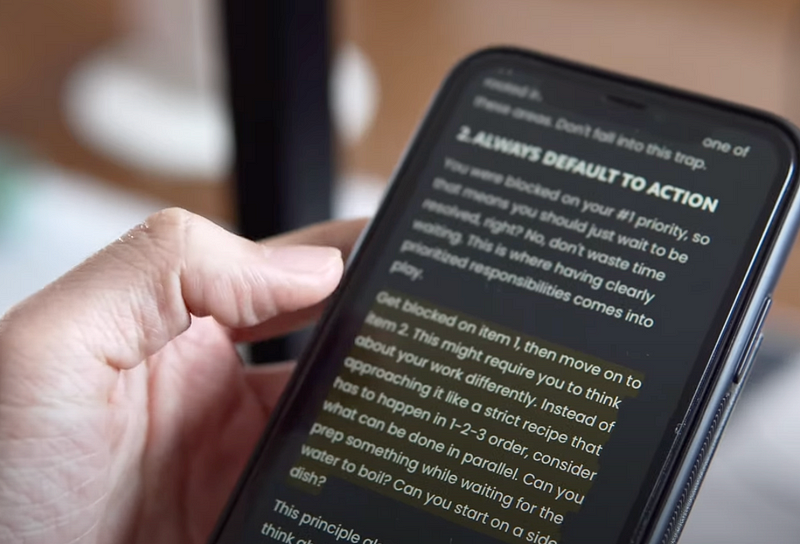
Since it’s connected to my Readwise account, it will be synced to Obsidian.
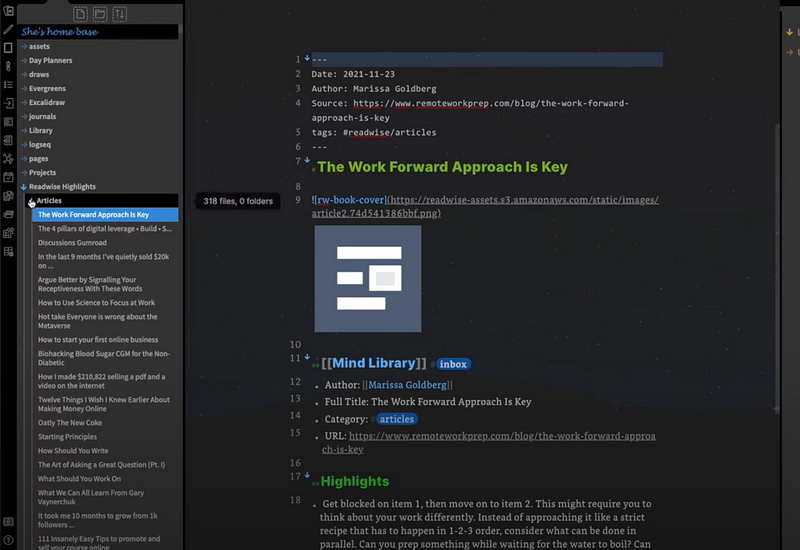
But because my Obsidian and Logseq share the same folder, it will also appear in Logseq too.
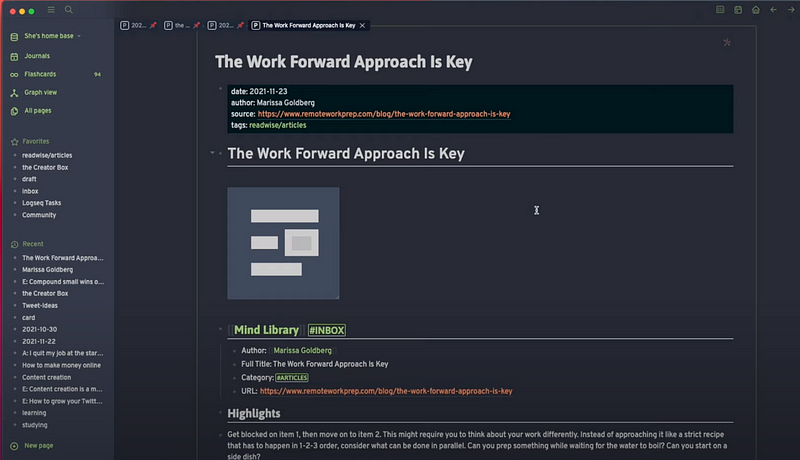
It all sounds like a long process, but it’s really easy to set it up because all you have to do is just download Obsidian, choose your Logseq folder as a new vault location, then install the Readwise plugin. Then you can see all the highlights you made in Logseq.
Atomic Flashcards as a Block of Knowledge
So far I’ve tried many different knowledge management techniques like the PARA method by Tiago Forte and the Zettelkasten method of Niklas Luhmann. But the method that clicked with me the most is creating atomic flashcards as a block of knowledge.
In a nutshell, whenever I consume information, I will break it down into smaller pieces and turn them into flashcards. It’s the same idea as Atomic Notes. But instead, it’s Atomic Flashcards.
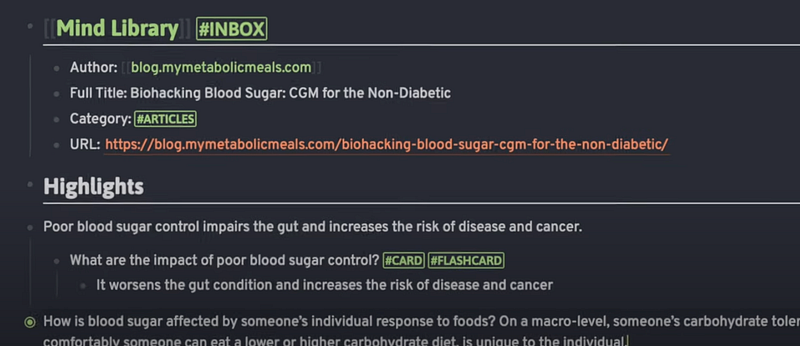
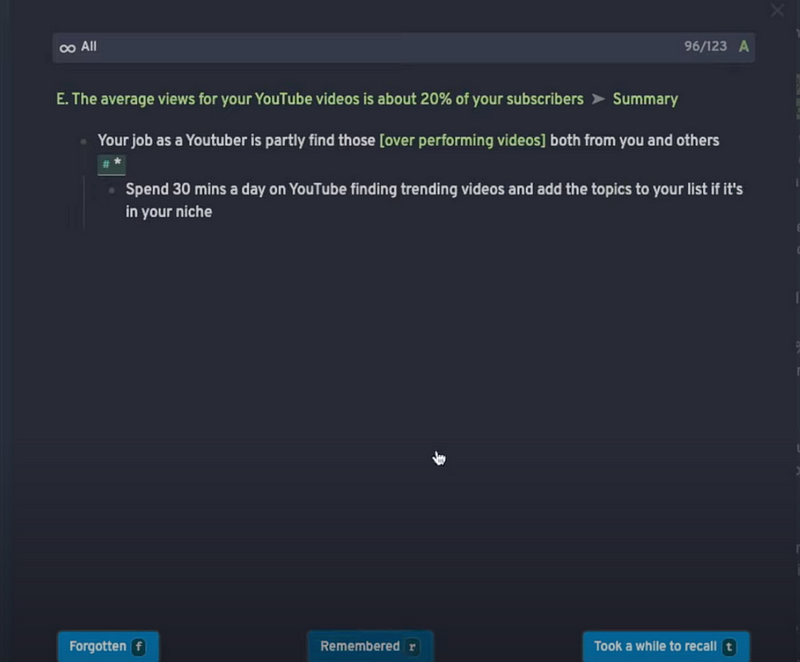
The main reason why I make flashcards instead of notes is simply because it helps me remember what I read because you’re going to have to review them again and again. But in contrast, making notes alone isn’t quite enough, at least for me, to remember what I learned. In just a few weeks, I just forget what I wrote. But if what I wrote is in the form of a flashcard, I can kind of force myself to remember it until it moves to the long-term solid memory.
Each time I review my cards, I spend a few minutes adding a little more information and connecting it to other flashcards until I’m satisfied. Then move on to the next one. This way, I can develop notes out of flashcards incrementally over time.
Organising Content Ideas
I use Logseq to save my content ideas too. For example, when I came up with an idea for a tweet, I tag it with #tweet-idea. Then, later when I schedule my tweets, I can go to the page and see the list.

After scheduling the tweets, just delete the tag.
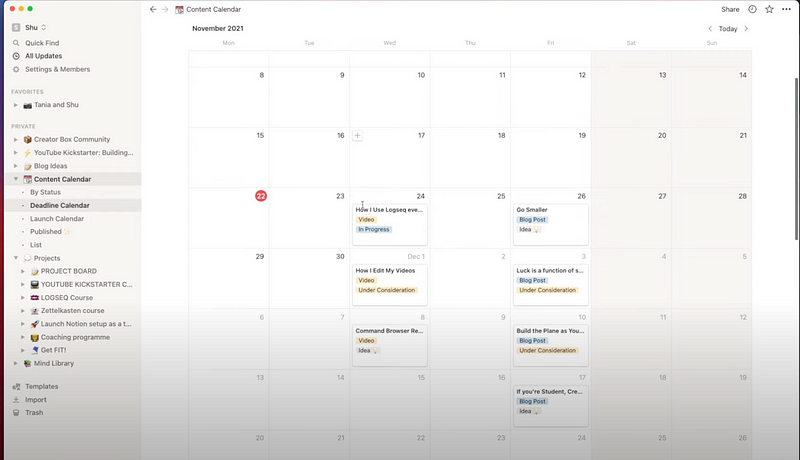
But when it comes to blog and YouTube video ideas, I prefer to organise them in Notion rather than in Logseq. It’s simply because Notion lets you manage your ideas in different formats like a kanban board, calendar, list, table and timeline, which makes it a much better tool for organising your content ideas than Logseq.
Managing Tasks
Similarly, you can manage your tasks in Logseq if you want to. Personally, I have a page called Logseq tasks where I can see the list of things to do.
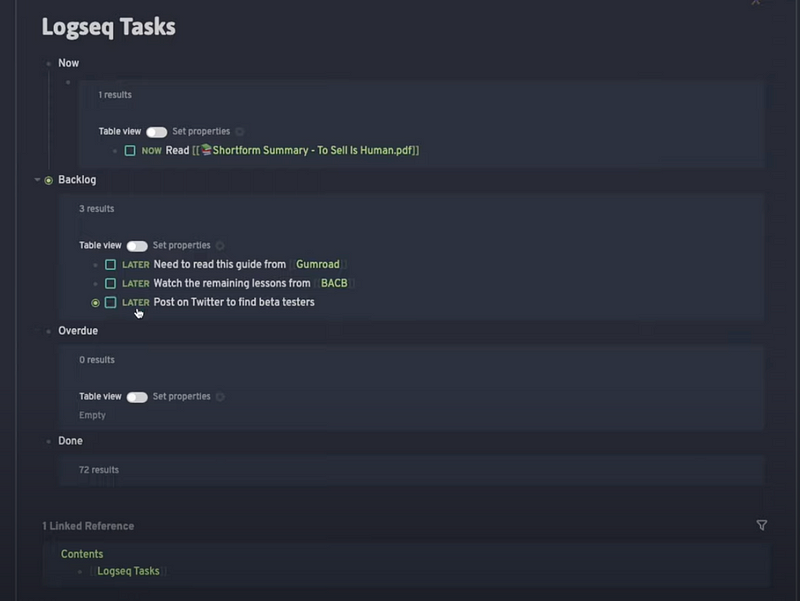
Unlike most note-taking apps, you can make a pretty sophisticated task management system within this app by using functions like queries, scheduling, deadline, repeat, priority and so on. But I don’t really use it every day just because Logseq doesn’t have its mobile app yet. For me, being able to check my task list instantly on the go on my phone is absolutely critical. So for now, I just use a different app for managing tasks.
Reading PDFs
One of my favourite apps to use with Logseq is Shortform. It’s a book summary app, but they do more than just summarising books. Unlike other apps, they offer super detailed book guides that include not just summaries, but analysis of the book’s key ideas.
Because it lets you download their summaries as PDF, I usually get the PDF summaries of my favourite books like Nonviolent Communication and upload them to Logseq. Using its PDF reader, you can make highlights and extract them.
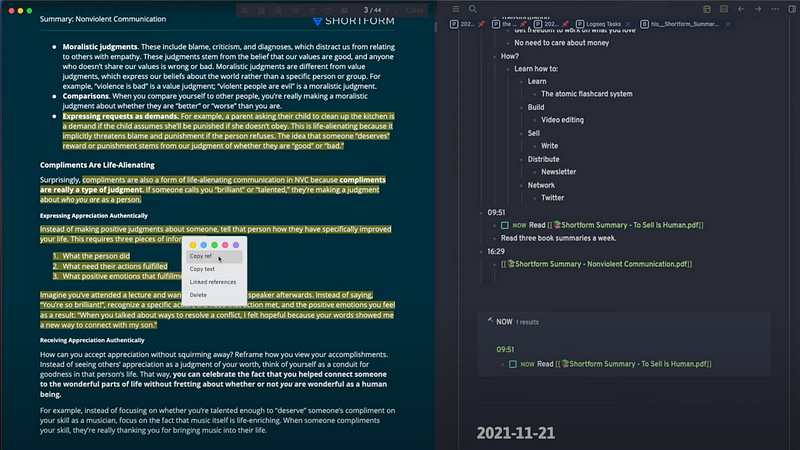
Then I add a little note for each highlight and turn it into a flashcard so I can remember what I read. It’s a simple and easy way to learn new ideas and make sure you won’t forget them.

💌 Subscribe to my newsletter:https://www.getrevue.co/profile/shu_omi
👾 Watch my YouTube videos: https://www.youtube.com/c/ShuOmi_Official
🚀 Get my YouTube Kickstarter Kit to launch your YouTube channel and start building an online audience


