
How I use Cardhop — Fantastical’s forgotten little sister
When Flexibits announced that they would be switching their popular calendar, Fantastical, to a subscription model they attempted to sweeten the deal by throwing their Contact Management tool, Cardhop, into the subscription at no extra cost.
If truth be told, the move seemed to do little good. There was still plenty of moaning from the Apple community, and the availability of Cardhop seemed to be of very little interest to people who were still fuming at being asked to pay regularly for a calendar.
I may well be in the minority here. I like Cardhop, and it has become my contact app of choice — which, admittedly, is not saying a lot given how low Apple has set the bar with their own app.
However, given that Cardhop doesn’t get much air time, I thought it might be interesting to look at its features and how I tend to use it.
I have an ulterior motive, too. I’m trying to decide whether to renew my Fantastical subscription at the beginning of 2024, so I’m hoping that getting key features written down will help gauge their value to me.
With that out of the way, let’s see what Cardhop can do.
Natural Language Processing
First up, it’s good to see that Cardhop uses the same NLP that has made Fantastical so popular. By typing in a language that feels natural to us, it’s easy to add, edit and interact with your contacts:
- “Call Mum at home” has your phone dialling the home number stored for “Mum” in your contacts
- “Jonny Smith birthday 28/10/1984” adds a birthday to the “Jonny Smith” Contact
- “Directions Caroline Smith home” has your device using your preferred Map app to calculate the relevant directions to the right place.
Doing away with business cards
Cardhop is doing its best to do away with the most traditional way of swapping our professional contact details: the business card.
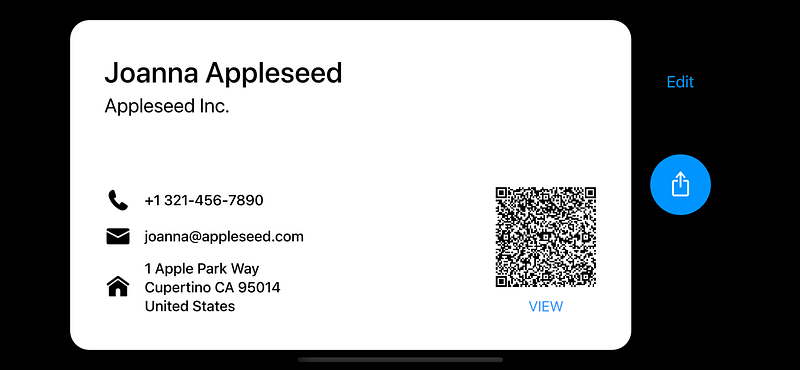
Firstly, the app allows you to create your own business card (complete with QR code) allowing you to cut down on printing costs. It also means that people who you are sharing your info with, only need to scan the QR code to store all of your relevant details.
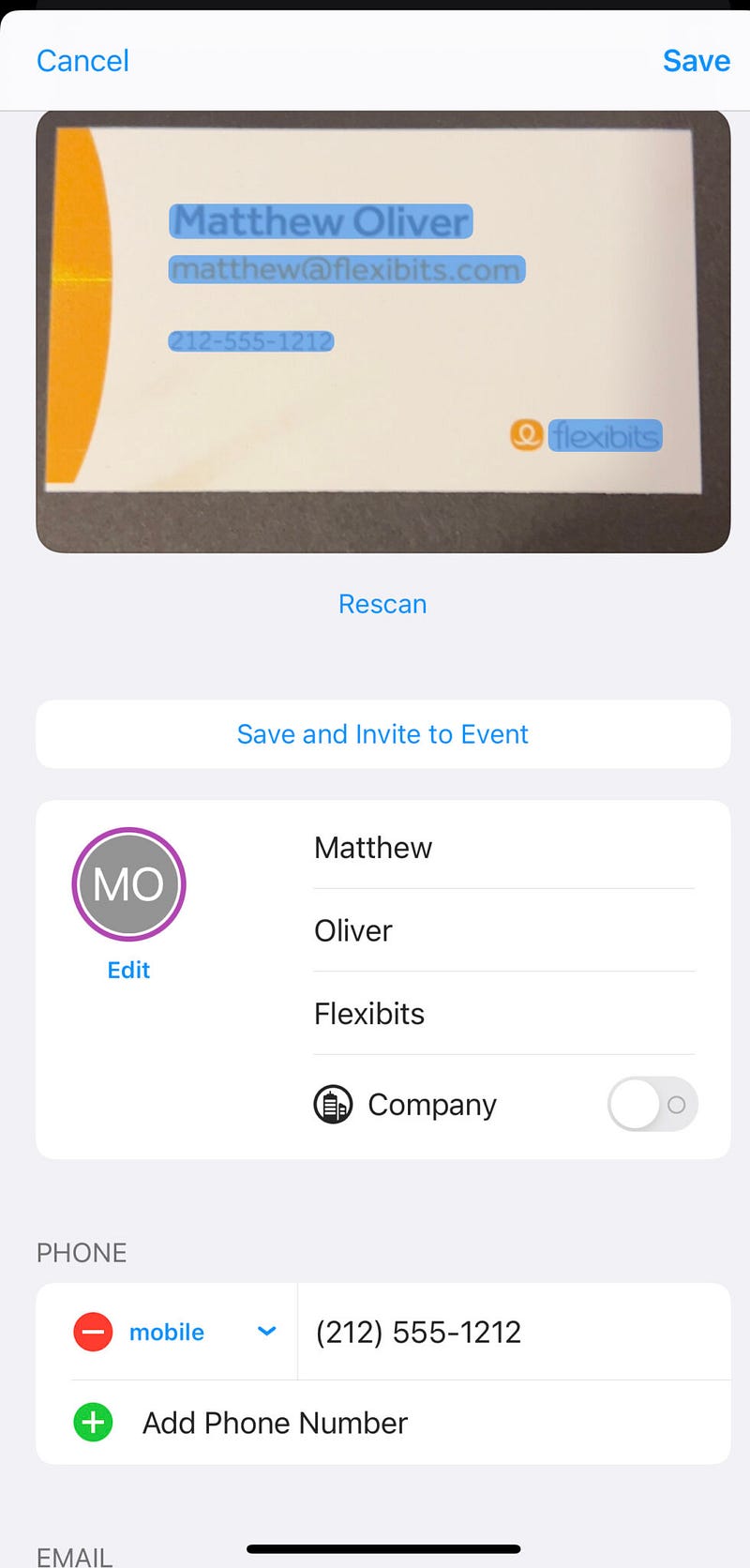
Digital information sharing works both ways too. If someone presents you with a standard business card, Cardhop will scan the details and store them all digitally within the app.
Gone are the days of you needing to come home from conferences with your pockets stuffed full of rotten cardboard and paper.
Groups and Smart Groups
Any contacts you store within Cardhop can be categorised within a group. Those groups could be things like “colleagues”, “family” or “professional contacts” but they could also include categories such as “Hot Leads,” “Prospects” or “Cold Outreach” if you’re working in sales.
Smart Lists are pre-defined groups that have a set of metrics already in place to identify contacts dynamically. By default, the app comes with the following Smart Lists:
- Contacts who are not currently in a group
- Contacts that don’t have a birthday in their details
- Entries that are actually companies rather than individual people
- Contacts that you have recently modified
- Contacts that have additional notes added to their profile
You can build out your own Smart Lists, but you should be aware that iOS doesn’t currently support the building of these lists. Instead, you will need to create them on OSX and then have them sync across to your mobile device.
Setup relationships between contacts
Cardhop users can now record how one of their contacts is related to another.
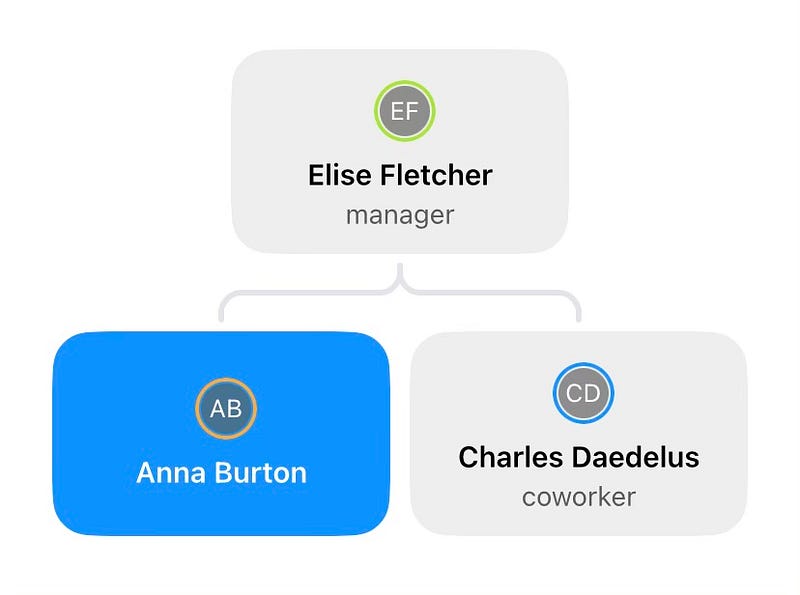
- In a professional environment, this means that you can track an individual’s managers and co-workers.
- In a professional environment, you can track an individual’s wife, husband, brother sister or children.
Notes (with added functionality)
As with Apple’s Contacts app, Cardhop allows you to dump a load of notes at the bottom of any contact entry. Where it goes a step further is that it works with any dates that you might put in there and displays them within Fantastical.
There is also an “Add Timestamp” link that allows you to keep track of your interactions with a particular contact. This is a great way of remembering when you last spoke to someone and turns the app into a basic CRM for work and personal purposes.
Setting up meetings easily
The integration with Fantastical doesn’t stop there, though — perhaps we shouldn’t be surprised, given how Cardhop has almost become a reason to buy Fantastical at this stage.
NLP comes to the fore again allowing users to create a set of actions with their contact’s information.
- The ‘Invite’ keyword sets up an event in Fantastical with the relevant contact at a time and date of your choice
- The ‘task’, ‘remind’ or ‘todo’ keywords will set a task within Fantastical at a particular date and time.
I’ve managed to make it all the way through this article without talking about how the app looks.
I could say that it is the best-looking Contacts app out there. However, given that its main competitor is Apple’s default Contacts app which hasn’t seen a lick of fresh paint in years, this isn’t saying a whole lot.
Nevertheless, Cardhop is a well-designed and colourful app which is intuitive to use and a definite step up from the monotony of grey that is likely to surround your current contacts.
Cardhop can be downloaded for free from Apple’s App Store. Pro features are unlocked as part of the developer’s Premium Plan (which includes Fantastical). Pricing for Premium is currently listed at £6.99/month or £59.99/year with a 14-day free trial.
More information on Cardhop can be found here.
One last thing
If you found the article above useful, then there are three things you can do to support my writing:
- Hit those clapping hands so that other people with your interests will become aware of it. Hopefully, they’ll find it useful too
- Follow me here on Medium so that you become the first to know when similar content is posted
- Carry on the conversation. Either leave me a message here or get in touch on Twitter/X or Mastodon. I promise I’ll get back to you!


