
How I use an Android device in the Apple Ecosystem
Like many of you, I love technology. Not only do I embrace the outputs, which help me achieve my goals and live a full life, but I also enjoy the input — ie actually using the devices.
I grew up in a time where PCs went from being found only in laboratories to being in every home, which was an exciting time. For the first few years of my life no-one had a computer, but by the end of my teens, everyone had one. It was this transformational embracing of technology that humanity went through, that tainted me with a love of consumer tech.
Unlike some people though, I prefer to embrace good technology whoever the manufacturer is. I’m neither an Apple nor Android fan but am both of those things. I love technology made by both, so have always found myself in the unusual position of wanting to use both. The deciding factor for me is the feature rather than the badge. Though the Apple badge is rather compelling, as I blogged about. I consider myself a tech nomad that is always searching for device-utopia, rather than building a home in either camp.
I’d rather not plant a permanent foot in either camp, but remain agile enough to be ready to embrace whichever device is best for my needs at the time.
Now I find myself in the position of concluding that a blended system seems to be my preference based on the current device lineup available.
Rather than experience the simplicity of living within an ecosystem, I find myself valuing the features of individual devices, which frankly is a bit of a problem. Life would be much simpler if I just embraced technology from one of the main tech giants, but here we are.
So at this point in time, I find myself using the following:
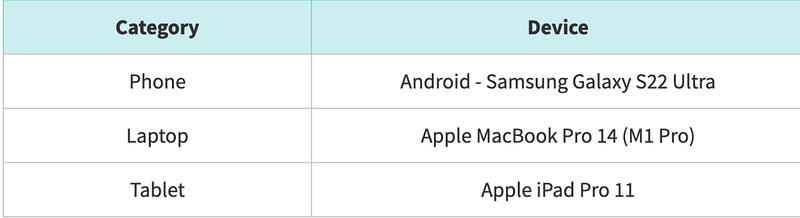
Now there are a number of disadvantages to using a blended system, which can add friction to day to day useage, so I’ve shared below some tips I have deployed to ensure I am able to get the most out of each device. Before I share these tips though, I wanted to share some thoughts I why I choose these devices.
Phone — Samsung Galaxy S22 Ultra
I’ll start by saying that I also own an iPhone 13 Pro Max. I’m not writing as someone that has no or only historical experience, but someone that has used the latest offerings from the two industry powerhouses. So here are some reasons:
- Display. For me this is number one. A combination of the size and quality of the display just makes this a simple choice. The 13PM has a good display but the S22U is at another level. The unobtrusive hole-punch camera disappears into the display whereas the notch is still an oversized distraction. The WQHD+ display is simply breathtaking. But I typically use the FHD+ and even then I find everything crisper and sharper than the iPhone. I also love the vivacity of the display which fills the entire footprint.
- Multitasking. So many people say this isn’t a factor that gets used, but I would challenge their understanding of multitasking. It’s true that my use of split-screen mode is pretty infrequent, but I do regularly take advantage of a floating window for videos which works far more frequently on the S22U than the iPhone. Take YouTube for example, I can reply to a text message while continuing to view the video whereas the iPhone will continue to play sound only. But when I want to multitask, such as write notes and watch a video, or copy some text, the ability to do it is great.
- S-Pen. I’m not someone that wants to write for any period of time with a pen on a smartphone screen, but using the S-Pen for precision control, copying, or annotating is actually quite useful. The screenwrite and translation features are very good.
- Camera. Shutter lag on the S22U is annoying, but the quality of both images captured by the camera and viewing on the display (see above) is light years ahead of the iPhone if you ask me. In fact I was at the British Grand Prix recently and a colleague who is an Apple advocate actually interrupted me mid-shot to compliment the quality of the camera and admitted it was superior to his iPhone.
- Form factor. This is important. the S22U suits my hand perfectly. It’s light and thin and just feels like its dimensions are intentionally ergonomic.
- Always On Display — this is coming to iPhone and will level things up a bit but I find this useful. I can glance at my screen to see if it needs attention.
- Control. Some people refer to this as customisation but I think control is a better term. You don’t really appreciate this until you can do it. While I’m not one to instal themes and multiple fonts, I do find the ability to increase the keyboard size to suit my sausage-like-fingers to be really handy. Changing default apps is also a choice I appreciate. Being able to control various elements of the volume is also very useful.
- Fast charging — the iPhone is king of battery life, by a clear distance. But I guess shorter battery life is the price you pay when you have an industry-leading display, always on display and technology like WiFi 6. So while your battery life will erode faster than your iPhone-wielding-friends, it’ll juice back up in no time at all. A 20 minute charge will give you enough power for the day, so battery life is a small sacrifice to pay.
- USB-C. The omniscience of USB-C is obvious, and all devices embracing this is very handy. Thanks to EU lawmakers, Apple will have to comply with this, but right now it is nonsense that Apple haven’t adopted it in the iPhone.
- Reverse Charging. I’ve only used this a couple of times, but to be able to give power from my phone, wirelessly to buds or my smart watch has come in handy.
MacBook Pro
Again as above, I have a decent Windows laptop for comparison, in my 2021 Dell XPS 9510. From a form factor point of view, the Dell is exceptional. The display, like the Samsung, I believe, is industry leading. However there are a number of reasons I prefer the Mac:
- Cool and Silent. This may not be an issue with other Windows laptops but the XPS is both loud and hot — pretty much all the time, and to the point where it is a nuisance. I’ve owned the MacBook Pro for 7 months and the fans haven’t come on, or at least I haven’t heard them, at all in that time. Similarly, other than having a slight warming from multitasking, it’s never been hot.
- Battery. This is probably more important to me on the laptop than on the phone and so I appreciate the battery life on the MBP. I’m not a video or photo creator, most of my work is written, so I can enjoy long battery life and I’ll know that unless I do several video calls, the battery really will last me a work day. I’d have no issues getting 10+ hours on the MBP and could confidently leave home without a charger. Not so with the XPS. When it comes to using the laptop, the display-battery trade off is different.
- Smoothness. MacOS is smooth, all the time and it makes for a really enjoyable experience. While Windows 11 is a great OS, and I actually prefer it to MacOS, the experience isn’t as good. I’m open to finding a Windows laptop that delivers a smooth experience, but the XPS isn’t one. Switching between virtual desktops for example is a smooth transition on the Mac, yet despite having a dedicated GPU and 32GB of RAM on the XPS it’s always glitchy and jolty. That needs sorting out.
iPad Pro
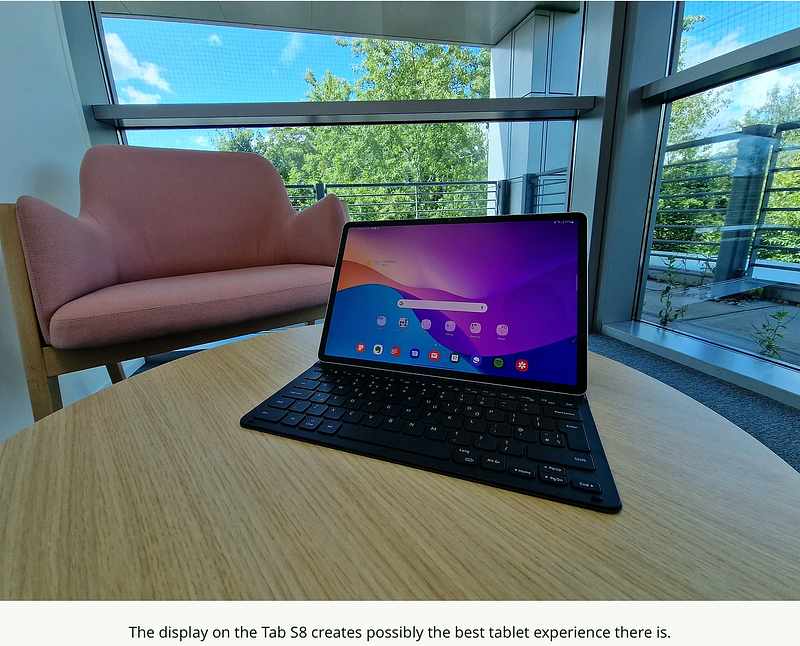
And one more ‘again’ here. Again, I have just trialled the Galaxy Tab S8 Plus. The S8 Plus has the best tablet-display I’ve ever experienced. The S-Pen is the nicest writing experience on a tablet I’ve encountered and the customisations are superb. HOWEVER, I don’t think Android is as good on a tablet as it is on a phone. It is clearly a phone OS that has been scaled for a tablet and Google need to address this. When setting my Tab up, I was prompted to ‘restart my phone’ — come on Google, that’s a school boy error!
- Mature OS. iPad OS is mature and bespoke for a tablet. It’s smooth, fast and efficient.
- Tablet apps. Like it or not, there are just more high-quality apps specifically designed for the Apple slate. With Android, you’re fine if you make use of Google, Samsung, or Microsoft apps, but beyond those and a few mainstream apps such as Todoist, or Evernote, it’s pretty barren. If this can be fixed then honestly the the Tab SX would become the best tablet on the market. My experience of using the mainstream apps was superb and in my written review, I concluded that it is perhaps the best tablet on the market, but not the one I’d recommend for most people
So those are my reasons for choosing these specific devices. It would be much simpler if I stayed within one ecosystem, but as I don’t, as promised, here are some hacks I have deployed to give me the best experience.
File Sharing & AirDrop
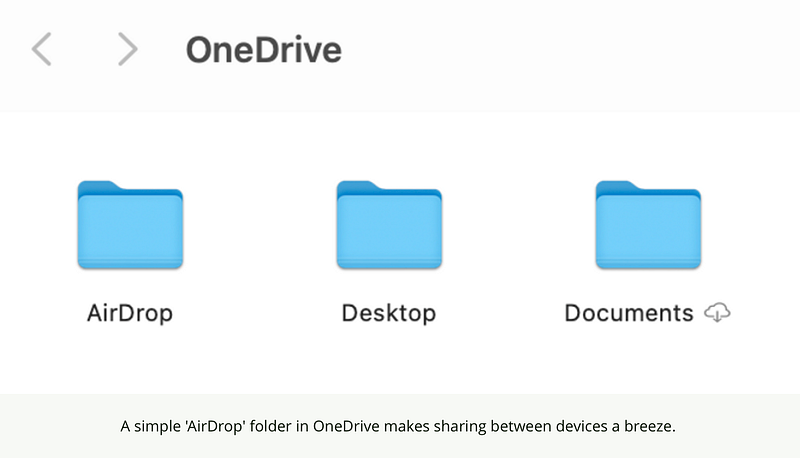
AirDrop is often citied as a major reason people remain in the walled-garden, but there are some very simple fixes to this. While third party applications can replicate airdrop between devices, I simply created a folder called ‘AirDrop’ at the base of the OneDrive file tree. It means I just upload / share, any file, photo or video to this folder and within seconds it’s accessible on my other devices. It’s not quite as pretty as AirDrop but it has the same output.
I’ve always preferred Office.com to icloud.com for accessing documentation or online apps, and so there is no issue for me here.
Messaging
iMessage keeps some locked within the Apple ecosystem. I’ve never worried about it. I have generally used WhatsApp, Signal or SMS as my messaging service. My wife is on Android and probably 99% of my friends use WhatsApp so this really isn’t an issue.
I have apps on my Mac and Galaxy for Signal, WhatsApp and Google Messages, and so I’ve never felt this was an issue.
Google Services
My Calendar and email accounts are on Gmail and so I have full syncronisation across devices regardless of the app I use. If this is the same for you, then you’ll have integration and the ability to pick up and carry on editing on another device.
Music
I’m a Spotify user and have been for years so by doing this, you’ll have a OS agnositc music service. The thing that keeps me using Spotify is it’s integration with Amazon Alexa.
I appreciate how easy it is to pair Spotify with an Alexa device and cast music around thehouse at my pleasure. Spotify makes it easy to cast to your Alexa devices whereas I found with AppleMusic, the only control option was voice controls.
1Password
To ensure I have access to all my usernames and passwords across multiple devices, and to ensure the passwords remain resilient, I use 1Password as may password manager. This is on all devices so I don’t need to rely on a browser, or OS’ integrated password manager.
Notes
I have been an Evernote user for 10 years and while I utilised Apple Notes for a while, itslimited editing tools always pushed me toward Evernote for serious note taking, and thisis another example of a cross system integration.
Photos
I would say that this is an area that isn’t great. The S22U syncs to OneDrive so there is no issue with photo storage, and these can be accessed on the Mac, but it isn’t the best system. If you do a lot of work with photos, you’d be better pairing Android with Windows or sticking to the Apple Ecosystem.
But in the main, using these services and hacks will mean you have a good experienceworking across the two systems. There
Preference of a Windows alternative
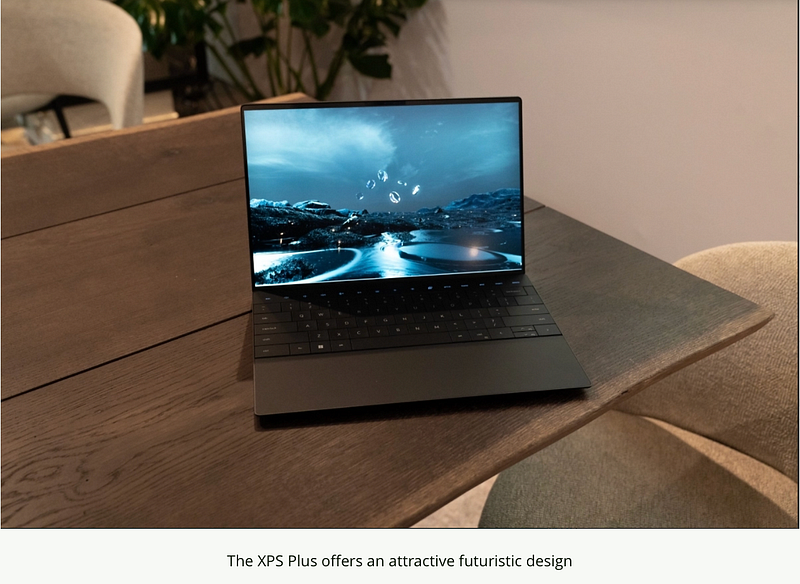
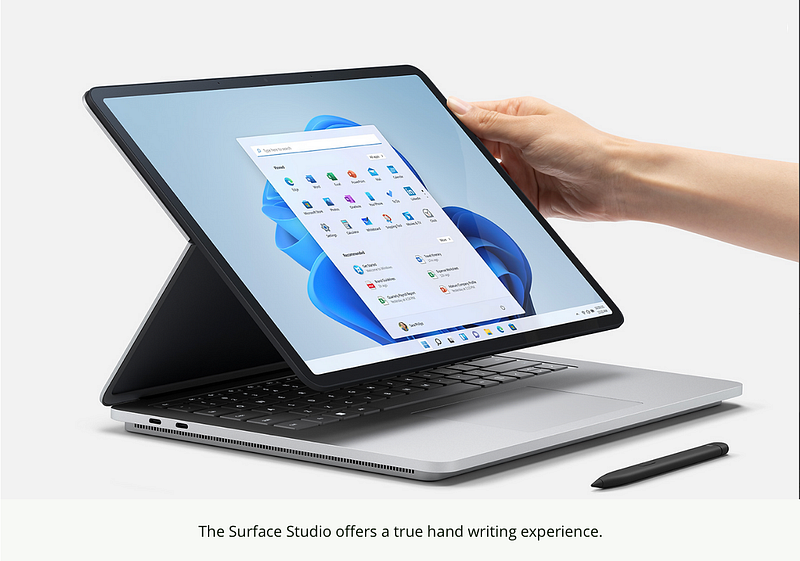
I should add that the reason I continue to use a MacBook as my laptop of choice is because I have yet to experience a high quality device that runs Windows. The XPS is a great tool, but the heating and fan noise issue always taint the experience. The new Lenovo Yoga 9i and Surface Studio Laptop could provide a good alternative, and with Dell’s own XPS Plus, there could be an alternative over the horizon. Should I find a suitablelaptop, I would without hesitation move to that and migrate back to the Tab S8 Plus as a tablet.
What about you? How do you integrate your devices? Do you prefer to stay in oneecosystem or are you also operating across multiple systems? Does it bother you? Leave acomment below.
Author’s Note
I’m posting this to Medium on 29th December 2022, and am currently exclusively in the Apple ecostyem, using the MacBook Pro and iPhone 14 Pro Max. I still own the XPS and use it from time to time but have my feet firmly placed within the walled-garden at this point in time. However the points above were relevant at the time and I hope to be of use to the reader.
Originally published at https://www.throughmyeyes.online on July 9, 2022.


