
How I Got My Website Indexed on Google in 3 Days

I’d like to begin by saying that I am not an SEO expert, nor is the aim of this article to teach you to become one. The whole point in fact is that I am an absolute newbie when it comes to building a website, SEO techniques, and anything technical related to the web. However, like many others have during this pandemic, I rediscovered my love for writing recently and wanted to create my own website to share it with the world. The tricky part is that for someone who has negligible social media activity (no Twitter account, no Instagram, a barely used Facebook account), Google is probably the only way of getting out to people (until of course i found Medium, but that means a very targeted audience). And so I read up on the internet and followed some basic steps which surprisingly got me indexed on Google in 3 days! And Google’s top result on how long it takes on an average tells me this was great!
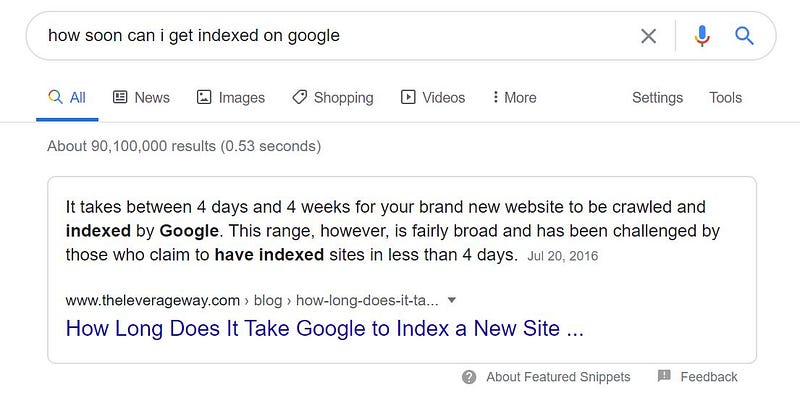
While there are plenty of articles and videos that tell you how to get indexed on Google faster, I found that most of them assume / require for you to have a fairly decent technical know-how. Additionally, most people that had managed to index faster were on their Nth website and are usually SEO experts. I am not, I am as bad at this as any first-timer. And I’ll keep this post quite a bit of DIY but just guide you to the pointers I followed. If I could do it, pretty much anyone can, and here’s how:
- The Website: The last time I had thought of writing was about 9 years ago when I was still in grad school and I had briefly written a blog on blogspot, which had been dormant for the past 8 yrs and so I thought there was no point in bringing that back. So i went onto WordPress and did some basic research and realized I could either buy my own domain or host it on WordPress as a subdomain. The costs for buying your own domain are significantly cheaper today and so I bought my own at US$96/yr with the WordPress Premium subscription (clearly a Top Gun fan): https://themaverickfiles.com/ You can do a lot more with your own website than just write a blog, so in the off chance that I wanted to expand on my website, this seemed like a good option.
- Getting Indexed Step 1 - Have Useful Content: The first and foremost thing to indexing I still think is good content, just written smartly enough, for a Google bot (crawlers) to find it and deem it “useful” to it’s audience. Whether you are writing a blog, or creating a website for your product, focus on creating the first few pages populated with all the useful information you want your users to see, whether it is a collection of your articles, poems, product catalogs, or something else.
- Step 2 - Have a Sitemap: A sitemap is essentially the blueprint or floorplan of your website, that Google crawlers extensively use to index websites. What WordPress Premium automatically does for you is create a sitemap. And I believe most tools you will use to create a website will do this for you, but if not, then here is an article that tells you in detail why a sitemap is important and how to build one. https://www.spyfu.com/blog/creating-a-sitemap/

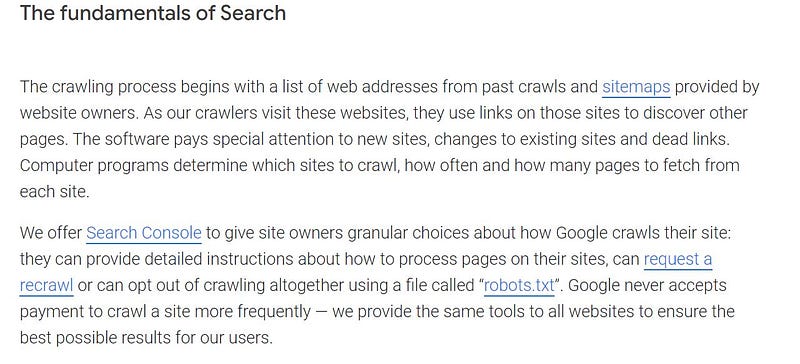
- Step 3 - Get Google Search Console & Verify your Site Ownership: Probably the most common advice, but also the most useful as you can see above directly from Google, is using their Search Console. This is a tool freely available to all website owners, and I would strongly recommend you to get it and follow some of these simple steps. You should also verify your site ownership with Google while you’re at it.
- Step 4 - Basic SEO / Using Keywords and Links: For you to be searchable by Google, it is often advisable to use certain keywords in your content that help Google not only find you but also rank you on the usefulness of your content. So be sure to do some research on your keywords and place them strategically in your content. By strategic placement, I DO NOT mean keyword stuffing, which has more downside than upside. A few mentions of a keyword placed in parts such as the title and body should be enough eg. if your post is on fitness / running, be sure to use those words a couple of times in your post. Tag your posts / content and most website editors will allow you to do this, in order to make your content more readable / searchable by Google crawlers. Also, using links to other related websites, blogs, can enhance your chances of getting indexed, but make sure these add to your content and don’t serve as a distraction to the end user.
- Step 5- Keep Adding Content and Keep it Fresh: I think this is one thing I did well. I posted about 3 articles on my first day and have been posting almost everyday for my first week, and plan to keep this up. Also my attempt for my first few posts was to be of more mass appeal, vs. worrying about the depth of content. In fact my first post was about writing a first post!
https://themaverickfiles.com/2020/07/14/how-do-i-write-my-first-post/
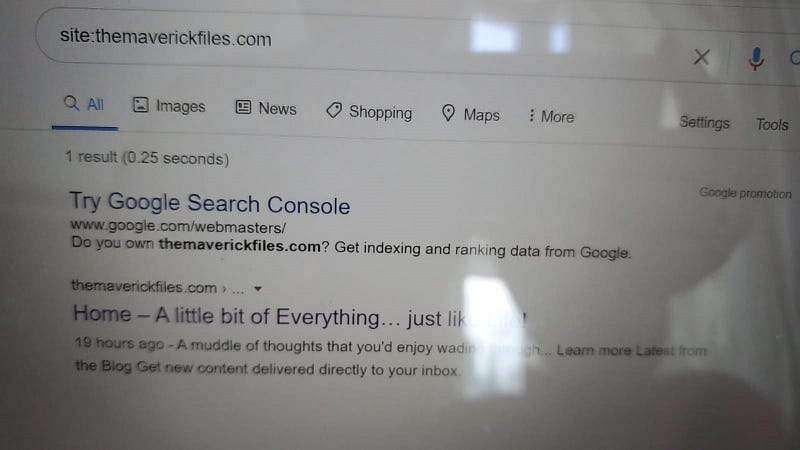
- Congratulations! You’re now indexed on Google! And something I should have said to start with, but since this is a post for absolute beginners, I assumed your website doesn’t yet exist or is not on Google. To find if you are indexed on Google, simply enter “site:
.com” on Google and if you get no results you’ve not been indexed yet. And after 3 days of running this everyday, this is what I found on July 17, 2020, having started my website on July 14, 2020 to unbound elation (excuse the bad snapshot from my phone)!
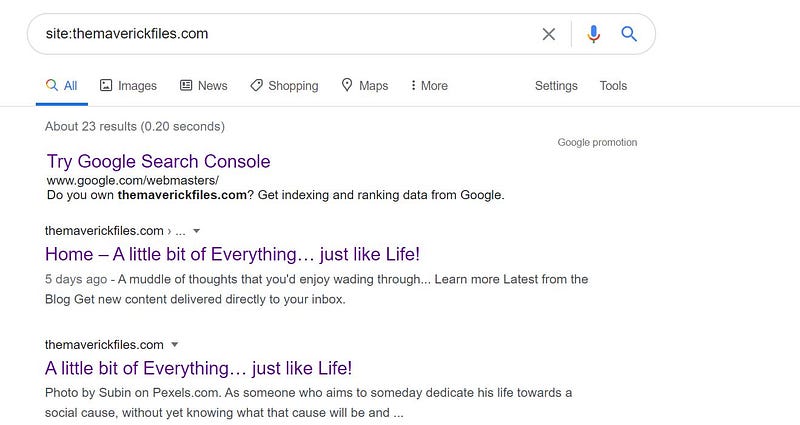
I have since written more and been able to index a lot more of my pages, using these basic techniques. I’ve also moved over to Medium and started writing here or importing my content here, as I realized for someone like me with the pure intent of “writing” and not using the various other services a “website” offers (not yet anyway), Medium is probably the better platform. Here is a snapshot from the time of writing or about 6 days since my website first launched — 23 results on Google:
While this is an absolute beginner’s guide from another beginner, for those who are looking for more in-depth ways of getting indexed, Neil Patel is one of the stars of SEO and he has a detailed blog on the topic which I recommend reading for the more nuanced tips and techniques. All the best!