
How I Created a Stunning Personal Website for Free with Github Pages

Are you interested in creating a professional-looking personal website without spending a lot of time or money? Then look no further than Github Pages. In this blog post, I’ll share my experience building a free website with Github Pages, using the template provided by codewithsadee, and how you can do the same.
To start, I decided to use the vcard-personal-portfolio template by codewithsadee to create my personal website. This template includes a responsive design and a variety of pre-built components that made it easy for me to get started. All I had to do was fork the repository, rename it to match my Github username, and I was ready to start customizing.
Once I had the repository set up, I began editing the code to customize the website to my preferences. I changed the text, images, and colors to match my personal brand, and adjusted my blog pages and resume, etc.
When I was happy with my changes, I committed and pushed the code to my Github repository. Thanks to Github Pages’ seamless integration with Github, my website was immediately live at https://yildizseli.github.io/.
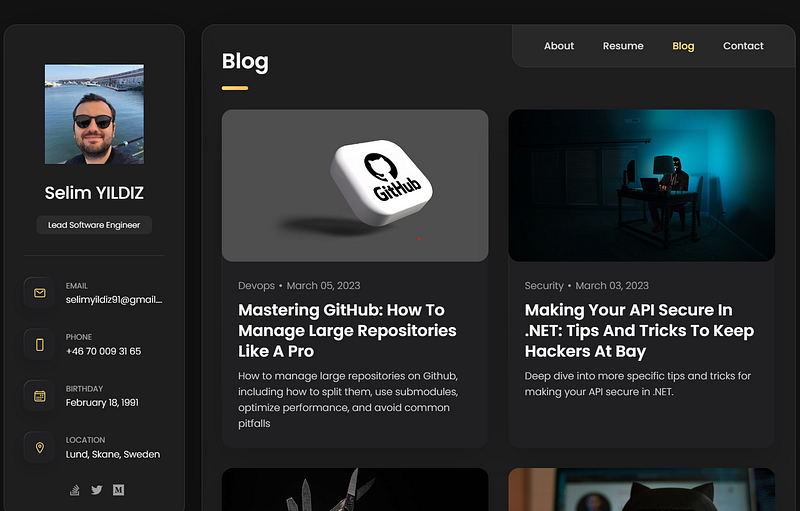
One of the best things about Github Pages is how easy it is to update your website. Whenever I want to make changes to my website, I simply edit the code on Github, commit and push my changes, and my website updates automatically. This means I can focus on creating great content instead of worrying about the technical details of website management.
Finally, one of the most appealing aspects of using Github Pages is that it’s completely free. I didn’t have to pay for hosting, domain registration, or anything else. Github Pages even generated a free domain name for me based on my Github username.https://{username}.github.io
In conclusion, if you’re looking for a simple and affordable way to create a professional-looking personal website, I highly recommend using Github Pages. It’s a quick and easy process that will allow you to showcase your skills, projects, and personality online.
Resources:


