
How I Built a Chatbot that Crushed ChatGPT with Zero Cost AI Tools
Challenge Accepted! How I created a chatbot that surpassed the performance of the famous ChatGPT model using free and open source AI tools that you can use too.

Chatbots are becoming more and more popular as a way to interact with customers, provide information, and entertain users. However, building an AI powered application that can have natural and engaging conversations is not an easy task.
Many chatbot developers rely on expensive and proprietary AI models, such as ChatGPT, to power their app.
But what if I told you that you can create a chatbot that rivals ChatGPT using free and open source AI tools?
That’s exactly what I did, and I’m going to share with you how I did it in this article.
The Challenge and the Quest
You might be wondering why I decided to take on this challenge. Well, it all started when I received a message from a Medium reader who was skeptical about the capabilities of open source language models.
He sent me an example of a Question/Answer session over the content of a done with ChatGPT, and asked me if it was really possible to achieve the same level of quality and coherence with open source tools.
I was intrigued by his question, and decided to give it a try. I spent a few days researching, experimenting, and tuning various open source AI tools from Hugging Face: putting together my small Team of Experts I wanted to match or even surpass ChatGPT. And guess what?
I succeeded! Not only did I manage to create a chatbot that could have fluent and diverse conversations, but I also did it on my own computer, without relying on any external cloud services or APIs. This means that I had full control and privacy over my data and model.

The Problem
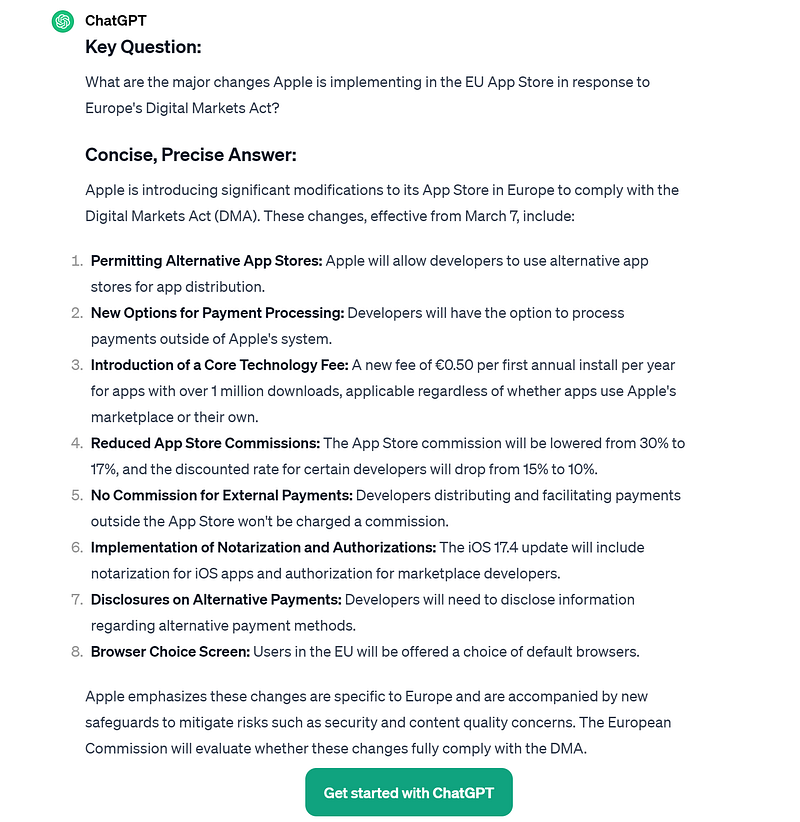
Given this website “Apple’s iOS App Store announces sweeping changes in the EU”, the use case is to ask what the big question is that the headline implies (or let the user ask it) and then provide the article text to answer the question briefly.
Here the results from ChatGPT…
How Our personal AI can do this locally?
Well, you may think this will require a super Model, at least as good as Mistral-7B (that by the way you cannot run on a normal Laptop unless you have a good NVidia GPU or 16GB of memory and a quantized version).
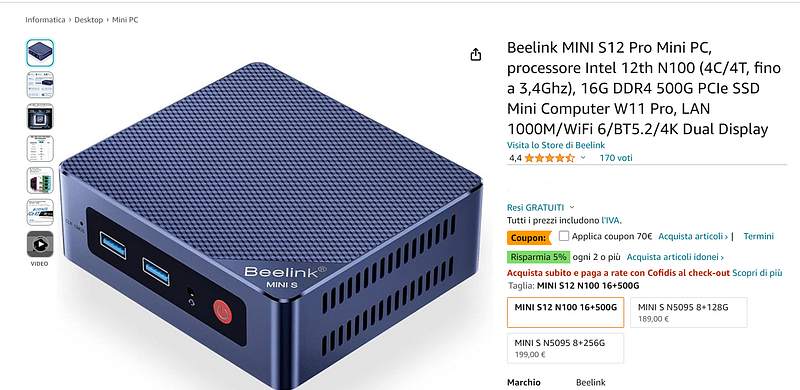
This is not the case. I decided to create a Sort of Mixture of Experts (SoMoE) running it on Google Colab. I tested it also on my MiniPC (130 USD fanless computer running Windows 11 with 16GB of RAM and Intel 7th generation, 4 core 4 threads). So, to sum it up everyone can run my SoMoE.
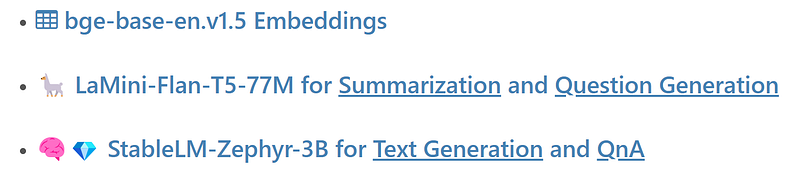
The secret Recepit? A LLM orchestration where a small T5 model summarize the text and suggests the main questions of the document, and a quantized version of StableLM-Zephyr-3B answer the questions and act as a chat-bot about the document. To link everything together I am using BAAI/bge-base-en-v1.5 as embeddings (only for English) to create the vector database, work on the similarity search and Relevance Re-ranking.
The Easy Way
Let’s put it simple: the text length of the article is quite short. A model with 4k tokens context length can easily take the entire load and process the text.
In the free tier of Google Colab (only a CPU and 12 GB RAM) you can :
#Install dependencies and download stablelm-zephyr-3b-GGUF
!pip install transformers -U --no-cache-dir
!pip install llama-cpp-python==0.2.34
!pip install rich
!huggingface-cli download TheBloke/stablelm-zephyr-3b-GGUF stablelm-zephyr-3b.Q5_K_S.gguf --local-dir . --local-dir-use-symlinks False
Copy paste the text from the article and put it into a string
editedtext = """Apple's iOS App Store announces sweeping changes in the EU
https://www.axios.com/2024/01/25/apple-app-store-eu-changes
Author: Ashley Gold, author of Axios Pro
Apple will allow alternative app stores and other new options for app developers in order to comply with
Europe's Digital Markets Act, the company said Thursday.
Driving the news: Europe's major tech competition law, set to go into effect March 7, requires Apple to loosen
its strict rules requiring developers to rely on the App Store for distribution and payment processing.
Apple has long resisted a ..."""
Do some library imports and load the GGUF quantized model
from rich.panel import Panel
import datetime
from rich.console import Console
console = Console(width=110)
with console.status("Loading ✅✅✅✅ stablelm-zephyr-3b with LLAMA.CPP...",
                    spinner="dots12"):
  llm = Llama(
    model_path="/content/stablelm-zephyr-3b.Q5_K_S.gguf",  # Download the model file first
    n_ctx=4096,  # The max sequence length to use - note that longer sequence lengths require much more resources
    n_threads=2,            # The number of CPU threads to use, tailor to your system and the resulting performance
  )
Then create the correct prompt format and ask the question based on a context
context = editedtext #basically the entire article
query = "What are the major changes Apple is implementing in the EU App Store in response to Europe's Digital Markets Act?"
template = f"""<|user|>\nGiven this text extracts:\n-----
              {context}\n-----\n
              Please answer the question. Your answer must be informative
              and organized into bullet points. If the question is
              unanswerable, ""say \"unanswerable\".\n
              Question: {query}<|endoftext|>\n<|assistant|>"""
with console.status("StableLM-Zephyr-3B AI is working ✅✅✅ ...",
                    spinner="dots12"):
    output = model(
      template, # Prompt
      temperature=0.3,
      max_tokens=450,  # Generate up to 450 tokens
      stop=["</s>"],   # Example stop token - not necessarily correct for this specific model! Please check before using.
      echo=False        # Whether to echo the prompt
    )
console.print(output)
Don’t worry about the code, I have you covered! Everything is already in my GitHub repository. You can find the Google Colab Notebook there.
Here the results, and they are pretty awesome! The only drawback is the time: using only a CPU it takes around 6 minutes.

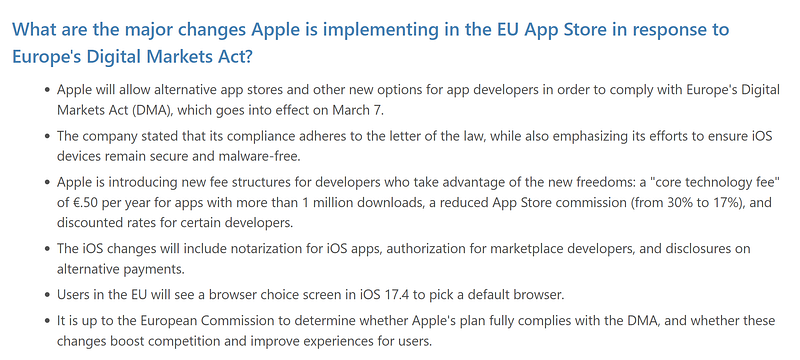
NOTE: If you have enough context length available, even longer text can be processed in this way. Remember that all the tokens in the prompt are computed by the model… so the bigger the prompt (that include also your context…) the longer the time to give you an answer!

The SoMoE way
I think that the best way to approach a text we don’t know anything about consists at least of 2 steps:
- read a summary
- get an idea of the main questions about that text
For these reasons we need 2 functions: one will summarize the text, and the other that gives us insightful questions about the text as a recommendation system.
🦙 LaMini-Flan-T5–77M — Summary
The Flan-T5 family is an encoder-decoder model group. They are super fast in text manipulation and understanding. You can read more here…
The limit is in the context size: all of them cannot handle more than 512 tokens. That’s why we are going to use Langchain.
LangChain is a framework for developing applications powered by language models. It enables applications that: Are context-aware: connect a language model to sources of context (prompt instructions, few shot examples, content to ground its response in, etc.)
In this stage we will use only text-splitter: it is a tool and strategy to split a big text corpus in smaller chunks. You usually find tutorials telling you to split by paragraph level, here we need only tokens (since we have a limit of 512).
# READ THE TEXT FILE
with open("/content/Article-edited.txt") as f:
  editedtext = f.read()
f.close()
# SPLIT IT By TOKENS
from langchain.text_splitter import TokenTextSplitter
TOKENtext_splitter = TokenTextSplitter(chunk_size=430, chunk_overlap=20)
splitted_text_sum = TOKENtext_splitter.split_text(editedtext) #create a list
Now we can ask our LaMini model to create a short summary of every chunk and then combine them all together.
#LOAD THE MODEL INTO A PIPELINE
from transformers import pipeline
model77 = pipeline('text2text-generation',model="MBZUAI/LaMini-Flan-T5-77M")
summary ="SUMMARY:\n"
# LOOP OVER THE CHUNKS
for item in splitted_text_sum:
  text = item
  template_summary = f'''Text: {text}

Write a complete summary of the above text.
'''
  res = model(template_summary, temperature=0.3, repetition_penalty=1.3, max_length=300, do_sample=True)[0]['generated_text']
  summary = summary + res + '\n'
print(summary)
Quite easy! I encurage you to do some tests.
The prompt for the T5 models need to be tested well, above all because this is a mere 77 Million parameter model so it is quite sensitive to the prompt instruction.
🦙 LaMini-Flan-T5–77M — Question Generator
The next step is to extract the main questions: this is the same we usually find in the school textbooks (the good ones): after a chapter or a section, the authors provide some questions to help you studying.
With LaMini is also easy, just few tricks in the prompt. The main difference is to increase the granularity of the Text-Splitter. Here we don’t want only big/general questions.
TOKENtext_splitter = TokenTextSplitter(chunk_size=280, chunk_overlap=20)
splitted_text_qg = TOKENtext_splitter.split_text(editedtext) #create a list

for item in splitted_text_qg:
  text = item
  template_qg = f'''{text}\n\n
write two important questions about the above text.
Questions:
1.
2.
'''
  res = model(template_qg, temperature=0.3, repetition_penalty=1.3, max_length=250, do_sample=True)[0]['generated_text']
  ed_res = res.replace('? ','?#')
  list_res = ed_res.split('#')
  for i in list_res:
     quest2.append(i[3:])
Note that here we have chunks of 280 tokens, against the 430 we used for the summary.
Final Results
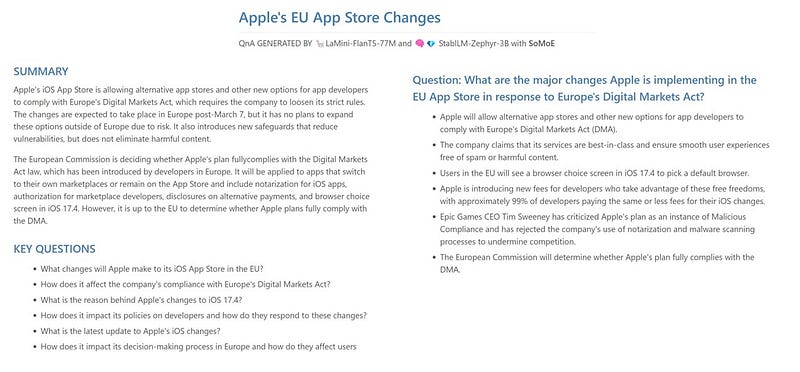
You can find in the GiHub repo 2 Google Colab notebook: one that runs only with CPU, one that you can use with a free T4 instance (GPU).
Open Source LLM are here and you don’t need to be a GURU to be able to use them.
Once you have created few functions, for the tasks you use the most, you have your Swiss-army knife to be used in any of the use cases.
It is simply a matter to have the gut to start!
Hope you enjoyed the article. If this story provided value and you wish to show a little support, you could:
- Clap a lot of times for this story
- Highlight the parts more relevant to be remembered (it will be easier for you to find it later, and for me to write better articles)
- Learn how to start to Build Your Own AI, download This Free eBook
- Sign up for a Medium membership using my link — ($5/month to read unlimited Medium stories)
- Follow me on Medium
- Read my latest articles https://medium.com/@fabio.matricardi
If you want to read more here some ideas to use a local AI with your documents:


