
How do you explicitly set a new property on ‘window’ in Typescript?

TLDR
Extend the existing interface declaration for the Window object.
Introduction
Knowledge builds upon knowledge.
Whoever said that was right.
In this section, we will build upon the knowledge from the last two sections:
Interfaces vs Types in Typescript
What is a d.t.s file in Typescript
Ready?
First, I must say, in my early days with Typescript, this was a question I googled over and over again.
I never got it. And I didn’t bother, I just googled.
That’s never the right mentality to gaining mastery over a subject.
Let’s discuss the solutions to this.
Understanding the problem
The problem here is actually straightforward to reason about.
Consider the following Typescript code:
window.__MY_APPLICATION_NAME__ = "freecodecamp"

console.log(window.__MY_APPLICATION_NAME__)
Typescript is quick to let you know __MY_APPLICATION_NAME__ does not exist on type ‘Window & typeof globalThis’.
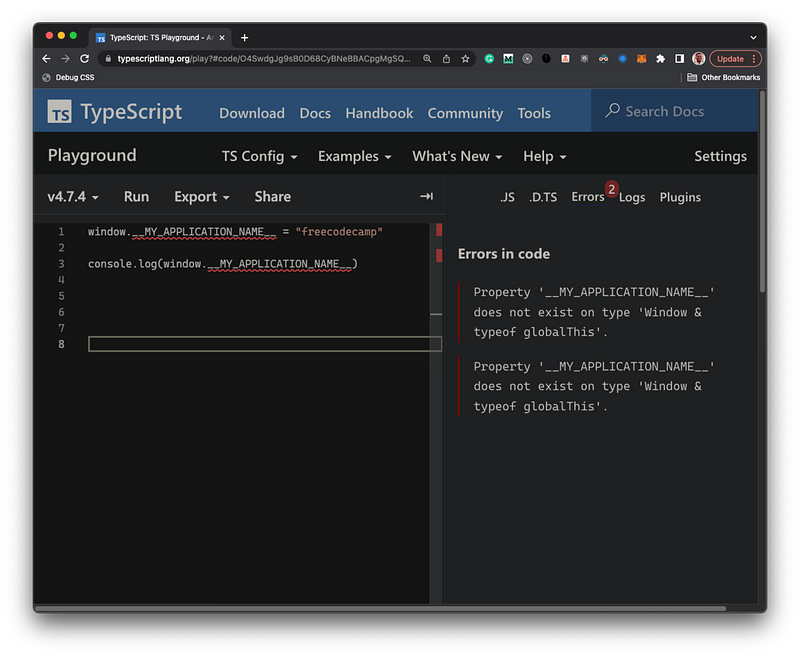
Okay, Typescript.
We get it.
On closer look, remember from the last section on declaration files that there’s a declaration file for all existing browser APIs. This includes built-in objects such as window.
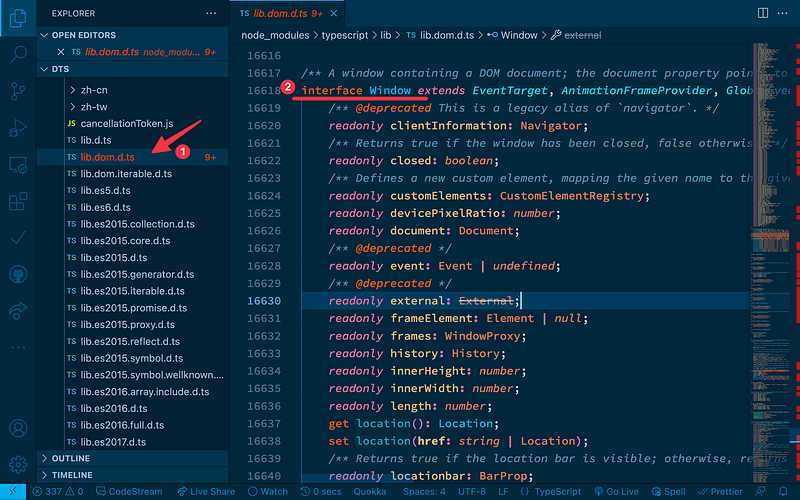
If you look in the lib.dom.d.ts declaration file, you’ll find the Window interface described.
In layman’s terms, the error here says the Window interface describes how I understand the window object and its usage. That interface does not specify a certain __MY_APPLICATION_NAME__ property.
Fixing the error
In the Types vs interface section, I explained how to extend an interface.
Let’s apply that knowledge here.
We can extend the Window interface declaration to become aware of the __MY_APPLICATION_NAME__ property.
Here’s how:
// before
window.__MY_APPLICATION_NAME__ = "freecodecamp"

console.log(window.__MY_APPLICATION_NAME__)

// now
interface Window {
  __MY_APPLICATION_NAME__: string
}

window.__MY_APPLICATION_NAME__ = "freecodecamp"

console.log(window.__MY_APPLICATION_NAME__)
Errors banished!
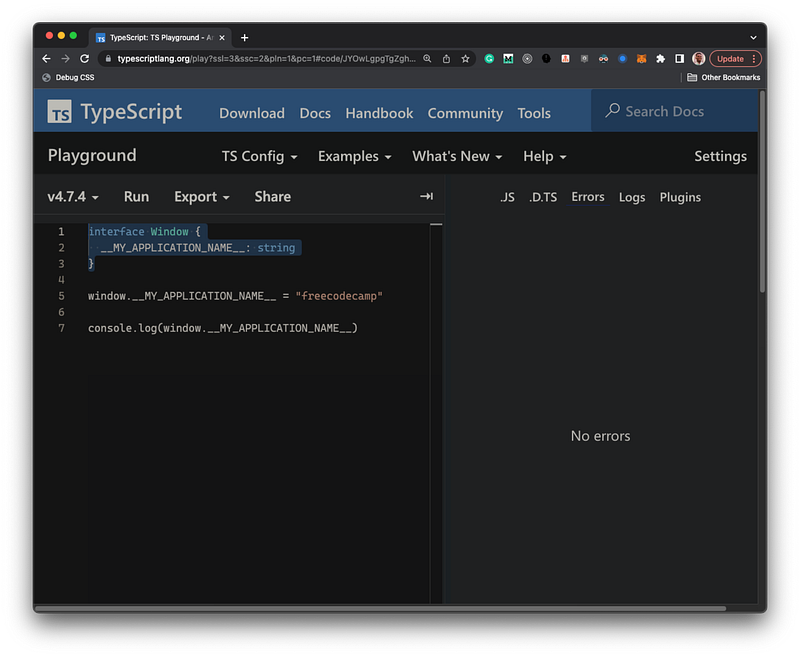
Remember that a key difference between types and interfaces is that interfaces can be extended by declaring it multiple times.
What we’ve done here is declared the Window interface one more time, hence extending the interface declaration.
A real-world solution
I’ve solved this problem within the Typescript playground to show you the solution in its simplest form, i.e., the crux.
In the real world, though, you wouldn’t extend the interface within your code.
So, what should you do instead?
Give it a guess, perhaps?
Yes, you were close … or perhaps right!
Create a type definition file!
For example, create a window.d.ts file with the following content:
interface Window {
  __MY_APPLICATION_NAME__: string
}
And there you go.
You’ve successfully extended the Window interface and solved the problem.
If you went ahead to assign the wrong value type to the __MY_APPLICATION_NAME__ property, you now have strong type checking enabled.
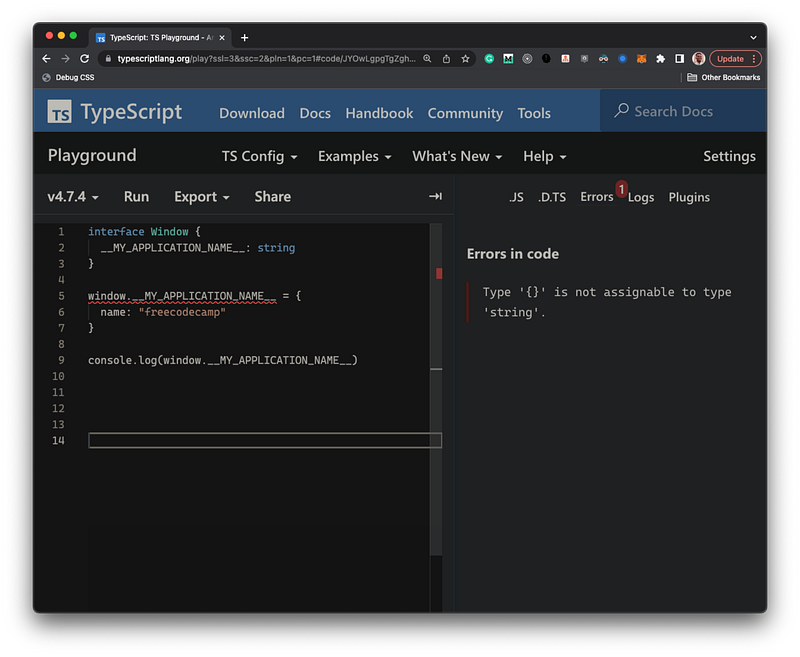
Voilà.
Conclusion
In older stack overflow posts, you’ll find more complicated answers based on older Typescript versions.
The solution is easier to reason about in modern Typescript.
Now you know 😉


