avatarSusan Brearley

Free AI web copilot to create summaries, insights and extended knowledge, download it at here

1148

Abstract

      <img class="ratio" src="http://placehold.it/16x9">
            <iframe class="" src="https://cdn.embedly.com/widgets/media.html?src=https%3A%2F%2Fwww.youtube.com%2Fembed%2F2nAkAaTDUJo%3Ffeature%3Doembed&amp;display_name=YouTube&amp;url=https%3A%2F%2Fwww.youtube.com%2Fwatch%3Fv%3D2nAkAaTDUJo&amp;image=https%3A%2F%2Fi.ytimg.com%2Fvi%2F2nAkAaTDUJo%2Fhqdefault.jpg&amp;key=a19fcc184b9711e1b4764040d3dc5c07&amp;type=text%2Fhtml&amp;schema=youtube" allowfullscreen="" frameborder="0" height="480" width="854">
          </div>
        </div>
    </figure></iframe></div></div></figure><p id="7e59">Keep in mind, you need to have a photo before you submit. Many of us use unsplash or other free stock photos, but if you are doing your own artwork, you can just insert your own images. I use AwesomeScreenShot for capturing videos and images.</p><p id="0d07">Be sure that your titles, subtitles and kickers come BEFORE your images. Be sure you check that your titles and subtitles match your inside view and the view you send to the public. Here’s another little video for checking on that.</p>
    <figure id="7129">
  

Options

  <div>
          <div>
            <img class="ratio" src="http://placehold.it/16x9">
            <iframe class="" src="https://cdn.embedly.com/widgets/media.html?src=https%3A%2F%2Fwww.youtube.com%2Fembed%2FyQzr5J4exvI%3Ffeature%3Doembed&amp;display_name=YouTube&amp;url=https%3A%2F%2Fwww.youtube.com%2Fwatch%3Fv%3DyQzr5J4exvI&amp;image=https%3A%2F%2Fi.ytimg.com%2Fvi%2FyQzr5J4exvI%2Fhqdefault.jpg&amp;key=a19fcc184b9711e1b4764040d3dc5c07&amp;type=text%2Fhtml&amp;schema=youtube" allowfullscreen="" frameborder="0" height="480" width="854">
          </div>
        </div>
    </figure></iframe></div></div></figure><p id="c869">That’s it! You are officially on your way to fame and glory.</p><p id="bced">Any questions? Drop a comment.</p><p id="5ac5"><a href="https://www.facebook.com/CaptainSusanB"><b><i>Susan B.</i></b></a><b><i> has been writing comedy for about 6 weeks.</i></b></p><p id="4491"><b><i>She is a serial entrepreneur, writer, editor, poet and ship captain. Come find her in the <a href="https://garden-of-neuro.mn.co/share/ZqMfyF83rNnH-t1Q?utm_source=manual">Garden</a>.</i></b></p></article></body>

How To-Torials

How Do I Submit to a Medium Publication?

For The Very First Time
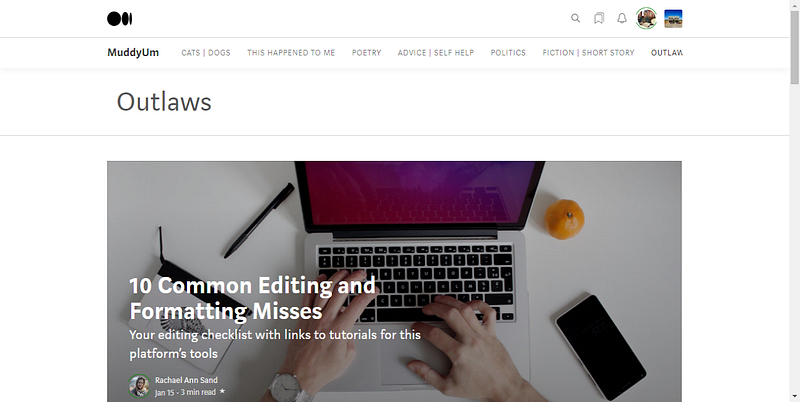
A screen shot of Susan’s computer, thanks to Awesome Screen Shot

It’s that funny question that every publication owner and editor wonders about.

Did I really just recruit someone who is so new to Medium that they’ve never submitted a piece to any publication on Medium, anywhere?

And then comes much rejoicing.

Because it means we must be doing something right over here. We managed to attract you! The new writer, comedian, or graphic artist! You love us enough that you want to share your work with us.

We are honored to have you join us here. Welcome aboard!

Here’s how to do it. Watch this fun video I made just for you. Okay, it’s not all that fun, it was just fun for me to make.

Keep in mind, you need to have a photo before you submit. Many of us use unsplash or other free stock photos, but if you are doing your own artwork, you can just insert your own images. I use AwesomeScreenShot for capturing videos and images.

Be sure that your titles, subtitles and kickers come BEFORE your images. Be sure you check that your titles and subtitles match your inside view and the view you send to the public. Here’s another little video for checking on that.

That’s it! You are officially on your way to fame and glory.

Any questions? Drop a comment.

Susan B. has been writing comedy for about 6 weeks.

She is a serial entrepreneur, writer, editor, poet and ship captain. Come find her in the Garden.

Humor
Satire
Muddyumtips
Ideas
Advice
Recommended from ReadMedium