
Interstitial Journalling
How Capacities Can Keep You Focused — A Simple But Effective Method
Raise your productivity levels and don’t let your focus slip.
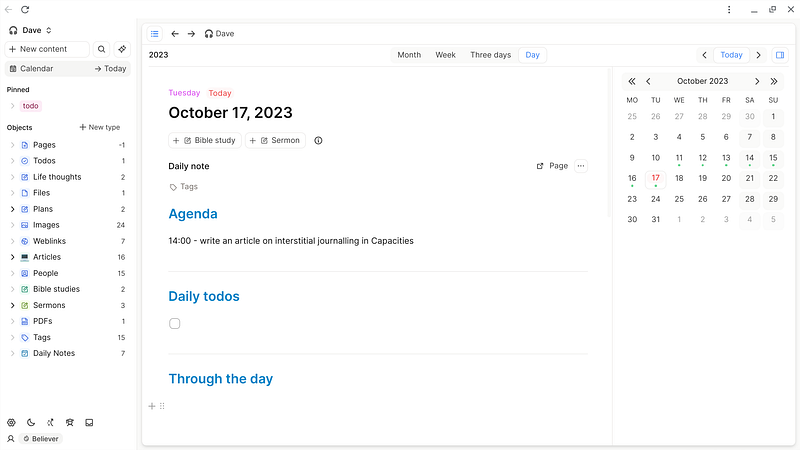
Capacities in an ingenious and intuitive PKM app. What makes it even more so is the fact you can tweak it to your own way of working.
With Capacities you can be super productive, and here’s something which will help you achieve that.
A method to avoid distraction.
When you’re working on a project, you’ll likely have a million other thoughts going through your head at the same time. Something you type will jog your memory about another task you’ve not completed yet, or your brain will helpfully drop in you’ve not bought any carrots for tonight’s meal yet.
The ideal is that we would note these things down so we don’t forget them.
But it would be really distracting to have to close down what you’re working on and open up your to-do list or whatever else. Even a quick alt-tab to a different app has the potential to shift your mind out of the flow it’s in.
So what’s the answer?
Interstitial journalling is the answer.
In other words, those bits of time you have in between tasks, and even in between sentences — where does your mind go in those moments? If it goes to the carrots, write it down, or you’ll forget. If it goes to your concluding paragraph, write it down, or you’ll forget.
Wherever it goes, write it down — and write it down in your interstitial journal.
Where do I keep my interstitial journal?
This is where Capacities can shine for you, because you can keep your interstitial journal constantly open in a side panel. It needs to be constantly open, so you can record quick, on-the-fly thoughts, and maximise your productivity.
And I use my Today page for this purpose.
Here’s a screenshot of the template I use for my Today page. It’s so simple.
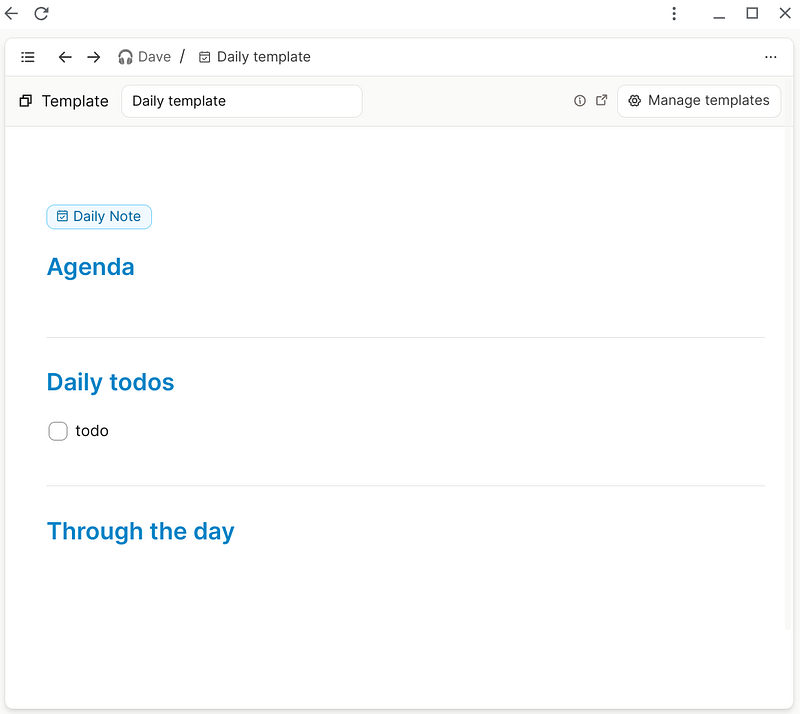
As you can see, I set up my Today page with:
- Agenda. I will write out, ahead of time, what I’m doing through the day and when I’m doing it. OK, you know what an agenda is. And I’ll just pull this in from my calendar app.
- Daily todos. (Pulled in from my master todo list).
- Through the day. This is the juicy bit — my interstitial journal. A quick
/timewill let me insert a timestamp, then I write down whatever I’m thinking, or a todo, or whatever else has popped into my mind.
‘Through the day’ is at the bottom for two specific reasons.
- It makes it very easy for me to type there. I don’t need to find the right place, I just scroll to the bottom and there it is.
- Capacities enables me to send notes to my Today page through Whatsapp. I just send a message and it magically appears — and guess where it appears? At the bottom. So it automatically gets put in my Through the day section — and the bonus is, it timestamps the entry for me as well so I don’t have to do it myself. Crazy magic!
How do I get my Today page in a side-panel?
If you’re new to Capacities, as I am, then you might not know how to get your Today page to appear in a neat little side-panel. It’s dead simple.
All you do is shift-click on where it says →Today at the top of the left panel.
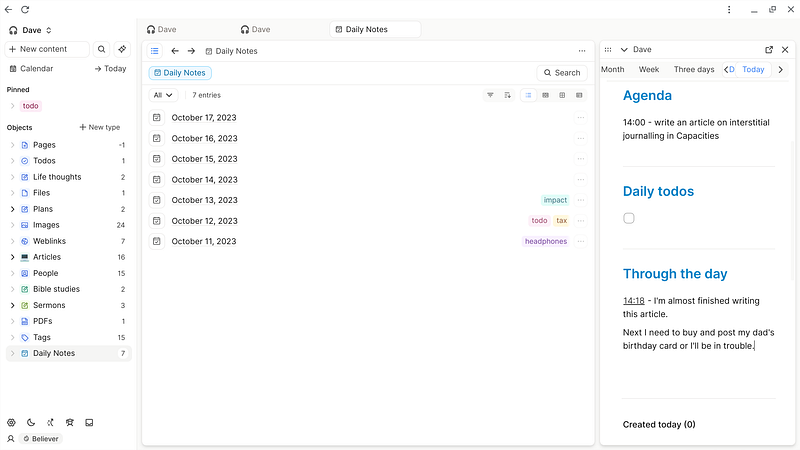
There you go. Lovely.
Here’s to interstitial journalling in Capacities, and not letting those annoying carrots drag you down.


