avatarSebastian

Free AI web copilot to create summaries, insights and extended knowledge, download it at here

7680

Abstract

a.org/en-US/docs/Glossary/HTML5">HTML5</a> and <a href="https://www.tutorialspoint.com/css/css3_tutorial.htm#:~:text=Cascading%20Style%20Sheets%20(CSS)%20is,Namespaces">CSS3</a>.</p></blockquote><blockquote id="46b3"><p>The layout should include a header with a navigation menu, a main content area with two columns (a primary content section and a sidebar), and a footer.</p></blockquote><blockquote id="ee37"><p>Use <a href="https://www.w3schools.com/html/html5_semantic_elements.asp">HTML5 semantic tags</a> such as <code><i><header></i></code>, <code><i><nav></i></code>, <code><i><main></i></code>, <code><i><aside></i></code>, and <code><i><footer></i></code>.</p></blockquote><blockquote id="9453"><p>In CSS3, use <a href="https://css-tricks.com/snippets/css/a-guide-to-flexbox/">Flexbox</a> to ensure the layout is responsive and adjusts neatly for mobile, tablet, and desktop views.</p></blockquote><blockquote id="6dc3"><p>Include comments in the HTML and CSS code to explain the purpose of each major section and styling rule.</p></blockquote><p id="cba4"><b>The HTML</b></p><div id="4fcc"><pre><span class="hljs-meta"><!DOCTYPE <span class="hljs-keyword">html</span>></span> <span class="hljs-tag"><<span class="hljs-name">html</span> <span class="hljs-attr">lang</span>=<span class="hljs-string">"en"</span>></span> <span class="hljs-tag"><<span class="hljs-name">head</span>></span> <span class="hljs-tag"><<span class="hljs-name">meta</span> <span class="hljs-attr">charset</span>=<span class="hljs-string">"UTF-8"</span>></span> <span class="hljs-tag"><<span class="hljs-name">meta</span> <span class="hljs-attr">name</span>=<span class="hljs-string">"viewport"</span> <span class="hljs-attr">content</span>=<span class="hljs-string">"width=device-width, initial-scale=1.0"</span>></span> <span class="hljs-tag"><<span class="hljs-name">title</span>></span>Responsive Layout<span class="hljs-tag"></<span class="hljs-name">title</span>></span> <span class="hljs-tag"><<span class="hljs-name">link</span> <span class="hljs-attr">rel</span>=<span class="hljs-string">"stylesheet"</span> <span class="hljs-attr">href</span>=<span class="hljs-string">"styles.css"</span>></span> <span class="hljs-tag"></<span class="hljs-name">head</span>></span> <span class="hljs-tag"><<span class="hljs-name">body</span>></span> <span class="hljs-tag"><<span class="hljs-name">header</span>></span> <span class="hljs-comment"><!-- Navigation menu --></span> <span class="hljs-tag"><<span class="hljs-name">nav</span>></span> <span class="hljs-tag"><<span class="hljs-name">ul</span>></span> <span class="hljs-tag"><<span class="hljs-name">li</span>></span><span class="hljs-tag"><<span class="hljs-name">a</span> <span class="hljs-attr">href</span>=<span class="hljs-string">"#"</span>></span>Home<span class="hljs-tag"></<span class="hljs-name">a</span>></span><span class="hljs-tag"></<span class="hljs-name">li</span>></span> <span class="hljs-tag"><<span class="hljs-name">li</span>></span><span class="hljs-tag"><<span class="hljs-name">a</span> <span class="hljs-attr">href</span>=<span class="hljs-string">"#"</span>></span>About<span class="hljs-tag"></<span class="hljs-name">a</span>></span><span class="hljs-tag"></<span class="hljs-name">li</span>></span> <span class="hljs-tag"><<span class="hljs-name">li</span>></span><span class="hljs-tag"><<span class="hljs-name">a</span> <span class="hljs-attr">href</span>=<span class="hljs-string">"#"</span>></span>Services<span class="hljs-tag"></<span class="hljs-name">a</span>></span><span class="hljs-tag"></<span class="hljs-name">li</span>></span> <span class="hljs-tag"><<span class="hljs-name">li</span>></span><span class="hljs-tag"><<span class="hljs-name">a</span> <span class="hljs-attr">href</span>=<span class="hljs-string">"#"</span>></span>Contact<span class="hljs-tag"></<span class="hljs-name">a</span>></span><span class="hljs-tag"></<span class="hljs-name">li</span>></span> <span class="hljs-tag"></<span class="hljs-name">ul</span>></span> <span class="hljs-tag"></<span class="hljs-name">nav</span>></span> <span class="hljs-tag"></<span class="hljs-name">header</span>></span> <span class="hljs-tag"><<span class="hljs-name">main</span>></span> <span class="hljs-comment"><!-- Primary content section --></span> <span class="hljs-tag"><<span class="hljs-name">section</span>></span> <span class="hljs-tag"><<span class="hljs-name">h1</span>></span>Welcome to Our Website<span class="hljs-tag"></<span class="hljs-name">h1</span>></span> <span class="hljs-tag"><<span class="hljs-name">p</span>></span>This is the main content section.<span class="hljs-tag"></<span class="hljs-name">p</span>></span> <span class="hljs-tag"></<span class="hljs-name">section</span>></span> <span class="hljs-comment"><!-- Sidebar --></span> <span class="hljs-tag"><<span class="hljs-name">aside</span>></span> <span class="hljs-tag"><<span class="hljs-name">h2</span>></span>Sidebar<span class="hljs-tag"></<span class="hljs-name">h2</span>></span> <span class="hljs-tag"><<span class="hljs-name">p</span>></span>Additional content here.<span class="hljs-tag"></<span class="hljs-name">p</span>></span> <span class="hljs-tag"></<span class="hljs-name">aside</span>></span> <span class="hljs-tag"></<span class="hljs-name">main</span>></span> <span class="hljs-tag"><<span class="hljs-name">footer</span>></span> <span class="hljs-tag"><<span class="hljs-name">p</span>></span>Copyright © 2024<span class="hljs-tag"></<span class="hljs-name">p</span>></span> <span class="hljs-tag"></<span class="hljs-name">footer</span>></span> <span class="hljs-tag"></<span class="hljs-name">body</span>></span> <span class="hljs-tag"></<span class="hljs-name">html</span>></span></pre></div><p id="87ed"><b>The CSS</b></p><div id="0a8a"><pre><span class="hljs-comment">/* Base styles /</span> <span class="hljs-selector-tag">body</span> { <span class="hljs-attribute">font-family</span>: Arial, sans-serif; <span class="hljs-attribute">line-height</span>: <span class="hljs-number">1.6</span>; }</pre></div><div id="9873"><pre><span class="hljs-comment">/ Header styles */</span> <span class="hljs-selector-tag">header</span> { <span class="hljs-attribute">background</span>: <span class="hljs-number">#333</span>; <span class="hljs-attribute">color</span>: <span class="hljs-number">#fff</span>; <span class="hljs-attribute">padding</span>: <span class="hljs-number">1rem</span> <span class="hljs-number">0</span>; <span class="hljs-attribute">text-align</span>: center; }</pre></div><div id="1376"><pre><span class="hljs-string">header</span> <span class="hljs-string">nav</span> <span class="hljs-string">ul</span> { <span class="hljs-built_in">list-style:</span> <span class="hljs-string">none</span>; <span class="hljs-string">padding</span>: <span class="hljs-string">0</span>; }</pre></div><div id="ec69"><pre><span class="hljs-selector-tag">header</span> <span class="hljs-selector-tag">nav</span> <span class="hljs-selector-tag">ul</span> <span class="hljs-selector-tag">li<

Options

/span> { <span class="hljs-attribute">display</span>: inline; <span class="hljs-attribute">margin</span>: <span class="hljs-number">0</span> <span class="hljs-number">10px</span>; }</pre></div><div id="2aa5"><pre><span class="hljs-selector-tag">header</span> <span class="hljs-selector-tag">nav</span> <span class="hljs-selector-tag">ul</span> <span class="hljs-selector-tag">li</span> <span class="hljs-selector-tag">a</span> { <span class="hljs-attribute">color</span>: <span class="hljs-number">#fff</span>; <span class="hljs-attribute">text-decoration</span>: none; }</pre></div><div id="9e48"><pre><span class="hljs-comment">/* Main layout styles /</span> <span class="hljs-selector-tag">main</span> { <span class="hljs-attribute">display</span>: flex; <span class="hljs-attribute">flex-wrap</span>: wrap; <span class="hljs-attribute">gap</span>: <span class="hljs-number">20px</span>; <span class="hljs-attribute">padding</span>: <span class="hljs-number">20px</span>; }</pre></div><div id="8ea7"><pre><span class="hljs-selector-tag">section</span> { <span class="hljs-attribute">flex</span>: <span class="hljs-number">2</span>; <span class="hljs-comment">/ primary content takes more space /</span> }</pre></div><div id="eac3"><pre><span class="hljs-selector-tag">aside</span> { <span class="hljs-attribute">flex</span>: <span class="hljs-number">1</span>; <span class="hljs-comment">/ sidebar takes less space /</span> }</pre></div><div id="1d1b"><pre><span class="hljs-comment">/ Footer styles /</span> <span class="hljs-selector-tag">footer</span> { <span class="hljs-attribute">background</span>: <span class="hljs-number">#333</span>; <span class="hljs-attribute">color</span>: <span class="hljs-number">#fff</span>; <span class="hljs-attribute">text-align</span>: center; <span class="hljs-attribute">padding</span>: <span class="hljs-number">1rem</span> <span class="hljs-number">0</span>; }</pre></div><div id="03ff"><pre><span class="hljs-comment">/ Responsive styles */</span> <span class="hljs-keyword">@media</span> (<span class="hljs-attribute">max-width</span>: <span class="hljs-number">600px</span>) { <span class="hljs-selector-tag">main</span> { <span class="hljs-attribute">flex-direction</span>: column; } }</pre></div><p id="1fe4"><a href="https://codepen.io/pen/"><b>Plug these into a codepen and see what comes out!</b></a></p><p id="ac2f">These examples of expanded prompts are just that, examples.</p><p id="8ceb">Think about how <i>you </i>can add your unique touch to the prompts you create.</p><p id="dadf">What are <i>you </i>curious about?</p><p id="3b2b">What do <i>you </i>want to create?</p><p id="b887"><a href="https://openai.com/research/gpt-4">ChatGPT-4 might have aced a simulated bar exam</a>, but that’s because it’s been fed a lot of data, trained on what that data means, and how to interpret & utilize it.</p><p id="1a6e">Not because it can <i>think.</i></p><p id="0bcf">But <i>you </i>can.</p><figure id="c912"><img src="https://cdn-images-1.readmedium.com/v2/resize:fit:800/0*QMZt1cMzzYReHI7d"><figcaption>Photo by <a href="https://unsplash.com/@juniorferreir_?utm_source=medium&amp;utm_medium=referral">Júnior Ferreira</a> on <a href="https://unsplash.com?utm_source=medium&amp;utm_medium=referral">Unsplash</a></figcaption></figure><p id="77f7">Think about how ChatGPT-4 could help you at work, at home, at school, planning a trip, cooking a new meal, or finding a new hobby.</p><p id="d6d0">Or think about how ChatGPT-4 could help you write about a valuable lesson you learned.</p><p id="3418">A lesson that might help others avoid similar mistakes.</p><figure id="ef65"><img src="https://cdn-images-1.readmedium.com/v2/resize:fit:800/0*i-7HiIwaohMv199A"><figcaption>Photo by <a href="https://unsplash.com/@bochelly?utm_source=medium&amp;utm_medium=referral">Mr. Bochelly</a> on <a href="https://unsplash.com?utm_source=medium&amp;utm_medium=referral">Unsplash</a></figcaption></figure><p id="c8a1" type="7">So, be imaginative, be curious, and don’t hesitate to push the boundaries of your inquiries.</p><figure id="e2a0"><img src="https://cdn-images-1.readmedium.com/v2/resize:fit:800/1*cNXZc8LUTuCO4Mi0jbMUyA.png"><figcaption>Image generated by DALLE3</figcaption></figure><p id="e5c2">Whether you’re seeking <b>detailed knowledge</b>, <b>creative inspiration</b>, or <b>practical solutions</b>, ChatGPT-4 has the potential to be a significant asset in your quest for information and creativity.</p><p id="1643">The way <i>you</i> engage with it can transform this amazing AI into a powerhouse of knowledge and innovation, tailored to <i>your</i> unique needs and aspirations.</p><p id="c156">In other words, get prompting!</p><h2 id="3022">Related Content</h2><div id="25d7" class="link-block"> <a href="https://adamfard.com/blog/how-to-use-chatgpt-4#:~:text=Provide%20Clear%20Instructions%3A%20The%20model,has%20to%20interpret%20your%20intent"> <div> <div> <h2>How to Use ChatGPT-4: A Comprehensive Guide</h2> <div><h3>Unlock the full potential of ChatGPT-4 with our in-depth guide. Learn how to upgrade to ChatGPT Plus, understand the…</h3></div> <div><p>adamfard.com</p></div> </div> <div> <div style="background-image: url(https://miro.readmedium.com/v2/resize:fit:320/0*OPCOIbz8FhDdASHU)"></div> </div> </div> </a> </div><div id="66e0" class="link-block"> <a href="https://dev.to/hirendhaduk_/unleashing-the-full-potential-of-gpt-4-tips-and-tricks-2lf5"> <div> <div> <h2>Unleashing the Full Potential of GPT-4: Tips and Tricks</h2> <div><h3>The realm of artificial intelligence has seen remarkable advancements in recent years, and one of the... Tagged with…</h3></div> <div><p>dev.to</p></div> </div> <div> <div style="background-image: url(https://miro.readmedium.com/v2/resize:fit:320/0*KNtgpgGcKn8hc2Kh)"></div> </div> </div> </a> </div> <figure id="a060"> <div> <div> <img class="ratio" src="http://placehold.it/16x9"> <iframe class="" src="https://cdn.embedly.com/widgets/media.html?src=https%3A%2F%2Fwww.youtube.com%2Fembed%2FyR27J-QUx2o%3Ffeature%3Doembed&amp;display_name=YouTube&amp;url=https%3A%2F%2Fwww.youtube.com%2Fwatch%3Fv%3DyR27J-QUx2o&amp;image=https%3A%2F%2Fi.ytimg.com%2Fvi%2FyR27J-QUx2o%2Fhqdefault.jpg&amp;key=a19fcc184b9711e1b4764040d3dc5c07&amp;type=text%2Fhtml&amp;schema=youtube" allowfullscreen="" frameborder="0" height="480" width="854"> </div> </div> </figure></iframe></div></div></figure><div id="e0ee" class="link-block"> <a href="https://www.youtube.com/shorts/3x95mw35dJY"> <div> <div> <h2>What GPT-4 Can Really Do</h2> <div><h3>GPT- 4 is out and here are 2 ways it's so much crazier than the last version that we all freaked out about. GPT4 is the…</h3></div> <div><p>www.youtube.com</p></div> </div> <div> <div style="background-image: url(https://miro.readmedium.com/v2/resize:fit:320/0*16Dq9pvgJpF5QXKc)"></div> </div> </div> </a> </div><p id="fb88"><b>AI Disclaimer: </b>ChatGPT4 was used for outlining, editing, content generation, and research assistance.</p></article></body>

How can you get the best out of ChatGPT-4?
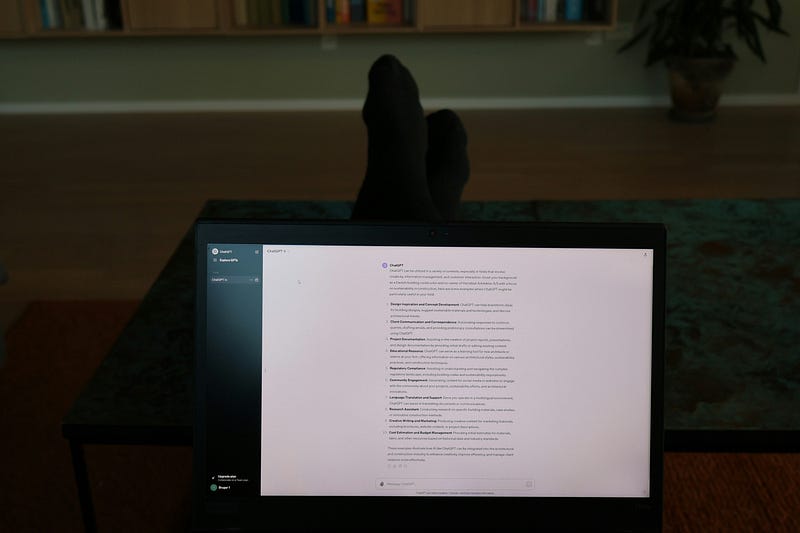
Photo by Jacob Mindak on Unsplash

We haven’t even scratched the surface of what ChatGPT-4 can do for each individual user.

What’s ChatGPT-4? (Referred to solely as GPT-4 by OpenAI)

“GPT-4 is OpenAI’s most advanced system, producing safer and more useful responses”

Despite it’s massive capabilities, most prompt templates on the web don’t go beyond the same few sentences that anyone can just copy and paste.

Photo by Mitchell Luo on Unsplash

For example, the typical prompt for an overview of Human Civilization might look like this:

Imagine you are tasked with writing a comprehensive overview of the history of human civilization, focusing on key developments in various domains such as agriculture, industry, science, culture, and politics.

But that should just be the start.

Take a look at this much more expanded prompt:

Imagine you are tasked with writing a comprehensive overview of the history of human civilization, focusing on key developments in various domains such as agriculture, industry, science, culture, and politics.

Start by detailing the transition from hunter-gatherer societies to the establishment of the first agricultural communities in the Fertile Crescent.

Discuss the impact of farming on human societies, including the development of towns and cities, and the rise of complex social structures. Then, examine the evolution of these early societies into the great ancient civilizations of Egypt, Mesopotamia, the Indus Valley, and China, highlighting their contributions to human knowledge and culture.

Next, explore the major philosophical, scientific, and political developments of the classical civilizations of Greece and Rome, and how these influenced subsequent periods in history, such as the Middle Ages and the Renaissance.

Consider the effects of the Industrial Revolution on society and the environment, and discuss the major political revolutions that reshaped nations and continents.

Finally, analyze the rapid technological and social changes of the 20th and 21st centuries, including the two World Wars, the Cold War, the Information Age, and the challenges and opportunities of globalization.

Photo by Benigno Hoyuela on Unsplash

Now you’ve got a much richer and comprehensive overview.

What about follow up prompts?

Consider everything else that was going on around the world.

Your curiosity could be piqued and more questions might pop up.

Photo by Josh Mills on Unsplash

Let’s take a look at a few potential follow ups for your overview of human civilization:

For Scientific Theories and Paradigm Shifts.

Include the development of major scientific theories (like Newtonian physics, theory of evolution, theory of relativity, quantum mechanics) and how they have changed our understanding of the world.

For Economic Systems and Trade.

Examine the evolution of economic systems from barter systems to modern capitalism and socialism. Discuss the role of trade routes like the Silk Road and the impact of globalization on economies.

For Cultural and Artistic Development.

Discuss the evolution of art, music, literature, and philosophy throughout different eras. This might include the Renaissance, the Enlightenment, various art movements, and the global influence of different cultures’ artistic expressions.

What about something more technical? For example, coding with ChatGPT4.

Photo by Kaleidico on Unsplash

Here’s an example of a prompt specifically designed to generate a code snippet in HTML and CSS:

Basic prompt:

Generate a code snippet for a simple, responsive web page layout using HTML5 and CSS3.

This will get you started.

But why not flesh it out?

Expanded prompt:

Generate a code snippet for a simple, responsive web page layout using HTML5 and CSS3.

The layout should include a header with a navigation menu, a main content area with two columns (a primary content section and a sidebar), and a footer.

Use HTML5 semantic tags such as <header>, <nav>, <main>, <aside>, and <footer>.

In CSS3, use Flexbox to ensure the layout is responsive and adjusts neatly for mobile, tablet, and desktop views.

Include comments in the HTML and CSS code to explain the purpose of each major section and styling rule.

The HTML

<!DOCTYPE html>
<html lang="en">
<head>
    <meta charset="UTF-8">
    <meta name="viewport" content="width=device-width, initial-scale=1.0">
    <title>Responsive Layout</title>
    <link rel="stylesheet" href="styles.css">
</head>
<body>
    <header>
        <!-- Navigation menu -->
        <nav>
            <ul>
                <li><a href="#">Home</a></li>
                <li><a href="#">About</a></li>
                <li><a href="#">Services</a></li>
                <li><a href="#">Contact</a></li>
            </ul>
        </nav>
    </header>
    <main>
        <!-- Primary content section -->
        <section>
            <h1>Welcome to Our Website</h1>
            <p>This is the main content section.</p>
        </section>
        <!-- Sidebar -->
        <aside>
            <h2>Sidebar</h2>
            <p>Additional content here.</p>
        </aside>
    </main>
    <footer>
        <p>Copyright © 2024</p>
    </footer>
</body>
</html>

The CSS

/* Base styles */
body {
    font-family: Arial, sans-serif;
    line-height: 1.6;
}
/* Header styles */
header {
    background: #333;
    color: #fff;
    padding: 1rem 0;
    text-align: center;
}
header nav ul {
    list-style: none;
    padding: 0;
}
header nav ul li {
    display: inline;
    margin: 0 10px;
}
header nav ul li a {
    color: #fff;
    text-decoration: none;
}
/* Main layout styles */
main {
    display: flex;
    flex-wrap: wrap;
    gap: 20px;
    padding: 20px;
}
section {
    flex: 2; /* primary content takes more space */
}
aside {
    flex: 1; /* sidebar takes less space */
}
/* Footer styles */
footer {
    background: #333;
    color: #fff;
    text-align: center;
    padding: 1rem 0;
}
/* Responsive styles */
@media (max-width: 600px) {
    main {
        flex-direction: column;
    }
}

Plug these into a codepen and see what comes out!

These examples of expanded prompts are just that, examples.

Think about how you can add your unique touch to the prompts you create.

What are you curious about?

What do you want to create?

ChatGPT-4 might have aced a simulated bar exam, but that’s because it’s been fed a lot of data, trained on what that data means, and how to interpret & utilize it.

Not because it can think.

But you can.

Photo by Júnior Ferreira on Unsplash

Think about how ChatGPT-4 could help you at work, at home, at school, planning a trip, cooking a new meal, or finding a new hobby.

Or think about how ChatGPT-4 could help you write about a valuable lesson you learned.

A lesson that might help others avoid similar mistakes.

Photo by Mr. Bochelly on Unsplash

So, be imaginative, be curious, and don’t hesitate to push the boundaries of your inquiries.

Image generated by DALLE3

Whether you’re seeking detailed knowledge, creative inspiration, or practical solutions, ChatGPT-4 has the potential to be a significant asset in your quest for information and creativity.

The way you engage with it can transform this amazing AI into a powerhouse of knowledge and innovation, tailored to your unique needs and aspirations.

In other words, get prompting!

Related Content

AI Disclaimer: ChatGPT4 was used for outlining, editing, content generation, and research assistance.

ChatGPT
Chatgpt4
Prompt Engineering
Artificial Intelligence
Technology
Recommended from ReadMedium