
How can Chat GPT create a 3 way model?
Within FP&A, one of the key things you need to learn is to generate a 3 way model.
What is a 3 way model?
We asked Chat GPT and this was the response:
A 3-way model in Financial Planning and Analysis (FP&A) refers to a financial model that includes three primary financial statements: the Income Statement, Balance Sheet, and Cash Flow Statement. This type of model is used to project a company’s financial performance and position over a period of time, typically several years into the future.
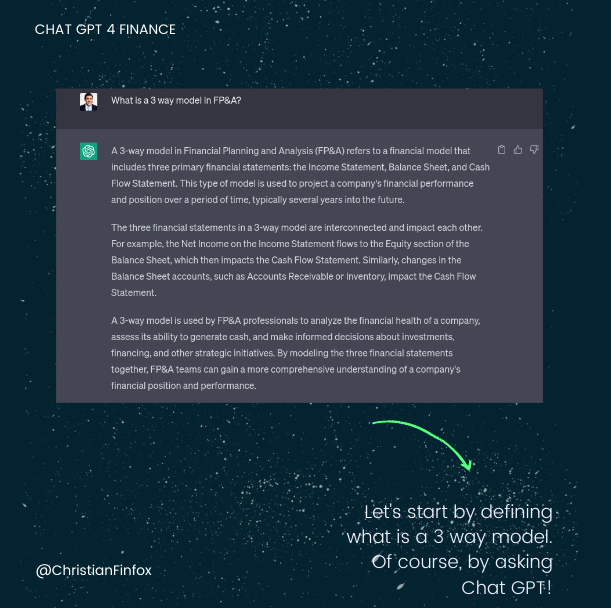
The three financial statements in a 3-way model are interconnected and impact each other. For example, the Net Income on the Income Statement flows to the Equity section of the Balance Sheet, which then impacts the Cash Flow Statement. Similarly, changes in the Balance Sheet accounts, such as Accounts Receivable or Inventory, impact the Cash Flow Statement.
A 3-way model is used by FP&A professionals to analyze the financial health of a company, assess its ability to generate cash, and make informed decisions about investments, financing, and other strategic initiatives. By modeling the three financial statements together, FP&A teams can gain a more comprehensive understanding of a company’s financial position and performance.
So the key question was, can Chat GPT create a 3 way model?
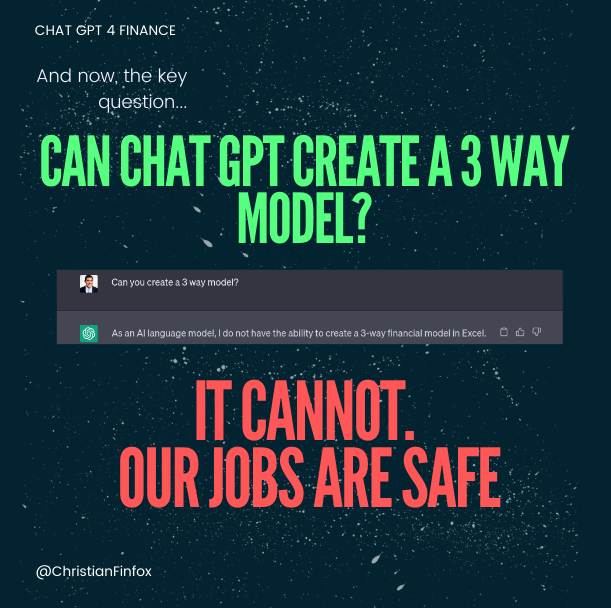
We asked it and it said no. Our jobs are safe.
Well, if we just ask like that, it cannot perform the task, but what if we ask differently:
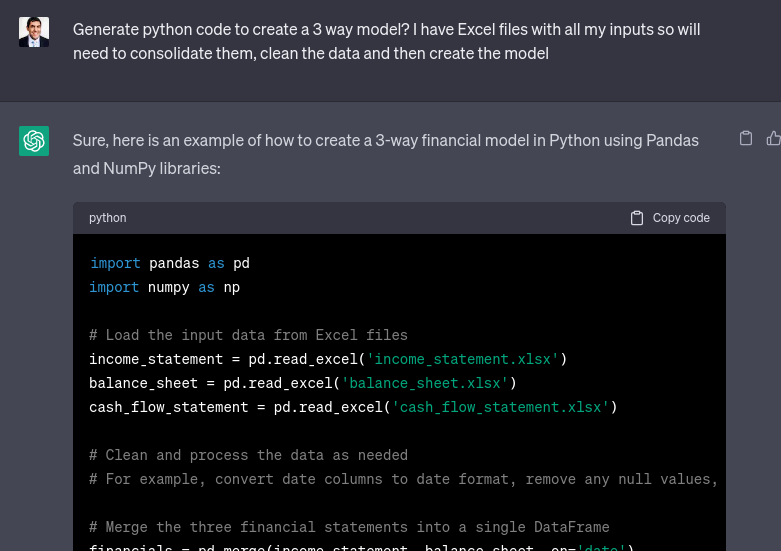
Then, it gets better.
Chat GPT can give you Python code to create the model.
This is the full code if you are interested in trying it on your own.
import pandas as pd
import numpy as np

# Load the input data from Excel files
income_statement = pd.read_excel('income_statement.xlsx')
balance_sheet = pd.read_excel('balance_sheet.xlsx')
cash_flow_statement = pd.read_excel('cash_flow_statement.xlsx')

# Clean and process the data as needed
# For example, convert date columns to date format, remove any null values, etc.

# Merge the three financial statements into a single DataFrame
financials = pd.merge(income_statement, balance_sheet, on='date')
financials = pd.merge(financials, cash_flow_statement, on='date')

# Calculate the various financial ratios and metrics needed for the model
financials['gross_profit_margin'] = (financials['revenue'] - financials['cost_of_goods_sold']) / financials['revenue']
financials['operating_margin'] = financials['operating_income'] / financials['revenue']
financials['free_cash_flow'] = financials['cash_flow_from_operating_activities'] - financials['capital_expenditures']
financials['debt_to_equity'] = financials['total_debt'] / financials['total_equity']

# Create the Income Statement projection for the forecast period
# Use assumptions and growth rates to project future revenue, expenses, and taxes
# Add the projected values to the financials DataFrame

# Create the Balance Sheet projection for the forecast period
# Use assumptions and growth rates to project future assets, liabilities, and equity
# Add the projected values to the financials DataFrame

# Create the Cash Flow Statement projection for the forecast period
# Use the projected values from the Income Statement and Balance Sheet to calculate cash flows
# Add the projected values to the financials DataFrame

# Validate and test the model by comparing it to historical data and industry benchmarks
# Adjust the assumptions and projections as needed to improve the accuracy of the model

# Export the final financial model as an Excel file or other preferred format
financials.to_excel('financial_model.xlsx', index=False)
But now, your question would be, where can I run the code?
Where can I run the code and automate 3 way modelling?
The answer is Google, Google Colab.
Google Colab is a cloud-based development environment for creating and running Python code, which is developed and maintained by Google. It allows users to write, execute and share Python code via a web browser interface, without needing to install any software on their local computer. Google Colab provides access to powerful computing resources including GPUs, making it an ideal platform for machine learning and data analysis.
Google Colab can be useful for FP&A professionals in several ways:
- Collaborative analysis: With Google Colab, FP&A professionals can collaborate with team members or external partners on the same code or notebook. Colab provides real-time access to the code and allows multiple people to work on the same notebook simultaneously.
- Data analysis: Colab is equipped with the most popular data analysis and visualization libraries like Pandas, NumPy, and Matplotlib. This makes it easier to perform financial analysis, create visualizations, and build financial models using Python.
- Cost-effective computing: Google Colab provides free access to computing resources, including GPUs, which can be expensive to purchase and maintain locally. This makes it a cost-effective platform for running resource-intensive financial models and performing other data analysis tasks.
- Accessibility: As a cloud-based platform, Google Colab can be accessed from any device with an internet connection, making it ideal for remote work and flexible work arrangements.
I demonstrate here in this 3 minutes video, how to use Python, Google Colab and Chat GPT:


