
Here’s How I Created An Unlimited Design Service Business Over One Weekend
And I would do it all over again
My weekend project was building an unlimited design service. It was a fun way to test out whether I could build a viable business in a short period of time.
With limited time and resources, I leverage no-code applications as much as possible.
TL;DR I created a business by using EditorX for my website, Notion for client project management board, and calling in a few favors to complete my portfolio.
Step 1: Research (Day 1)
I’ve had this idea for weeks because I saw an ad on Instagram for Kimp. I saw a similar and more affordable service (Graphically) in the Minimalist Hustler Daily newsletter.
So I decided to Google other companies offering unlimited design services. There are quite a lot of them ranging from varying prices and services. Some offered only graphic designs, some included web development, and some even included copywriting.
Step 2: Ideation (Day 1)
I brainstormed something simple.
- What value and service to offer
- How much to charge
Because it’s almost a one-person show (for now), I decided to solely focus on graphic design. I could also charge a lower fee.
This way, I don’t overwhelm myself and I appeal to the budget constraint clients.
Step 3: Building (Day 1 & 2)
There are three parts to building this whole project: a project management tool, a website, and a team process.
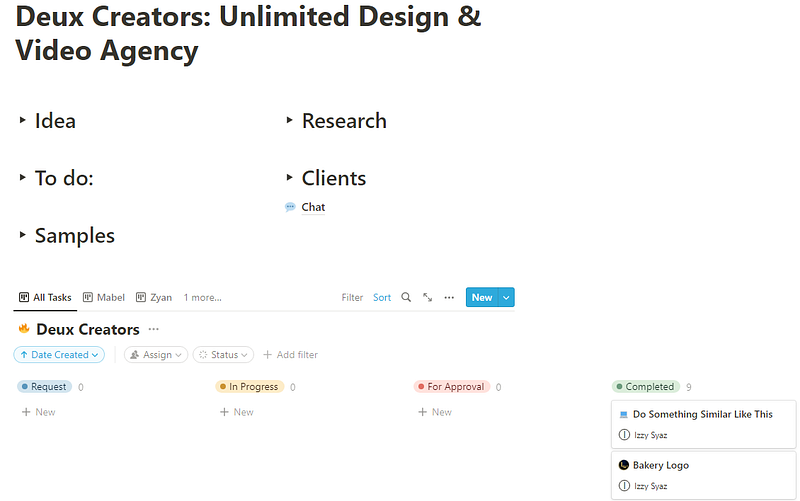
The first thing I worked on was building a project management tool and flow. Once I had the flow set up and a basic Notion board, I got my design volunteers to test it out. They worked on the fake design requests while I worked on building the website.
Project Management Tool
I used a Notion template and tweaked it a little. My main focus is to keep it simple for both the clients and designers.
Team Process
To keep this business lean, the team consisted of me, my sister, and my partner. I had to tweak the Notion board a few times to get the process smooth. By the end of Sunday, I’d say it’s perfect!
Website
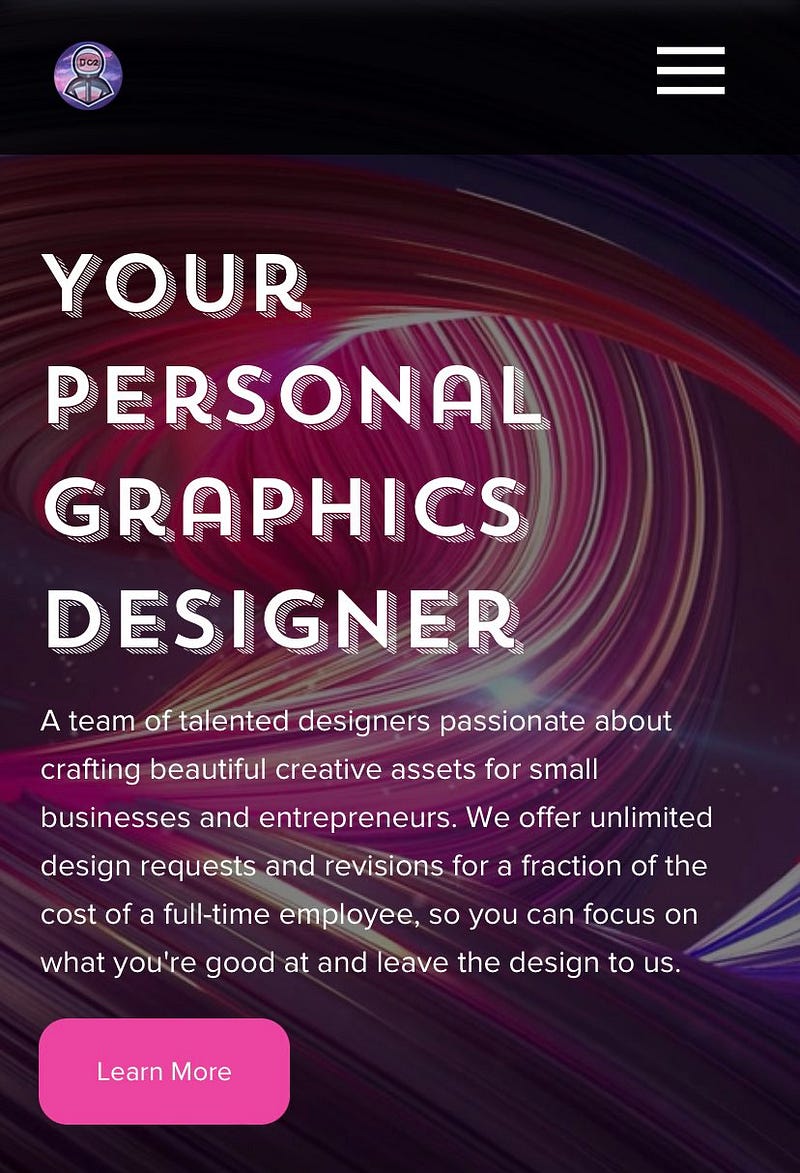
Once I had them working on the fake design requests, I started on the website. I chose EditorX because it’s a drag-and-drop builder. I didn’t need to learn any coding and there are a couple of templates I could start with.
I chose to work on one of their template wireframe.
Honestly, building the site is the toughest part of this whole project. I’m in no way a developer and it’s also my first time using EditorX.
It’s a good thing they have a big community forum where people answer all the questions you may have.
Overall, I think I did okay, for a first-time user building a site in two days. Here’s the site if you want to critique it.
Step 4: Testing (Day 2)
Testing is the most frustrating part because it either works or doesn’t. I split my testing day into 2:
- Testing the process from website to payment to onboarding
- Testing the demand
So far, the process works. If someone comes onto the website, and gets the trial, they will be able to start requesting design work.
As for the demand, I asked around and have gotten a few interests. I’ll be working with them as a start.
Completion
That’s it! That’s how I managed to build my side project in one weekend. I can’t say if this is a success or not because it’s still very early. But what I love about being it all in one weekend is I didn’t have to waste months of resources to test out an idea.
Turning Thinkers To Money Makers Helping overthinkers like myself become creators making money online through my newsletter.
Sign up here if you’re one of them.
Want to enjoy more stories like this without restriction? It’s $5 a month, giving you unlimited access to all stories on Medium. If you sign up using my link, I’ll earn a small commission at no additional cost to you.