
Heart-Stopping Moments: My Personal Dive into Hikari’s 30,000ms Black Hole!
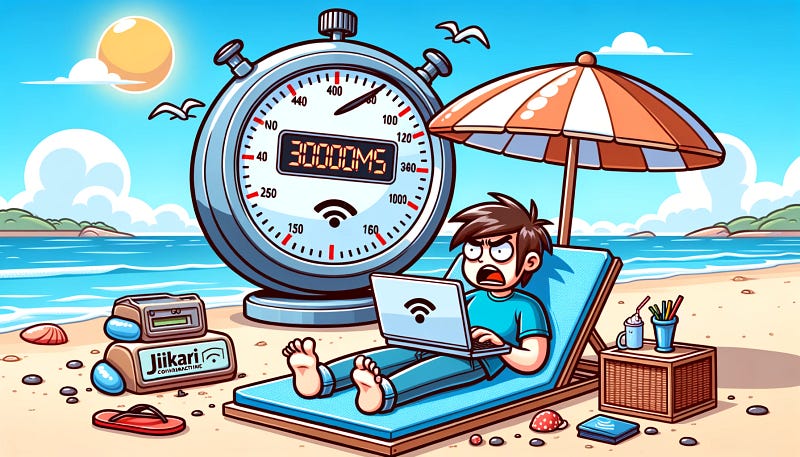
“Hikari: Connection is not available, request timeout after 30000ms”. Why does the Hikari connection error plague Java Developers? Dive into our investigative adventure & find out!🔎
Introduction
I’m sure many Java Developers have come across this haunting error message. Imagine if it happens at the worst possible moment, like when you’re enjoying a vacation on the beach. Suddenly, you have to set aside that joy and quickly fix the issue. It’s hard to describe the frustration.
But don’t worry, if this ever happens, I hope this article gets indexed by Google in time for you to find a quick fix. Alternatively, you might want to familiarize yourself with this content now, just to be prepared for that dreadful situation.
Back to the topic at hand. If you’re facing the error Hikari: Connection is not available, request timeout after 30000ms, this article is exactly what you need. Let's dive in!
1) Scenario
Most Java projects are developed with the Spring ecosystem. My project is no exception and includes:
- Spring Boot
- Spring Web
- Spring Validation
- Spring Data JPA
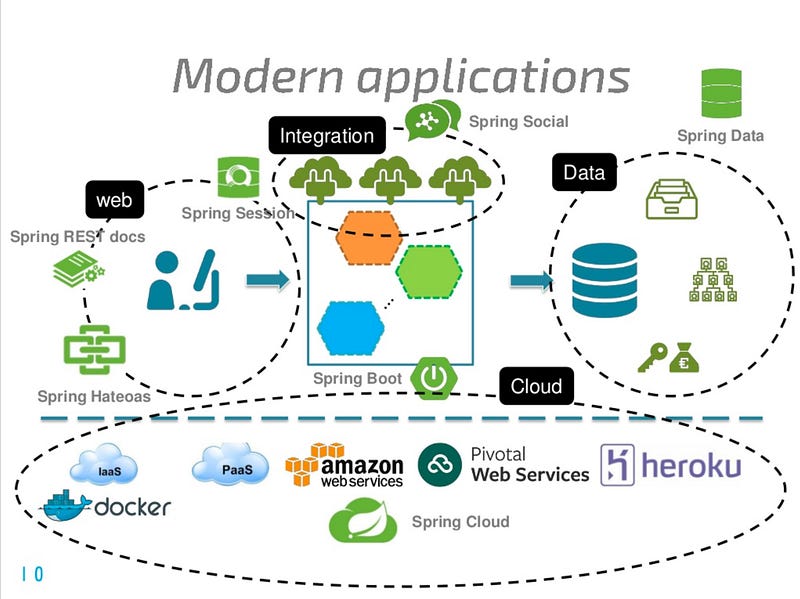
The two most crucial default configurations are:
- Spring DataJPA: Uses Hikari for connection pool management.
- Spring Web: Defaults to the config
spring.jpa.open-in-view=true.
So, what’s special about these two configurations?
Everything was going smoothly until a few days post-release.
Every now and then, the app would throw the error Hikari: Connection is not available, request timeout after 30000ms. We initially thought it might be because of the low app.datasource.default.configuration.maximum-pool-size setting. The quick fix was to increase it, while in the meantime, we looked for the root cause.
Sure enough, the service resumed operation, and it was back to relaxing by the beach. But before we could fully chill out, the error reoccurred.
Investigation
Sooner or later, we had to find the root cause. Increasing the maximum-pool-size isn't a sustainable solution. The team began a code review and came up with two primary suspicions:
- Heavy read/write query causing prolonged transaction times.
- An issue with Hikari (though it seemed unlikely 😂).
Long-running transaction
Let’s revisit the Hikari pool configuration:
- app.datasource.default.configuration.connection-timeout=30000
- app.datasource.default.configuration.maximum-pool-size=50
Given these Hikari settings, an exception occurs when:
- All connections are occupied up to the limit of 50.
- All 50 connections are occupied for more than the connection-timeout of 30s.
Hence, if a transaction is processing and all connections are occupied for over 30s without any becoming available, the error occurs.
However, the possibility of all connections being occupied for over 30s seemed unlikely. We checked all queries, including heavy read/write ones, but couldn’t find any issue. Most queries executed in under 500ms, with a few complex ones taking only 1–2s.
With no other leads, we began suspecting an issue with Hikari 😂.
Hikari’s potential fault
But of course, it wasn’t. If there was a significant problem with Hikari, surely someone in the vast Java community would’ve reported it, right? Our team and experts painstakingly reviewed Hikari’s source code and conducted thorough tests. There was no issue related to the Hikari connection pool.
Business Flow
It seemed like we were hitting a wall… the team decided to revert to the original plan, review the source code, reassess the business flows, and measure the execution time for each type of flow. We identified two scenarios:
- API call with only internal execution.
- API call involving an external 3rd-party.
For the first case, the API call from the client to the services and the internal calls between the micro-services had a total execution time of less than 30 seconds.
For the second case, due to dependencies on 3rd-parties, the total execution time occasionally exceeded 30 seconds.
Further analysis of execution times for different communications revealed:
- Average execution time for database transactions was between 15–500 ms.
- Average execution time for external calls to other micro-services ranged from 50–1000ms.
- Average execution time for external calls to 3rd-parties varied between 80–40,000ms, with some rare instances taking 50–60 seconds.
So, after two rounds of code review, the execution time for database transactions never exceeded 5 seconds, let alone 30 seconds. So why was the connection is not available error occurring?
The only metric exceeding 30 seconds was the external call to 3rd-parties, but it didn’t seem directly related to the connection is not available issue.
The team decided to reduce the maximum-connection to 2 and run scenarios with and without calling external 3rd-parties (of course, in a test environment). Calls to 3rd-parties were replaced with a Thread.sleep() method.
The results were surprising. Without the external 3rd-party calls, the application no longer encountered the connection is not available error. Thankfully, we had a lead, even though the underlying reason remained unclear.
After further investigation, the team identified the root cause: the culprit was spring.jpa.open-in-view=true!
spring.jpa.open-in-view
So, what exactly does the spring.jpa.open-in-view configuration do?
Before answering that, let’s look at how Spring handles API interactions with the spring.jpa.open-in-view=true setting to understand its relation to external calls, even though, ideally, it shouldn't be related.
By default, spring.jpa.open-in-view is set to true. With this configuration, Spring processes API interactions with database transactions as follows:
- It opens a session to interact with the database.
- The session requests a connection and maintains it throughout the API processing duration, rather than closing immediately after the database transaction completes.
Interestingly, this means the connection occupancy time equals the total execution time of the entire flow, including the database transaction, long-running tasks, and external calls to 3rd-parties. While the transaction might take just 50ms, the duration of heavy tasks combined with external call time could exceed 30 seconds, meaning the connection has to wait for the entire flow to complete before being released.
But why doesn’t it release the connection? What’s the reasoning behind Spring setting spring.jpa.open-in-view to true by default, and what benefits does it offer?
Simply put, open-in-view is a mechanism that allows Spring to use a Session to perform lazy loading related to association mapping between Hibernate entities.
For instance, with the following code:
Entity declaration:
@Entity
@Getter
@Setter
@Table(name = "theater")
public class Theater {

    @Id
    @GeneratedValue(strategy = GenerationType.IDENTITY)
    private long id;

    @Column
    private String code;

    @Column
    private String name;
}

@Entity
@Getter
@Setter
@Table(name = "room")
public class Room {

    @Id
    @GeneratedValue(strategy = GenerationType.IDENTITY)
    private long id;

    @ManyToOne(fetch = FetchType.LAZY)
    @JoinColumn(name = "theater_id")
    private JpaTheater theater;

    @Column
    private String name;
}
For the Room class, we use fetchType=LAZY because sometimes there’s no need to immediately fetch the theater. This has been recommended by many experts. However, this inadvertently creates a significant issue that often goes unmentioned. Let’s delve deeper into this issue.
In the service layer, the following line of code is executed:
@Slf4j
@Service
@RequiredArgsConstructor
class RoomService {

    private final RoomRepository roomRepository;

    public void test() {
        val roomOpt = roomRepository.findById(1L);
        if (roomOpt.isEmpty()) {
            return;
        }

        val theater = roomOpt.get().getTheater();
        log.info("Theater name: {}", theater.getName());
    }
}
With the default open-on-view configuration, the above code executes normally. But if you update the configuration to false, i.e., spring.jpa.open-in-view=false, running the same code results in a LazyInitializationException - no Session error. Intriguing, right?
This implies we can no longer use lazy fetching; instead, we have to fetch eagerly. But what if you fetch eagerly and don’t use the associated entities? Isn’t that wasteful and performance-draining?
From the above example, the purpose of spring.jpa.open-in-view should be clear. And as per experts, Open session in view is an anti-pattern. But why does Spring set it as the default configuration? My guess is:
- It’s a framework and needs to provide developers with extraordinary features, like the above lazy loading example.
Conclusion
After identifying the root cause and resolving it with just one line of code, the team celebrated our success.
But the story doesn’t end there. Disabling open-session-in-view means losing the lazy loading mechanism. Thus, a code refactor was necessary: updating entity associations and fetching via joins or DTO projections. You can find more details on this topic here. Thanks for reading! If you found this informative, please give it a thumbs up, and I’ll see you in the next article.
Stackademic
Thank you for reading until the end. Before you go:
- Please consider clapping and following the writer! 👏
- Follow us on Twitter(X), LinkedIn, and YouTube.
- Visit Stackademic.com to find out more about how we are democratizing free programming education around the world.


