
Having all the Power of Google in your Hands — for FREE
Start exploring the Google Cloud Platform at No Cost!
I‘ve been using the Google Cloud Platform for over a year now and I have to say, I’m absolutely in love with it.
Just in case you have no clue what I am talking about — Google Cloud Platform is an incredible platform that provides a vast array of cloud-based services and products for both individuals and businesses. Think of it as a one-stop shop for all your cloud computing needs!
One of the things I love most about the Google Cloud Platform is how intuitive and powerful all its services are. But, let’s be honest, cloud services can be quite expensive, and often only accessible to big companies, right?
What if I told you that you could use Google Cloud Platform completely for free?
I know, it sounds too good to be true, but trust me, it is!
In this article, I’ll show you how to access all the power of Google in your hands, for free!
Let’s discover it all together! 👇🏻
The Google Cloud Platform — or GCP for its friends ;) — is a cloud computing platform offered by Google that provides a wide range of cloud-based services and products for individuals and businesses. It’s essentially a collection of tools and services designed to help users build and run applications, store and analyze data, and scale their operations.
Sounds good right?
With GCP, you can leverage Google’s powerful infrastructure to develop, deploy, and manage your applications with ease. GCP provides a vast array of services, including computing, storage, networking, machine learning, and artificial intelligence. These services are intuitive, user-friendly, and designed to meet the needs of businesses of all sizes.
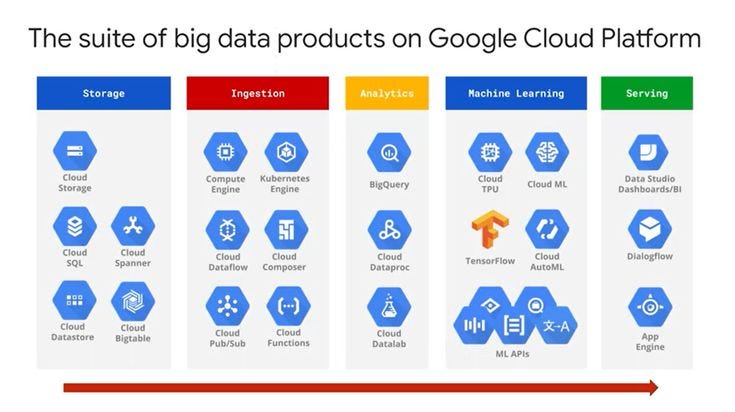
What makes GCP stand out from other cloud computing platforms is its scalability and flexibility. You can easily adjust your resources to match your business needs, and you only pay for what you use.
To use GCP, you need to create a project, and each project requires a billing account connected to a financial instrument, like a credit card or coupon. However, here’s the cool part: many GCP products have a free tier called Always Free that never expires!
This means you can always use these products without charge, as long as you stay within the usage quotas. Some examples of Always Free products include Cloud Storage, BigQuery, Cloud Functions, and Cloud Pub/Sub.
Don’t worry about getting hit with unexpected fees, as Google is pretty laid-back when it comes to charging users — just think Gmail or YouTube.
So I bet you must be wondering how can you get it, right?
Create now your own GCP account following 5 simple steps.
#1. Creating an account
Go to the Google Cloud Platform (GCP) website and click on the Get started for free button.
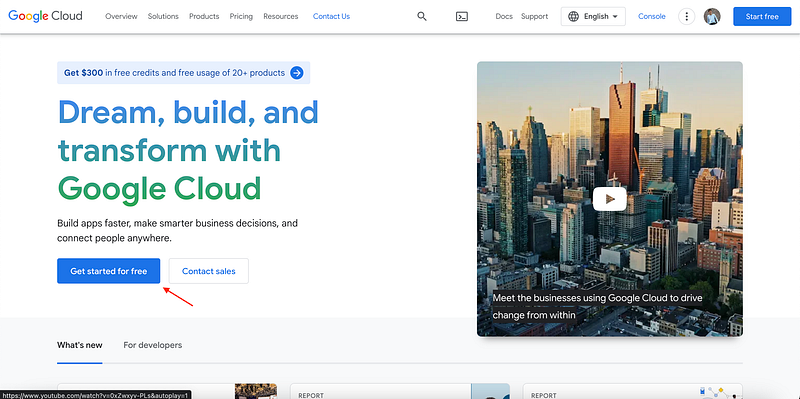
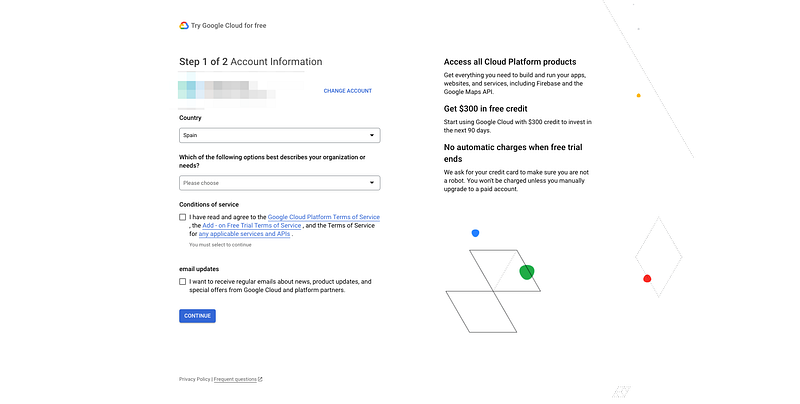
#2. Settig up your account.
This will require you to provide some personal and billing information. If you provide all your info, your account will be set up in a few seconds!
#3. You Google Cloud Platform accound is ready to be used!
If you have managed to create your account, you should be on a website greeting you as follows.
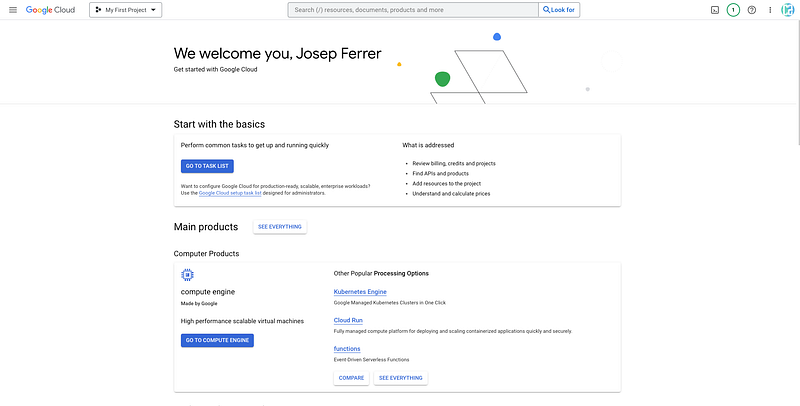
So now what? If you click on the upper-left hamburger button, a side menu will be opened with all GCP services.
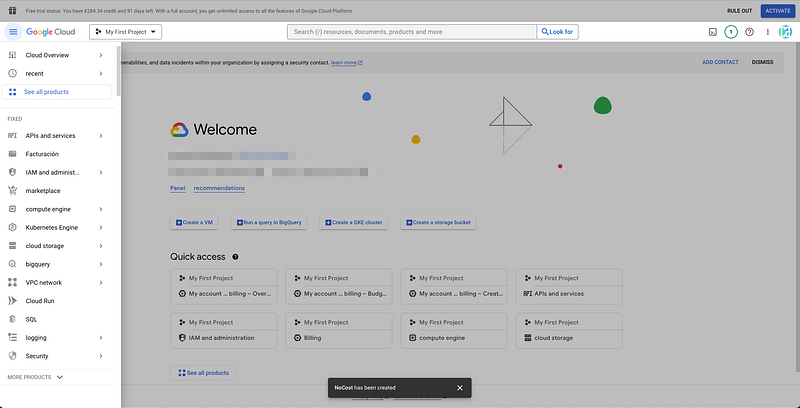
Thanks to the Free Tier plan, you are allowed test and play with many Google Cloud services for free. You can check all services that do have a Free Tier plan here.
But I get you might be wondering… how can I be sure I am not paying any expense?
The answer is simple! You can configure GCP to refuse any expense.
#4.Creating your budget alert
Click on the hamburger menu in the top left corner of the GCP console again and select Billing from the list of services.
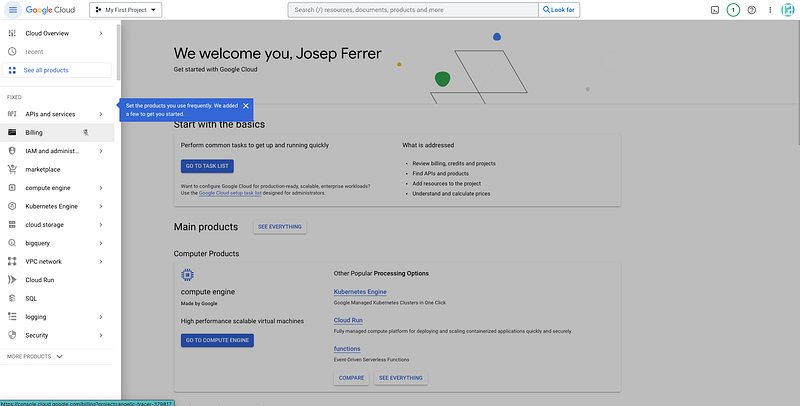
Within the billing section, click on the Budget and Alerts subsection.
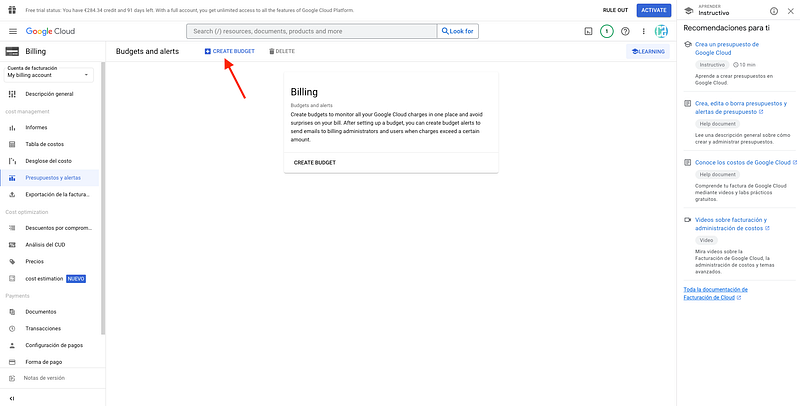
Then create a budget with a “Monthly” range and select “All projects” and “All services”.
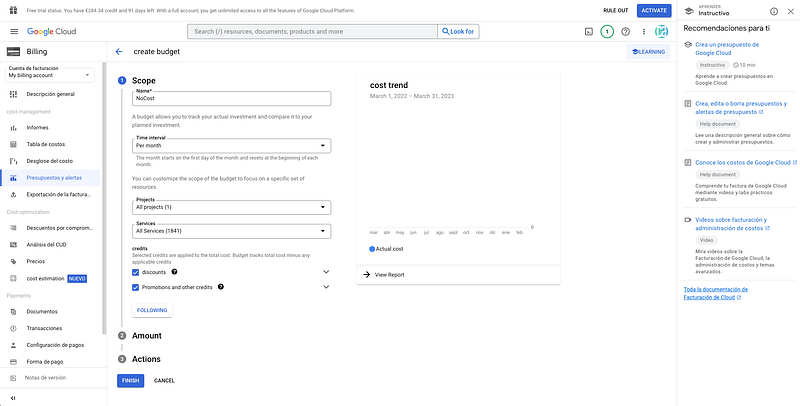
In the Amount section of this form, set Budget type field with Specified amount and Target amount field with a value of 0€ — or any other currency.
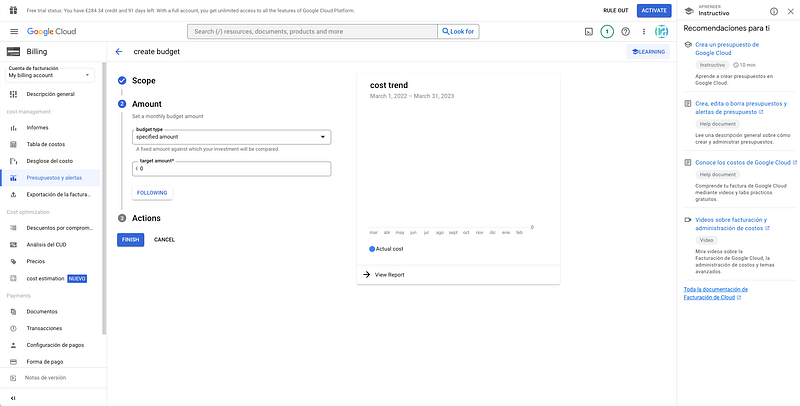
And that’s it! You can start playing around a bit and having all the power of Google right into your computer ;)
For a comprehensive list of Google Cloud-related products and their pricing details, head over to Google’s website. I hope that clears up any confusion!
⚠️ If you just want to try BigQuery, Google has enabled a sandbox for testing purposes.
Main Conclusions
Overall, Google Cloud Platform is a robust, user-friendly, and cost-effective cloud computing platform that can help you scale and grow your business. Trust me, you won’t regret giving it a try!
Data always has a better idea — trust it.
You can suscribe to my Medium Newsletter to stay tuned and receive my content. I promise it will be unique!
If you are not a full Medium member yet, just check it out here to support me and many other writers. It really helps :D


