Handling JWT Token Expiration in Angular 17 — A Comprehensive Guide

Introduction
In this tutorial, we delve into a pivotal aspect of modern web applications: effectively managing JWT token expiration in Angular 17. Ensuring a secure and smooth user experience hinges on this critical functionality.
Deep Dive into JWT
JWT (JSON Web Token) is a URL-safe method for transmitting information, particularly used for authentication. It comprises three segments:
- Header: Contains token type and algorithm.
- Payload: Holds the claims or data.
- Signature: Ensures the token’s integrity.
Before proceeding, verify your Angular version with ng version to ensure compatibility with Angular 17.
Starting with Angular
Create a new project using ng new [project-name].
Step-by-Step JWT Expiration Handling
Step 1: Setting Up JWT Decode
Install the JWT Decode package with:
npm install jwt-decode
This allows you to decode and inspect your JWT tokens.
Step 2: Creating an Interceptor
Generate a token interceptor using:
ng generate interceptor token
This interceptor will check for token expiration on each request.
Step 3: Registering the Interceptor
In app.config, register your interceptor:
import {provideHttpClient, withInterceptors} from "@angular/common/http";
import {tokenInterceptor} from "./token.interceptor";
....
providers: [
  provideHttpClient(
    withInterceptors(
      [
         tokenInterceptor
      ]
    )
  )
]
This integrates the interceptor with your Angular HTTP client.
Step 4: Implementing the Interceptor
In your interceptor, implement token expiration logic:
export const tokenInterceptor: HttpIntercepterfn=(reg, next){

    const token = localStorage.getItem('token');
    if (token) {
      const decodedToken = jwtDecode(token);
      const isExpired = decodedToken.exp < Date.now();
      if (isExpired) {
        // Handle token expiration
      } else {
        // Proceed with the request
      }
    }
    return next.handle(req);
}
Step 5: Refreshing or Redirecting
Refreshing the Token:
let httpClient = inject(HttpClient);
...
if (isExpired) {
  // Call your API to refresh the token
  // Update localStorage with new token
  httpClient
  .post("http//localhost:3000/refresh", {})
  .subscribe((newToken: any) => {
    localStorage.setItem("token", newToken);
    let newReq = req.clone({ setHeaders: { Authorization: "Bearer "+newToken} });

    return next(nenwReq);
  });
}
Redirecting to Login:
if (isExpired) {
  localStorage.removeItem('token');
  this.router.navigate(['/login']);
}
Testing Your Implementation
Loading User Data
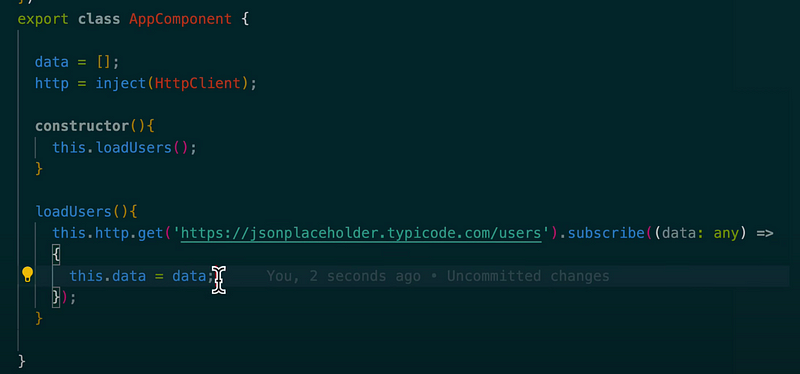
Create a method to fetch user data using HttpClient.get. Bind this data to your component's template for display.
loadUsers() {
  this.httpClient.get<User[]>('https://jsonplaceholder.typicode.com/users').subscribe(data => {
    this.users = data;
  });
}
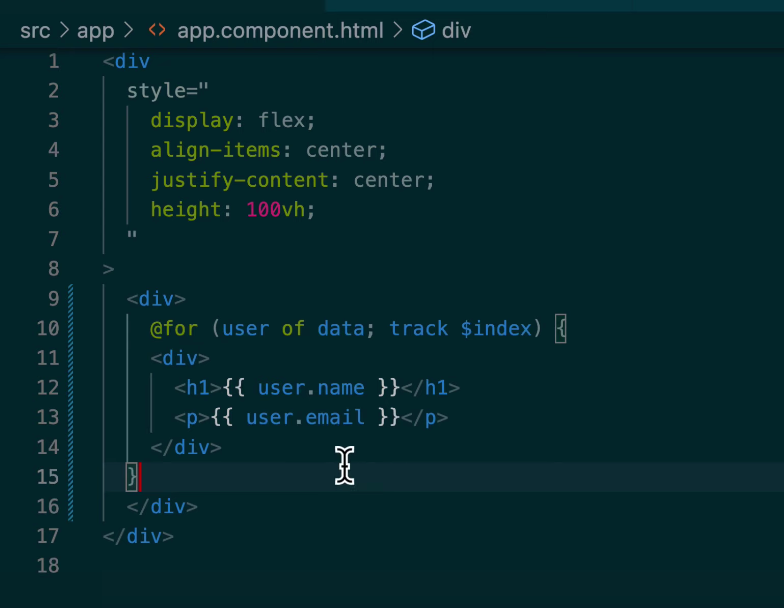
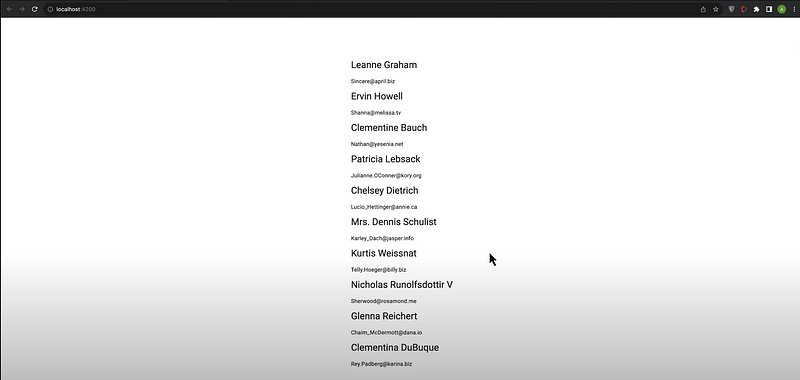
Simulating Token Expiration
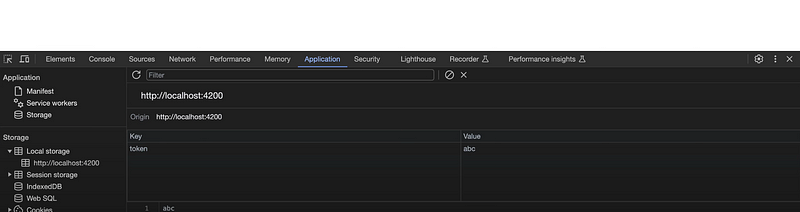
Manually insert an expired or invalid token into localStorage and observe the interceptor’s behavior. It should either refresh the token or redirect to the login page.
Conclusion and Call to Action
You now have a robust solution for handling JWT token expiration in Angular 17, equipped with practical code snippets. Adapt and expand upon this guide to fit your specific application needs.
For more detailed insights and to see this implementation in action, don’t forget to watch the video on the AyyazTech channel and subscribe for future tutorials.


