avatarKarmicDragoon92

Free AI web copilot to create summaries, insights and extended knowledge, download it at here

2108

Abstract

figure><p id="fbad">The next question is asking us about an old remote access protocol that came without encryption and uses port 23 by default. The protocol this questions is referencing is Telnet which used to be the go to tool for remote access to systems via the command line. However, as the question mentions this program is no longer used due to being insecure, which is why we all use SSH now instead as SSH provides encryption by default and many other more secure features.</p><p id="ead3">Now the next questions asks what service is running at port 3389. Let’s run a scan on the remote system, so if you haven’t fired up your pwnbox already go ahead and do that and spawn the target system.</p><p id="eaaa">Once you have that spun up go ahead and open up a terminal and let’s do an NMAP scan on the target. Let’s do a service scan and we’ll do it just on port 3389 to save time. <code>sudo nmap -sV -p 3389 [remote host ip]</code> .</p><figure id="df82"><img src="https://cdn-images-1.readmedium.com/v2/resize:fit:800/1*YJL5UUsrcjGUhsurjY2b8g.png"><figcaption></figcaption></figure><p id="8ccf">So after our scan wraps up we see the name of the service running on the target is ms-wbt-server which means this system allows access via RDP.</p><h1 id="e825">Logging in via RPD</h1><p id="63df">The next question asks us what switch we use to specify the remote host using the xfreerdp program. Let’s crack open the man page with <code>man xfreerdp</code> .</p><figure id="a6ef"><img src="https://cdn-images-1.readmedium.com/v2/resize:fit:800/1*AwpdDz8sGArD6Q0dWaxIpw.png"><figcaption></figcaption></figure><p id="b043">Here we see the /v option allows us to specify a hostname, let’s see if we can find an example.</p><figure id="19cd"><img src="https://cdn-images-1.readmedium.com/v2/resize:fit:800/1*oDChTNPWeSv8w_zccWJ3hA.png"><figcaption></figcaption></figure><p id="868a">That looks good to me. So let’s see if the answer is indeed /v:</p><figure id="070a"><img src="https://cdn-images-1.readmedium.com/v2/resize:fit:800/1*lzSyywttQ_g7h7xTmJEcFA.png"><figcaption></figcaption></figure><p id="b4

Options

b9">Awesome. Let’s take a look at the next question.</p><figure id="789d"><img src="https://cdn-images-1.readmedium.com/v2/resize:fit:800/1*BluHvEptBYWZoJkddPVzDA.png"><figcaption></figcaption></figure><p id="6aa6">Hmmmm. Well my friends, thanks to HacktheBox giving us a little hint here, what super common username might we be able to login to on this system that ends with r?</p><figure id="a726"><img src="https://cdn-images-1.readmedium.com/v2/resize:fit:800/1*BAMePzHL1lF39EXv8Iy92A.png"><figcaption></figcaption></figure><figure id="0797"><img src="https://cdn-images-1.readmedium.com/v2/resize:fit:800/1*2Gxs3kDKGKEqqJLCo765Cg.png"><figcaption></figcaption></figure><p id="03c3">And it looks like we’re logged into a Windows server.</p><figure id="1b50"><img src="https://cdn-images-1.readmedium.com/v2/resize:fit:800/1*KjYXFaZ-xpIRveUvfkcMsw.png"><figcaption></figcaption></figure><p id="b3cf">Cool. Let’s now look around for that root flag.</p><figure id="e7e9"><img src="https://cdn-images-1.readmedium.com/v2/resize:fit:800/1*OFXWdzvfqbCMNUmUz9mLOg.png"><figcaption></figcaption></figure><p id="ab50">Anyone see anything?</p><figure id="e21c"><img src="https://cdn-images-1.readmedium.com/v2/resize:fit:800/1*EBd-Hg-SuhwlJZHdaM2P8g.png"><figcaption></figcaption></figure><p id="894f">Hm.</p><figure id="01dd"><img src="https://cdn-images-1.readmedium.com/v2/resize:fit:800/1*zGVMEEp0BsoR86xpjEwT0Q.png"><figcaption></figcaption></figure><p id="964b">Hmmmmmmm.</p><figure id="07f3"><img src="https://cdn-images-1.readmedium.com/v2/resize:fit:800/1*HrDpCjfAR9Drysr7as5Q1A.png"><figcaption></figcaption></figure><h1 id="b4d7">Conclusion</h1><p id="8c0b">Once again everyone, congratulations are in order. We’re making progress and before we know it we’ll be done with starting point and moving on to some of the retired machines and we can start practicing on those. Feel free to check out the other parts I have for starting point. As always let’s keep practicing, keep getting better and one day we’ll all be pwning boxes left and right. Appreciate your time and happy hunting!</p></article></body>

HacktheBox Starting Point: Explosion Walkthrough


Retrieved from: https://static.vecteezy.com/system/resources/previews/029/175/522/large_2x/unexpected-computer-desktop-exploding-generate-ai-photo.jpg

Time to Remote Desktop

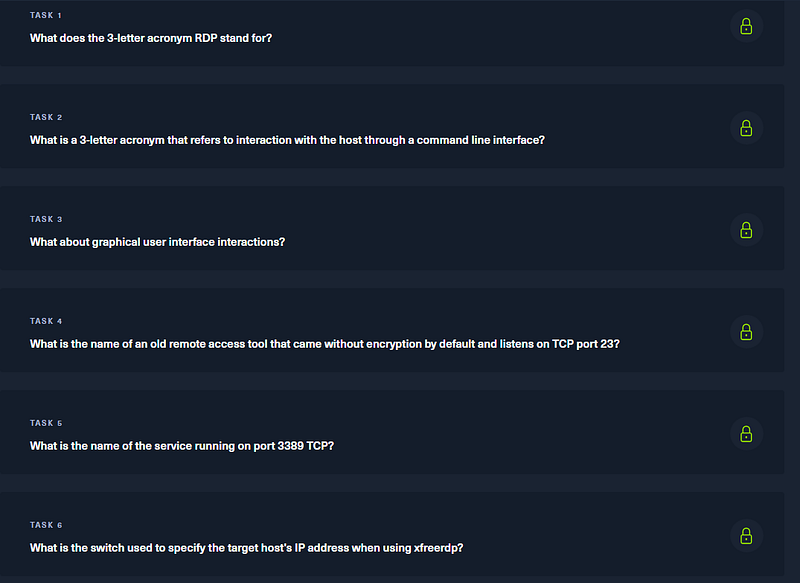
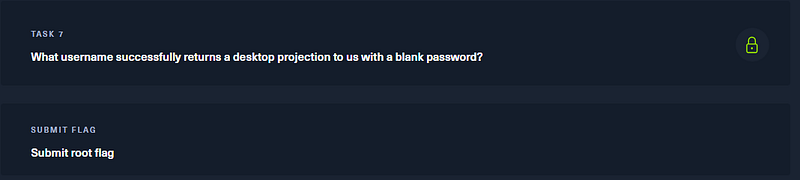
Helllooooooo everyone and welcome back to my little series on HacktheBox’s starting point boxes. Today we’ll be going throught the Explosion box. So without wasting and time let’s take a look at the objectives for this system.
What is RDP?

RDP stands for Remote Desktop Protocol and is a way we can remotely login to systems and have access to a graphical user interface (GUI) instead of a command line. At this point we should be familiar with SSH (secure shell), which is a way to remotely access systems via a command line. RDP is also a remote access protocol, but again gives us a full graphical desktop instead of just the command line. RDP is more commonly found for administering Windows systems than Linux systems although you can set up RDP for Linux machines if you want to. So the answers for our first three questions are Remote Desktop Protocol, CLI (for command line interface) and GUI.

SSH vs Telnet
Retrieved from: https://images.airdroid.com/2023/04/remote-access.jpg

The next question is asking us about an old remote access protocol that came without encryption and uses port 23 by default. The protocol this questions is referencing is Telnet which used to be the go to tool for remote access to systems via the command line. However, as the question mentions this program is no longer used due to being insecure, which is why we all use SSH now instead as SSH provides encryption by default and many other more secure features.

Now the next questions asks what service is running at port 3389. Let’s run a scan on the remote system, so if you haven’t fired up your pwnbox already go ahead and do that and spawn the target system.

Once you have that spun up go ahead and open up a terminal and let’s do an NMAP scan on the target. Let’s do a service scan and we’ll do it just on port 3389 to save time. sudo nmap -sV -p 3389 [remote host ip] .
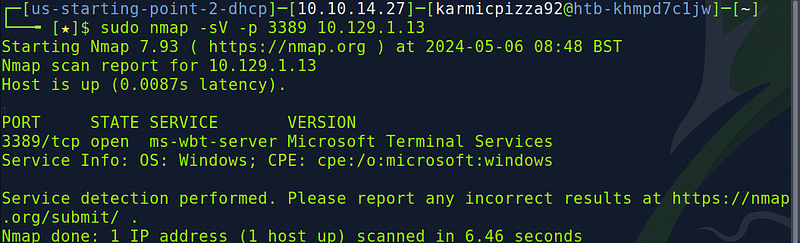
So after our scan wraps up we see the name of the service running on the target is ms-wbt-server which means this system allows access via RDP.

Logging in via RPD

The next question asks us what switch we use to specify the remote host using the xfreerdp program. Let’s crack open the man page with man xfreerdp .

Here we see the /v option allows us to specify a hostname, let’s see if we can find an example.

That looks good to me. So let’s see if the answer is indeed /v:

Awesome. Let’s take a look at the next question.

Hmmmm. Well my friends, thanks to HacktheBox giving us a little hint here, what super common username might we be able to login to on this system that ends with r?

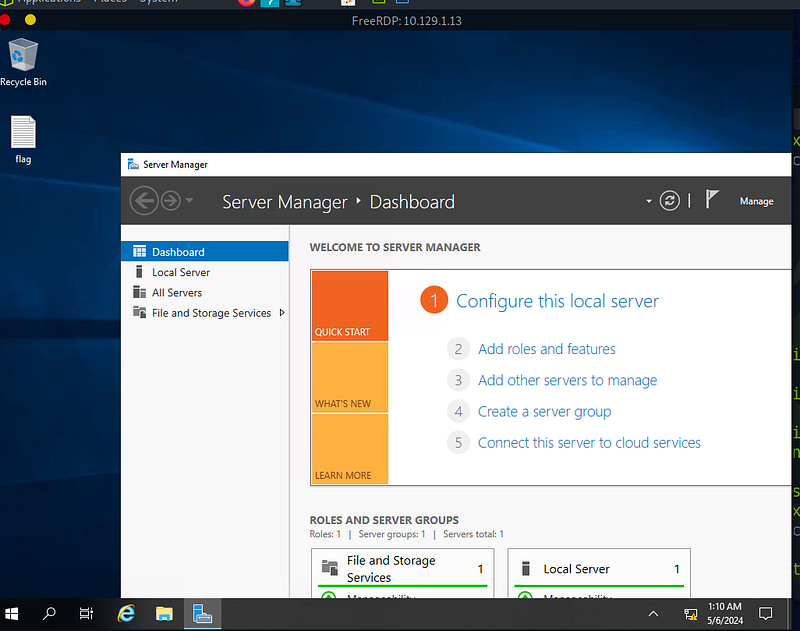
And it looks like we’re logged into a Windows server.
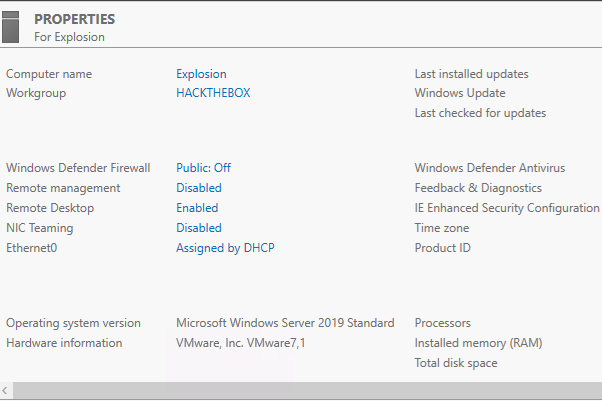
Cool. Let’s now look around for that root flag.
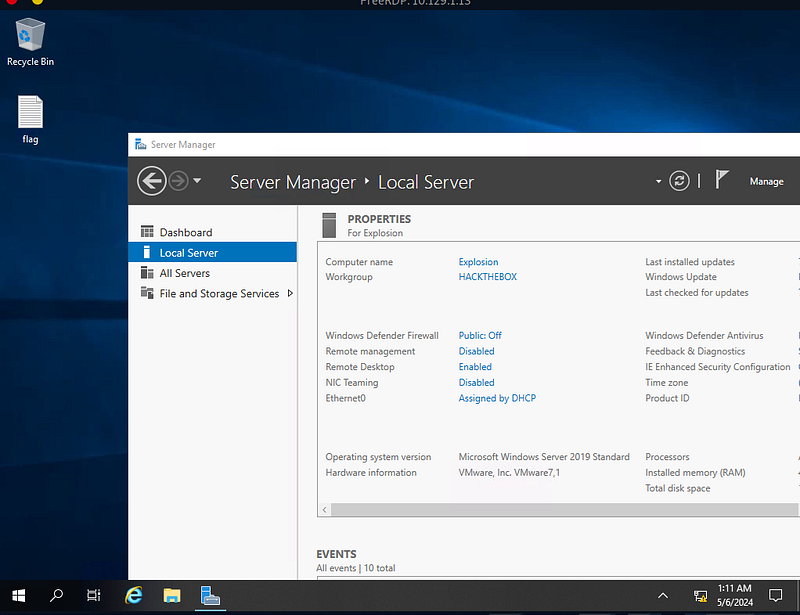
Anyone see anything?
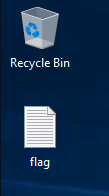
Hm.
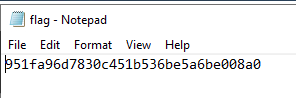
Hmmmmmmm.
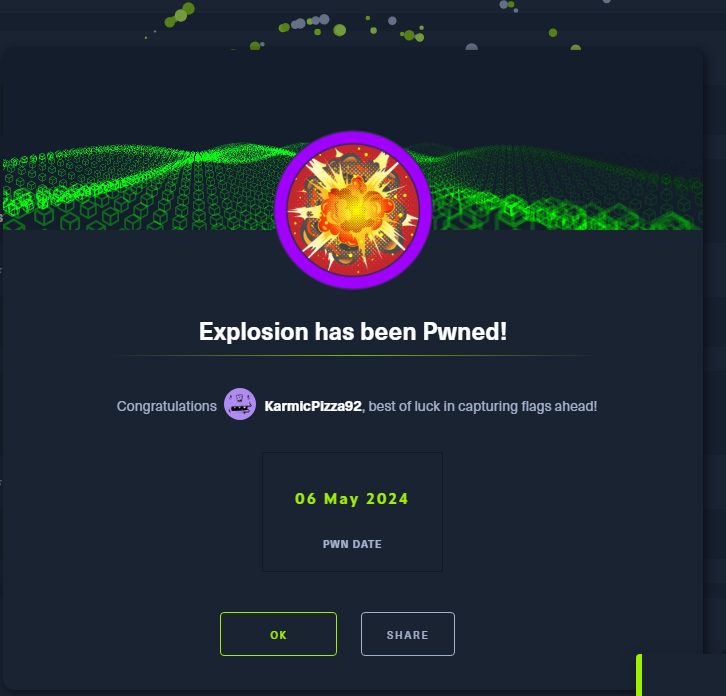
Conclusion

Once again everyone, congratulations are in order. We’re making progress and before we know it we’ll be done with starting point and moving on to some of the retired machines and we can start practicing on those. Feel free to check out the other parts I have for starting point. As always let’s keep practicing, keep getting better and one day we’ll all be pwning boxes left and right. Appreciate your time and happy hunting!

Rdp
Cybersecurity
Hacking
Hackthebox
Recommended from ReadMedium