
Google’s Latest AI Model Enables Virtual Try On clothes with Unchanged Details and Flexible Poses
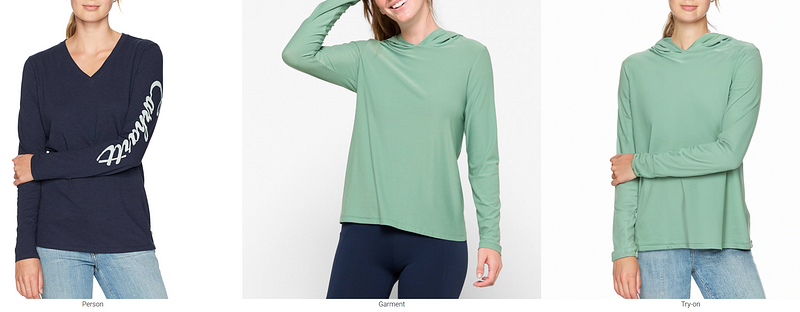
Google unveiled a new virtual try-on feature for Google shopping.
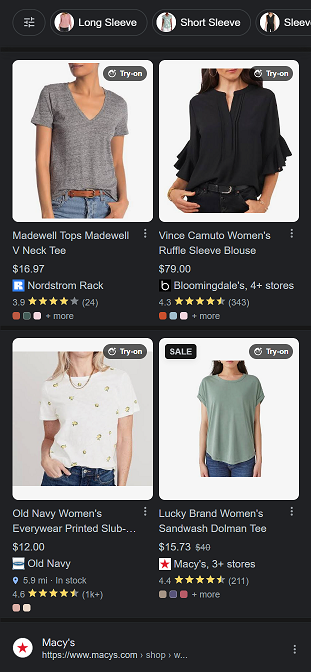
One easiest example is to search for womens top in Google search and scroll down to look for a 4-pack layout unit.
Traditionally, virtual try-on technology struggled to accurately represent clothing details and accommodate various poses. However, Google’s innovative AI model has overcome these obstacles, enabling users to virtually try on clothes with greater fidelity and flexibility.
Paper link: https://tryondiffusion.github.io/
In the past, the critical challenge of such models lied in striking a balance between preserving clothing details, enabling garment deformations, and accommodating different body poses and shapes to ensure a seamless and natural appearance. Significantly, when it has a pattern or details like pockets or rare sleeves.
Groundbreaking AI Model
The previous work in this area decomposes the try-on task into two steps: the warping model and the blending model. They either preserved clothing details while failing to handle pose and shape variations or allowed for pose changes but compromised on clothing details.
However, with the integration of two UNet models, TryOnDiffusion has successfully addressed these limitations. The new model performs implicit warping and blending in a single pass. This unified approach allows the AI model to retain clothing details within a single network while incorporating significant pose and body changes.
Let’s see what it looks like on the phone:
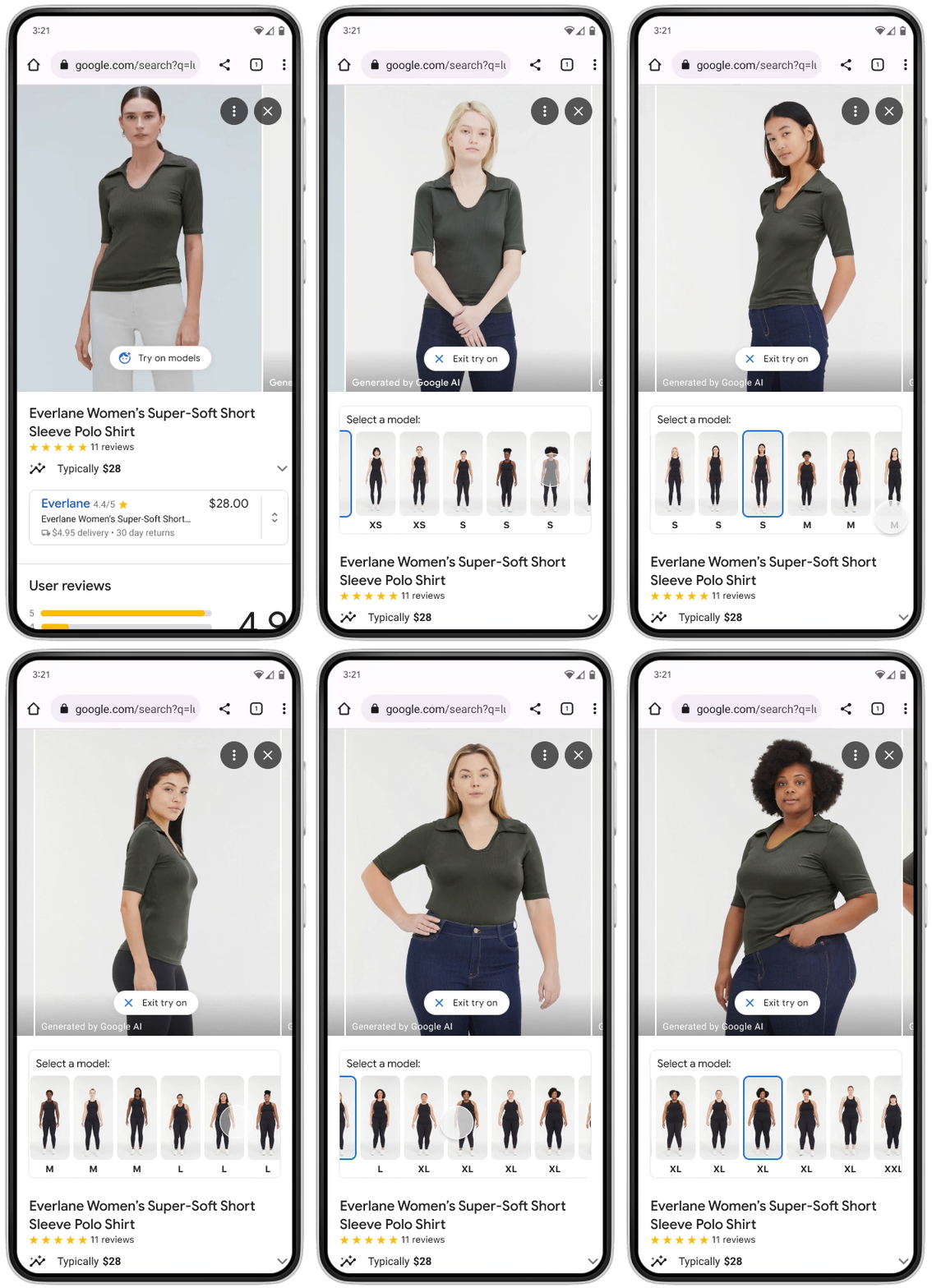
AI-based Virtual Try-On
They have employed a new diffusion-based AI model called TryOnDiffusion, which gradually adds additional pixels (or “noise”) to the image until it becomes unrecognizable, and then progressively eliminates the noise to reconstruct the original image with impeccable quality.
Overview of the diffusion model
A probabilistic diffusion model, referred to as a “diffusion model” for convenience, which showcases promising capabilities in generating high-quality samples.
The key concept behind the diffusion model lies in its ability to reverse a diffusion process. This process involves gradually adding noise to the data in the opposite direction of sampling until the signal is no longer distinguishable. By learning the transitions of this chain, the diffusion model becomes adept at generating samples that closely resemble the original data.
Notably, when the diffusion process involves small amounts of Gaussian noise, the sampling chain transitions can be simplified to conditional Gaussians. This elegant approach allows for a streamlined neural network parameterization, making diffusion models straightforward to define and efficient to train.
Training steps
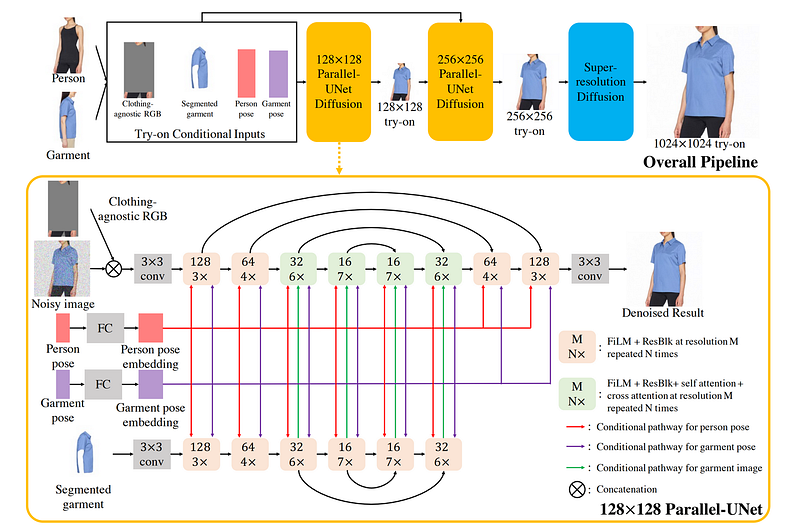
In the preprocessing step, there are 4 images:
- Person image by removing the original clothing but retaining the person's identity.
- Person poses map.
- Garment pose map.
- The target garment is segmented out of the garment image.
Next step in the first Parallel UNet diffusion, the person image and garment image are handled respectively. The person-UNet takes a person image and the garment-UNet takes a segmented garment image. The person and garment poses are used to guide the process.
In the second Parallel UNet diffusion, the inputs are the input from preprocessing step and the output from the first Parallel UNet diffusion.
The last step is a purely super-resolution step to upscale the try-on image from 256x256 to 1024x1024 for better image quality.
Upscale image quality
Imagen is the Super-Resolution Diffusion Model used in the last step for better image quality. See research here.
Imagen was introduced with powerful capabilities in visualizing text input by generating high-resolution images. Leveraging the diffusion model, Imagen combines a frozen text encoder, conditional diffusion models, and text-conditional super-resolution diffusion models to create stunning visual representations.
The process begins with the input text being encoded into text embeddings using a frozen text encoder. These embeddings serve as a bridge between the textual information and the subsequent image generation process.
Imagen incorporates text-conditional super-resolution diffusion models. These models apply a step-wise approach to upsample the generated image, first from 64x64 to 256x256 and then from 256x256 to an impressive 1024x1024 resolution.
Here, the upscale image quality process only uses part of the Imagen process, which is from 256x256 to 1024x1024 resolution.
Dataset: Shopping Graph
The virtual try-on feature is leveraging the power of Google Shopping Graph, which stands as the most extensive collection of product and seller data globally.
Shopping Graph — an ML-powered, real-time data set comprising the world’s products and sellers. This revolutionary tool serves as a comprehensive repository, storing billions of global product listings and detailed information about each item.
Final Thoughts — How to try on clothes virtually?
In the past, virtual try-on experiences often required extensive 3D scanning processes for each product, limiting their scalability and accessibility. The previous virtual try-on normally means a VR, AR-based technology for shopping. The use case is more like an AR fitting room, using photorealistic virtual clothing, accessories, makeup, and footwear that instantly displays styles on the phone.
The only similar virtual try-on feature I found is Walmart virtual try-on(launched in Sept 2022), which was called Zeekit and acquired by Walmart in 2021. With Walmart's virtual try-on feature, users have the option to either upload their own photo or use a model’s photo to try on different clothes virtually.
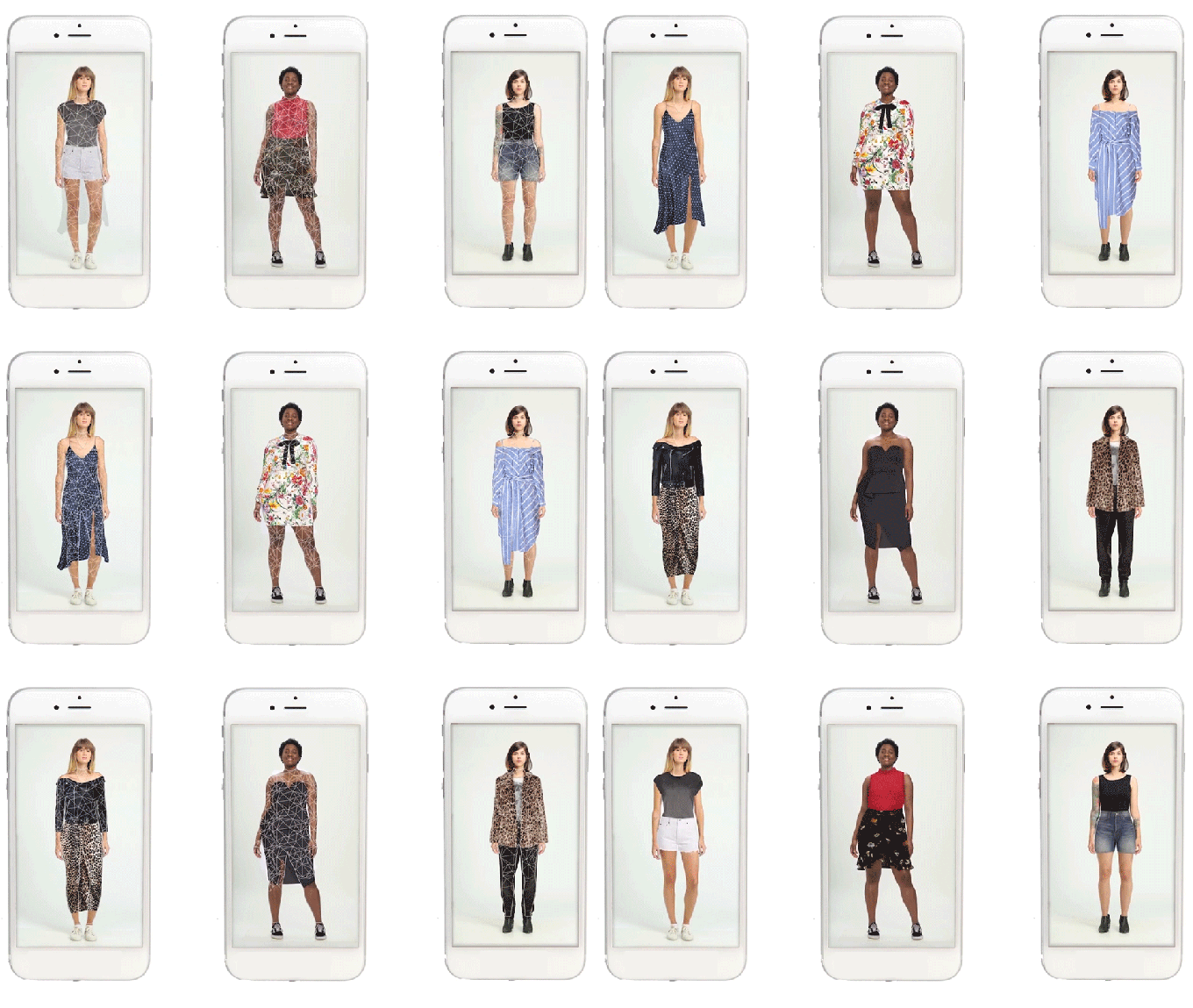
With the rise of generative AI technology, the scale-up process for virtual applications has become significantly faster and more efficient. A single-person image and one clothing image are all that are needed for the virtual try-on feature.


