Go Open, go Lean: LLMWare now can boost your AI-powered enterprise.
Budget-friendly efficiency: LLMWare makes AI Back-Office dreams a reality with a herd of new SLIMs models.

Imagine the frustration: you’ve glimpsed the potential innovation of AI for your business, but current models just can’t handle the demands of your complex workflows. They’re isolated, they speak gibberish, and your data feels like it’s sunbathing on a public beach.
Every Business in the World want to access the AI hype to benefit the analysis capabilities of Large Language Models. But skills, licenses, hardware and budget can get in the way and discourage the many.
Sound familiar? You’re not alone.
LLMWare is here to break you free from AI purgatory with its revolutionary herd of SLIMs (Structured Language Instruction Models).
These lean, mean, AI agents are specifically designed to tackle the very challenges that have been holding you back:
- Multi-step Mastery: Forget clunky, single-task models. SLIMs orchestrate complex workflows like a maestro, seamlessly coordinating different AI calls to get the job done.
- Functionally Fluent: No more deciphering cryptic outputs. SLIMs generate structured data your programs can understand, making automation a breeze. 🪄
- Private Cloud Paradise: Breathe easy. SLIMs operate within your secure private cloud, keeping your data safe and sound.
Intrigued? There’s more! SLIMs are open-source and budget-friendly, empowering you to customize them to your unique needs without breaking the bank.
Ready to ditch the frustration and unlock the true potential of AI in your business? Dive deeper into this article and discover how LLMWare’s SLIMs can transform your back-office into an efficiency powerhouse.
I will show you how to start using them in easy steps, and give you some more resources to learn. Don’t just take my word for it — test them out yourself and see the magic firsthand!
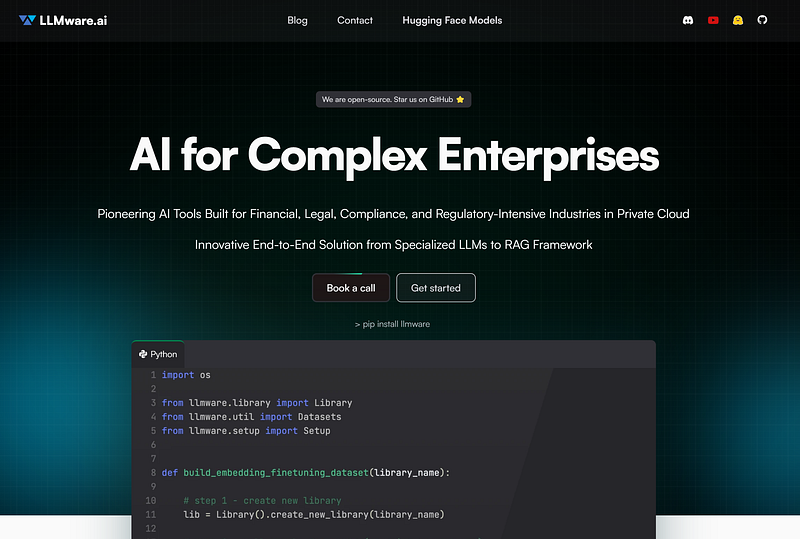
LLMware.ai
A pioneer company called llmware, started months ago to give a wake up call to the entire open-source community, releasing ready to you use language models, free for commercial purpose. But they went much further: all the models are fine tuned and engineered so that anyone can run them on a CPU only computer!
On Monday, February the 12th, they released 10 brand new models ready to enable every enterprise to use the AI technology straight away.
Ok, there are new models every hour on Hugging Face: so where is the revolution here?
There is a common problem in the Artificial Intelligence domain when we want to apply it to a production ready system: Enterprises have back-offices like a bustling beehive, buzzing with activity but prone to inefficiencies. Tasks pile up like pollen, bogging down your team and hindering productivity.
Businesses want to use large language models (LLMs) for complex tasks, but current models lack the features needed for this.
- the naive approach is to look for a LLM that is able to do everything
- these models are heavy and you need a powerful hardware to make it work at decent speed
- Artificial Intelligence requires still a degree of expertise in programming
- only a limited number of closed models allows you to concatenate tasks to automate your data analysis

SLIMs are the solution
Fear not, business builders! LLMWare has arrived, its latest innovation armed with a secret weapon: a herd of SLIMs.
These SLIMs are not like scrawny calves, but more like sleek, specialized AI agents, each trained for a specific task. One sorts incoming data like a diligent worker bee, classifying it with laser-sharp precision. Another analyzes emotions with the empathy of a queen, helping you understand customer sentiment. This diverse team operates seamlessly, choreographing complex workflows with the grace of a synchronized swarm.
The idea behind this amazing project is to create a Mixture of Experts using 10 different models working as Agents that perform specific tasks.
But wait, there’s more! These SLIMs are budget-friendly — no hefty fees to strain your finances. They’re open-source, allowing you to customize them to your unique needs. And they play well with others, integrating seamlessly with your existing systems, no temper tantrums here.
A Glimpse of what you can do
I tested the new features in 10 minute…
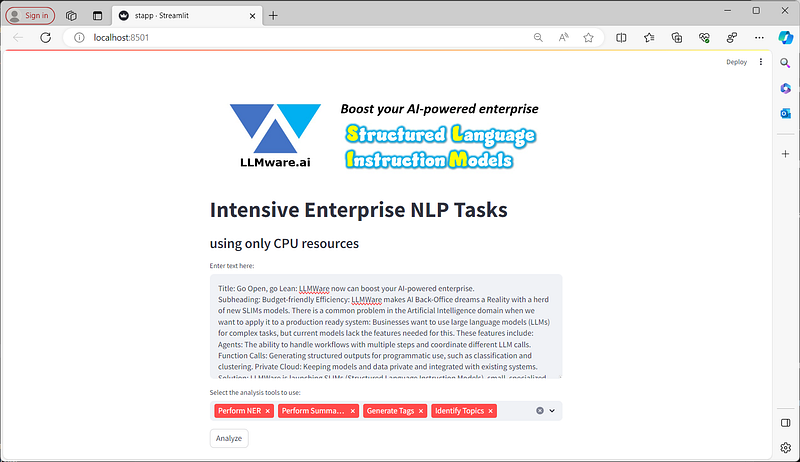
I gave a text and asked the SLIMs llmware Agents to give me a quick analysis of it… Good job! — In the next section we will see how to do it.
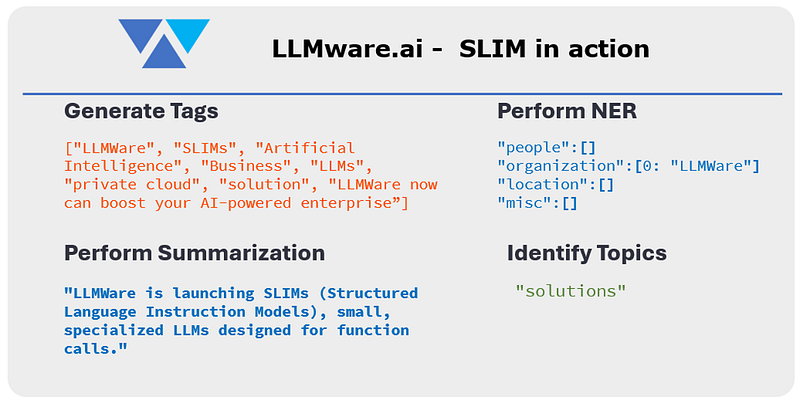
So, here’s the real magic: LLMWare’s solution addresses the three biggest roadblocks to AI adoption in complex tasks:
- Stuck in Single Steps: Forget siloed operations! SLIMs handle multi-step workflows, passing information smoothly between tasks like a well-oiled machine.
- Talking in Tongues: No more deciphering cryptic outputs. SLIMs generate structured data, like clear instructions for your programs, making automation a breeze.
- Privacy Concerns: Worried about sensitive data? Rest assured, SLIMs operate within your private cloud, keeping your information safe and sound.
Build your first LLMware powered App
For this you need a computer, a basic of Python programming and an Internet connection (required only the first time to download the models in your Computer).
Create a new directory for the project, go into it and prepare a virtual environment. I called my directory (with a lot of imagination…) llmware.

NOTE! if you are running Python 3.12 you cannot proceed. This is not a problem of llmware. One of the main libraries for NLP tasks, called sentencepiece is not supported so the installation of the dependencies like sentence-transformers will fail (according to the GitHub repo it will be fixed with next revision… the last one is from May 2023)
mkdir llmware
cd llmware
python -m venv venv
Once the virtual environment is ready activate it
source venv/bin/activate  #activate the venv on Mac/Linux
venv\Scripts\activate  #activate the venv on Windows
We need only 2 packages to install. With the venv activated run:
pip install llmware
pip install streamlit
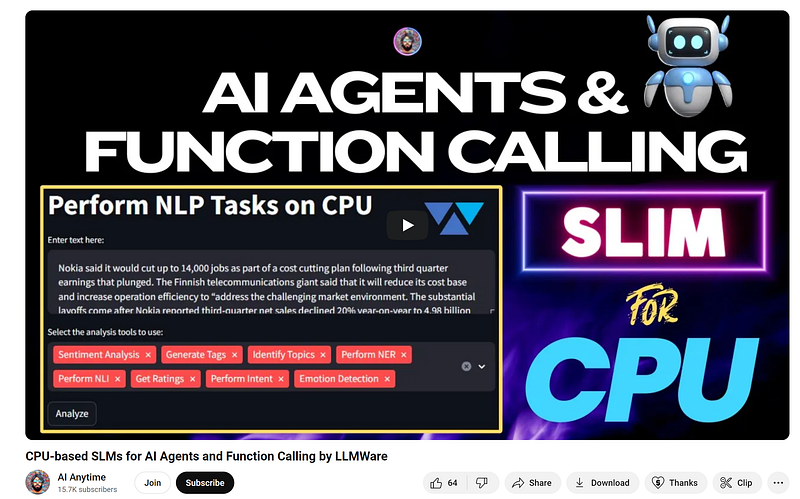
We are ready! You can download the python file from my GitHub Repo and follow along to understand how it works. I was inspired by a fantastic tutorial by AI Anytime, a Youtuber and friend of LLMWare. Consider following him and watch his videos.
Create the Agents
This is a simplified version of the function calling structure of the LLMWare new models. A quick tutorial (called Unlock AI Agents, Function Calls and Multi-Step RAG with LLMWare) to showcase the capabilities of the new release has been issued on YouTube by Darren Oberst himself.
Here I want to show you how you can have a toolbox of Agents running at your commands with one click.
Let’s declare the Agents as Functions (don’t freak out, I will explain):
import streamlit as st
from llmware.models import ModelCatalog
from llmware.prompts import Prompt

def perform_sum(text):
    #nli_model = ModelCatalog().load_model("slim-nli-tool")
    prompter = Prompt().load_model("llmware/bling-tiny-llama-v0")
    instruction = "What is a brief summary?"
    response_sum = prompter.prompt_main(instruction, context=text)
    return response_sum

def tags(text):
    tags_model = ModelCatalog().load_model("slim-tags-tool")
    response_tags = tags_model.function_call(text, get_logits=False)
    return response_tags

def topics(text):
    topics_model = ModelCatalog().load_model("slim-topics-tool")
    response_topics = topics_model.function_call(text, get_logits=False)
    return response_topics

def intent(text):
    intent_model = ModelCatalog().load_model("slim-intent-tool")
    response_intent = intent_model.function_call(text, get_logits=False)
    return response_intent

def category(text):
    category_model = ModelCatalog().load_model("slim-category-tool")
    response_category = category_model.function_call(text, get_logits=False)
    return response_category

def ner(text):
    ner_model = ModelCatalog().load_model("slim-ner-tool")
    response_ner = ner_model.function_call(text, get_logits=False)
    return response_ner
In the first 3 lines we import the libraries we need. Then we define a function for every task/Agent. I am following the same structure so I will take 2 of them as example.
This one is the function for the summarization, and it is the only one that stands out from the crowd. In fact for this one we will use one of the BLING models, dedicated to RAG and text-generation tasks.
def perform_sum(text):
    prompter = Prompt().load_model("llmware/bling-tiny-llama-v0")
    instruction = "What is a brief summary?"
    response_sum = prompter.prompt_main(instruction, context=text)
    return response_sum
We accept as input only the text: then we load the model (not quantized, but small enough to fit any CPU). The Prompter accept the question and the context: in our scenario the question is to provide us a very short summary of the text. In the end we return as output the summary.
The second function is copy/paste for all the other agents, changing only the model: this one specifically will extract the TAGs of the text, like Keywords that express the meaning of the text. It is really useful because with this you can enhance the Similarity Search in your RAG pipeline combining traditional keyword search and semantic relevance.
def tags(text):
    tags_model = ModelCatalog().load_model("slim-tags-tool")
    response_tags = tags_model.function_call(text, get_logits=False)
    return response_tags
We accept the text as input and we return a python list of tags.
The Streamlit interface
Streamlit is a super cool framework. With 5 lines of code you can build a web application and Zero stress.
Our app has a Title, an Image, a text area where we can copy/paste a piece of text, a multi-selection object to pick up the tasks we want to perform and finally a pushButton to start the magic.
# Streamlit app layout
st.image('logo.png',use_column_width="auto")
st.title("Intensive Enterprise NLP Tasks")
st.markdown("### using only CPU resources")

# Text input
text = st.text_area("Enter text here:")

# Analysis tools selection
analysis_tools = st.multiselect(
    "Select the analysis tools to use:",
    ["Generate Tags", "Identify Topics",
     "Perform Intent", "Get Category",
     "Perform NER", "Perform Summarization"],
    ["Generate Tags"]  # Default selection
)
Here we create the Image and Title and we declare a text input area. Then we prepare the multiselect object (really a simple python list).
For the logic part we link everything to the push button:
# Run the selected TASKS/Agents and display results in plain json format
if st.button("Analyze"):
    results = {}

    if "Generate Tags" in analysis_tools:
        results["Generate Tags"] = tags(text)
    if "Identify Topics" in analysis_tools:
        results["Identify Topics"] = topics(text)
    if "Perform Intent" in analysis_tools:
        results["Perform Intent"] = intent(text)
    if "Get Category" in analysis_tools:
        results["Get Category"] = category(text)
    if "Perform NER" in analysis_tools:
        results["Perform NER"] = ner(text)
    if "Perform Summarization" in analysis_tools:
        results["Perform Summarization"] = perform_sum(text)

    for tool, response in results.items():
        st.subheader(tool)
        st.json(response)
If we press the st.button, then we initialize an empty result dictionary. We run a chain of if statements that will activate only based on our multiselect choices, returning in the result object the job completed by llmware SLIMs.
Finally we iterate over the results items and display them in the easiest way possible. Here you can try many other cool visualization: it is easy because the outputs are structured!
If you coded along save your python file. If you downloaded it, together with the image logo.png open the terminal, and with the venv activated run:
streamlit run myapp.py
The first time you press the analyze button, llmware will start downloading the models on your computer. Wait until it is finished and your results will start to be presented in the streamlit interface.
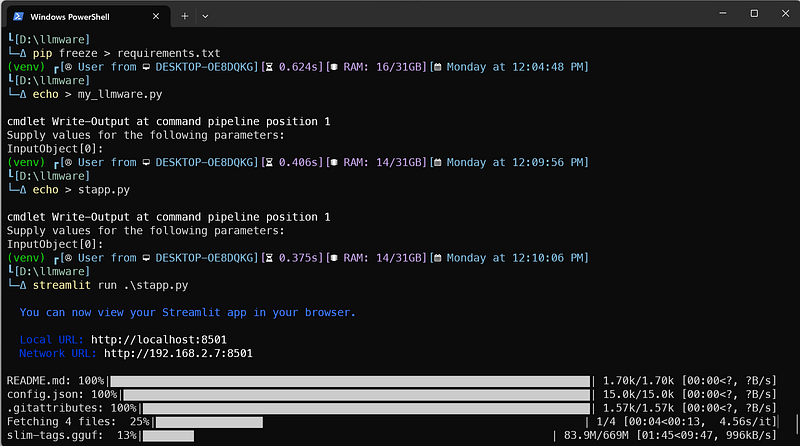
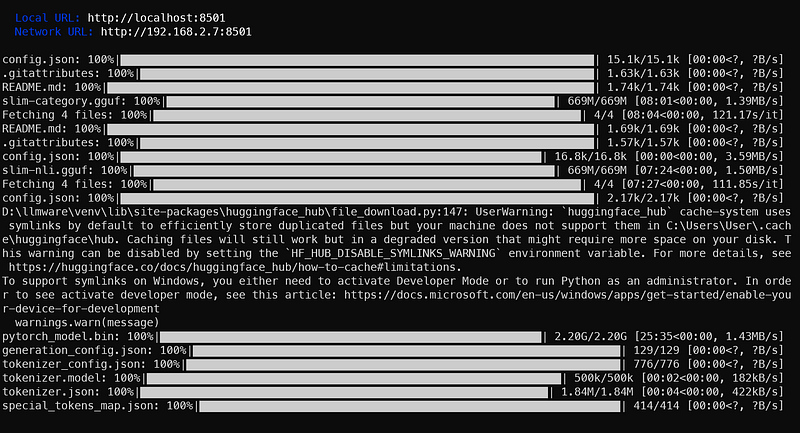
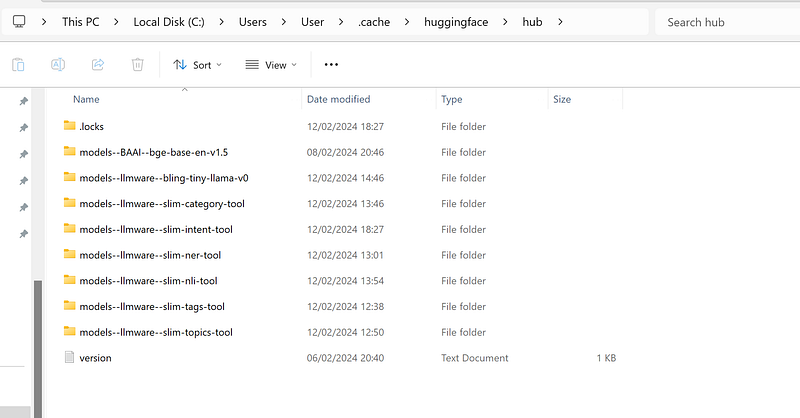
C:\Users\User\.cache\huggingface\hub and C:\Users\User\llmware_data\model_repoThe journey start now!
This isn’t just about efficiency, it’s about empowerment. With LLMWare and its herd of SLIMs, your back-office transforms from a sluggish drone to a lean, mean, productivity machine. Let go of repetitive tasks, free your team to focus on strategic initiatives, and watch your business soar to new heights.
So, are you ready to go open, go lean, and unleash the efficiency beast within your enterprise? The future of AI-powered back-offices is here, and LLMWare’s got the key. Join the swarm and re-imagine what your business can achieve!
Here the GitHub repo, with all the instructions 😉
Hope you enjoyed the article. If this story provided value and you wish to show a little support, you could:
- Clap a lot of times for this story
- Highlight the parts more relevant to be remembered (it will be easier for you to find it later, and for me to write better articles)
- Learn how to start to Build Your Own AI, download This Free eBook
- Sign up for a Medium membership using my link — ($5/month to read unlimited Medium stories)
- Follow me on Medium
- Read my latest articles https://medium.com/@fabio.matricardi
If you want to read more on the topic here some resources: