
Go EP6: Keep contexts going with context.WithoutCancel()
Everything from how to better control context to how to handle errors in a way that makes our apps work better and last longer.

First, let’s go over what we talked about last week:
- Take 1: Explicitly ignore values with a blank identifier (_) instead of silently ignoring them.
- Take 2: Filter With Zero Allocation
- Take 3: Creative way to convert multiple if-else statements into switch cases
- Take 4: Avoid context.Background(), make your goroutines promisable.
This week, we’ll be going even deeper and looking at some subtle techniques and habits that will help us get better at writing code in this language.
The tips in this article cover everything from how to better control context to how to handle errors in a way that makes our apps work better and resilient:
- Take 1: Keep contexts going with context.WithoutCancel()
- Take 2: Loop labels for cleaner breaks and continues
- Take 3: Scheduling functions after context cancellation with context.AfterFunc
- Take 4: Just… don’t panic()
Take 1: Keep contexts going with context.WithoutCancel()
We already know that when a parent context is cancelled, all of its children are cancelled, right?
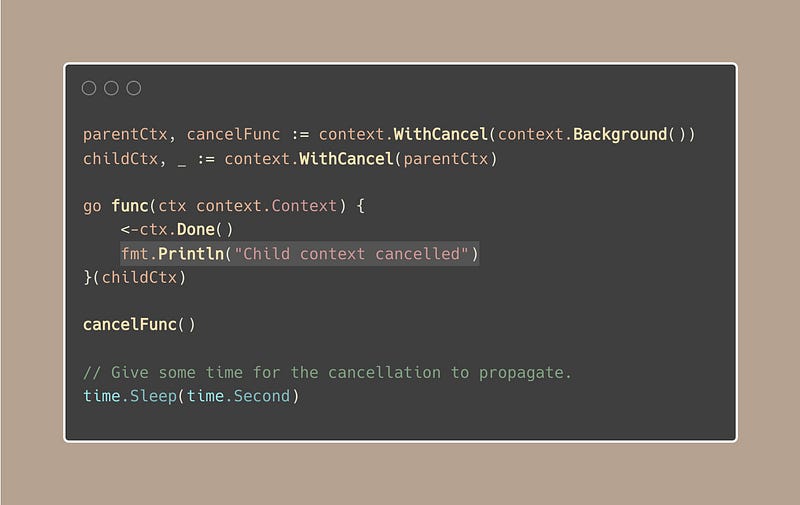
But sometimes, that’s not what we want.
There are scenarios where we need certain operations to proceed without being interrupted by the cancellation of their parent context.
Imagine you’re handling an HTTP request where, upon cancellation (client timeout, disconnection, etc.), you still want to log the request details and collect metrics.
“Hah, I’ll just need to create a new context for those operations”
That’s a solution, but the new context lacks the values from the original event’s context, which are important for tasks such as logging, collecting metrics.
Only a child context can be propagated with these values:
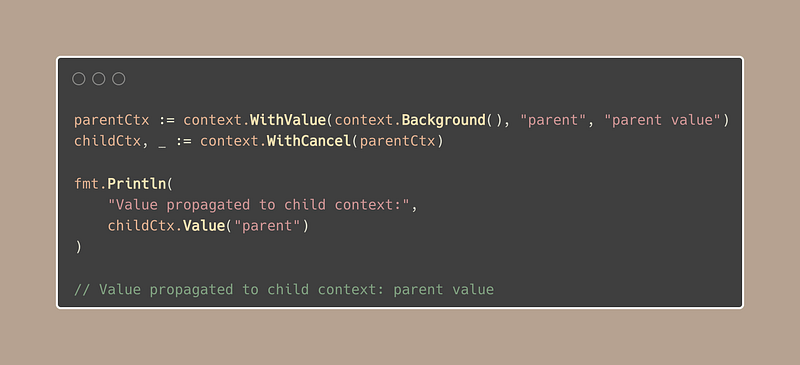
Now, back to our HTTP example, here is the solution:
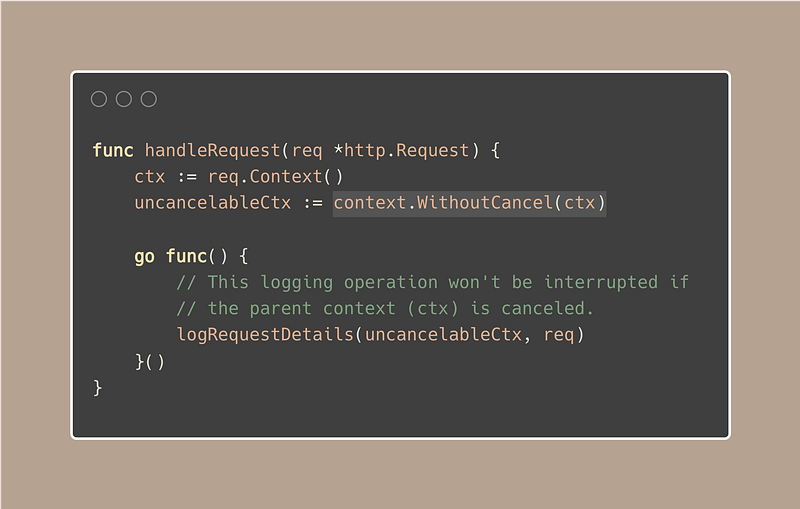
WithoutCancel ensures that these operations can be completed without being halted by the request’s cancellation. By the way, this function was added in Go 1.21.
Take 2: Loop labels for cleaner breaks and continues
Labels and goto can be tricky and are often avoided because they can make code less readable:
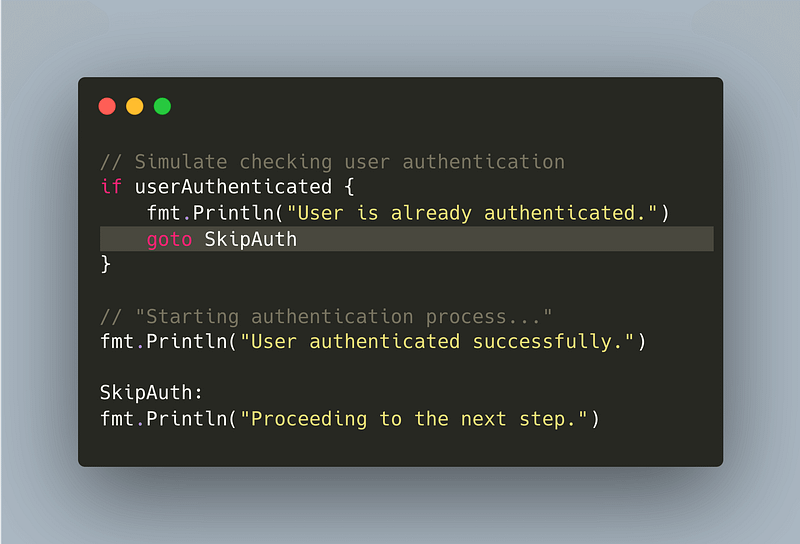
The example above may seem clear due to its simplicity. But as the complexity grows, code can become hard to follow:
- You might have to trace the label ‘hundreds of miles’ away from the goto statement.
- With your eyes moving up and down the code, follow where the goto statement leads.
Loop labels
For instance, when managing nested loops, using loop labels is generally seen as good practice in certain contexts.
Imagine we’re searching for a number within 2D arrays:
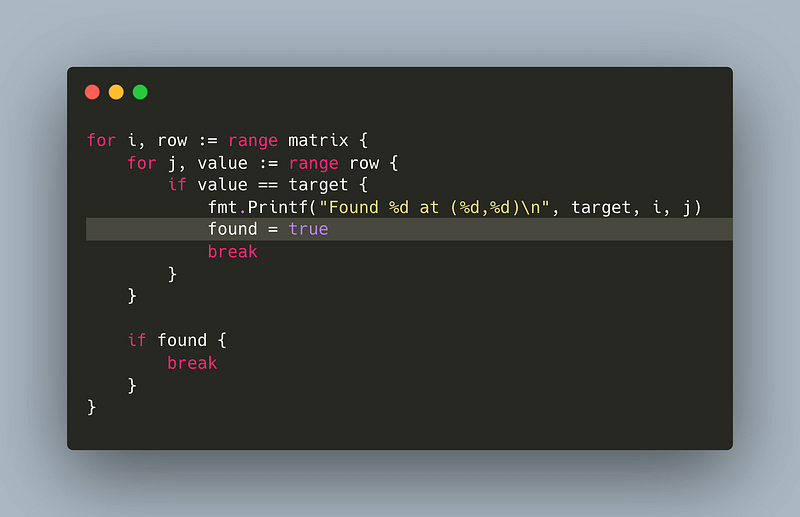
Now, here’s a more elegant solution: a loop label allows you to name a loop.
Once named, you can use break orcontinue, followed by the label, to control not just the current loop but any surrounding loops as well. And the result?
Code that’s not only shorter but also cleaner and easier to understand.
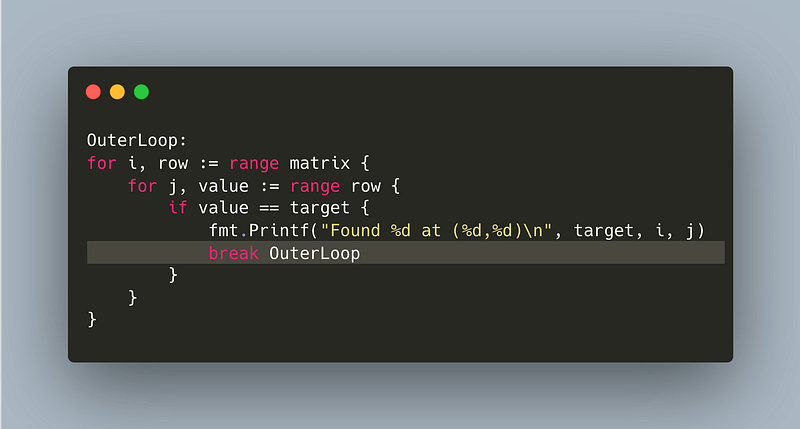
We can use a loop label with both ‘break’ and ‘continue’.
Another useful case, when using a loop with select{}. If you use a break in a select statement without a label, you’ll only exit the select, not the loop containing it:
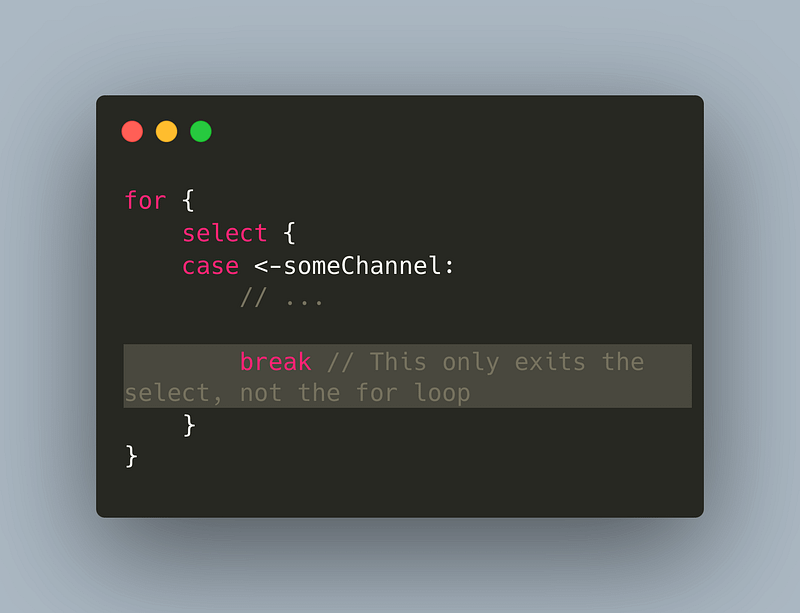
So, using a label in this case is necessary.
Take 3: Scheduling functions after context cancellation with context.AfterFunc
In take 1, we learned how to make a context continue even when its parent stops.
Now, let’s look at a new feature from Go 1.21, context.AfterFunc() lets you set up a callback function, f(), to run in its own goroutine after a ctx finishes (either because it’s canceled or it times out).
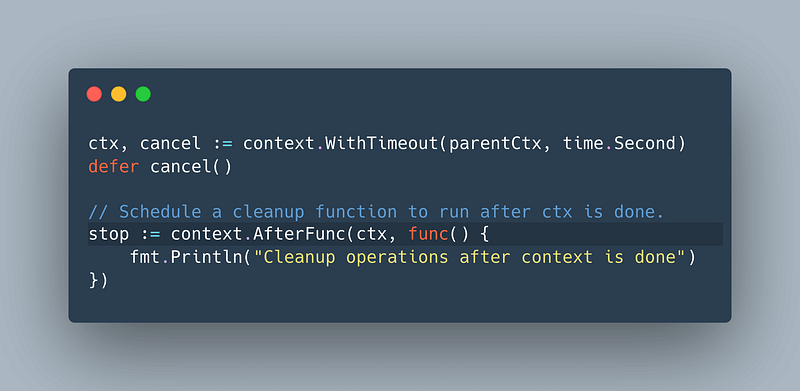
This feature is great for cleanup, logging, or other tasks after cancellation.
“When does the callback run?”
The callback runs in a new goroutine, which is triggered after receiving a signal from the ctx.done channel of the parent context.
“What if the context is already cancelled?”
The callback runs right away, of course, in a new goroutine.
Here are some key points:
- Works on its own: You can use AfterFunc many times in the same context without any issues, each task you set up runs on its own.
- Runs right away if context is done: If ctx is finished when you call AfterFunc, it starts f() right away in a new goroutine.
- You can cancel the planned function: It gives you a stop function that can stop f from running.
- Non-blocking: Using stop doesn’t wait for f to finish, it stops quickly. If you need f() and your main work to be in sync, you have to arrange that yourself.
Now, let’s talk a bit about stop(), the return of AfterFunc:
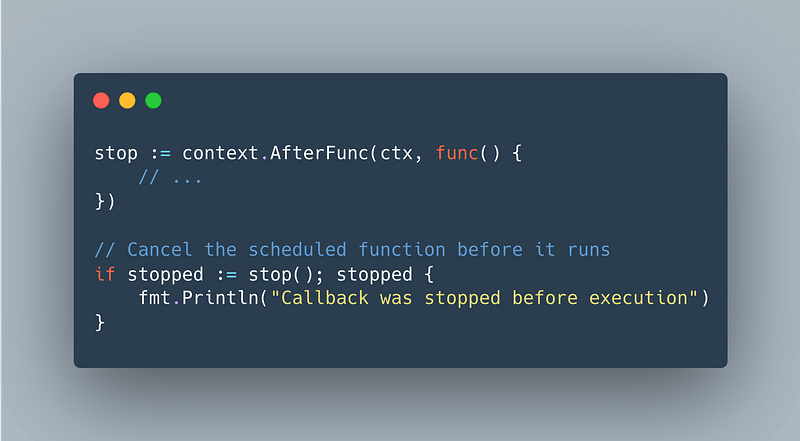
If we call stop() before the context finishes and the callback hasn’t run yet (actually, the goroutine hasn’t been triggered), stopped will be true.
This means we stopped the callback from running successfully. If stop() returns false, it can mean either:
- The function f has already started running in a new goroutine.
- The function f has already been stopped.
Take 4: Just… Don’t Panic()
Don’t panic() might seem like aggressive advice, but it is actually good practice for production.
“Why? Even though I can catch a panic with recover()?”
You may not be able to recover from a panic(), even with recover().
Here’s what I mean:
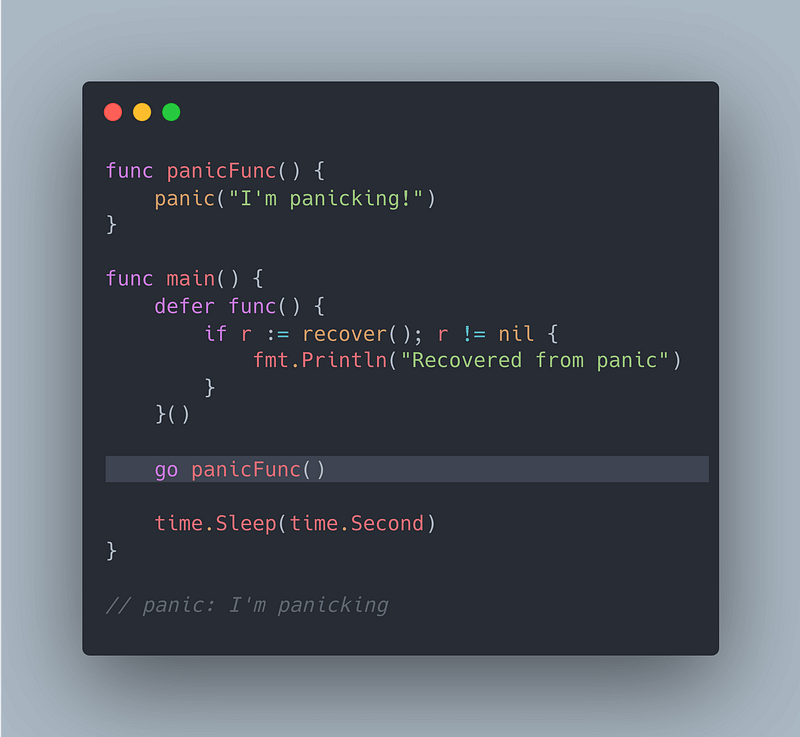
In the snippet above, the panic happens in a new goroutine (go panicFunc).
The important detail is that panic recovery with recover() only works if the panic occurs in the same goroutine as the recover() call.
As a result, the defer function in main cannot catch or recover, leading to a program crash despite the recovery attempt.
But that’s not the only reason, here are 2 others:
1. In production, your code needs to be robust.
Crashing unexpectedly is a big no-no because it can lead to downtime, which affects users and possibly your business’s reputation.
2. A panic in one part of a system can trigger a domino effect.
Leading to more failures throughout the system (cascading failure?), especially in microservices or distributed systems.
Let’s take a typical example:
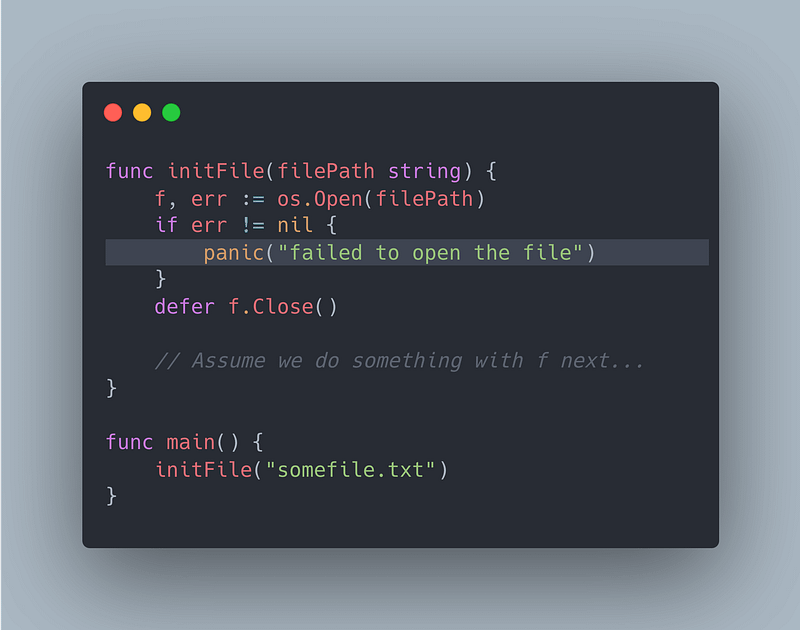
This is not bad (?), but it encourages the use of panic. Instead, this should be better:
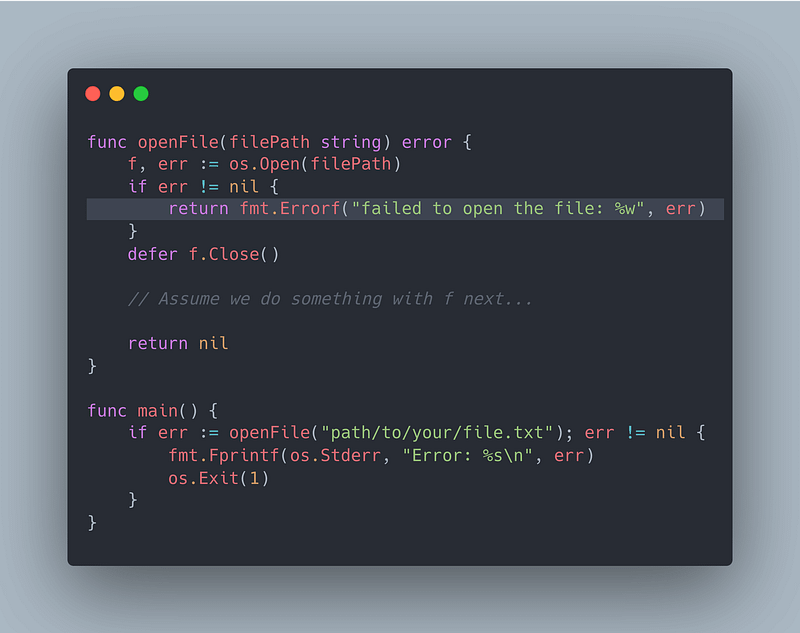
When an error is returned, instead of panicking, your program can make decisions on how to proceed, maybe:
- Retry the operation
- Use a default value
- Log a detailed message for debugging.
- Fatal
- …
This flexibility is crucial for building resilient systems.
Panics should be the last resort
Only use panics for truly unrecoverable errors, this means situations where continuing to run the program could cause worse issues, like corrupt data or undefined behavior.
During program initialization, a panic might be “acceptable” if a critical component fails to start, as it indicates the program cannot run as intended.


