
How to
Give Credit Where Credit Is Due
How to tag your images and the alt text.

After seeing quite a few images and wondering where the writer got them from, I thought maybe we need an explanation how to tag our images.
I found the tagging part relatively easy. How to add the alt text, eluded me at first.
Let’s begin with adding the credit to where you got your image, whether it’s one you made with an AI image generator, took the picture with a camera, or found it someplace on the web. Let’s give credit where credit is due.
For starters, click on the image on the page you are typing up.
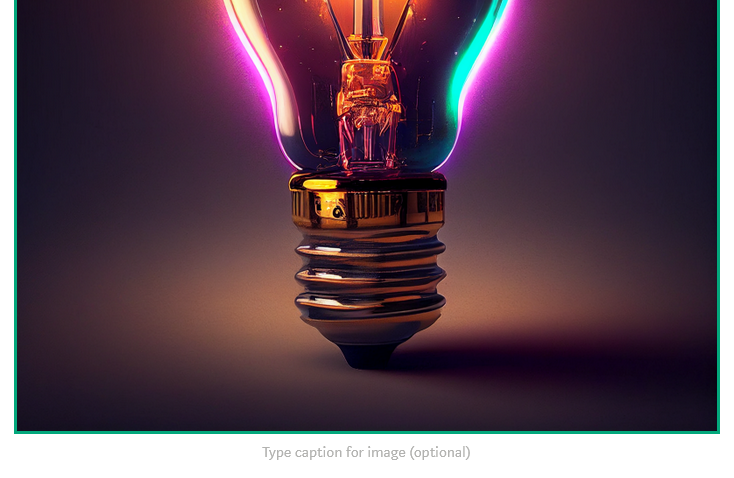
A prompt box, like the one above, will show at the bottom edge of the image/photo. This is where you type a very simple, short description.
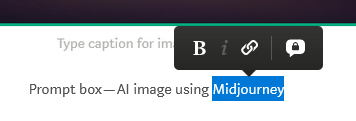
Now highlight a word or phrase that you will create a link for where the image came from. A small pop-up appears above the highlighted text. If you click the chain link, another box will appear.
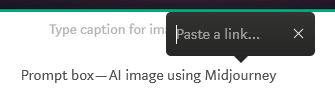
This is where you type (I prefer to paste a url address that I copied so there are no mistakes) the link of where you found the image you are using. If it is a picture you took, you do not need to put a link.
Anything you didn’t create should be linked to the page you took it from.
All that is left is to set the alt text for the visually impaired. (This is for those that have the computer read to them. They get a mental picture more than a visual one.)
Again, click on your image.
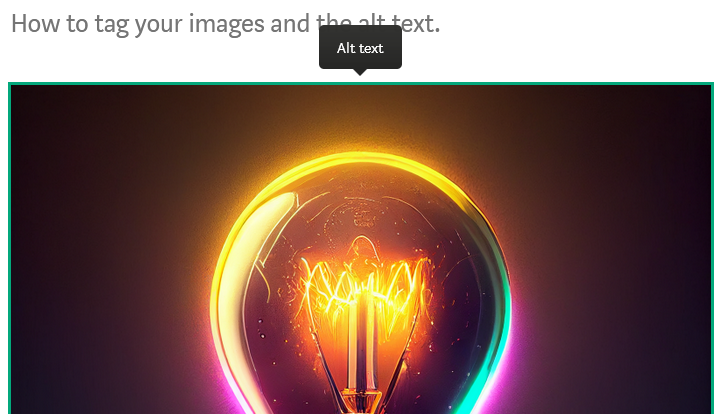
Notice the Alt text box in black at the center, top of the image. Click on it to open a window to type in a more detailed description of your image.
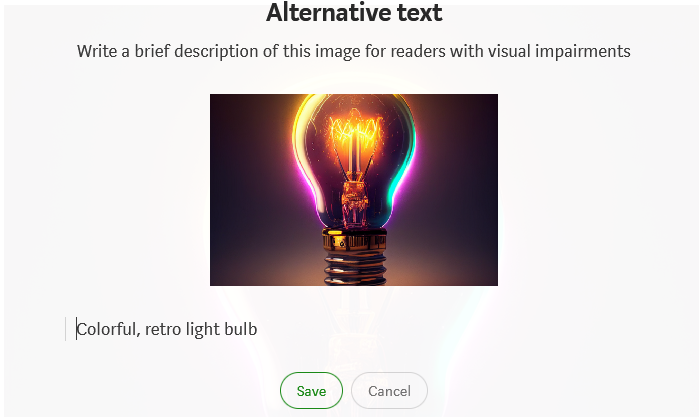
Type a brief, colorful description of your image, then click save.
BOOM! You have successfully tagged your image, gave credit where credit was due, and provided imagery in the alt text box.
Find me at The Infinity Library and The AI Infinity Library on Substack!
Sweet Chaos — Tickling your senses through fiction writing while shocking you with the outcome! Nothing is as it seems! Ready to read every addicting story leaving you on the edge of your seat? Not a subscriber? Or subscribing without being a referral? Consider having a subscription through me — I get a little boost at no extra charge to you!
Check out my publication — The Fictioneer’s Treasure Trove to raid and fill the fiction library! Or how about Seek Him While He May Be Found for Bible Study and fascinating biblical facts!


