
GOLD Writing — How To (Flash Instruction)
Give a Man a Ko-fi or Teach the Man How To Make Ko-fi.
Will You Settle for How To Set Up Your Ko-fi?

This may be helpful for those wanting to know about Ko-fi and how to set it up for yourself. Please note I’m not attempting to solicit direct funds — though tips are always appreciated.
😂
I get occasional requests — amongst others:
- how do I insert a link on an image;
- where can I find the Ko-fi icons or buttons to use; or,
- any chance you know what is the “Ko-fi” website (url)?
Well, this is the lucky day for readers.
Because I’m going to answer all three (3) questions.
Recently, someone wanted to know how to get the Ko-fi cup icon installed to use for their newly created Ko-fi account link. They didn’t want to just insert a text link to their Ko-fi account.
I shall try to make this quick.
Point you where to go to start, i.e. where to do to set up a Ko-fi account.
Then, I’ll provide step-by-step instructions after that.
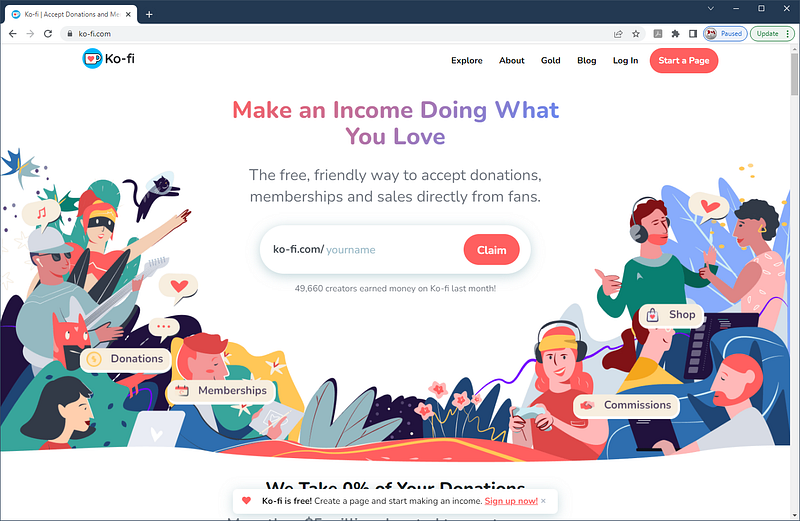
1 First, go to the Ko-fi.com web page and sign up.
🕐
Done with setting up your Ko-fi account yet? I’ll wait
🕑
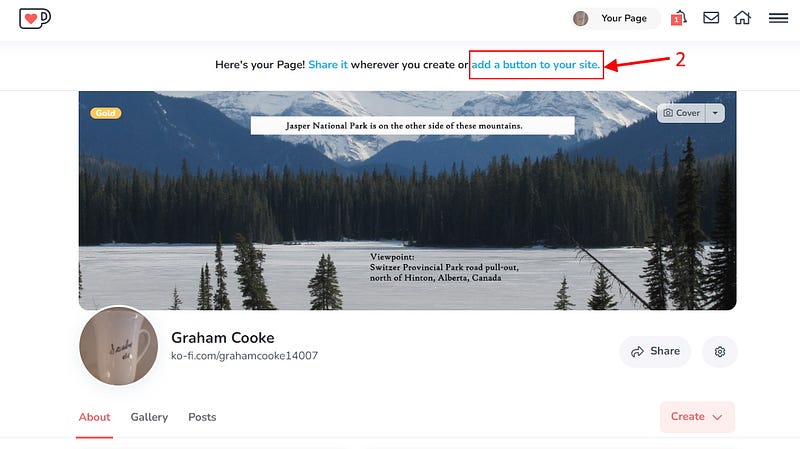
2 Then, once you’re signed up — like me — you then select the following. I suggest right-clicking the text in the box to open in a new window.
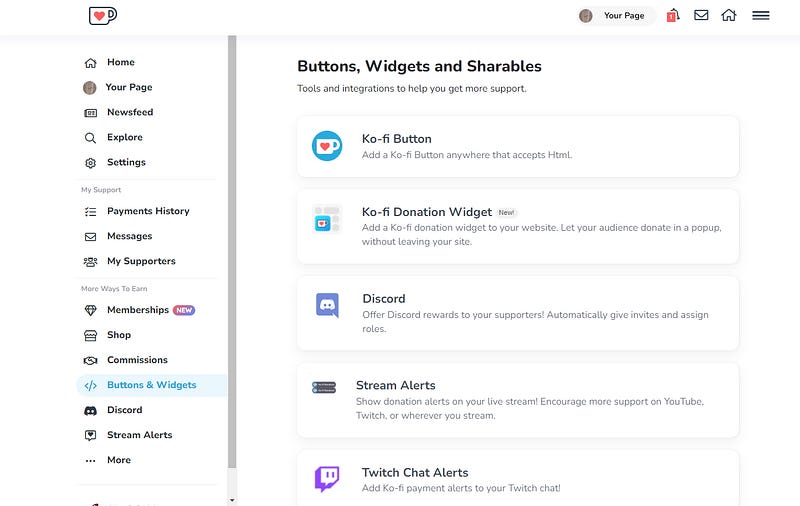
3 The following page opens. Do not select the first two choices as these are for web page designers and not meant for Medium writers use in stories.
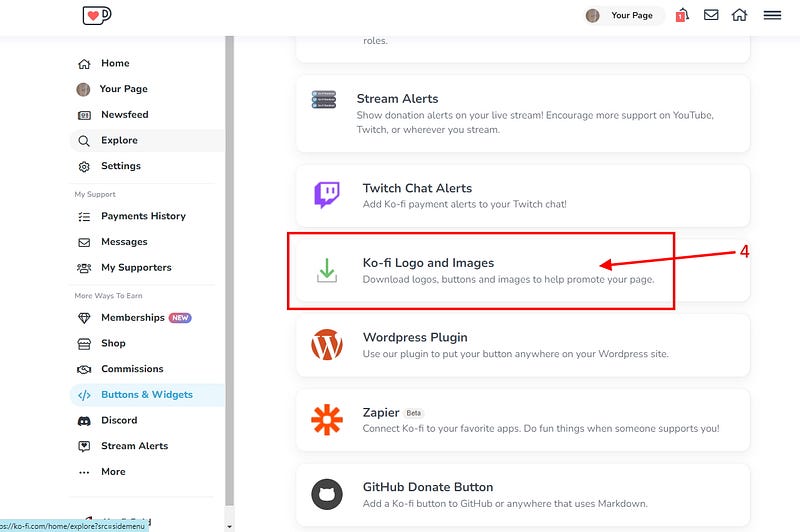
4 Scroll down the page until you see the following, where it displays “Ko-fi Logo and Images” for downloading. I suggest you right-click on this.
5 After selecting, the following Creator Kit page opens. Both the entire Logo set and Button set are downloadable from here.
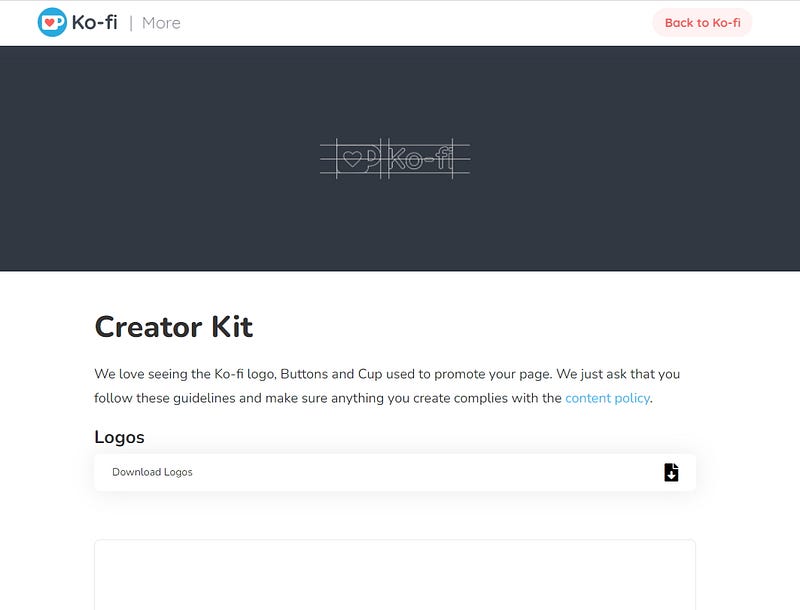
NOTE: The Creator Kit page is available directly by selecting the image above. The url is “https://more.ko-fi.com/brand-assets”. I will not list all the graphics shown by scrolling down the entire Creator Kit page.
6 However, an individual can select either a Logo or Button set for download. I just suggest people download both sets of zip files and decide later.
7 For the next step, I will choose to use the following Ko-fi icon. There are smaller ones.

FYI: It’s helpful if writers — content creators — become ‘handy’ with graphics software, i.e. Paint.Net, Sketch, Canva, etc., in order to manipulate any graphics that get downloaded or even create new ones from photos.
So, once logos and buttons are downloaded, select one to use — like I did above — inserting the image just as you would any image into a Medium story.
8 Then, after having inserted the Alt-text and caption for the image, install your Ko-fi account link on the image.
NOTE: Don’t worry, I won’t make you go to my Ko-fi account for that tip. I’ll repeat it here now.
9 Select the image until an outline shows with the Alt-text box above it.
10 Then, press CTRL+K — on MS Windows computers — to open the link dialog box for the image.
11 Paste your Ko-fi account url text in that link box and press ENTER. In my case, it’s “https://ko-fi.com/grahamcooke14007”.
… and now, “Bob’s your uncle.” You’re done!
Ever heard, “Everything I do, I do for you.” That song lyric is a clue to my national heritage. Its original performer’s original home is not far from me. Come answer where I’m having Ko-fi? ♨️ Your choice, to buy me one or more.

Join Medium. Read and write with no limits.
I would appreciate you choosing to use my referral link above, since it helps support me in my continued efforts in helping other writers too.
NOTE: Its nice that people follow. Now, I understand if you don’t want to, but isn’t nicer when you get notice in your email inbox for my latest. Subscribe Here?.
Find me everywhere on the ‘net by the following links: | Linktree | LinkedIn | Substack | Twitter | Facebook | Instabio |
2022 © TWMIS™, CTS™


