
Getting started with Async requests in Flask using Httpx
Note: For non-members, this article is also available at https://progressstory.com/tech/python/async-requests-with-flask/
Recently Flask has introduced async routes in its 2.0 update. This blog is everything about async requests with Flask 2.0. The Flask 2.0 has come up with many interesting updates. Do check out this blog of Progress Story for all the updates of Flask 2.0. In this blog, we will be going to learn something about asyncio, aiohttp and async routes of Flask.
Agenda
We will be covering the below topics in this blog
- async/await | Asyncio
- Async routes in Flask
- Benchmarking
Async requests with Asyncio — async/await
Asyncio is a library to write concurrent code using the async/await syntax. It is used as a foundation for multiple Python asynchronous frameworks that provide high-performance network and web servers, database connection libraries, distributed task queues, etc.
It is often a perfect fit for IO-bound and high-level structured network code.
import asyncioasync def main():
print('Hello ...')
await asyncio.sleep(1)
print('... World!')# Python 3.7+
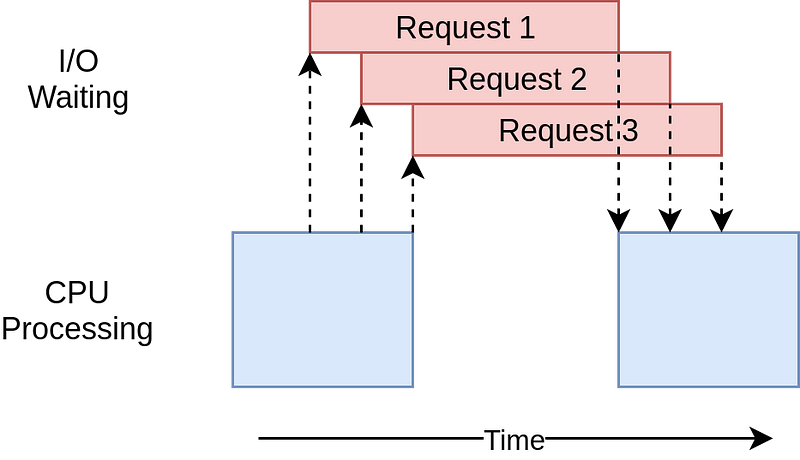
asyncio.run(main())Using Python asyncio , we can also make better use of the CPU sitting idle when waiting for the I/O. asyncio is single-process and single-thread. There is an event loop in asyncio , which routinely measure the progress of the tasks.
If the event loop has measured any progress, it would schedule another task for execution, therefore, minimizing the time spent on waiting for I/O. This is also called cooperative multitasking. The tasks must cooperate by announcing when they are ready to be switched out. And the announcement is explicitly made by await keyword.
Async in Flask 2.0
Let’s create a simple Flask application that is having a route that calls some URL and fetches the result synchronously. For that, we would need to install flask and requests a library
pip install flask
pip install requests
To make it interactive we will be using the xkcd comic images. If you haven’t heard about this, then do check out what xkcd comic is.
Now let’s create an API comic that will render a random page of xkcd comic using the requests library
Output:

To fetch one page from the comic book it took around 1 sec. Let’s say we want to fetch 5 pages from a comic book, then it will take approximately around 5 secs.
Output
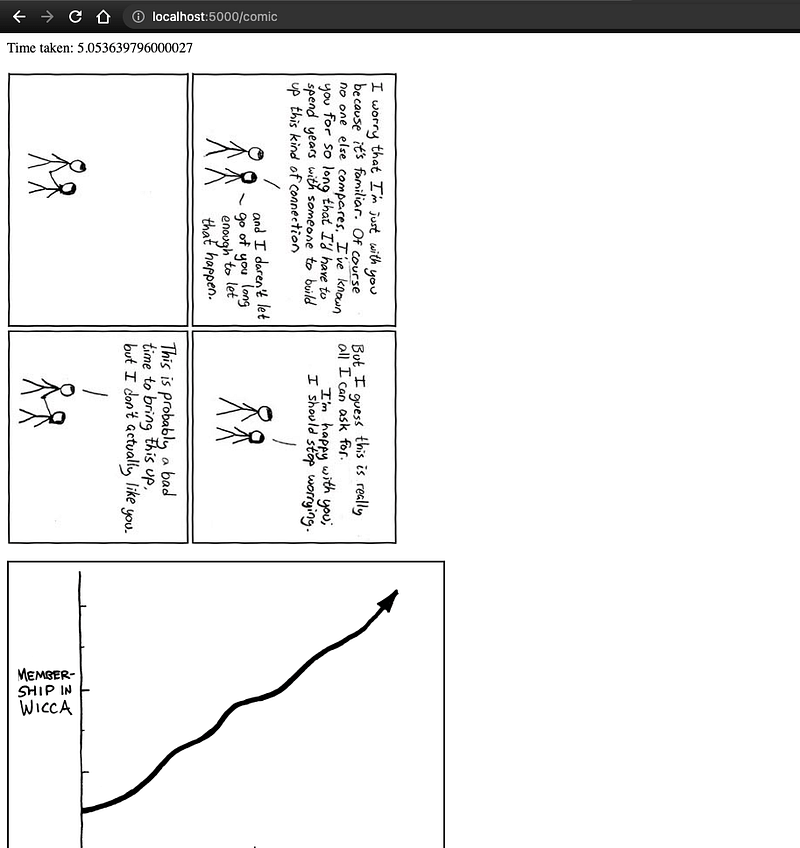
Flask application is fetching 5 images from xkcd comic synchronously. Initially, it fetches the first image and waits for the response and doing nothing at that time. Then once the response is received then it again fetches the second image and doing nothing at that time. This task is an I/O bound task where the CPU is sitting idle doing nothing and waiting for the result of the I/O task, in this case, it is an API call.
This problem can be solved with multithreading and asyncio. In this blog, we will learn how we can solve this using asyncio in Flask. Let’s modify our existing code a bit.
For asyncio to work in the flask, we must satisfy the prerequisites.
- python version > 3.6
- Remove all blocking code inside the route
pip install "Flask[async]"
pip install httpx
Implementation of async requests
For async routes in flask 2.0 just use the below syntax
@app.get('/comic')
async def hello():
    pass
Now we want to call multiple times API but all in an asynchronous fashion. At present, the requests library is not able to do that. So for that, we will install the httpx library and convert the code like below
async def get_multiple_images(number):
    async with httpx.AsyncClient() as session: # asynclient will work with async
        tasks = [get_xkcd_image(session) for _ in range(number)]
        result = await asyncio.gather(*tasks, return_exceptions=True) # will use gather to run every coroutine asynchronously and gather the result in ordered fashion
    return result
Convert the API request to a coroutine
async def get_xkcd_image(session):
    random = randint(0, 300)
    result = await session.get(f'http://xkcd.com/{random}/info.0.json') # create awaitable object of session get so that at this point, thread will not wait for the result instead of it it will do a context switch to other part of program
    return result.json()['img']
Put await before the actual call to third party API. By using await it will not wait for the result of the third party API call. Instead, it will do the context switching to other parts of the program.
The new code will look like below.
Now the output will is taking 1 sec

It seems all 5 requests were called at the same time as previously it was taking around 5 seconds to complete all the requests but not it took only 1 second to complete all the requests.
Use Cases of async requests in Flask
Async requests are getting popular day by day because of the simplicity and reducing the time consuming I/O tasks. If the flask application is calling other microservices or doing some other I/O tasks. Then the async routes will be of much help by utilizing the CPU process and thread to the fullest.
For example, when a single route is calling more than 1 third party API or other microservices APIs then, don’t need to call them synchronously and wait for the results. Instead, just call them asynchronously and serve the result to the front end.
Conclusion
FastAPI/Quart are well known for the async routes frameworks. If you are considering migrating from flask to these frameworks just for this reason then, I guess it’s time to use Flask to the fullest.
See you next time! Peace Out ✌️
If you liked this story, you might also like a Medium membership. It’s only $5 a month (a price of a cup of coffee!) but it will give you unlimited access to stories while supporting your favourite writers. If you sign up using this link, I’ll earn a small commission, isn’t it sweet. Thanks!
For more content like this follow our publication Pythonistas and become a Pythonista


