
Getting into a Groove: The Beginning of Web Components at PhotoShelter
At PhotoShelter, we have been thinking about the consequences of delivering our features via web components for a while now. Our experiences have been pretty positive since our first internal experiments with v0.5 of the Polymer.js library from Google. At the time, web components were an exciting (but distant) glimpse into one possible future for the web. But everything started getting real when Polymer.js was upgraded to v1.0 and web browsers at large agreed to support the v1.0 specifications for Custom Elements and Shadow DOM. With this in mind, we decided to move our client-side code (and therefore the delivery of more than ten years of features) to web components.
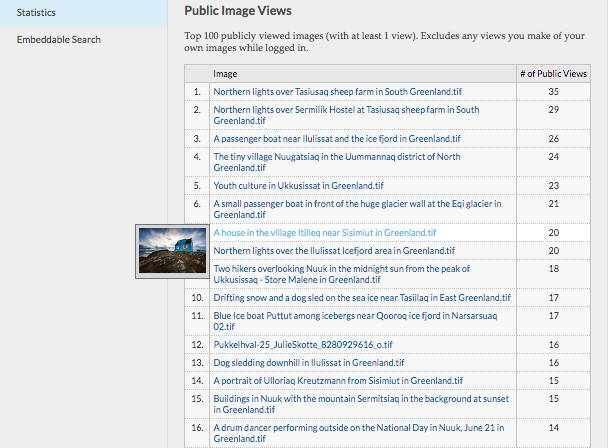
Of course, such a large task required proper planning and experience. Rather than dive directly into any sort of monolithic application, we approached web component development from various contained delivery contexts, first up was our Public Image View reporting. By starting small, we were able to find our way through a number of important techniques that we are still refining as we have moved into more ambitious releases. Important learnings came around the need to group components into sets pertaining to PhotoShelter functionality and those addressing more generalized UI concepts, the way we would hydrate views with data from the server, the managing of lazy loaded images and content, as well as wrangling the later releases of Internet Explorer still on our support matrix. (PRO TIP: IE doesn’t natively support <template/> tags, that will cause some issues if you try to put <table/> or <select/> centric elements inside of one. Our answer was to not do that, not all projects have that as a possibility, so be on the lookout.) Having to address these questions as part of our earliest deployment of web components gave us a great foundation to plan our next steps with.
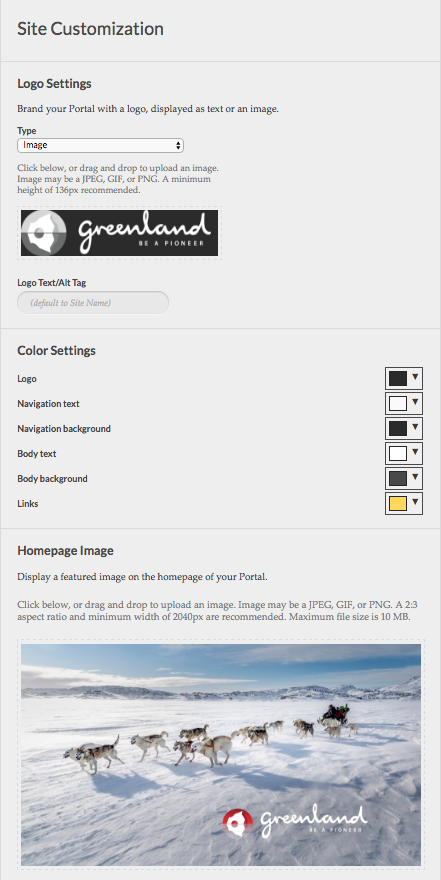
Customization options for our individual and organization members are very important to our product strategy, so, amongst a number of other projects that have grown our component library past 50 reusable elements, these features were high on our list for the move to web components. They also presented us with an opportunity to further refine our web component deployment techniques such as theming, requesting data from our servers, managing that data locally, and applying third party libraries. (PRO TIP: HTML Imports are an awesome way to wrap third party JS libraries for deduplication of your dependencies. Note that browsers have not yet agreed on a specification for HTML important, so the possibility of change in this area remains high.) This project also required us to decide whether to use Shadow DOM or not. Shadow DOM is a really great facet of the web component ecosystem that allows you to encapsulate custom elements, their styles, and DOM effects, from the rest of the document. While not all browsers support it natively, support is growing fast, and developing for it now offers an easy entrance to performance benefits further down the line. However, for this feature we were applying a third party library that expected to be applied to standard DOM. Given that this was already a polyfill for native <input type="color"/> support we decided to continue without Shadow DOM for this specific release. Since we want to move to Shadow DOM as soon as possible, noting places where this decision is dictated by the specifics of the features in question is an important part of meeting that target as restrictions like this are deprecated from our product.
Beyond simply making it easier for the PhotoShelter team to release higher quality features into our product more quickly, we are looking for the best way to prepare the components we develop for open source distribution at every step of our development process. That is why while we go about converting our features into web components, we are also targeting common concepts and interaction types for a collection of components that can be used across projects above and beyond the media delivery space. Initial releases will include web components for pagination, social sharing, breadcrumbs, but we have plans for much, much more as part of our goals to become a trusted name in the community at large.
The PhotoShelter Engineering Team is excited to be part of the growing web component community the opportunity to #useThePlatform that comes with it. Checkout our thoughts on a web of components and some of our recent additions to that conversation. Also, we are hiring, so if this sounds like the type of community you could get excited by as well, we would love to talk to you about joining our team.