
Learn basic HTML in 3 minutes!
One of the basic languages everybody should know. It is the root of Web Development.

HTML stands for HyperText Markup Language. It is used for adding content to a website. The information which you see on a particular website is only because of HTML. You can run HTML codes in an IDE like Visual Studio, Sublime Text, Atom, and many more.
IDE (Integrated Development Environment) is software where you can run all your codes. Integrated Development Environment helps to run HTML, CSS, JavaScript, Python, etc.
To write HTML code, you have to make a folder on your devices (In Computer/Laptop) wherever you like with whatever name you want. Now create a file in it with an extension .html such as index.html.
You can make these files in IDE as well. Open this folder in any IDE which you preferred. Open the file “index.html” in it.
Now comes the crucial part you have to write HTML Boilerplate.
So what is HTML Boilerplate :
IDE can understand HTML only after the format of HTML. It is a pre-written code known as HTML Boilerplate. Mainly it consists of head and body sections. In the head, you can add meta tags, titles, and links. The body is the part where you can add content to your web pages. It describes the structure of a Web page.
There are shortcuts for HTML Boilerplate in IDE by which you can get HTML Boilerplate format such as in Visual Code type
! then a dialogue box will appear like this
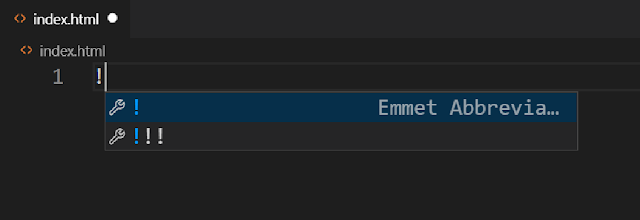
where you will see Emmet Abbreviation. Enter it and the Boilerplate code will be added to your index.html.
Now we will run Hello World in it.
So after the Boilerplate in the body section write like this
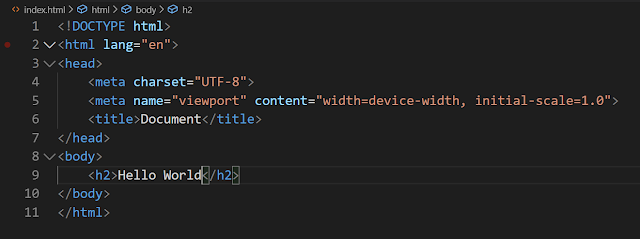
That’s it. Save it, and then you can view it by going to the path where your folder exists on your device. Click it => double click to index.html, and that’s it. You can view Hello World in any browser which you set to default.
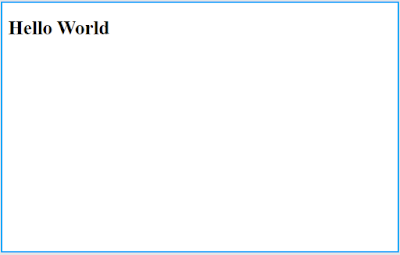
Here
tag is used for heading. Basically in HTML there are h1 to h6 elements used for heading. h1 have bigger size than h2 and this goes on till h6 i.e h1>h2>h3>h4>h5>h6 in size.Now come to simple HTML examples:
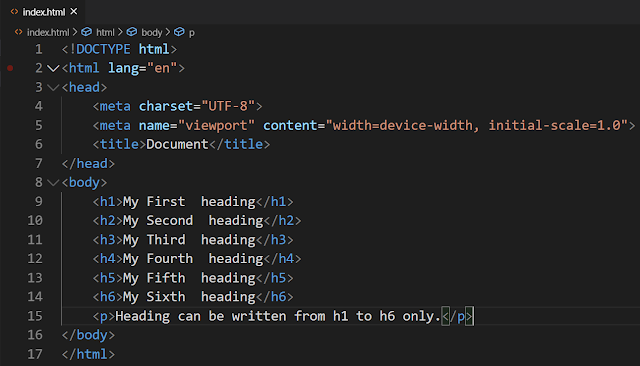
Explanation of this program:
The element is the root element of an HTML page.Then come the head and the body. In the head, first of all, there is a meta tag used for responsive websites and SEO. Responsive websites are viewed correctly in all devices from Computer, Laptop to all types of Mobile. SEO stands for Search Engine Optimization used mainly to rank their website on the Internet.
In the body, you can write the code that you have to display on Web pages. Below code shows the height from h1 to h6 for headings and
is used for adding paragraphs in Web pages.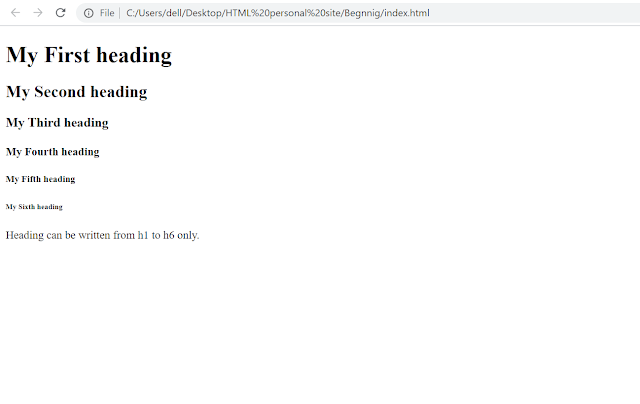
HTML works on predefined element which have open and close tag for instance
Heading can be written from h1 to h6 only
Here
is opening tag and
is closing tag.It was just an intro about it. There are various courses out there to learn HTML. You can visit w3school or mdn to learn more about it.
Conclusion:
It’s been easy to learn HTML basics even in 1 day if you don’t know anything about it.