Get current location with latitude and longtitude using kotlin
- This tutorial about get current location with latitude and longtitude using kotlin.
2. Add permission in manifest
<uses-permission android:name="android.permission.ACCESS_COARSE_LOCATION" />
<uses-permission android:name="android.permission.ACCESS_FINE_LOCATION" />
3. xml layout
<?xml version="1.0" encoding="utf-8"?>
<RelativeLayout xmlns:android="http://schemas.android.com/apk/res/android"
    xmlns:tools="http://schemas.android.com/tools"
    android:layout_width="match_parent"
    android:layout_height="match_parent"
    android:padding="4dp"
    tools:context=".MainActivity">
    <TextView
        android:id="@+id/text"
        android:layout_width="wrap_content"
        android:layout_height="wrap_content"
        android:layout_centerHorizontal="true"
        android:layout_marginTop="70dp"
        android:background="#008080"
        android:padding="5dp"
        android:text="Hello World"
        android:textColor="#fff"
        android:textSize="24sp"
        android:textStyle="bold" />
    <TextView
        android:id="@+id/textView"
        android:layout_width="wrap_content"
        android:layout_height="wrap_content"
        android:layout_centerInParent="true"
        android:text="Get GPS Location"
        android:textColor="@android:color/holo_red_dark"
        android:textSize="24sp"
        android:textStyle="bold" />
    <Button
        android:id="@+id/getLocation"
        android:layout_width="wrap_content"
        android:layout_height="wrap_content"
        android:layout_below="@+id/text"
        android:layout_centerInParent="true"
        android:layout_marginTop="40dp"
        android:text="Get location" />
</RelativeLayout>
4. kotlin code when click on button display latitude and longtitude in textview
package com.example.myapplication

import android.Manifest
import android.content.Context
import android.content.pm.PackageManager
import android.location.Location
import android.location.LocationListener
import android.location.LocationManager
import androidx.appcompat.app.AppCompatActivity
import android.os.Bundle
import android.widget.Button
import android.widget.TextView
import android.widget.Toast
import androidx.core.app.ActivityCompat
import androidx.core.content.ContextCompat

class MainActivity : AppCompatActivity(), LocationListener {
    private lateinit var locationManager: LocationManager
    private lateinit var tvGpsLocation: TextView
    private val locationPermissionCode = 2
    override fun onCreate(savedInstanceState: Bundle?) {
        super.onCreate(savedInstanceState)
        setContentView(R.layout.activity_main)
        title = "Location App"
        val button: Button = findViewById(R.id.getLocation)
        button.setOnClickListener {
            getLocation()
        }
    }
    private fun getLocation() {
        locationManager = getSystemService(Context.LOCATION_SERVICE) as LocationManager
        if ((ContextCompat.checkSelfPermission(this, Manifest.permission.ACCESS_FINE_LOCATION) != PackageManager.PERMISSION_GRANTED)) {
            ActivityCompat.requestPermissions(this, arrayOf(Manifest.permission.ACCESS_FINE_LOCATION), locationPermissionCode)
        }
        locationManager.requestLocationUpdates(LocationManager.GPS_PROVIDER, 5000, 5f, this)
    }
    override fun onLocationChanged(location: Location) {
        tvGpsLocation = findViewById(R.id.textView)
        tvGpsLocation.text = "Latitude: " + location.latitude + " , Longitude: " + location.longitude
    }
    override fun onRequestPermissionsResult(requestCode: Int, permissions: Array<out String>, grantResults: IntArray) {
        super.onRequestPermissionsResult(requestCode, permissions, grantResults)
        if (requestCode == locationPermissionCode) {
            if (grantResults.isNotEmpty() && grantResults[0] == PackageManager.PERMISSION_GRANTED) {
                Toast.makeText(this, "Permission Granted", Toast.LENGTH_SHORT).show()
            }
            else {
                Toast.makeText(this, "Permission Denied", Toast.LENGTH_SHORT).show()
            }
        }
    }
}
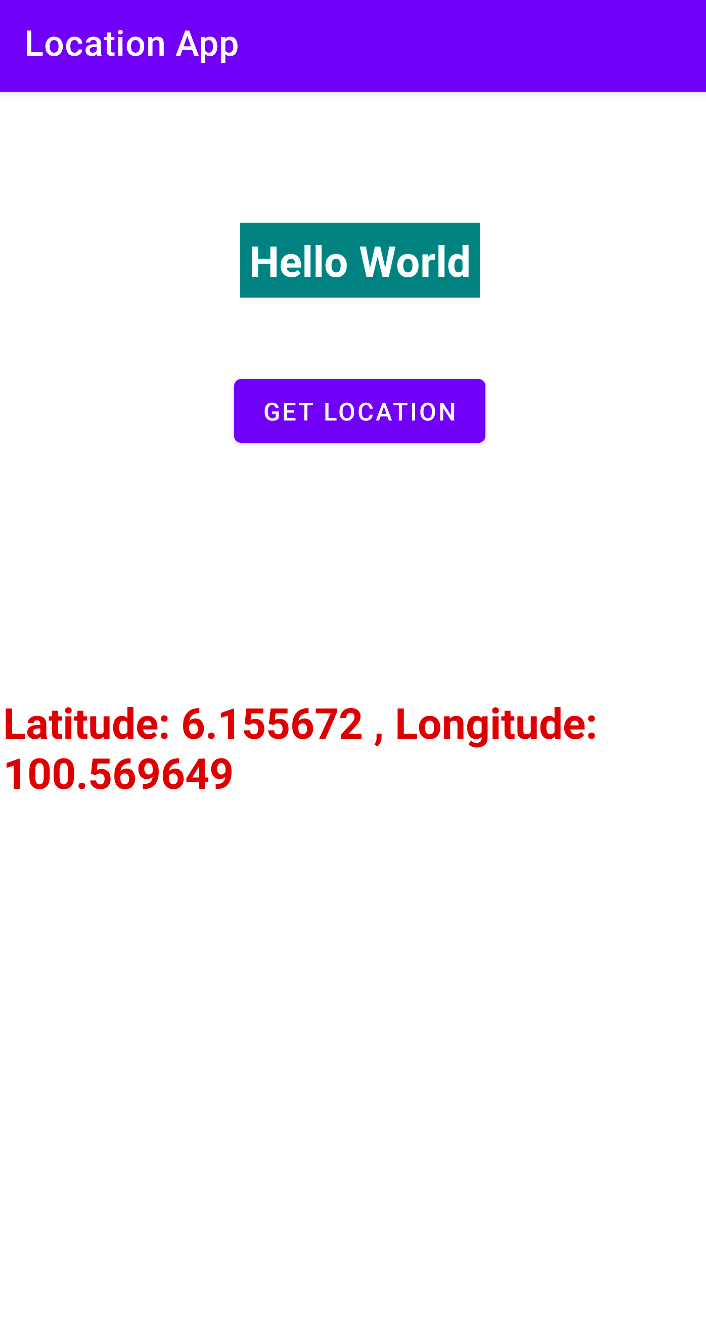
5. output result
THE END


