
Generating JWT for AppStore Connect API with JWTKit in Swift

AppStore Connect API is very welcomed since its debut in 2018 WWDC. Variety of automation tools has adopted this wonderful API to help saving developer lot of time and redundant work. But, to access data through this API, authentication is required for the purpose of safety and security.
So, this article will focus on how to access the API with authentications.
In the video of WWDC 2018 Session 303: Automating App Store Connect, the presenter introduced the AppStore Connect API with data structure of API’s request and response. At last, a JWT was generated by using Ruby in command line with given parameters. It’s cool, but how can we do it in Swift, or in the app where you could not use Ruby in command line?
Basically, we need to:
- Generate AppStore Connect API Key, and download it.
- Import JWTKit into your project
- Using JWTKit with API Key and other infos.
Before we just into the code, we need to get Access API Key. So,
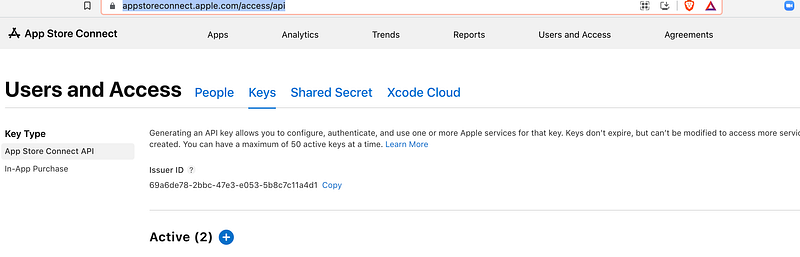
- Go to link of AppStoreConnect. Under “Keys” tab, click “+” blue icon.
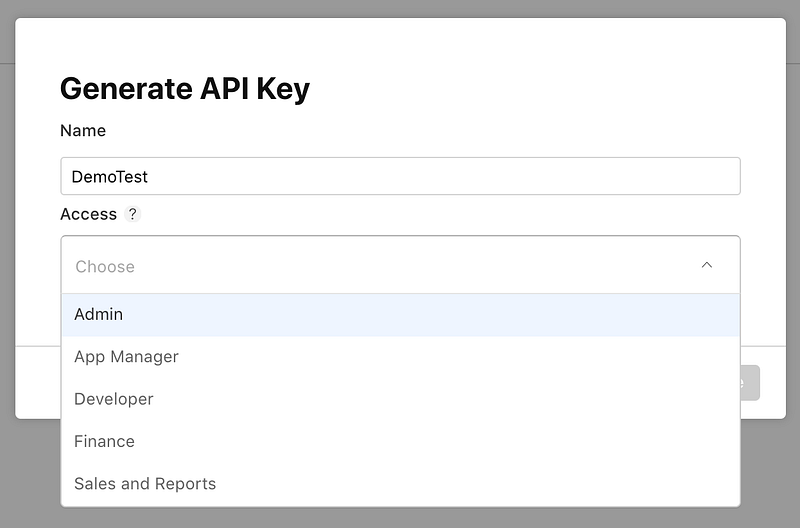
2. Name the key and choose the proper access option. Then, click Generate. PS: Access option could be Admin, Developer, or Finance, etc. It grants different scope of access, so choose it wisely.
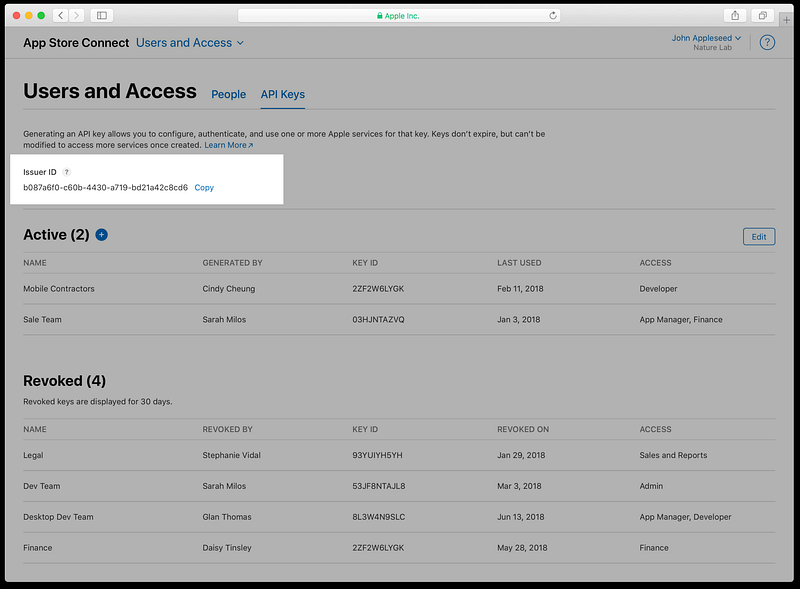
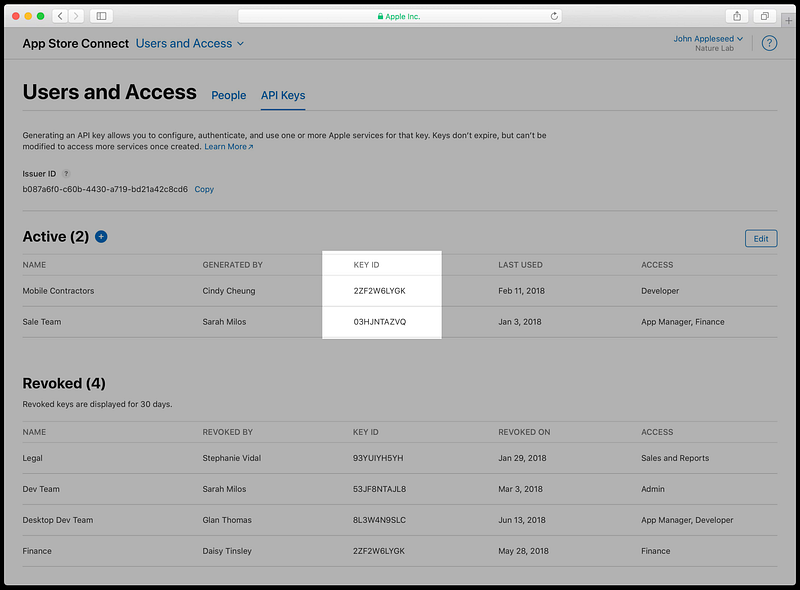
3. Now, you could see Issuer ID and Key ID, these will be used soon.
4. Probably after a few seconds, refresh current page, you could see a Download API Key option at the end of row, where newly created key is. Download it and keep in mind: you want to save it in a very good place, where you would never forget, since this .p8 file has your private key. This private key will be your “secret” to access with API.
Import JWTKit to your Project:
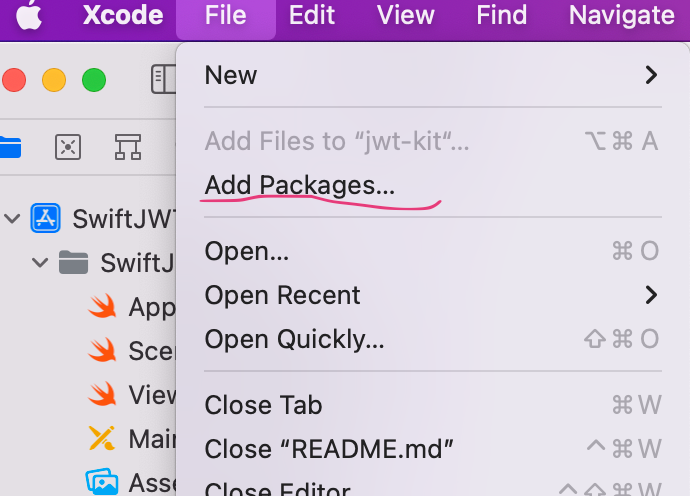
- Open “Add Packages” option for your project:
2. In the Add Packages dialog, paste link to the JWTKit GitHub in the search field at the top right corner.
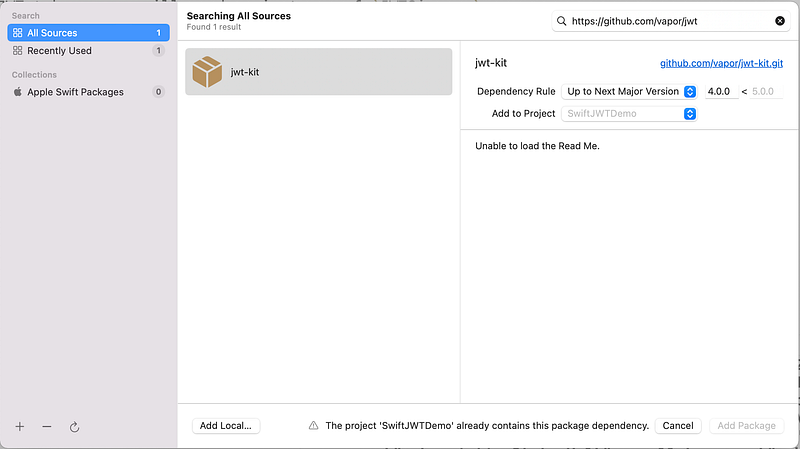
3. Click Add Package, to add it to your project.
Work with Code:
A JWT generator requires information of Header and Payload.
- In Header, it indicates the Key ID and encryption algorithm.
- In Payload, based on the requirement of Apple, it needs Issuer ID, Expiration time and Audience, with corresponding parameter names: iss, exp and aud.
3. At the end of code file, we also demonstrate how to test the generated JWT with a curl request, which will return a list of apps with detailed infos in JSON format.
Verification of JWT
On https://jwt.io/. The verification could be done by simply pasting JWT string in Encoded field, It’s easy to see if all the HEADER and PAYLOAD data are correct.
Thanks for reading. Happy Coding.


