
GenAI based Chatbot 🤖 using Google Chat, Dialogflow, GPT and Google Cloud Platform
In this article, I will show how to create a Google Chatbot that recommends a recipe based on a list of ingredients. Before starting, below a demo on how the chatbot will look like at the end ⤵️ :
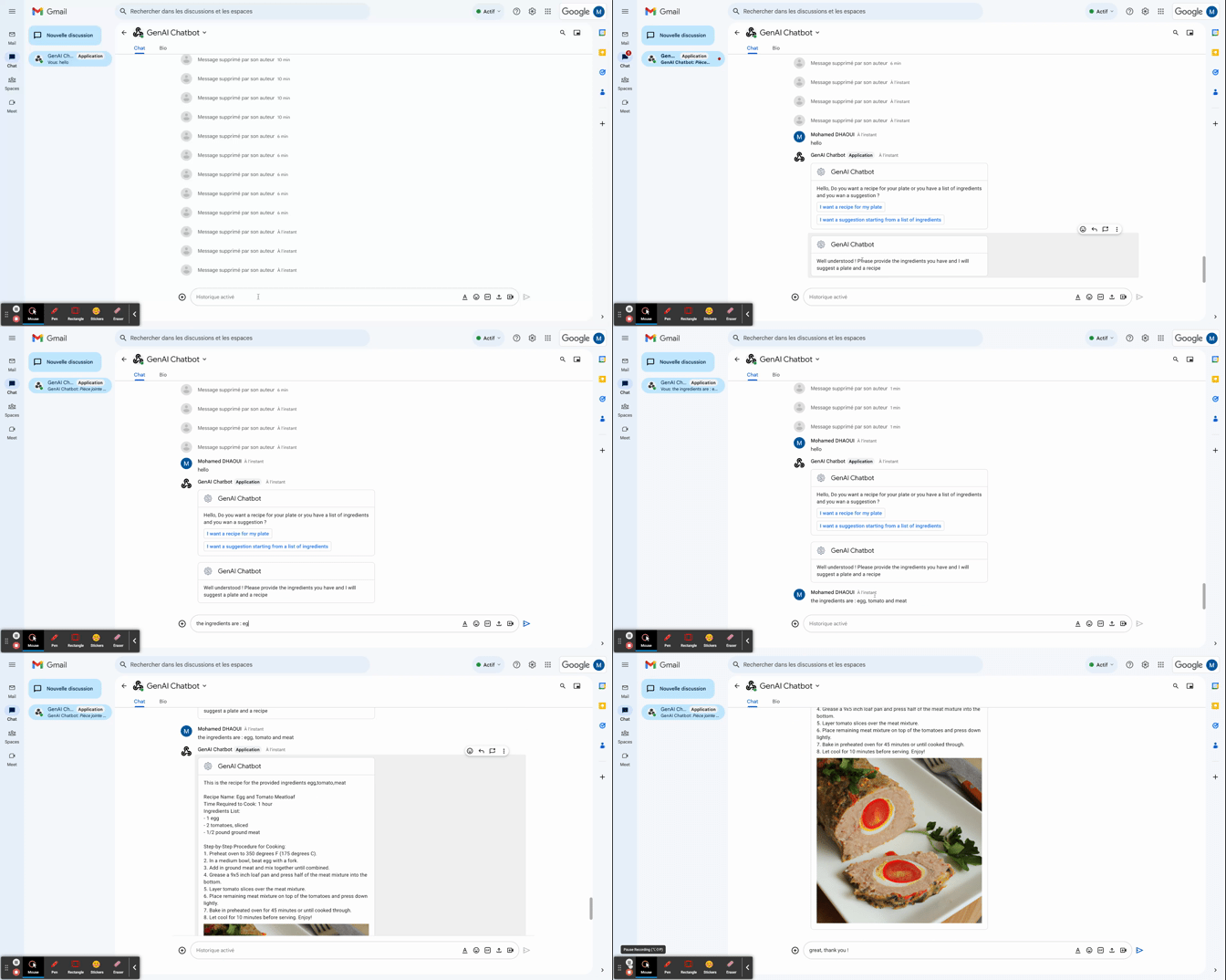
Let’s start 🚀 !
1- Architecture overview :
Our Chatbot will interact with users messages and depending on user “intent”, it will have two behaviours:
- Responds “basically” to standard message like “hello”, “thanks”, “Bye”
- If the intent is to generate a recipe from ingredients, calls the backend to get a recipe and its image.
Below is an overview of our architecture ⤵️:
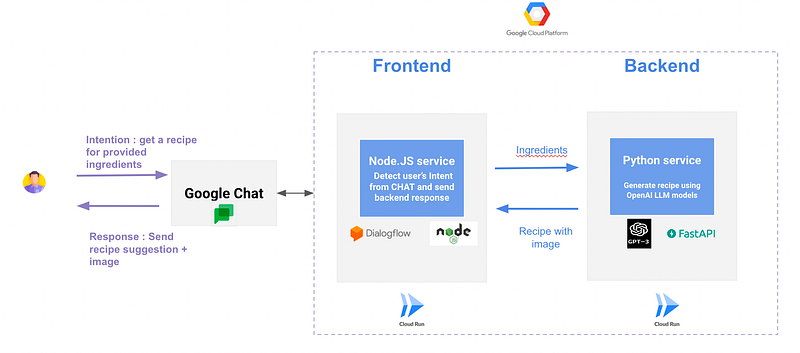
- Google Chat will be used as a chat interface, you can replace it by Discord, Slack, Teams, Messenger …
- Node JS based frontend that consumes user messages and intents, send them to the backend and forward the response to Google Chat. Dialogflow will be used to detect intentions ( Welcome, Ask for recipe, Thanks,..) from user message.
- FastAPI based backend that gets a list of ingredients from the frontend, calls OpenAI Davinci LLM model to generate a recipe and its image and send them back to the frontend.
- Google Cloud RUN will be used to host both backend and frontend services.
A large language model (LLM) is a language model consisting of a neural network with many parameters (typically billions of weights or more), trained on large quantities of unlabelled text using self-supervised learning. LLMs emerged around 2018 and perform well at a wide variety of tasks. This has shifted the focus of natural language processing research away from the previous paradigm of training specialized supervised models for specific tasks.[1]
Prerequisites :
To follow and reproduce all the components of the above architecture , you will need :
- Node.js installed.
- Python ≥ 3.9 installed.
- OpenAI account with API Key.
- Google Cloud project with admin access.
- Docker.
Now, let’s explain how we implemented each step.
2- Frontend Setup:
2.1 Google Chat
In order to interact programmatically with Google Chat, you need to activate the API. Open your project in the API Console. In the list of APIs, click the Google Chat API and then enable. Once the API has been added. Click Manage.
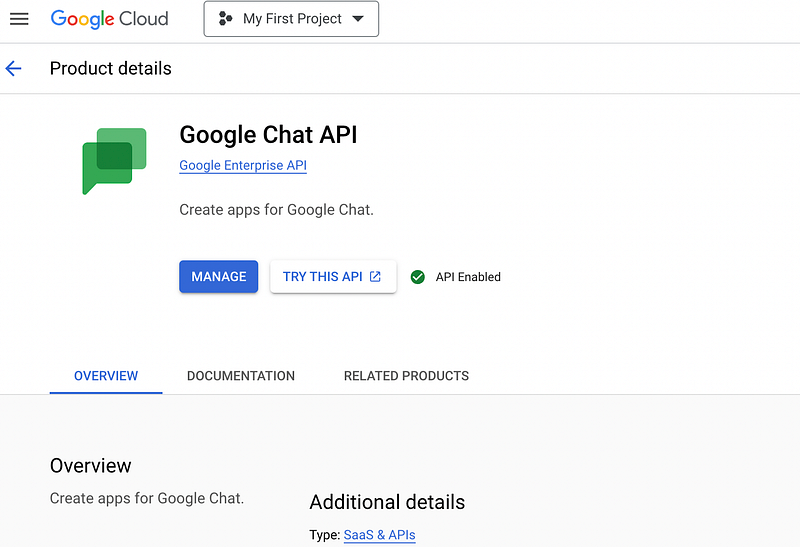
Select the Configuration tab. You need to provide the following information:
- App name : the name that will appear in Google chat when interacting with the chatbot.
- Avatar image for the app: chatbot logo
- Description of the app
- App URL : Url for the service that will interact with Google Chat messages. In our context, it’s the frontend URL.
Enter the information for the bot, as described below:
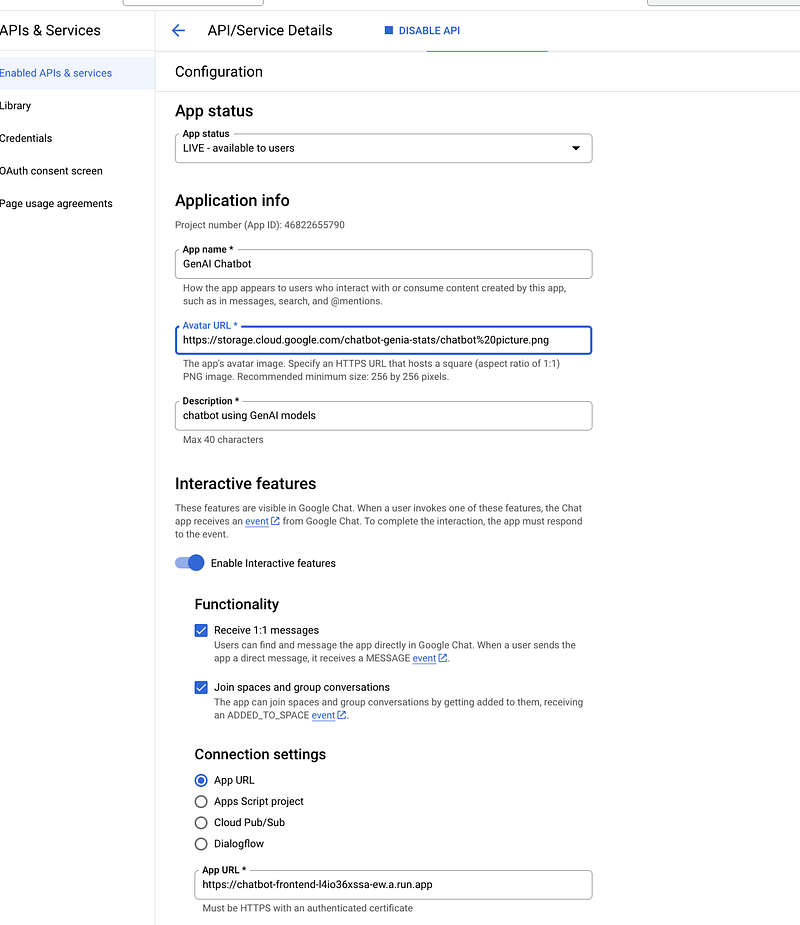
For now, leave the field “App URL” empty, as we will populate it with our Frontend URL later. Finally, click “Save”.
Now, you can enter the name of the chatbot in Google Chat and start sending message. You will not get any response as we didn’t configured yet the frontend.
2.2 Node JS service :
Now, we will build a basic NodeJS service using the web framework Express.
Express is a minimal and flexible Node.js web application framework that provides a robust set of features for web and mobile applications.
The service will receive messages from Google Chat, process them using the backend and then respond using Javascript Cards with a custom message that depends on user intent !
I’m not going to share all the code in this article but feel free to contact me if you need to reproduce the same app and I will send then the code.
Below the code structure of our application. The frontend folder contains the javascript code that processes the user message, detects the intent and sends back a suitable response :
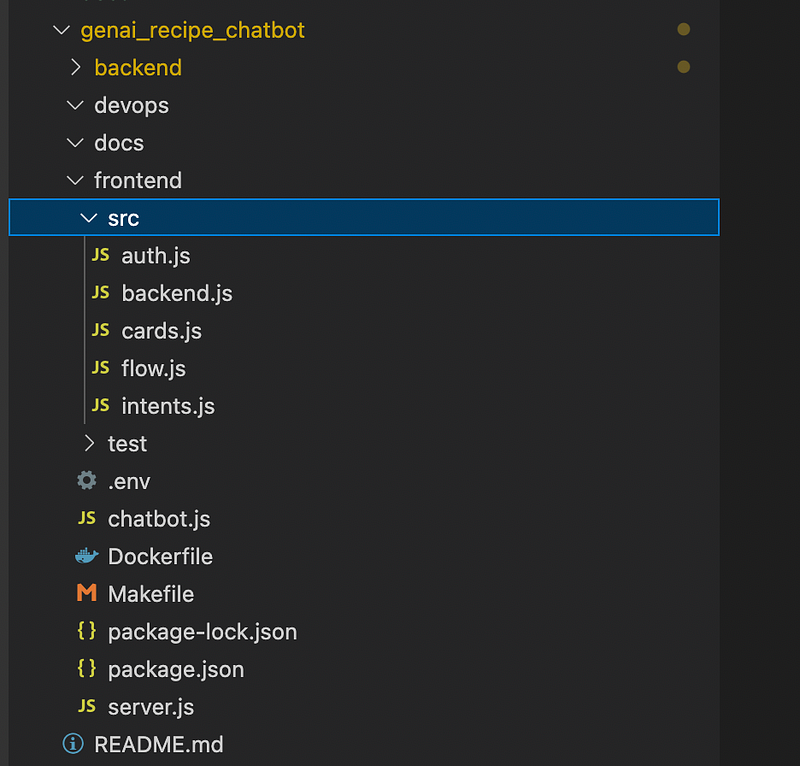
The main code is below, check the comments to understand the steps :
2.3 Dialogflow and intent detection :
The intents.get_user_intentfunction of the previous code works as follows:
- Get the message sent by the user through Google Chat.
- Call the “Dialogflow” API to get the intent and the inputs provided by the user. In this article, we choose to use Dialogflow to detect intents and extract parameters from user’s message, but we can implement an entity detection algorithm to perform the same task.
The code is below :
In order to get the intent using the API, we need to configure and setup Dialogflow service in our GCP project:
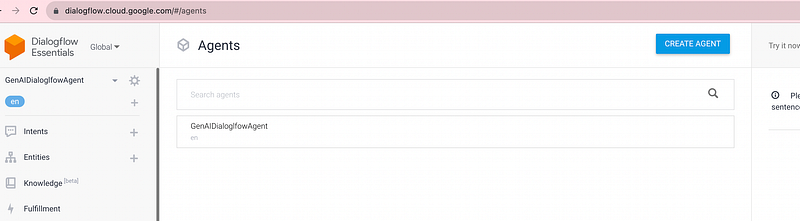
- Go to the https://dialogflow.cloud.google.com/ and create a new Dialogflow Agent. Choose any name but make sure to put “en” as DEFAULT LANGUAGE :
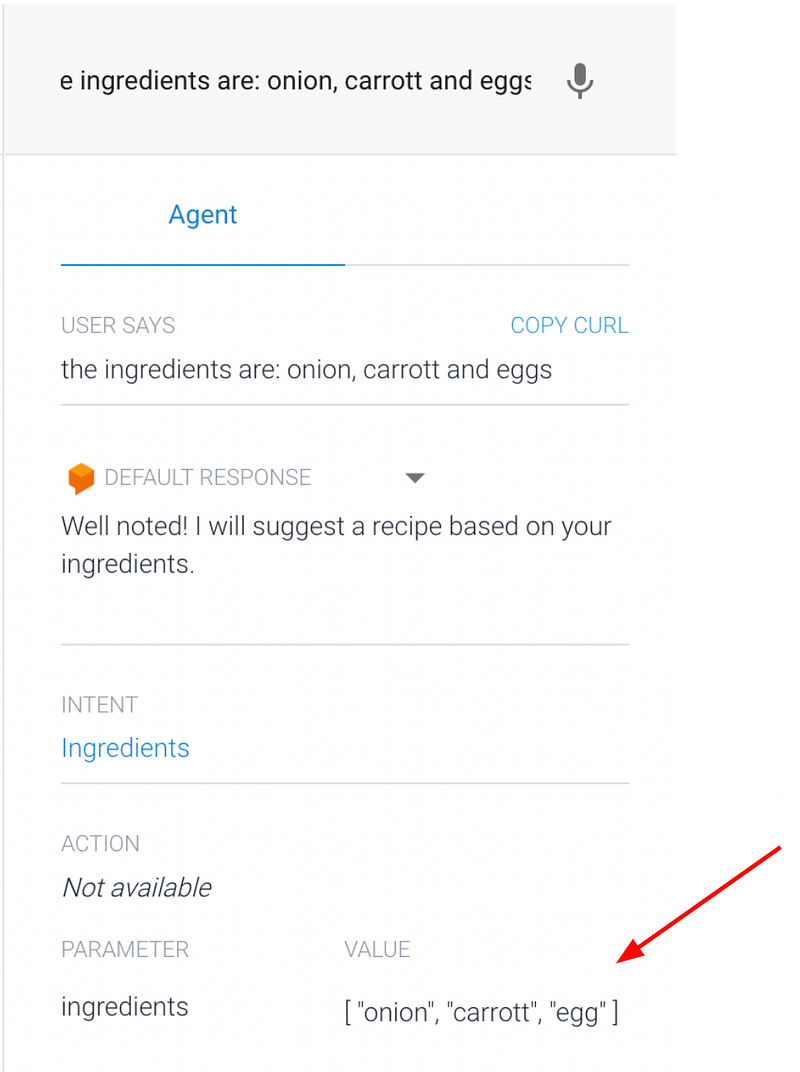
Now, we are going to create a Dialogflow entity called ingredients. Entity are used to control how data from end-user input is extracted. In our context, it will help to extract ingredients from user’s message. For example, if a user send a message “ I want to cook a meal with onion, celery and meat”, Dialogflow will detect that the ingredients entity is present in the message with the value [ “onion”, “celery”, “meat”].
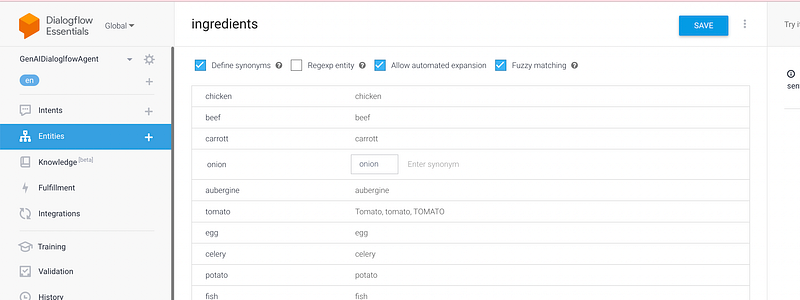
Note: don’t forget to check the option “Allow automated expansion” so that Dialogflow will extend the list of synonyms dynamically.
The next step is to setup the intents, in our case, we will create 3 intents :
- Welcome : To detect Welcome/Hello phrases.
- Ingredients: To detect If a user send a message containing ingredients.
- Thanks: To detect Thanks/Bye messages.
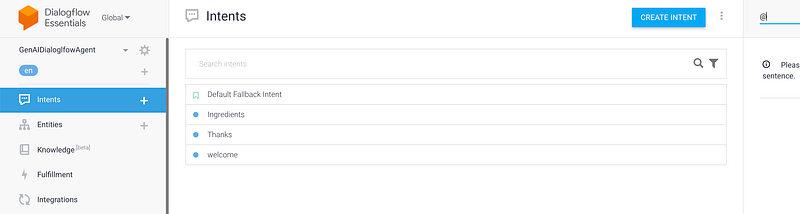
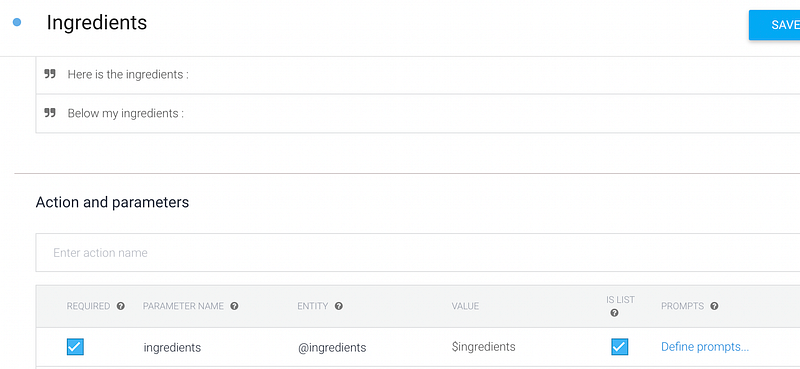
The most important intent is “ingredients” as it helps our frontend application to detect that the user submitted a list of ingredients in his message and especially to extract automatically the ingredients and provide it in the Dialogflow API’s response :
You can tests the intents directly in Dialogflow UI :
The last step is to deploy our app in Google Cloud Platform(GCP) environment. The best option on my opinion is to deploy the node JS code on a serverless service like Cloud Run or Cloud function, you can check one of my previous articles to create a Dockerfile (from node:20) and a Terraform code for Cloud RUN. You can also do it manually using the UI in GCP. Don’t forget to update the Google Chat “App URL” field ( mentionned at the end of the first section) with Cloud Run or Cloud Function Public URL.
3- Backend Setup :
We explained in the previous sections how the user interacts with the NodeJS frontend and how we can extract intents and ingredients from user’s message using Dialogflow. Now, if our frontend detects that the intent is to get a recipe from a list of ingredients, how our frontend will generate a recipe ? The solution is to ask a backend service, responsible for heavier tasks, get the response (a recipe and an image) and then respond to the user.
To accomplish this, we will build a FastAPI backend that interacts with OpenAI and generate a recipe based on provided ingredients from the frontend.
The backend code structure is as follows:
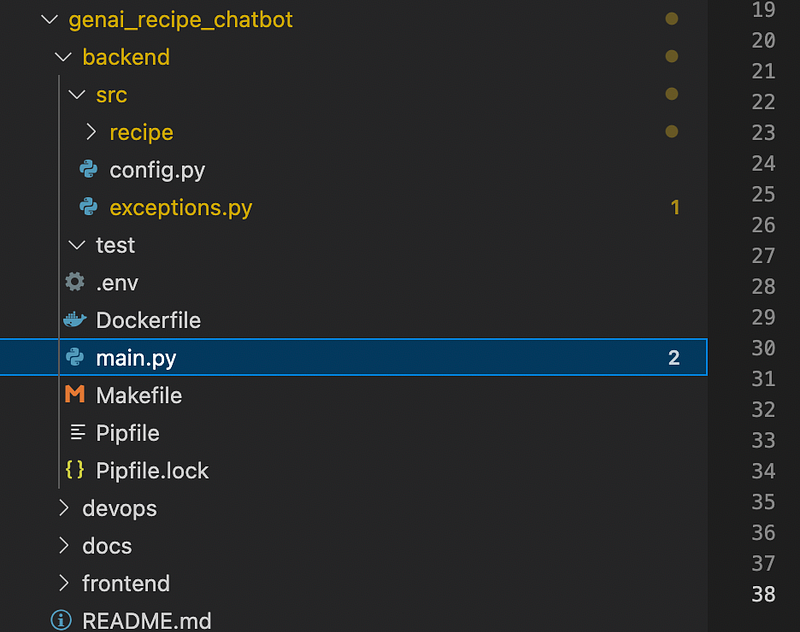
The main.pyfile is quite simple: it contains a simple route to perform health check on the API, it basically sends a GET request to the route & hopes to get a “200” response code. It acts as a last line of defense in case something goes south. We added also the function “custom_openapi” to customize our API metadata. The final step is to add our “/recipe” route.
And below the code of our “/recipe” route :
I explained the OpenAI code in a previous article but the idea is simple: we call the “davinci” completion model from OpenAI to get a suggestion of a recipe from a list of ingredients, then we generate an image for the recipe using OpenAI as well. The backend returns the recipe and the image to the frontend.
The last step is to deploy our FastAPI app in Cloud Run. The process is also explained in a previous article.
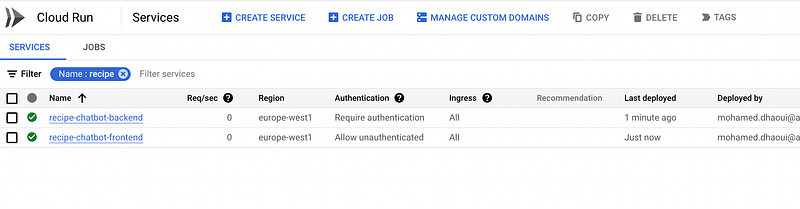
At the end, we will have two services deployed in Cloud RUN, the backend and the frontend:
4- Demonstration :
Now, it’s the funniest part, let’s try out our Chatbot !
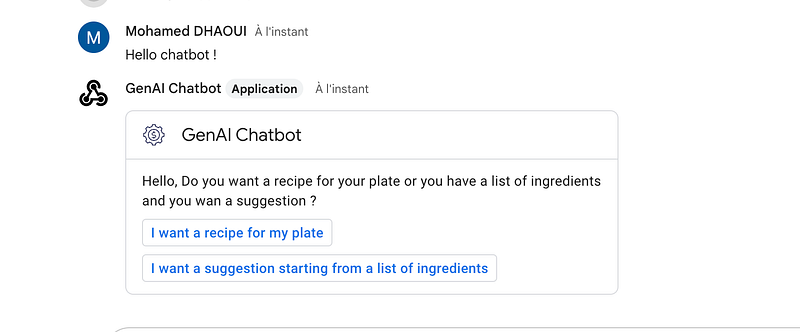
As we can see, we have two options:
- Get a recipe for a meal ( Implemented but not explained in this article)
- Get a recipe from a list of ingredients (I will select this option)
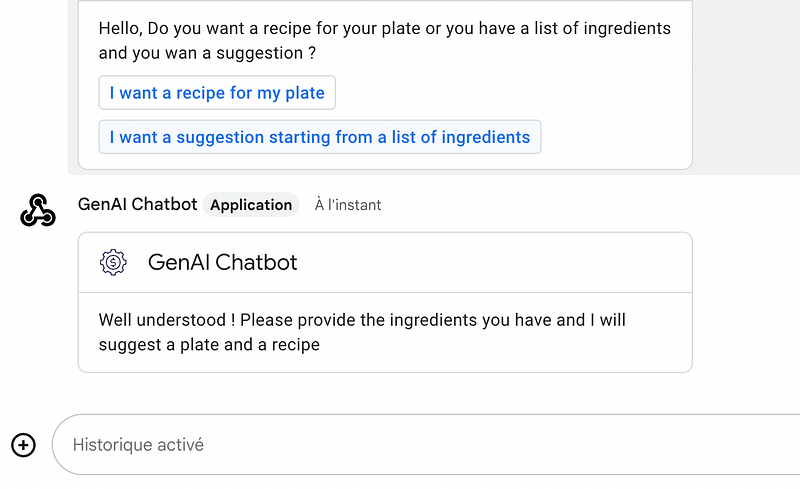
I will provide my ingredients :
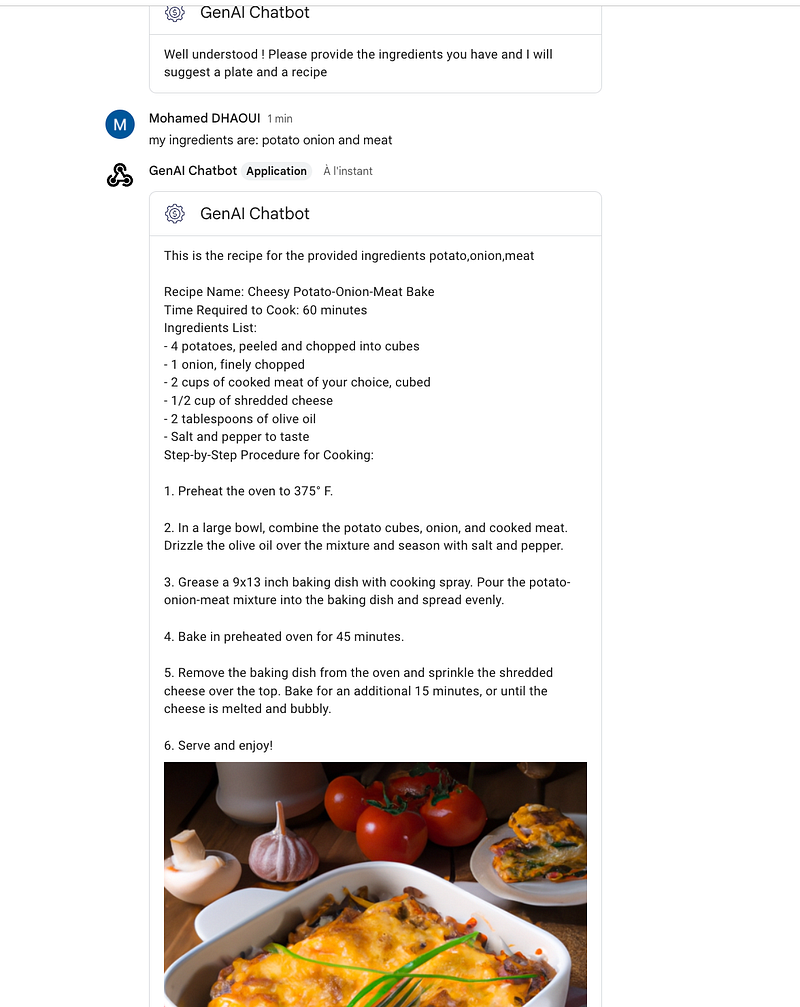
We got our recipe with the duration, ingredients, and procedure. And it looks quite tasty 💜 !
Conclusion
Hopefully, this article gave you an idea on how to create AI based chatbots on Google Cloud Platform, please let me know if you have any feedback or questions !


