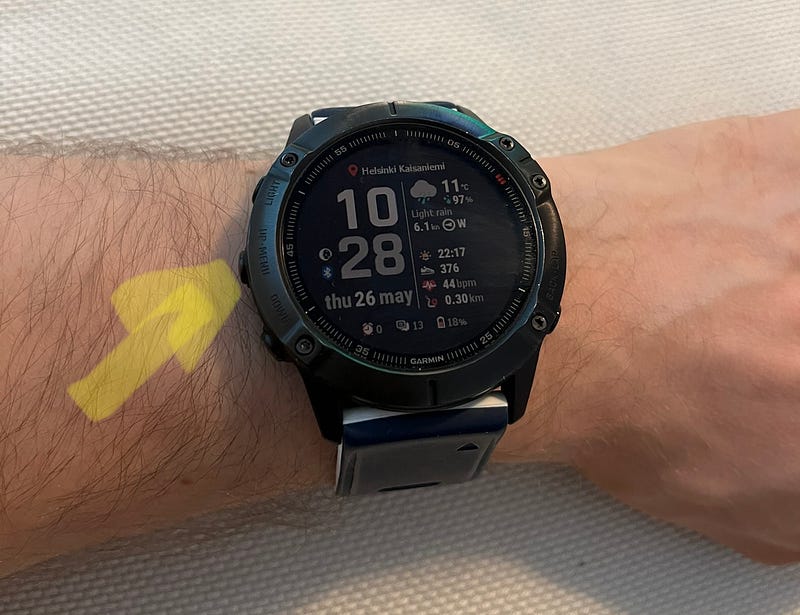
Garmin Connect — Inflated Training Load Stat
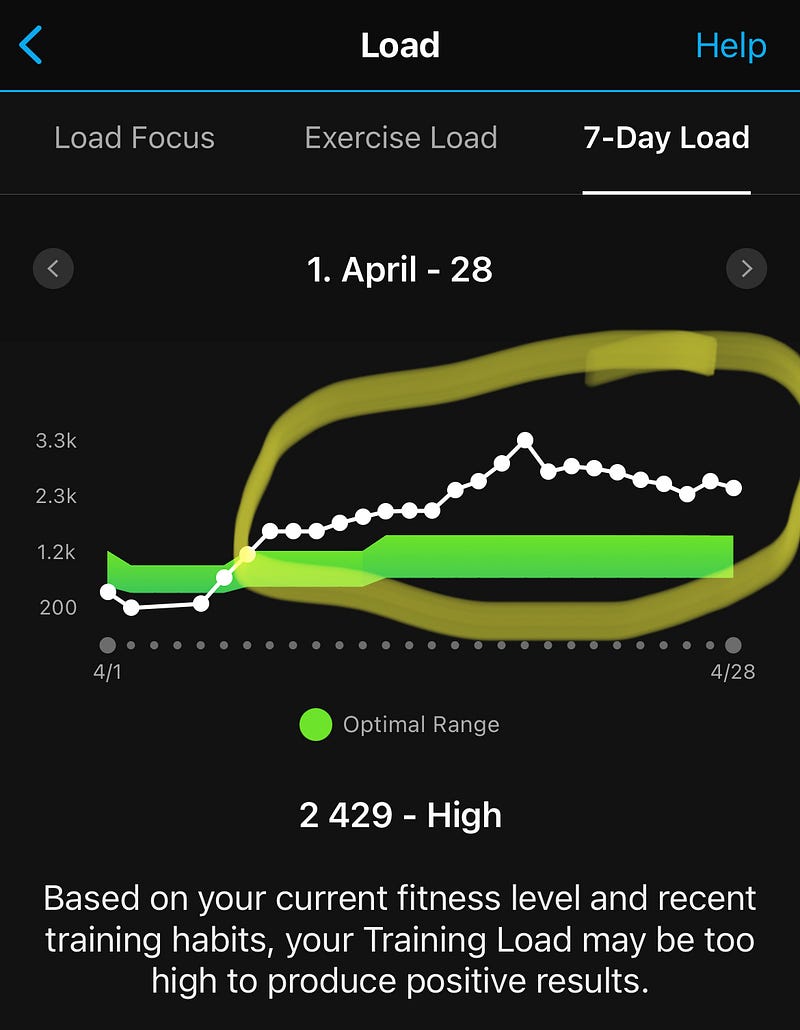
This is a quick tip to help my fellow Garmin users who see inflated Training Load values.
After years of using your Garmin, you might suddenly get stunned by how much strain some types of exercises add to your Training Load, even though you are very accustomed to high amounts of training. I experienced this.
Is your Training Load on Garmin Connect persistently too high, implying that Garmin Connect does not adapt to your training? It keeps stating that you are overreaching based on your current fitness level and training habits, even though you have been loading your body the same way for a good while.
The solution is simple but hard to find. I found it in a response on a random discussion board where First Beat (These days a part of Garmin) commented on why Inflated Training Loads might occur on some older Fenix models.
As an athlete and tech-savvy person, this was very hard for me to believe that the issue could be this trivial. Nevertheless, the Max Heart Rate setting for a given sports profile might be causing the problem.
Why Do Hardcore Users See Inflated Training Load Values
Most users have opted for automatic updates to their Max Heart Rate. So, if you are like me, you have once opted for that and stopped thinking about it. The Max Heart Rate is, in many ways, an utterly irrelevant value, so who would have guessed it is detrimental to the Training Load scores. Hence, if you have mainly focused on Running, Cycling or Swimming, this might have gone entirely unnoticed, especially for athletes like me who focus only on Power Zones and the Lactate Threshold values.
Even while my Max Heart Rate Auto Detection function is on, in my Garmin Fenix 6X Pro, it has not updated the value for the general activity profile on the Garmin Connect app. I do not know the exact reason for this, but it might be because I have created a custom workout profile for CrossFit, or it might just be a bug.
My individual sports profiles had correct Max Heart Rates, but the value was substantially too low for the general activity profile.
How to Set Your Max Heart Rate Values for Different Sports Profiles
- Open Garmin Connect
- Select More (three dots) > Garmin Devices
- Click on your watch (in my case Fenix 6X Pro)
- Go to User Settings > Heart Rate Zones
Now on the top row, you can select the different profiles. The first profile is the general setting if the activity is something other than Running, Cycling or Swimming.
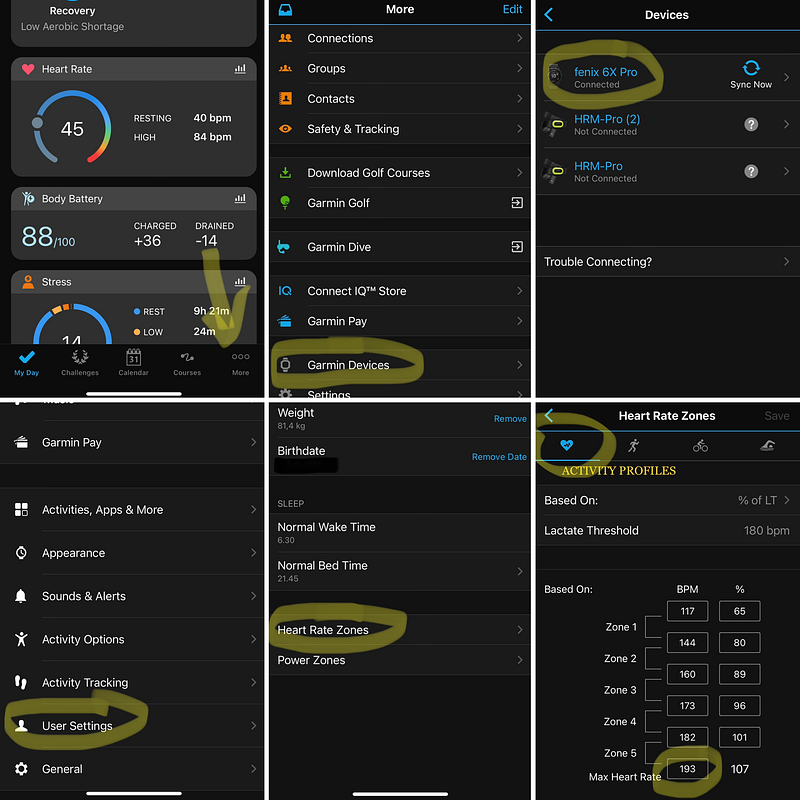
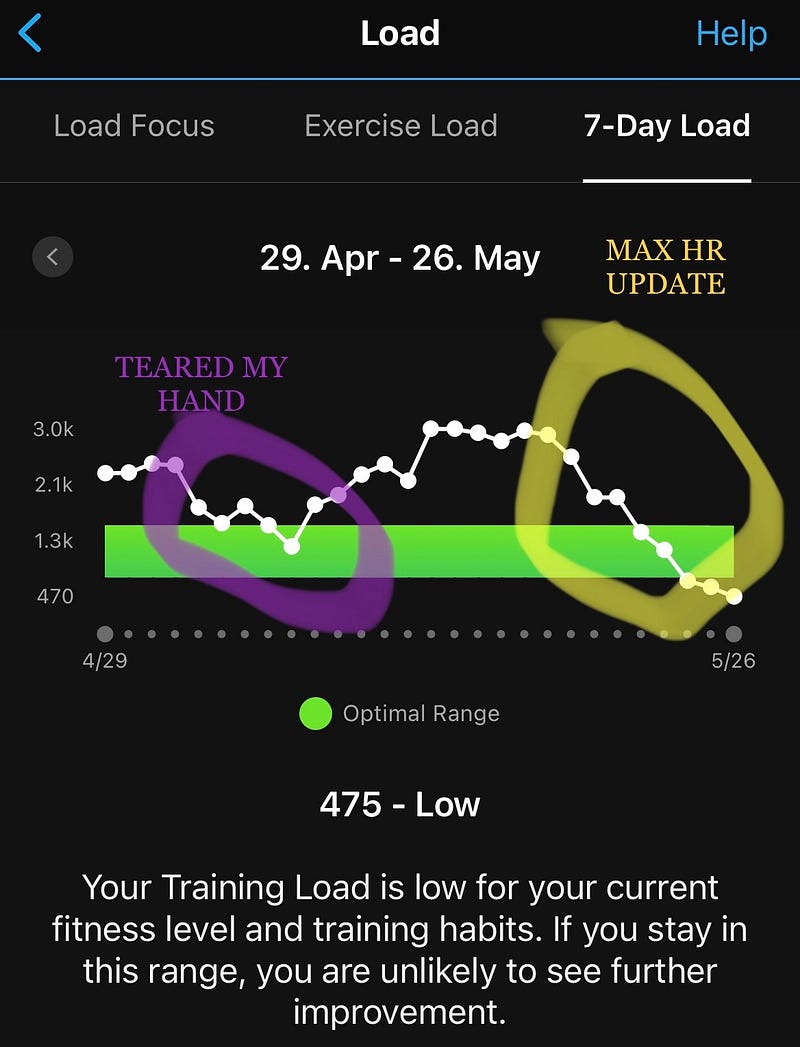
After updating the value here to reflect something even remotely truthful, the training load started to drop after each exercise session. My training program remained the same (I am currently on the HWPO60 programming), so it seems highly likely that the change in my training load trend is because of the change.
Detecting Performance Measurements Automatically
It is also worth checking if your watch detects automatically your performance measurements, namely, the Max Heart Rate, Lactate Threshold, and FTP.
- On your watch, hold the MENU button (left side, middle button on Fenix 6)
- Select Settings > Physiological Metrics > Auto Detection.