
UICollectionView + RxDataSources

In the following article, we discuss the refactor of an infinite feed from the standard UIKit / colletionView.reloadData()for a more performant implementation with the help RxDataSources / collectionView.batchUpdates()
Following the RxDataSources tutorials, it was very easy to replace the UIKit UICollectionViewDataSourceDelegate by the RxDataSources pipeline.
However, this sample implementations did not cover a dynamic source like in the infinite feed above. Also, most of the documentation refers to the UITablwView and it requires a bit of digging to find the correct names/method signatures for the UICollectionView.

To make it more performant we used the RxCollectionViewSectionedAnimatedDataSource as it takes care of reloading only the changed cells, removing an annoying flickering every time a new page set comes from the API when using the basic colletionView.reloadData().
It is worth to mention the wonderful job made by the RxDataSources team, to calculate the different patches required to update the collection using colletionView.performBatchUpdates(). This code is a great reference to implement the batch updates even outside the Rx universe.
Pull Request
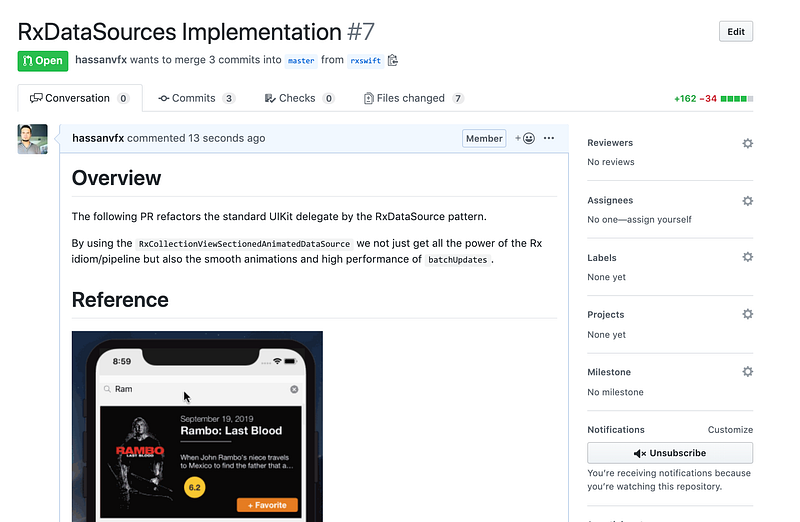
If you are looking for the code, in this link you can visit the PR highlighting the changes.
The Refactor
Overall we required to work in 3 areas:
- Create a new
MoviesSectionstruct that conforms to the protocolAnimatableSectionModelType
2. Implement the Identifiable, Equatable, Hashable protocols to extend the pre-existingMovie struct
3. Refactor the colletionView.dataSoure by the RxDataSource Objects.
MovieSection.swift
Below is the implementation for the MoviesSectionstruct
Movie.swift
MoviesDisplay.swift
Next Steps
We’ll continue working in migrating this application to RxSwift. The next article will cover the refactor with RxAlamofire.
Download
You can visit this Demo project here, but beware that it might have changed. The best reference would be the PR above.


