avatarLiu Zuo Lin

Free AI web copilot to create summaries, insights and extended knowledge, download it at here

3893

Abstract

it finds only the first-found element)</p><h1 id="009a">The Main Difference</h1><div id="3700"><pre># <span class="hljs-keyword">method</span> 1 <span class="hljs-title function_">for</span> <span class="hljs-title function_">i</span> <span class="hljs-title function_">in</span> <span class="hljs-title function_">range</span><span class="hljs-params">(len(list1)</span>): print(i, list1[i])</pre></div><div id="f427"><pre># <span class="hljs-keyword">method</span> 2 <span class="hljs-title function_">for</span> <span class="hljs-title function_">element</span> <span class="hljs-title function_">in</span> <span class="hljs-title function_">list1</span>: print(element)</pre></div><p id="8fb6">Here, the main difference is that we can get the index of each element in method 1, but not in method 2. (We need to type less code using method 2, so that’s a plus)</p><h1 id="f4c4">When To Use Method 2 — for element in a list</h1><p id="4253">We use this when we have no need for the index of the elements inside the list. For instance:</p><p id="17c7">Finding the sum of odd numbers in a list:</p><div id="8a57"><pre><span class="hljs-attr">lis</span> = [<span class="hljs-number">1</span>,<span class="hljs-number">2</span>,<span class="hljs-number">3</span>,<span class="hljs-number">4</span>,<span class="hljs-number">5</span>,<span class="hljs-number">6</span>]</pre></div><div id="47ef"><pre>total = <span class="hljs-number">0</span> <span class="hljs-keyword">for</span><span class="hljs-built_in"> number</span> <span class="hljs-keyword">in</span> lis: <span class="hljs-keyword">if</span><span class="hljs-built_in"> number</span><span class="hljs-meta">%2</span>==<span class="hljs-number">1</span>: total +=<span class="hljs-built_in"> number</span></pre></div><p id="7924">Finding squares of numbers in a list:</p><div id="e175"><pre><span class="hljs-attr">lis</span> = [<span class="hljs-number">1</span>,<span class="hljs-number">2</span>,<span class="hljs-number">3</span>,<span class="hljs-number">4</span>,<span class="hljs-number">5</span>,<span class="hljs-number">6</span>]</pre></div><div id="b072"><pre>output = [] <span class="hljs-keyword">for</span> <span class="hljs-keyword">number</span> in lis: output.<span class="hljs-keyword">append</span>(<span class="hljs-keyword">number</span>**<span class="hljs-number">2</span>)</pre></div><p id="8e84">These can be solved also using method 1 (for i in range(len(list))), but we don’t necessarily have to. We can simply choose to write a little less code and use method 2 (for element in list), and we’ll still be able to solve these.</p><h1 id="d723">When To Use Method 1 — for i in range(len(list))</h1><p id="cbf1">We use this method when we need the index of the elements — especially when we need more than 1 index per iteration. For instance:</p><p id="5ac9">Finding the sum of consecutive numbers:</p><div id="e19b"><pre>lis = [<span class="hljs-number">1,10,100</span>,<span class="hljs-number">1000,10000</span>]</pre></div><div id="837c"><pre>output = <span class="hljs-selector-attr">[]</span> <span class="hljs-keyword">for</span> <span class="hljs-selector-tag">i</span> <span class="hljs-keyword">in</span> <span class="hljs-built_in">range</span>(<span class="hljs-built_in">len</span>(lis)-<span class="hljs-number">1</span>): this = lis<span class="hljs-selector-attr">[i]</span> next = lis<span class="hljs-selector-attr">[i+1]</span> output<span class="hljs-selector-class">.append</span>(this+next)</pre></div><div id="741f"><pre><span class="hljs-meta"># [11,110,1100,11000]</span></pre></div><p id="ecc1">Combining consecutive strings together:</p><div id="20ab"><pre><span class="hljs-attr">lis</span> = [<span class="hljs-string">"apple"</span>, <span class="hljs-string">"orange"</span>, <span class="hljs-string">"pear"</span>, <span class="hljs-string">"d

Options

urian"</span>]</pre></div><div id="9c9a"><pre>output = <span class="hljs-selector-attr">[]</span> <span class="hljs-keyword">for</span> <span class="hljs-selector-tag">i</span> <span class="hljs-keyword">in</span> <span class="hljs-built_in">range</span>(<span class="hljs-built_in">len</span>(lis)-<span class="hljs-number">1</span>): this = lis<span class="hljs-selector-attr">[i]</span> next = lis<span class="hljs-selector-attr">[i+1]</span> output<span class="hljs-selector-class">.append</span>(this + <span class="hljs-string">" "</span> + next)</pre></div><div id="1fab"><pre><span class="hljs-meta"># [<span class="hljs-string">"apple orange"</span>, <span class="hljs-string">"orange pear"</span>, <span class="hljs-string">"pear durian"</span>]</span></pre></div><p id="472e">Finding numbers smaller than both left & right neighbours:</p><div id="2494"><pre>lis = [<span class="hljs-number">5,3,4,6</span>,<span class="hljs-number">2,7,1,8</span>]</pre></div><div id="8761"><pre>output = <span class="hljs-selector-attr">[]</span> <span class="hljs-keyword">for</span> <span class="hljs-selector-tag">i</span> <span class="hljs-keyword">in</span> <span class="hljs-built_in">range</span>(<span class="hljs-built_in">len</span>(lis)-<span class="hljs-number">2</span>): <span class="hljs-attribute">left</span> = lis[i] this = lis<span class="hljs-selector-attr">[i+1]</span> <span class="hljs-attribute">right</span> = lis[i+<span class="hljs-number">2</span>] <span class="hljs-keyword">if</span> this < <span class="hljs-attribute">left</span> and this < right: output<span class="hljs-selector-class">.append</span>(this)</pre></div><div id="4d07"><pre><span class="hljs-meta"># [3,2,1]</span></pre></div><p id="ede5">These problems can only be solved using method 1 (for i in range(len(list))) but not method 2 (for element in list), as we must have the index of each element to get more than 1 element at each iteration.</p><h1 id="5faf">Conclusion</h1><p id="945e"><i>I write coding articles (once per 1–2 days) that would have probably helped the younger me speed up my learning curve. Do join my email list to get notified whenever I publish.</i></p><div id="dbe3" class="link-block"> <a href="https://zl-liu.medium.com/subscribe"> <div> <div> <h2>Get an email whenever Zlliu publishes.</h2> <div><h3>Get an email whenever Zlliu publishes. By signing up, you will create a Medium account if you don't already have one…</h3></div> <div><p>zl-liu.medium.com</p></div> </div> <div> <div style="background-image: url(https://miro.readmedium.com/v2/resize:fit:320/0*KmUF9BrhSUZe5iug)"></div> </div> </div> </a> </div><p id="4913"><i>If this article provided value and you wish to support me, do consider signing up for a Medium membership — It’s $5 a month, and you get unlimited access to articles on Medium. If you sign up using my link below, I’ll earn a tiny commission at zero additional cost to you.</i></p><p id="e8d6"><a href="https://zl-liu.medium.com/membership"><b><i>Sign up using my link here to read unlimited Medium articles</i></b></a></p><p id="cc6a"><i>If this article provided immense value for you, do consider buying me a coffee — every small contribution is appreciated greatly!</i></p><p id="9ba4"><i>More content at <a href="https://plainenglish.io/"><b>PlainEnglish.io</b></a>. Sign up for our <a href="http://newsletter.plainenglish.io/"><b>free weekly newsletter</b></a>. Follow us on <a href="https://twitter.com/inPlainEngHQ"><b>Twitter</b></a> and<b> <a href="https://www.linkedin.com/company/inplainenglish/">LinkedIn</a></b>. Join our <a href="https://discord.gg/GtDtUAvyhW"><b>community Discord</b></a>.</i></p></article></body>

“for i in range(len(list))” VS “for element in list” — When to Use Which

A beginner’s guide on the two ways of iterating through a string or list.
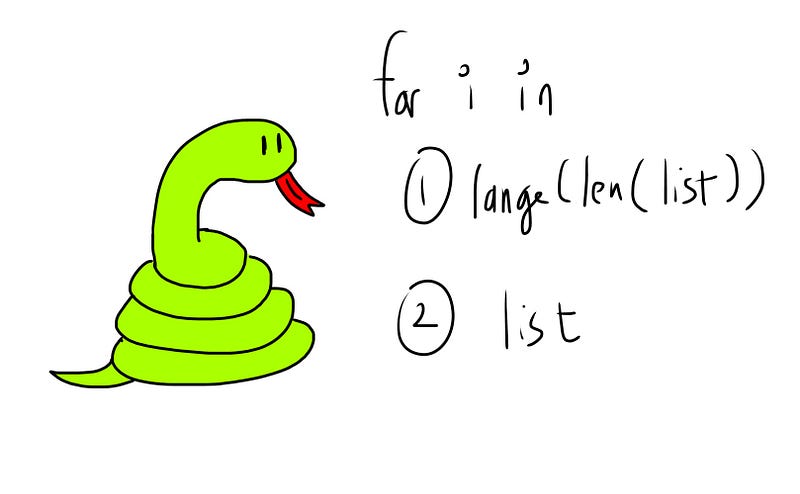
If you’re just starting out in Python, the for loop is one of the most important concepts you need to get familiar with. When iterating through a string or list, there are 2 ways to do this:

list1 = ["apple", "orange", "pear"]
# method 1
for i in range(len(list1))
# method 2
for element in list1

Method 1 — for i in range(len(list1))

Here, len(list1) will return 3, and input 3 into the range function generates the indexes of the stuff inside the list (known as elements).

for i in range(len(list1)):
    print(i)
# same as for i in range(3)

Here, range(len(list1)) is the same as range(3), so the iterator variable i is assigned the values 0, 1 then 2. The output:

0
1
2

To get our element, we simply need to index our list using i.

for i in range(len(list1)):
    print(i, list1[i])

The output:

0 apple
1 orange
2 pear

Method 2 — for element in list1

Here, we loop through the list directly instead of the list’s index.

for element in list1:
    print(element)

The iterator variable element (note that you can use whatever variable name you want) is thus assigned the elements in the list, and takes on the values "apple", "orange" then "pear". The output:

apple
orange
pear

Note that if we use this method, we are unable to get the index of the elements. (Don’t use the .index(element) method, as it finds only the first-found element)

The Main Difference

# method 1
for i in range(len(list1)):
    print(i, list1[i])
# method 2
for element in list1:
    print(element)

Here, the main difference is that we can get the index of each element in method 1, but not in method 2. (We need to type less code using method 2, so that’s a plus)

When To Use Method 2 — for element in a list

We use this when we have no need for the index of the elements inside the list. For instance:

Finding the sum of odd numbers in a list:

lis = [1,2,3,4,5,6]
total = 0
for number in lis:
    if number%2==1:
        total += number

Finding squares of numbers in a list:

lis = [1,2,3,4,5,6]
output = []
for number in lis:
    output.append(number**2)

These can be solved also using method 1 (for i in range(len(list))), but we don’t necessarily have to. We can simply choose to write a little less code and use method 2 (for element in list), and we’ll still be able to solve these.

When To Use Method 1 — for i in range(len(list))

We use this method when we need the index of the elements — especially when we need more than 1 index per iteration. For instance:

Finding the sum of consecutive numbers:

lis = [1,10,100,1000,10000]
output = []
for i in range(len(lis)-1):
    this = lis[i]
    next = lis[i+1]
    output.append(this+next)
# [11,110,1100,11000]

Combining consecutive strings together:

lis = ["apple", "orange", "pear", "durian"]
output = []
for i in range(len(lis)-1):
    this = lis[i]
    next = lis[i+1]
    output.append(this + " " + next)
# ["apple orange", "orange pear", "pear durian"]

Finding numbers smaller than both left & right neighbours:

lis = [5,3,4,6,2,7,1,8]
output = []
for i in range(len(lis)-2):
    left = lis[i]
    this = lis[i+1]
    right = lis[i+2]
    if this < left and this < right:
        output.append(this)
# [3,2,1]

These problems can only be solved using method 1 (for i in range(len(list))) but not method 2 (for element in list), as we must have the index of each element to get more than 1 element at each iteration.

Conclusion

I write coding articles (once per 1–2 days) that would have probably helped the younger me speed up my learning curve. Do join my email list to get notified whenever I publish.

If this article provided value and you wish to support me, do consider signing up for a Medium membership — It’s $5 a month, and you get unlimited access to articles on Medium. If you sign up using my link below, I’ll earn a tiny commission at zero additional cost to you.

Sign up using my link here to read unlimited Medium articles

If this article provided immense value for you, do consider buying me a coffee — every small contribution is appreciated greatly!

More content at PlainEnglish.io. Sign up for our free weekly newsletter. Follow us on Twitter and LinkedIn. Join our community Discord.

Python
Python3
Programming
Coding
Python Programming
Recommended from ReadMedium