
Fluttering Dart
Fluttering Dart: Built-In Data Types
Dart’s nuts and bolts
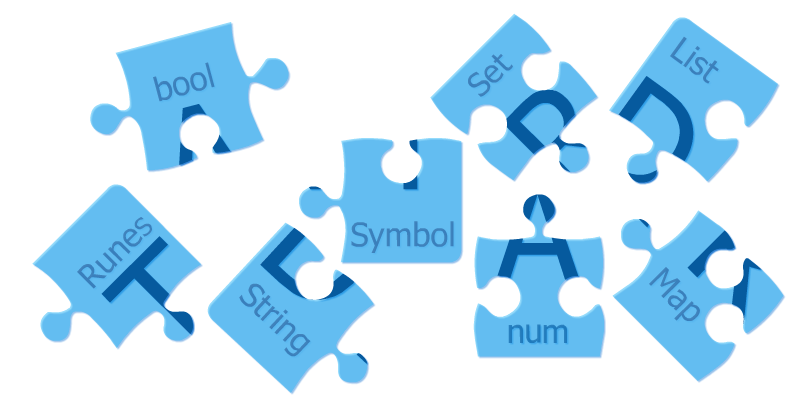
Flutter projects can use both platform-specific and cross-platform code. The latter is written in Dart, and, for building Flutter apps, some basic knowledge of Dart is required.
Fluttering Dart’s goal is to explore fundamental knowledge and unveil tips & tricks of the powerful programming language that brings Flutter to life.
In this first part, we’ll discover Dart’s built-in data types.
The code examples can be tried out, and played with, using DartPad.
Built-In Data Types
A data type is a specific kind of information that allows certain operations.

Numbers, in Dart, can be of 2 types:
- integer - represent whole numbers no larger than 64 bits (depends on the platform)
- 64-bit double-precision floating-point (IEEE 754 standard) — used to represent numbers with decimal places
Their supertype is type num.
All numbers are also objects and, each, have specific methods.
void main() {
  int x = 4;
  print(x.toRadixString(2) == '100');
  double y = 19.861004;
  print(y.toStringAsFixed(4) == '19.8610');
}
In the above example, we first define an int called x that gets the value 4 and then we make use of the int’s method toRadixString to get to x’s binary representation (as a String). We could’ve used, for example the hexadecimal base - 16 - instead of 2. The equality between the representation of 4 in the binary base is '100' is true, and that is what the print method will display.
Then we define a double called y and we give it also a value (19.8610). We then use the double’s built-in function toStringAsFixed to get the only 4 decimal places of y (also as a String). The equality is also satisfied and therefore the print method will display true again.
A String is a sequence of UTF-16 code units.
Strings are used to represent anything you can write or express as a statement, as well as individual characters. For special characters representation, you can check bellow for Runes.
To create a string, we can use single ' or double " quotes (it doesn’t matter which of these, as long as we’re consistent across our code).
String interpolation is built-in in Dart. Expressions can be embedded into strings using the form ${expression}, and are evaluated when we use them. If the expression is an identifier, then we can omit the {}:
void main() {
  String dartLang = 'Dart';
  String javaLang = 'Java';
  print('Saying that $dartLang is identical to $javaLang might be a bit too much... At least when we count the letters in their names we get ${dartLang.length} in both cases.');
}
Multi-line strings can be created using triple quotes (either single or double):
void main() {
  String multiLine = '''
This
is
nice!
''';
  print('$multiLine');
}
String concatenation is done simply by placing string literals next to each other without the + sign:
void main() {
  String concatenated = 'This ''is ' '(kind ''of) '
'odd'
'...';
  print('$concatenated');
}
The bool type represents booleans.
It has only two values: true or false
Conditions like if, while or assert can be used only with bools.
Dart’s type safety means that we can’t use code like if(nonBooleanValue) or assert(nonBooleanValue). Instead, explicitly check for values, like this:
void main() {
  String emptyName = '';
  if(emptyName.isEmpty) {
    print('Like the name says, it is empty!');
  }
  String nullName;
  if(nullName == null) {
    print('Like the name says, it is null!');
  }
}
List is a commonly used collection type.
Arrays (for people coming from other programming languages) are List objects.
In the example below, both a List literal and a List constructor are used. It is recommended to use literals when possible:
void main() {
  // the literal way
  List oneWay = [1,2,3];
  // the constructor way
  List orAnother = List<int>(3);
}
Map is another commonly used collection type.
In the example bellow, both a Map literal and a Map constructor are used. It is recommended to use literals when possible:
void main() {
  // the literal way
  Map oneWay = {'a': 0, 'b': 1, 'c': 2};
  // the constructor way
  Map orAnother = Map<String, int>();
}
Sets, in Dart, are unordered collections of unique items.
To create an empty set, use {} preceded by a type argument, or assign {} to a variable of type Set.
The syntax for map literals is similar to that for set literals. Because Map literals came first to Dart, {} defaults to this type. If you forget to add the type annotation on {} or you don't assign {} to a variable of type Set, then, by default, Dart creates an object of type Map<dynamic, dynamic>.
void main() {
  // the literal way
  Set oneWay = {};
  // the constructor way
  Set orAnother = <String>{};
  Set petTypes = {'cat', 'dog', 'bird', 'reptile', 'other'};
  print('There are ${petTypes.length} pet types defined.');
}
Symbols represent an operator or identifier.
They can be created using the constructor Symbol('name') or the symbol literal #
Symbols are rarely used. They shine when building APIs that refer to identifiers by name because minification changes identifier names but not identifier symbols.
Symbols created with the same name are equal:
void main() {
  print(Symbol('a') == #a);
  // the above prints true
}
Runes are UTF-32 code points of String. To express 32-bit Unicode values in a string, we can use the form \u****, were ****is the four-digit hexadecimal value of the code point.
If the code point is larger than 4, we'll use the {} to wrap the digits ( \u{*****}).
void main() {
  Runes heart = Runes('\u2665');
  Runes laugh = Runes('\u{1f600}');
  print(String.fromCharCodes(heart) + ' ' + String.fromCharCodes(laugh));
}
The above prints: '♥ 😀'
Next to the above built-in types, we have the enum and the dynamic types.
An enumerated type can be declared using the enum keyword and allows us to define a set of constant values in a type-safe way (usually used in switch statements). Each value has an index getter to return the zero-based position of that value. values gives us access to all values in an enum.
enum Pet { cat, dog, bird, reptile, other }void main() {
print('${Pet.values.length} pet types');
dynamic myPet = Pet.cat;
switch(myPet) {
case Pet.cat:
print('meow');
break;
case Pet.dog:
print('woof');
break;
case Pet.bird:
print('tweet');
break;
case Pet.reptile:
print('ssSss');
break;
case Pet.other:
print('');
break;
}
}The dynamic type is used when we don’t know (or care about) the type of an object.
The is operator can be used to check if the dynamic object is of some type (the runtimeType getter gives us access to the actual type).
Sometimes the dynamic type is confused with Object (which should be used when we want to indicate that all objects are accepted).
void main() {
  dynamic value = false;
  print(value.runtimeType);
  value = 'Dart';
  if(value is String) {
    print(value.runtimeType);
  }
}
All these built-in types are part of the Dart programming language and provide flexibility and options to type our objects.
In the next part of the Fluttering Dart series, we’ll delve into functions, another Dart fundamental needed for building robust Flutter apps.
Tha(nk|t’)s all!