
Flutter Web and Navigation History
Flutter Web and Navigation History
How to know the navigation history in Flutter Web? Hmm…
All in one Flutter resource: https://flatteredwithflutter.com/flutter-web-and-navigation-history/
Begin…
View the demo here
Website: https://web.flatteredwithflutter.com/#/
We will cover briefly about
- Storing navigation routes
- Implement navigatorObservers

1. Storing navigation routes
It's quite clear, we need a data structure for storing routes.
Thought process: When we navigate between different links in a browser, the last link is usually the first to be traced back (on click of the back button).
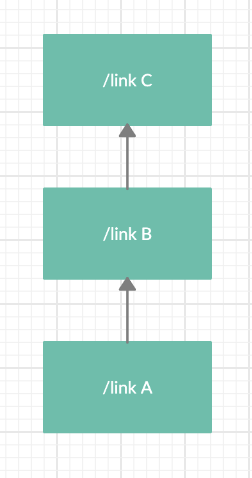
Going 1 link to several
- You navigate to link A
- After a while, you go to link B
- Finally, you end up at the link C
(Note: This assumes you are in 1 single tab only)
On backtracking
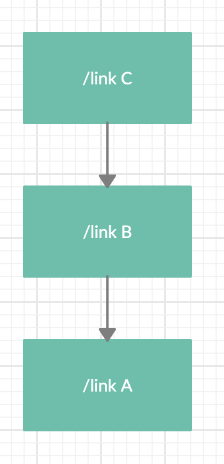
Going back now
- You start backtrack from link C
- You go to link B
- Finally, you end up at the link A
(Note: This assumes you are in 1 single tab only)
The data structure right for use would be Stack since we need to push the routes onto the stack and pop (when we go back to the previous link).
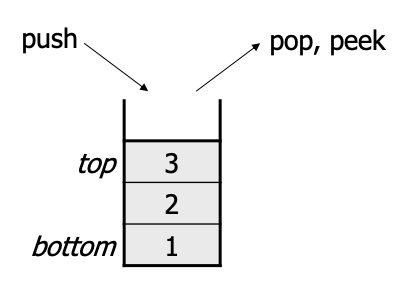
Implementing Stacks in Dart
In doing my research I found
dart:collectionAs per the documentation:
Classes and utilities that supplement the collection support in dart:core.
But did not find any explicit collection named Stack, until I stumbled upon ListQueue
List based Queue.
Keeps a cyclic buffer of elements, and grows to a larger buffer when it fills up. This guarantees constant time peek and remove operations, and amortized constant time add operations.
The structure is efficient for any queue or stack usage.
We will use ListQueue for storing our routes.
Implementing ListQueue for storing routes
We make an abstract class first, to define the operations which we will implement for our generic ListQueue.
abstract class _NavStack<T> {
  void push(T val) {}
void pop() {} T top(); List<T> fetchAll(); void get clear {}
}push: For pushing a route of type T
pop: For popping the route (topmost)
top: Get the route which is on top
fetchAll: Get all the routes saved.
clear: Clear the saved routes
Let’s define our class(NavStack) which implements the above abstract class(_NavStack).
class NavStack<T> implements _NavStack<T> {}Initialize the list queue by
final ListQueue<T> _internal = ListQueue();Pushing item
Pushing items in this list by using the addLast function of the list queue.
_internal.addLast('SOME VALUE');addLast: Adds the items at the end. Since each new route will be the latest, we add it to the end of the list queue.
Popping item
Pop the item in this list by using removeLast function of the list queue.
_internal.removeLast();removeLast: Removes and returns the last element of the queue.
Top item
Getting the topmost or latest item in this list queue by the last function
_internal.last;last: Returns the last (or topmost) element. Meaning our latest route is always at the top of the stack.
Clearing and Fetching items
We will use the clear function of the list queue for clearing our stored routes.
For fetching items, we will loop through the length of the list, add items to a new list and return.
List<T> fetchAll() {
  final _list = <T>[];

  for (var i = 0; i < length; i++) {
    _list.add(_internal.elementAt(i));
  }
return _list;
}2. Implement Navigator Observers
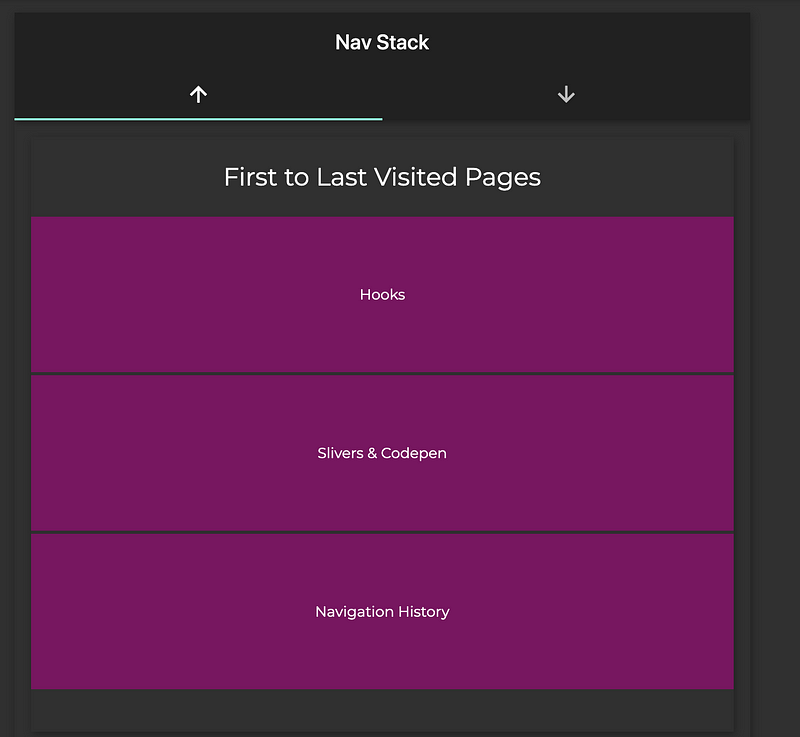
We have the list queue implemented from the above step.
Next, we need to place this list queue in our flutter web, in such a way that
- whenever a new route is pushed,
- it should also be added to our NavStack class
There is a property inside MaterialApp called navigatorObservers. This implements RouteObserver internally.
RouteObserver
RouteObserver informs subscribers whenever a route of type R is pushed on top of their own route of type R or popped from it.
- e.g. a
RouteObserver<PageRoute>will inform subscribed RouteAwares - whenever the user navigates away from the current page route to another page route.
Methods inside RouteObserver class
didPop(whenever a route is popped)didPush(whenever a route is pushed)
We will create our own navigator observers which
- extends the RouteObserver
- implements the
didPopanddidPushmethods
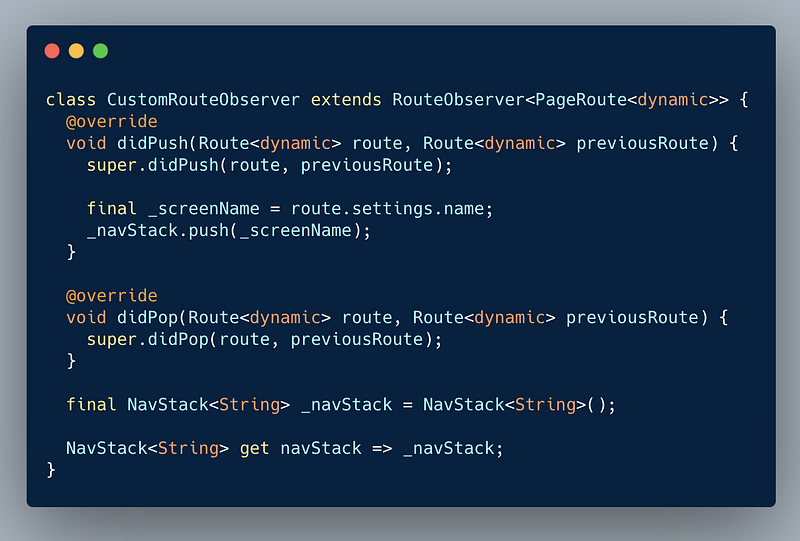
- Inside the
didPushwe extract the current screen name and push it into our NavStack class. This way whenever a route is pushed, it also gets added to our class.
Finally, we add this custom navigator observer to MaterialApp’s property.
return MaterialApp(
  // OTHER PROPERTIES
navigatorObservers: [CustomRouteObserver()],
);
Interesting Articles related to Flutter Web here:
Hosted URL: https://web.flatteredwithflutter.com/#/


