
avatarsimbu

Free AI web copilot to create summaries, insights and extended knowledge, download it at here

3297

Abstract

tive.com</p></div> </div> <div> <div style="background-image: url(https://miro.readmedium.com/v2/resize:fit:320/0*KYtT0luD5zVaA7E9)"></div> </div> </div> </a> </div><div id="fc19" class="link-block"> <a href="https://writingcooperative.com/how-to-write-leads-that-engage-an-audience-72e0c6c527ad"> <div> <div> <h2>How to Write Leads that Engage an Audience</h2> <div><h3>Powerful leads is expository writing</h3></div> <div><p>writingcooperative.com</p></div> </div> <div> <div style="background-image: url(https://miro.readmedium.com/v2/resize:fit:320/0*GjrCRifCDdvhUyWl)"></div> </div> </div> </a> </div><p id="c97e">Writing never comes to an end. It is a living piece of art that emerges over time, and if a writer returns to it at a later time, words morph and mature with simple pen movements. However, eventually, there is a deadline, the writer needs to make some money, or simply become bored with the topic. Until then, the possibilities for improvement are limitless.</p><p id="eb43">Revisions are my favorite part of the process. They are my opportunities to play with the language. Like a child molds Play-doh into new forms, I manipulate words and phrases to produce rhythms, double meanings, emotions, and inspire thoughts. Three of my favorite revision strategies are discussed below.</p><div id="987d" class="link-block"> <a href="https://writingcooperative.com/show-dont-tell-is-great-advice-but-how-f632a23f912d"> <div> <div> <h2>Show Don’t Tell is Great Advice: But How?</h2> <div><h3>4 Strategies to Strengthen Description in Your Writing</h3></div> <div><p>writingcooperative.com</p></div> </div> <div> <div style="background-image: url(https://miro.readmedium.com/v2/resize:fit:320/0*uwTjzUvyxjmQPIWF)"></div> </div> </div> </a> </div><div id="a80c" class="link-block"> <a href="https://writingcooperative.com/3-revision-strategies-to-create-sentence-variety-72c273c1efd6"> <div> <div> <h2>Sentence Variety Cheat Sheet</h2> <div><h3>Adding Spice to the narrative tempts the readers and brings them back for seconds</h3></div> <div><p>writingcooperative.com</p></div> </div> <div> <div style="background-image: url(https://miro.readmedium.com/v2/resize:fit:320/0*MHdLO4qM-I7wBlZB)"></div> </div> </div> </a> </div><div id="1e28" class="link-block"> <a href="https://readmedium.com/transitions-convey-readers-smoothly-through-the-story-52b091f7765c"> <div> <div> <h2>Transitions Convey Readers Smoothly Through the Story</h2> <div><h3>Words work hard so writers can work smart</h3></div> <div><p>medium.com</p></div> </div> <div> <div style="back

Options

ground-image: url(https://miro.readmedium.com/v2/resize:fit:320/0*2XagpkMoZ-iUI368)"></div> </div> </div> </a> </div><p id="50be">If you try any of these strategies, I would love to know how they worked for you. I have experienced the positive results first hand and watched other writers grow in skills and excitement.</p><p id="e144">If you find value in what you read, my name is Brenda Mahler and more articles are available if you follow me on Medium. Enjoy!</p><div id="144f" class="link-block"> <a href="https://readmedium.com/desire-to-improve-your-writing-skills-part-1-8848560da3de"> <div> <div> <h2>Desire to Improve Your Writing Skills? Part 1: Prewriting and Writer’s Block</h2> <div><h3>Don’t become mired in the minutia when answers are available</h3></div> <div><p>medium.com</p></div> </div> <div> <div style="background-image: url(https://miro.readmedium.com/v2/resize:fit:320/0*adJHjx3Kur-RNHUX)"></div> </div> </div> </a> </div><div id="5642" class="link-block"> <a href="https://readmedium.com/desire-more-strategies-to-improve-your-writing-skills-part-2-4c4298119d04"> <div> <div> <h2>Desire More Strategies to Improve Your Writing Skills? Part 2: Audience, Voice and Development</h2> <div><h3>Learn how to push the clouds away and gain inspiration</h3></div> <div><p>medium.com</p></div> </div> <div> <div style="background-image: url(https://miro.readmedium.com/v2/resize:fit:320/0*uKSp68IgHwGnWacv)"></div> </div> </div> </a> </div><div id="ebce" class="link-block"> <a href="https://readmedium.com/desire-strategies-to-improve-your-writing-part-4-editing-de2a4a2e1682"> <div> <div> <h2>Desire Strategies to Improve Your Writing? Part 4: Editing</h2> <div><h3>It’s a beautiful day but it’s time to rake the leaves</h3></div> <div><p>medium.com</p></div> </div> <div> <div style="background-image: url(https://miro.readmedium.com/v2/resize:fit:320/0*97n4krDCswYVNAjb)"></div> </div> </div> </a> </div><h2 id="aa13">The Most Interesting Publication on Medium</h2><div id="26c4" class="link-block"> <a href="https://readmedium.com/starting-a-community-for-writers-looking-for-more-exposure-interested-f7ecaddc5ef2"> <div> <div> <h2>FELLOWSHIP WRITERS: A Community For Writers Seeking Support. Interested?</h2> <div><h3>A community of writers, a positive environment, a safe place to become a better reader/writer. Not Religiously…</h3></div> <div><p>medium.com</p></div> </div> <div> <div style="background-image: url(https://miro.readmedium.com/v2/resize:fit:320/1*40pzqfwpF76RIJIzOvDC0A.png)"></div> </div> </div> </a> </div></article></body>

Join Medium to view all my articles.

Flutter for iOS-Scrolling Content

I didn’t see this post coming.

I had planned to talk about adapting the app for display on the iPad and realised I needed to start by creating a recipe details screen for the iPhone.
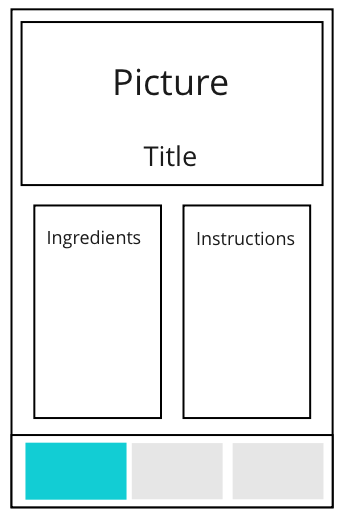
Recipe details screen design

Unfortunately, the content didn’t scroll which caused a display issue when the number instructions or ingredients increased.
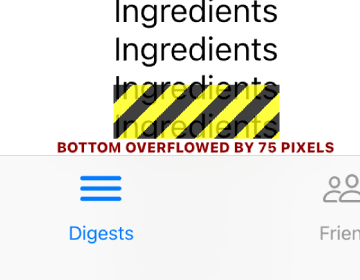
Overflow error when too many ingredients

Ta Da

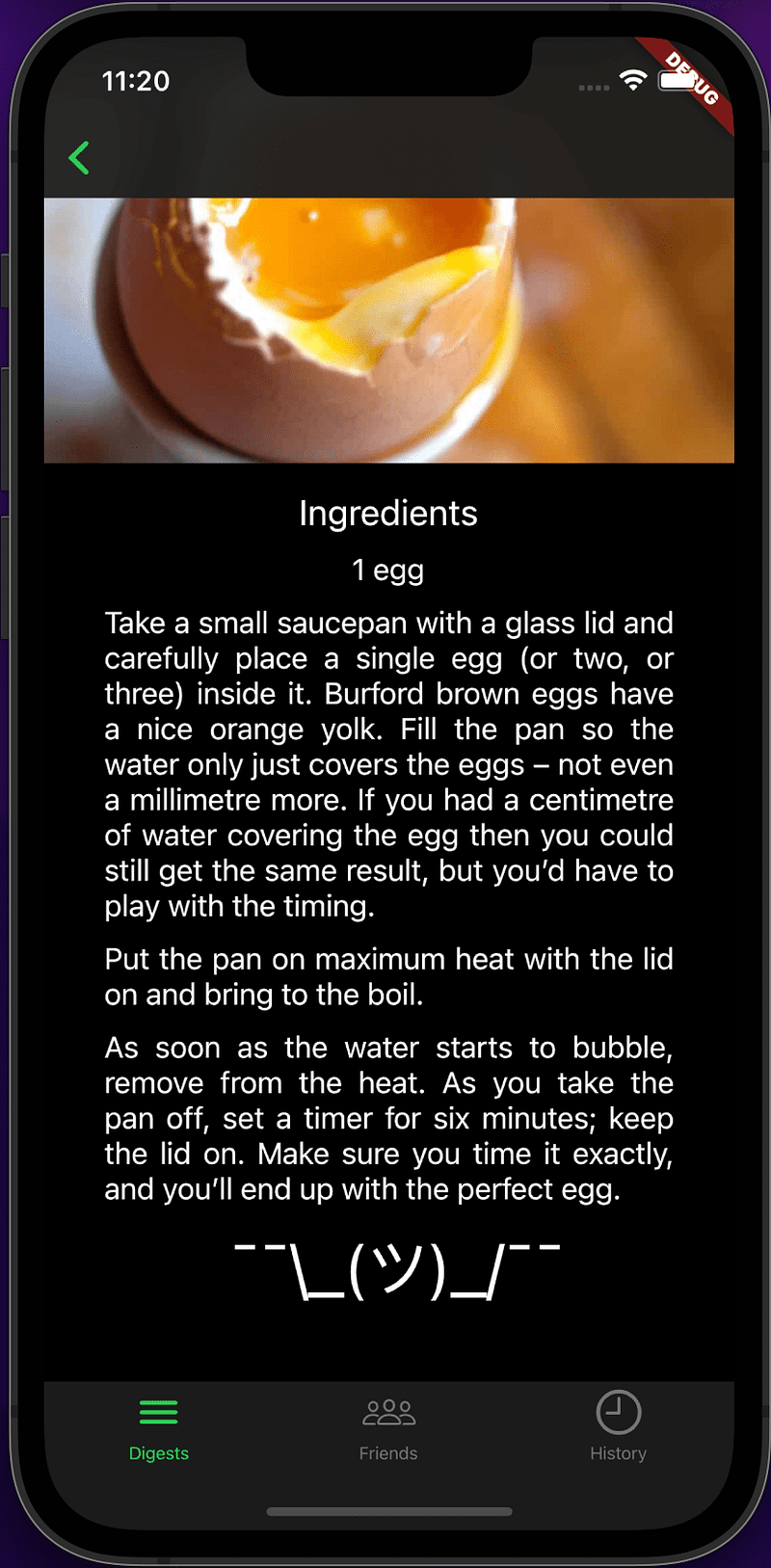
After a bit of research (see links below) I found the way to implement a natural iOS experience where the content scrolls under the tab and navigation bars.
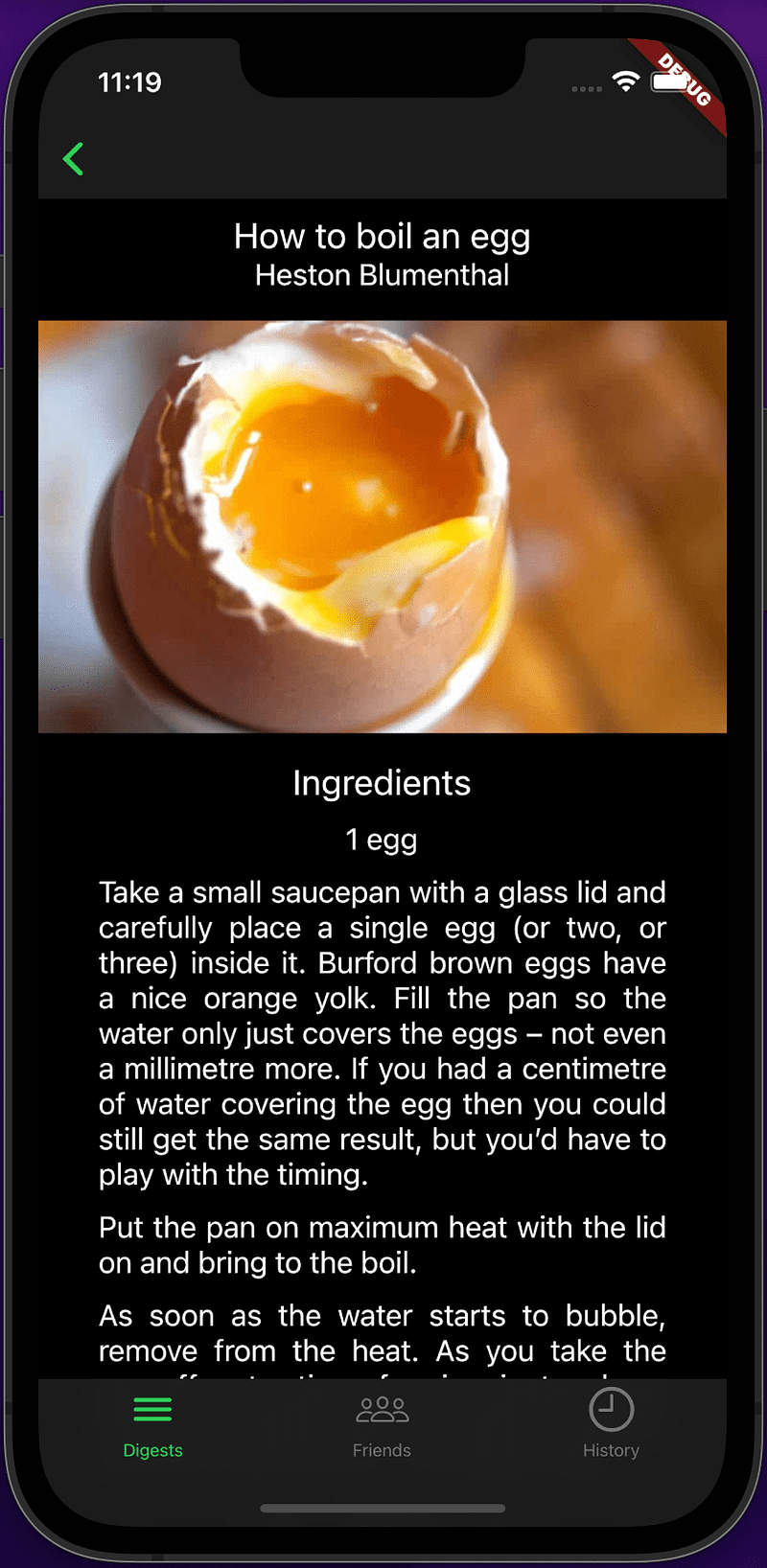
Recipe details before scrolling
Recipe details after scrolling to the bottom

BackBurner

We haven’t spent any time improving the style of the recipe details screen, it’s pretty bland, not something I’d want to release. We can tackle this in a future post, once we have a few more screens up and running.

Large navigation bar title that shrinks when the content is scrolled. This can be achieved when you use the CupertinoSliverNavigationBar as the top widget in the sliver list, it requires largeTitle or it errors, so you cannot use it as the normal navigation bar. The plan is to add it as extra functionality to the new TabScrollableContentScaffold widget.
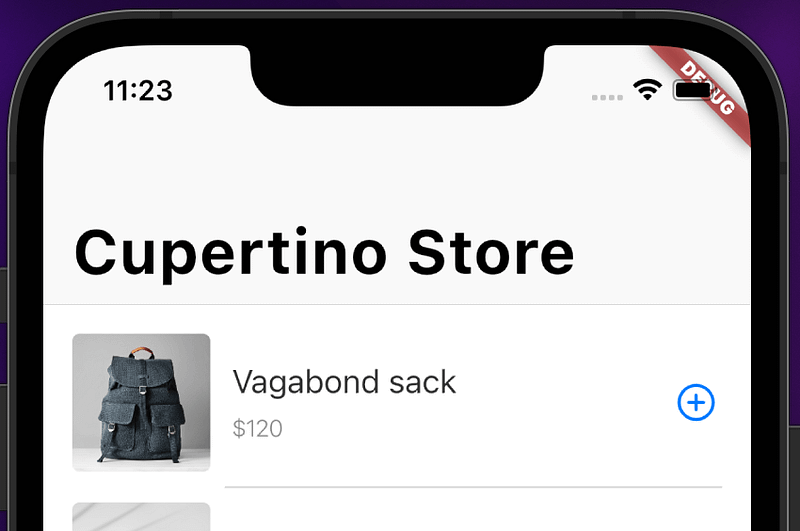
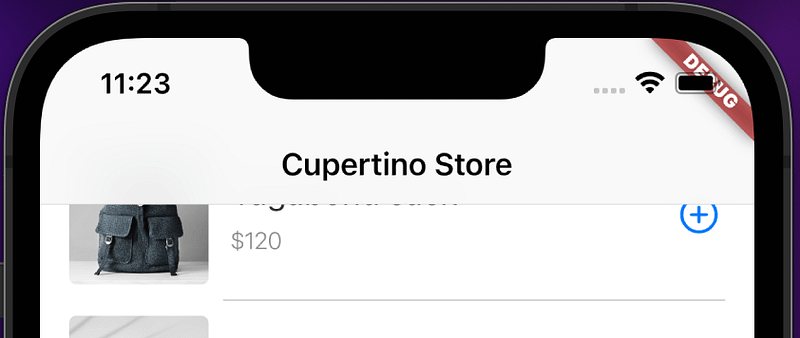
Large title in the navigation bar.
Nav bar title has shunk and moved up after scrolling

XP

We needed to slow down and make sure that we could provide a native experience when scrolling content in a tab.

Which includes content appearing to scroll under the tab and navigation bar and for it to bounce and snap when it reaches the beginning or end. This was abstracted into a widget called TabScrollableContentScaffold so we can easily reproduce the experience on other tabs we build.

@override
Widget build(BuildContext context) {
  
  var appState = Provider.of<DigestableMeState>(context);
return TabScrollableContentScaffold(
    navigationBar: navBar(),
    children: [
      recipeTitleAndAuthor(appState),
      recipeImage(),
      for (Widget item in ingredients(appState))
        item,
      for (Widget item in instructions(appState))
        item,
      shrug()
    ],
  );
}

Mapping hurts, is costly, never under estimate it, get good at map -> reduce in the languages you use. Had to add some more code and tests to fix the mapping from ‘serpApiResult’ results to the ‘Recipe’ view model.

You may have noticed that the initial screen design changed, instructions and ingredients are not side by side, this sort of small change is the normal during most implementations, just remember to demo and agree them.

Links

Sound & Vision

The shocking Miss Emerald, by Caro Emerald.

One more thing

You go to your TV when you want to turn your brain off. You go to your computer when you want to turn your brain on. Those are not the same.

Steve Jobs_

Flutter
Dart
Programming
Mobile
iOS
Recommended from ReadMedium