

Flutter — Riverpod
Subscribe to view all the articles, or check out the code.
We can now build new features and widgets through tests, it is now time to harden what we have and get ready for production and working with a larger team.
For a long time I’ve held off changing away from simple state management using ‘Provider’.
But now I’m looking to be able to access state without a build context, avoid runtime ProviderNotFoundExceptions, improve its testability, tidy up the ChangeNotifier code that has no real pattern, move towards immutable state where needed and have better support for Authentication and async API’s calls across different environments.
I reviewed the current big three in state management, Bloc, GetIt, Riverpod and choose Riverpod, try them, it really comes down to personal choice and project / team size.
Riverpod is still a locator pattern where you use a ref to the container and as such requires that your code is coupled.
For me the key advantage was it is simple to create small bits of state rather than large nested objects and then combine them where needed.
I going to start with some basic examples to retrieve recipes and provide some application configuration state.
My intention is to update this blog further when experiences and usage patterns emerge with the project, like authentication, filtering and sorting…
Ta Da
Getting started


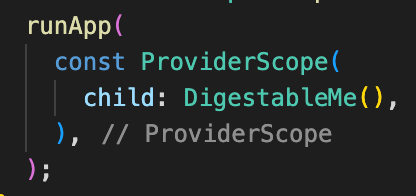
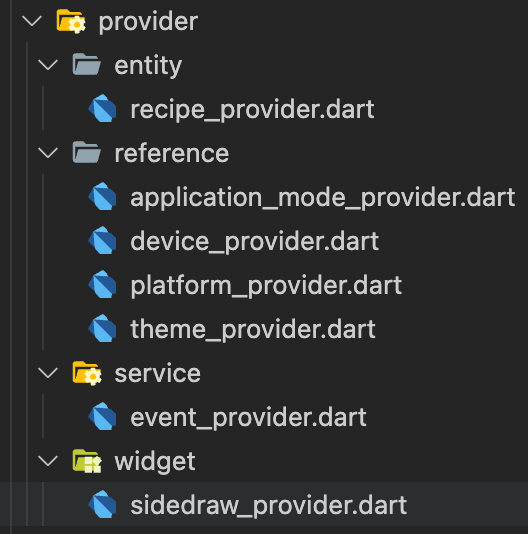
You can then declare providers where ever you want. I opted to add them to separate .dart files and then include them where needed.
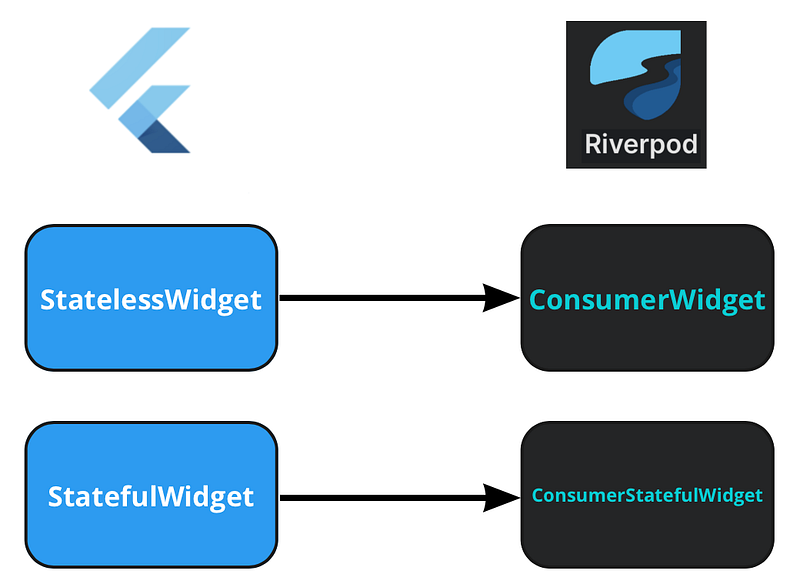
To consume providers you need access to the Riverpod’s state container through it’s ‘ref’ property, you do this by changing the widgets type:
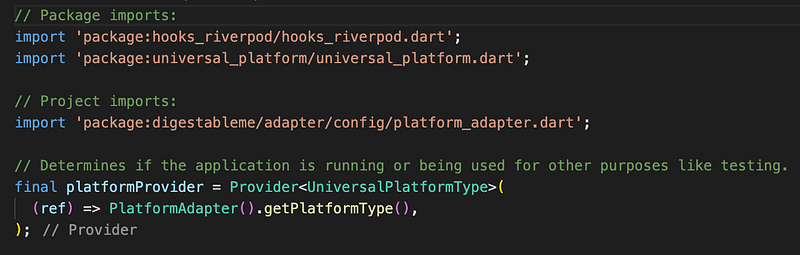
Simple read only provider
In stateless widgets ‘ConsumerWidget’ you need to add WidgetRef ref to the build method.
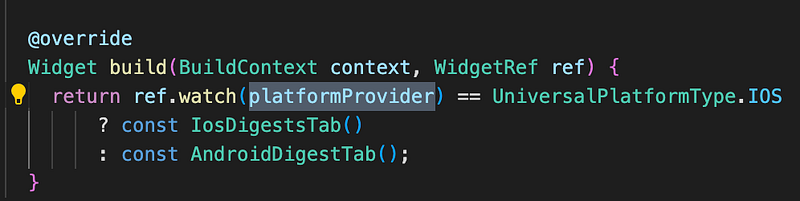
In stateful widgets ‘ConsumerStatefulWidget’ ref is available everywhere and does not need to be declared on the build method.

Future provider for API calls
The examples shows the direct use of the API client, when I add authentication it will move out into its own provider.
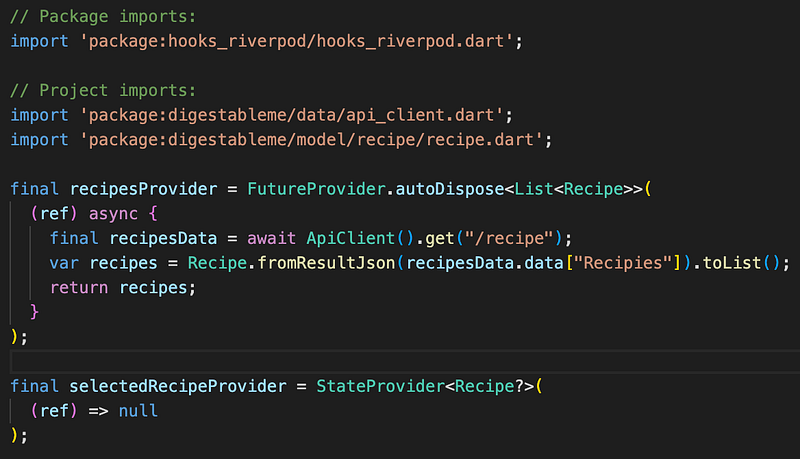
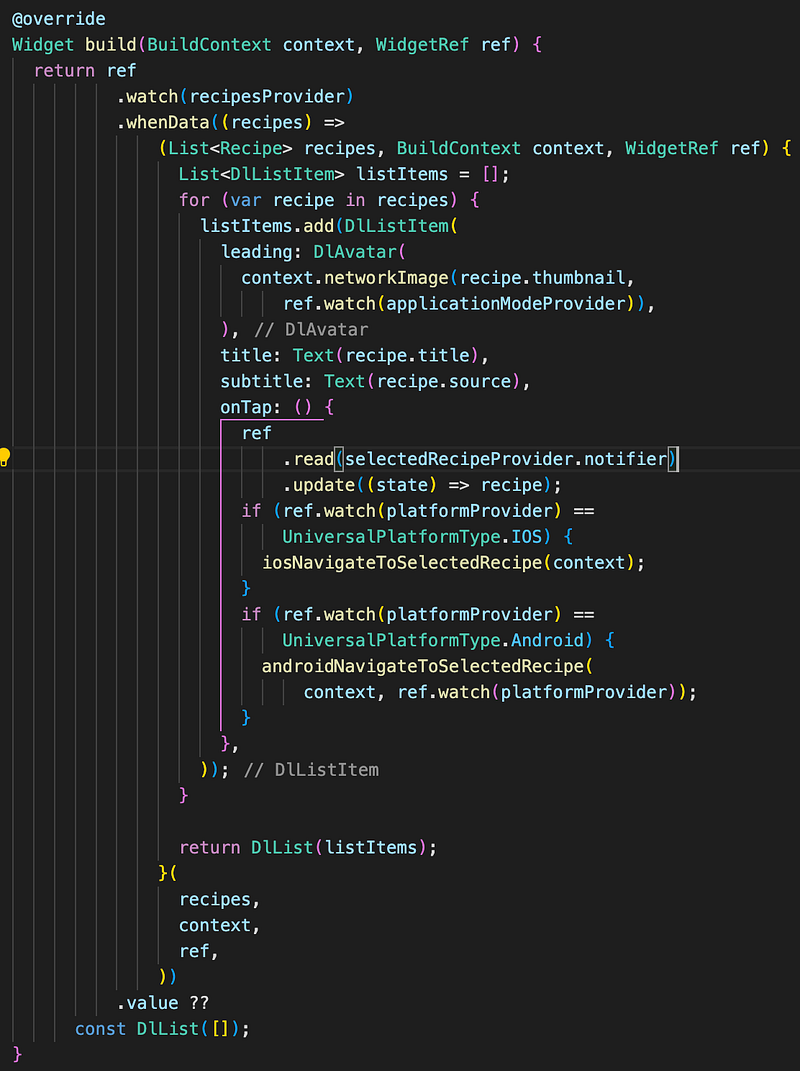
I like the ability to just use the .whenData extension on .watch to implement the widget when the data is available and to provide a default .value during loading and failure. This may change if I need to add animations or skeletons during loading.
It is important to use .watch for all values in build methods where you wish the widget to rebuild when state changes, equally not to use it inside callbacks like onTap, use .read instead.
XP
ProviderScope Error: ‘!_dirty’ is not true

Invalid syntax that was auto formatted to this by vscode
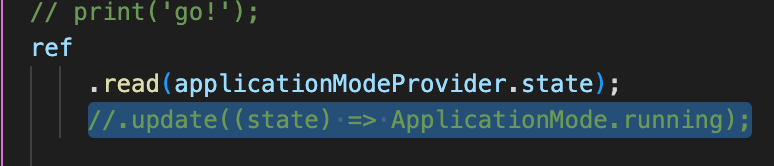
But needs to be this
