
Flutter — Project Structure
Folders can have a single structure, I started with layers at the top level e..g widgets, models… but as the project grows I’m finding it more difficult to find things because I’m working feature first.
So I’ve restructured the project to have features at the top level.
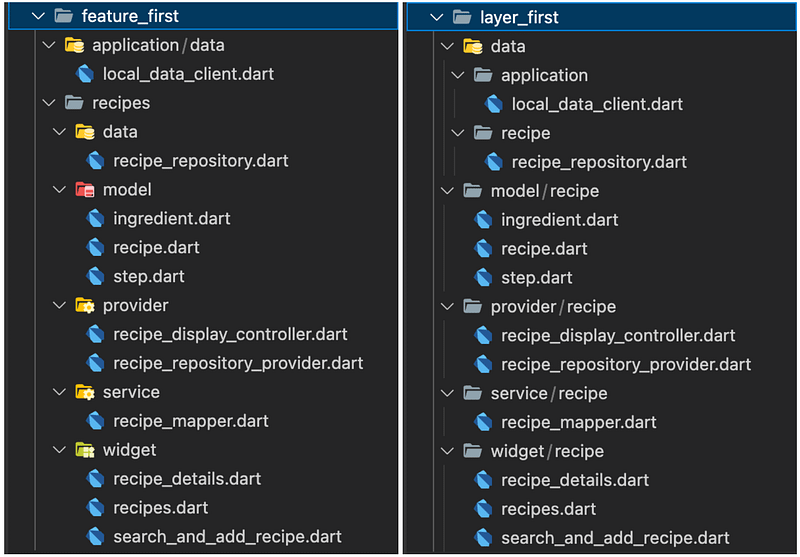
NB: For now I’m including any items shared across features in the application feature, this is up for change based on experience.
Ta Da
Layers & Architecture
The layers now sit under each feature.
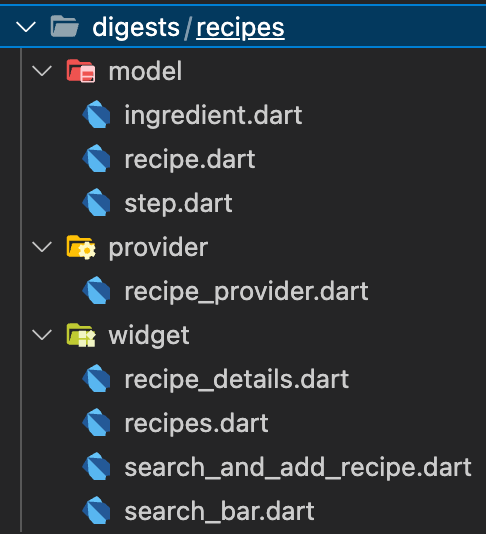
The layers I create under each feature:
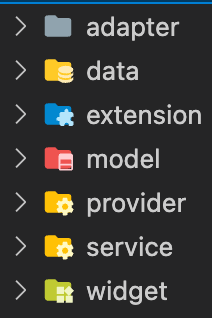
Are tied in to my decision to use Riverpod and the teachings of:
- Alister Cockburn’s Hexagonal Architecture that outlined the pitfalls of object orientated design and undesirable dependencies.
- Uncle Bob’s Clean Architecture that aim’s to keep your code base clean, easy to test and highly maintainable, especially when dependencies (flutter pub packages) need to be changed.
- The patterns adapted for Flutter in a series of articles on codewithandrea.com, thanks Andrea.
Presentation (widget & provider folders)
To build a great UI experience we will create widgets to display data and Riverpod providers to provide data(state) in response to user and application events.
Services (service & extension folders)
Application logic to support presentation and communication e..g mapping values from an external data provider to the application models. Ideally in composable functions rather than classes.
Models (model folder)
Immutable classes to model data for display.
Adapters (data & adapter folders)
Adapters communicate with external services and at the moment this is just API’s via http so that codes sits under a specially named /data folder as data access via API’s will be the most common adapter, others that follow will go under the /adapter folder.
XP
Refactoring from Layer first
Visual code did a reasonable job of renaming imports when I moved files.
When it couldn’t I could lean on the compiler errors listed under

Fix the first one and then use replace in files for the remaining references.
I moved a widget ‘Avatar’ to DigestableLego as moving it under the recipes feature felt wrong, could hide it from others. To generalise going forward widgets that are atoms (See Atomic Design) should be created in DigestableLego.
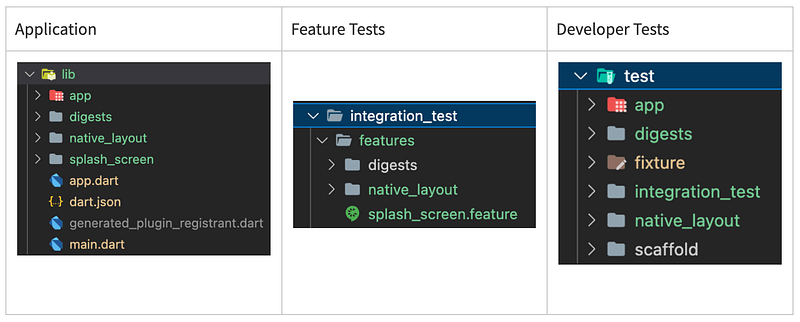
Once the code was moved I restructured the features under the /integration_test to match the features in /lib
I then took advantage of a feature in Visual Studio Code ‘Go to Tests’ to do the same with the unit and widget tests.
I did this by going to the old test file and using the ‘Go to Reference (F12)’ feature to find the file under test in /lib and then using ‘Go to Tests’ on it and moving the old tests to the new file.
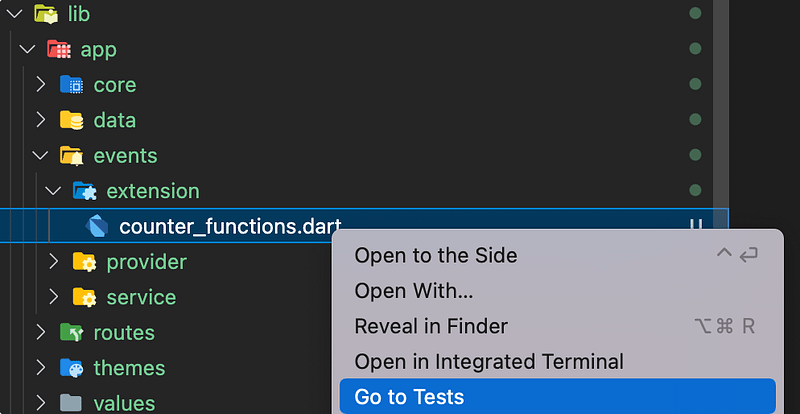
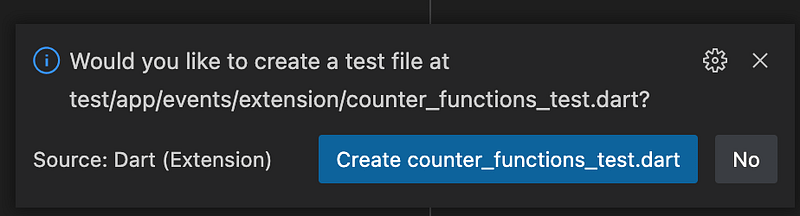
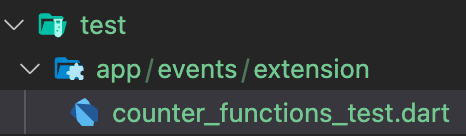
It has meant that widget and unit tests are mixed in under /test directory, where as before they where easily identifiable under /test/unit and /test/widget.
May require more thought, work if I find a need to separate them, for instance to run in different builds.
I think the benefit of ‘Go to Tests’ will justify any extra thought or work as it will make it easy for developers to add new and find existing tests and to do things the same way, that’s about, rhythm which is so important.
Test has a couple of non feature folders.
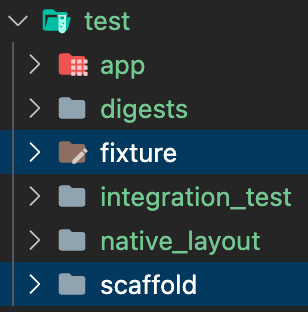
‘fixture’ directories hold data and resource to seed tests and can be create where needed, the top level one holds application level data.
’scaffold’ any abstractions to make testing easier, more declarative.
Feature Driven
The feature(/integration_test) and developer test files(/test) now match the structure of the application code in the /lib directory. _
This feels right, clean, a good improvement given we are aiming towards feature driven.
It should make maintenance and addition of features easier.
Naming features
Make them descriptive, readable, avoid jargon that causes cognitive load.
Sound & Vision