
Flutter — Offline First
Offline is my default state, a connection is a nice addition
To support being Offline first, I’ve added a new feature that monitors the client device connection and updates a ‘Connection’ state with two values ‘Online’ & ‘Offline’.
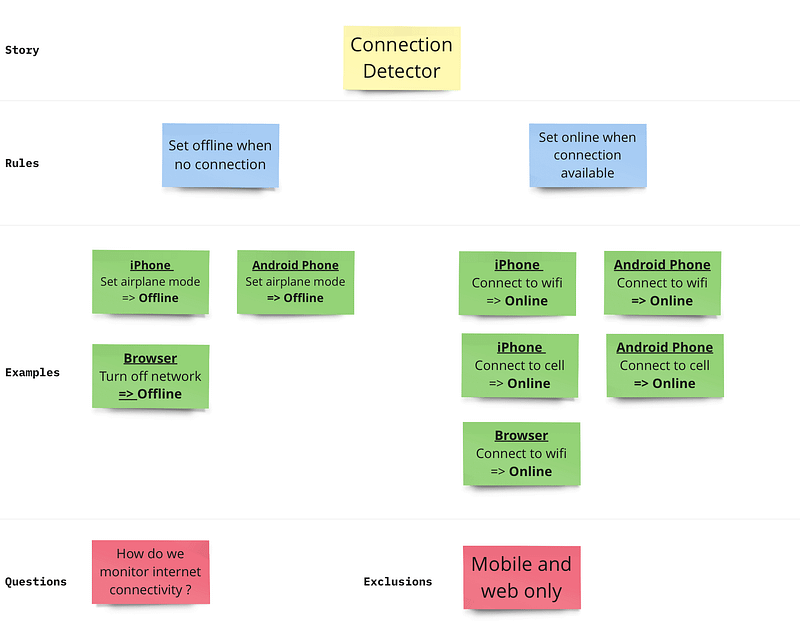
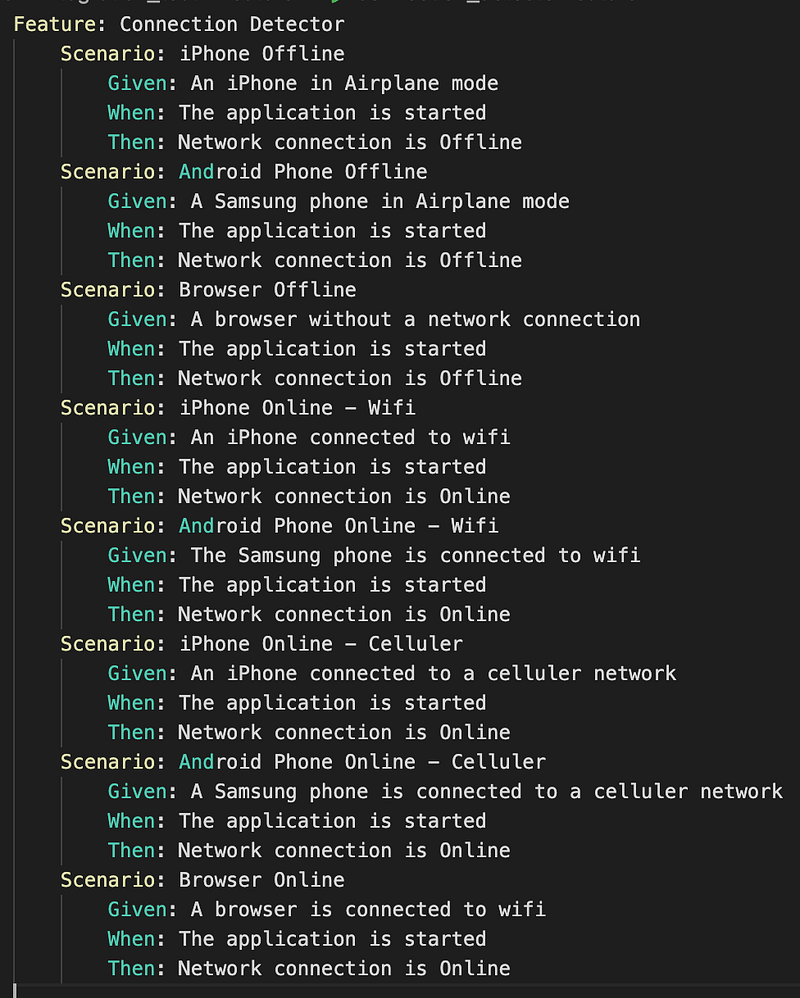
In the next post in the mini ‘_Offline First_’ series, I will use the new connectivity detection, to point data requests at a local DB when offline, and to sync them when the online API is available.
Ta Da
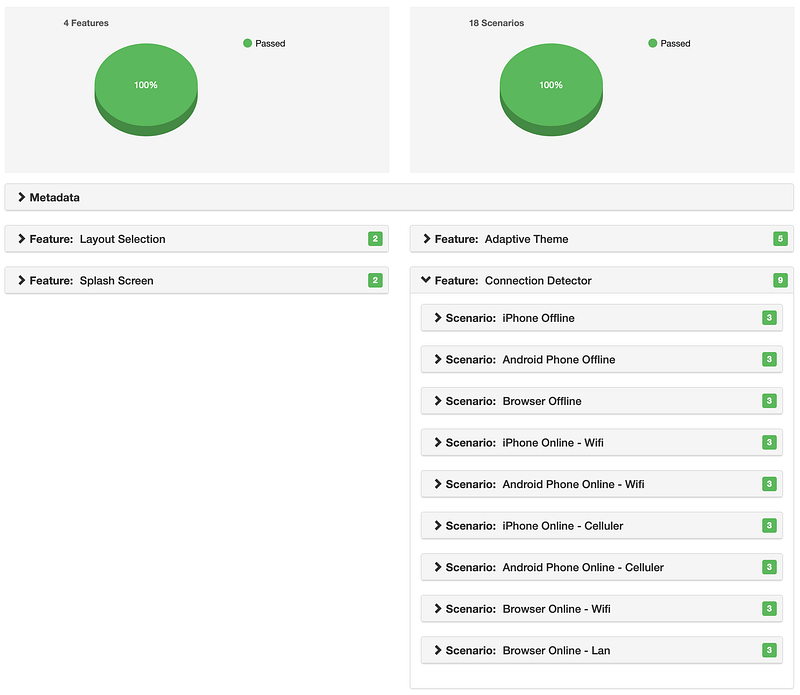
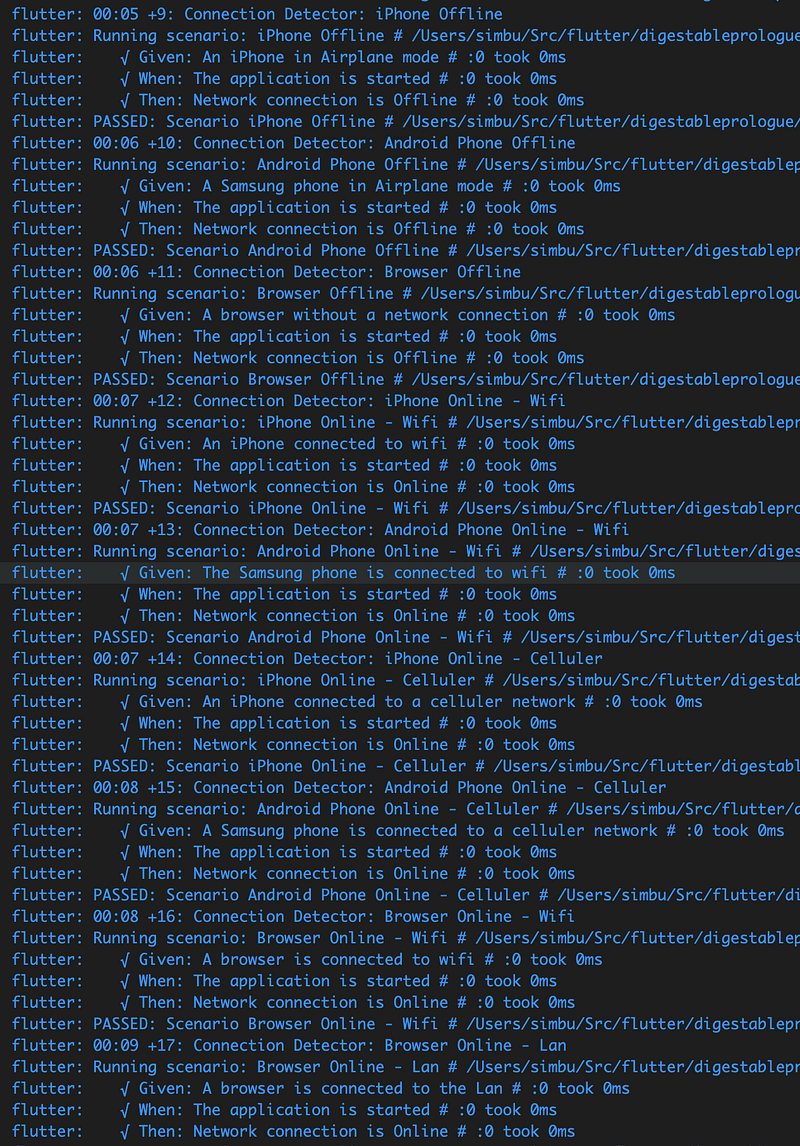
It was easy to implement the feature using the connectivity_plus package.
It just required a new provider:
// Package imports:
import 'package:connectivity_plus/connectivity_plus.dart';
import 'package:digestable_prologue/connection_detector/model/network_connection_state.dart';
import 'package:hooks_riverpod/hooks_riverpod.dart';

class NetworkConnectionStateNotifier
    extends StateNotifier<NetworkConnectionState> {
  NetworkConnectionStateNotifier(super.state);

  setNetworkStateByConnectivityResult(ConnectivityResult connectivityResult) {
    var onlineStates = <ConnectivityResult>[
      ConnectivityResult.wifi,
      ConnectivityResult.ethernet,
      ConnectivityResult.mobile
    ];

    var isOnlineState = onlineStates.contains(connectivityResult);

    state = isOnlineState
        ? NetworkConnectionState.online
        : NetworkConnectionState.offline;
  }
}

final networkConnectionStateProvider = StateNotifierProvider<
    NetworkConnectionStateNotifier, NetworkConnectionState>(
  (ref) => NetworkConnectionStateNotifier(NetworkConnectionState.offline),
);
And an enum:
enum NetworkConnectionState {
  offline,
  online
}
And the connectivity_plus package with a single event bootstrap statement:
@override
void initState() {
   super.initState();
   ...
   subscription = Connectivity()
        .onConnectivityChanged
        .listen((ConnectivityResult connectivityResult) {
      ref
          .read(networkConnectionStateProvider.notifier)
          .setNetworkStateByConnectivityResult(connectivityResult);
    });
}
XP
Test First Help to Improve and Simplify the Design
My sketched initial design was this:
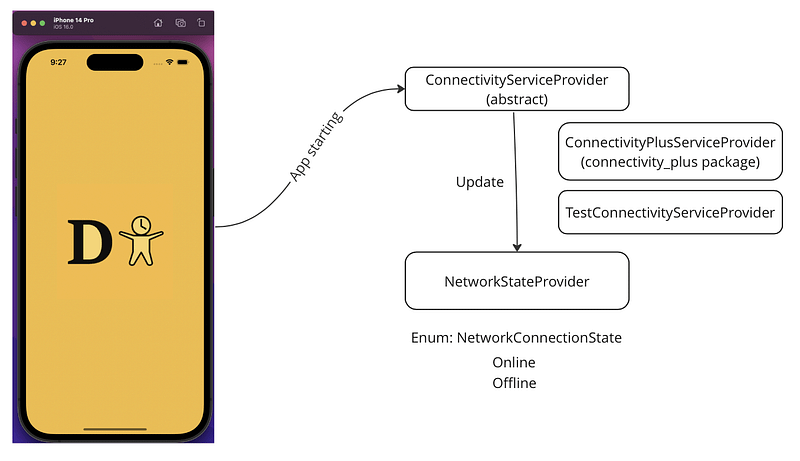
It felt right to wrap the package calls with a service that could be overridden in test.
But when I started to code the bootstrapping and steps in the feature tests it got complex, especially given that GetConnectivity() method was an async future, it quickly felt like a code smell, bad, over complex code.
On top of that I realised that I didn’t need to use the new ConnectivityServiceProvider in the ‘_PrologueApp_’ widget.
Instead, I could simply listen to a connectivity change event via the package and just call the NetworkStateProvider and let it decide whether it was on or offline based on the ConnectivityResult.
BackBurner
flutter_gherkin step matching issue
This
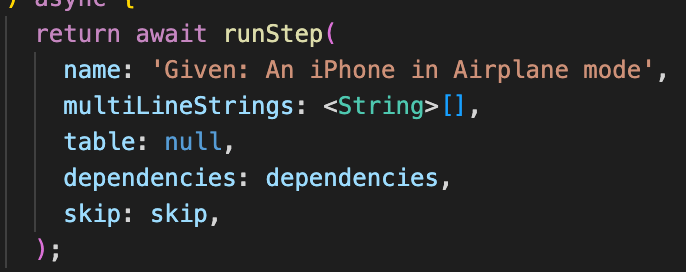
Matched this
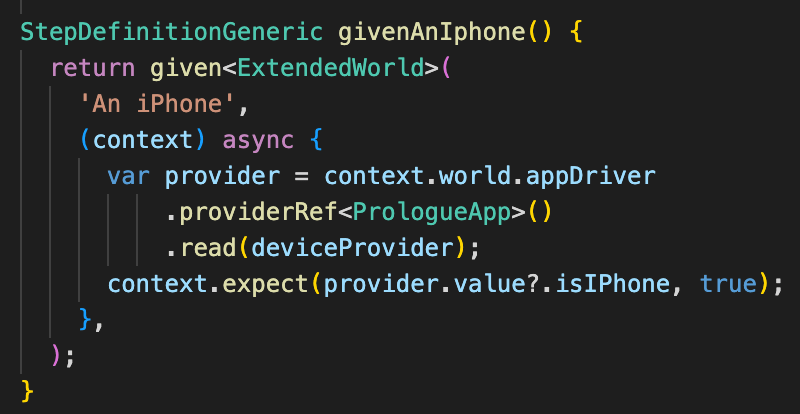
And not this
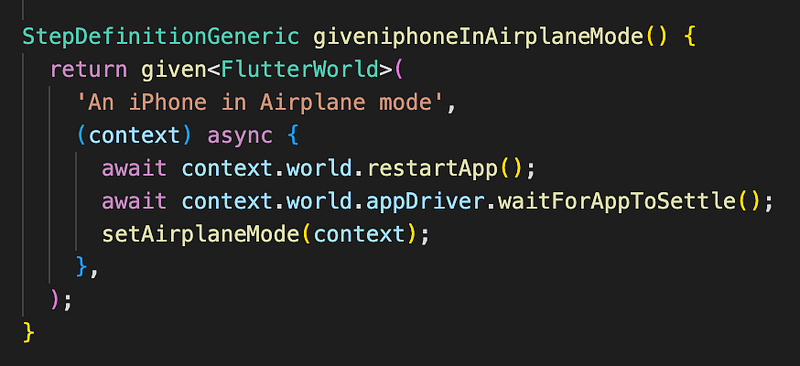
Causing the test to fail because the network connectivity was left set to wifi!

I will create a PR against flutter_gherkin to fix this.
To patch the issue I renamed ‘An iPhone’ to ‘An Apple iPhone’.
Sound & Vision