

Flutter — Navigate with GoRouter
I got partway through adding authentication when I realised that I needed to automatically reroute to the Login screen when not authenticated.
After several failed attempts to add this capability using services/events, I turned to routing, and GoRouter, because it can handle redirection based on the application state.
Its the most flexible and feature rich routing option with a number of key features:
- Web — Query param access, integrate with the browser History API
- Deep linking — Display screen via URL on iOS & Android
- Transition animations
- Redirection — Link routing to state changes
- Named routes
- Error handling — Default screens for MaterialApp & CupertinoApp
Ta Da
I now registered routes when the application starts:
var routeRegistry = ref.read(routeRegistryProvider);

routeRegistry.add(ARoute("Home", "Landing Page", "/", const LayoutSelector()));

routeRegistry.add(ARoute("Login", "Login Screen", "/login", const Login()));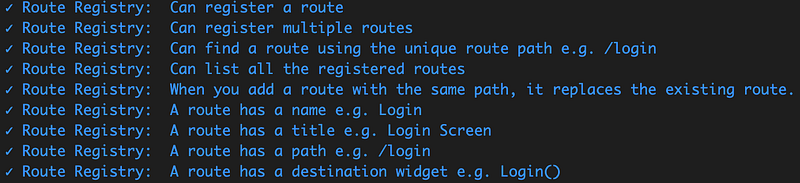
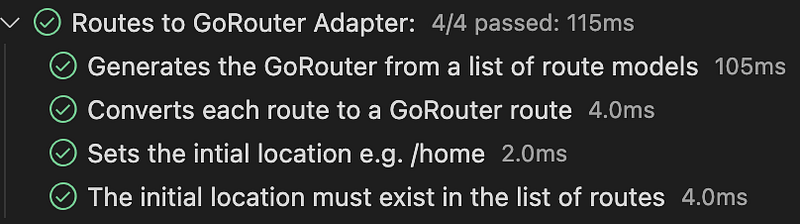
and wire them up with a new adapter RoutesToGoRouterAdapter:
CupertinoApp cupertinoApp(BuildContext context) {
  var routeModels = ref.watch(routeRegistryProvider).routeList;
  return CupertinoApp.router(
    title: "Prologue",
    theme: ref.watch(themeProvider).cupertinoThemeData,
    routerConfig: RoutesToGoRouterAdapter(routeModels, "/", redirect: routeRedirectPolicy).goRouter,
  );
}
The redirection is configured to react to a state changes in the IsAuthenticated flag and redirect to the Login Screen when not authenticated:
FutureOr<String?> routeRedirectPolicy(context, state) {
  if (ref.watch(authenticationProvider).isAuthenticated)
  {
    return null;
  }
  var loginRoutePath = "/login";
  ref.watch(eventStoreProvider).bus.fire(Navigated(loginRoutePath));
  return loginRoutePath;
}
XP
GoRouter
I’ve added a few helper extensions to the BuildContext as syntactic sugar:
// Usage
// context.navPush("/login")   Go Fwd (Add to stack)
// context.navGo("/login").    Replace stack
// context.pop()               Go back (Remove from stack)
extension GoRouterExtension on BuildContext {
  void navPush(String routeName){
    GoRouter.of(this).push(routeName);
  }

  void navGo(String routeName){
    GoRouter.of(this).go(routeName);
  }

  void navPop(){
    GoRouter.of(this).pop();
  }
}
Routing in widgets needs to happen in response to UI actions like button taps and not when widgets are being built for display.
On my first attempt at redirecting to the login screen, I add code into the Widget build method:
@override
  Widget build(BuildContext context, WidgetRef ref) {

    if (!ref.watch(authenticationProvider).isAuthenticated){
      context.navPush("/login");
    }
And I got this error:
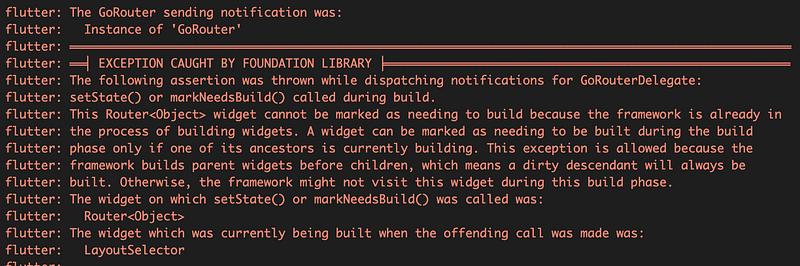
Which makes sense, no state changes until the invalidated UI is built or we risk looping.
I then found this method, which worked but is not ideal:
WidgetsBinding.instance.addPostFrameCallback((_) {
      if (!ref.watch(authenticationProvider).isAuthenticated) {
        context.navPush("/login");
      }
    });
The best way I found to handle it is to use the built in GoRouter redirection:
redirect: routeRedirectPolicyWhere routeRedirectPolicy is a function with access to the context, navigation state and Riverpod ref that returns the redirect route or null if no redirection is required:
FutureOr<String?> routeRedirectPolicy(context, state) {
  if (ref.watch(authenticationProvider).isAuthenticated)
  {
    return null;
  }
  var loginRoutePath = "/login";
  ref.watch(eventStoreProvider).bus.fire(Navigated(loginRoutePath));
  return loginRoutePath;
}
With the configurable route redirection and error handling I now complete authentication and data access, with the benefit of reducing the coupling, app logic code in the widgets, and avoid the need to gain access to the context and navigation outside of the build().