Flutter Design Patterns: 7 — Facade
An overview of the Facade design pattern and its implementation in Dart and Flutter
In the last article, I analysed one of the behavioural design patterns — State. This time, I would like to represent a pattern that you have probably already used as a developer, but just did not realise that it is a design pattern at all. Therefore, let me introduce you to Facade.
Update 2022–09–15: I moved this blog to my personal website. For a better reading experience, up to date articles, interactive code examples and some extra content FOR FREE, check kazlauskas.dev.
Table of Contents
- What is the Facade design pattern?
- Analysis
- Implementation
- Other articles in this series
- Your contribution
What is the Facade design pattern?
The Facade belongs to the category of structural design patterns. Its intention in the GoF book is described as:
Provide a unified interface to a set of interfaces in a subsystem. Facade defines a higher-level interface that makes the subsystem easier to use.
The Facade pattern is very straightforward — it allows you to create a simplified class that wraps the set of methods/operations of the complex API or subsystem. Clients only communicate with the subsystem through this facade class which forwards all of the requests to the appropriate subsystem objects. As a result, the number of dependencies and references between clients and subsystems is reduced (the weak coupling is promoted between them), and the facade provides a simple interface of the subsystem that is good enough for most clients.
And that is pretty much it. Really, it is that simple! Of course, more information is provided in the analysis and implementation sections, so let’s dive deeper into the details.
Analysis
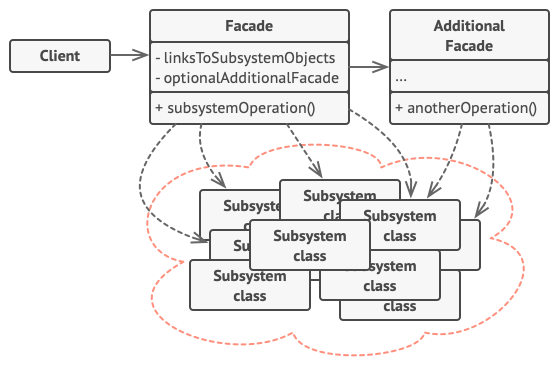
The general structure of the Facade design pattern looks like this:
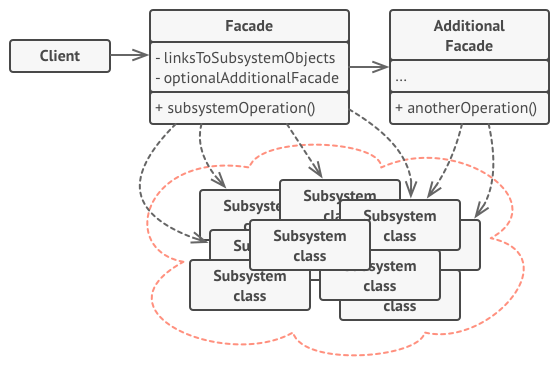
- Facade — knows which subsystem classes are responsible for a request and delegates the request to subsystem objects. The facade provides methods to access a particular part of the subsystem’s functionality;
- Additional Facade — can be created when you want to extract a set of operations from the main facade. This additional facade is optional and could be used by both clients and other facades;
- Subsystem classes — implement subsystem functionality and handle the work assigned by the Facade object. Subsystem classes do not keep references to the facade;
- Client — uses the facade instead of calling the system classes (their objects) directly.
Applicability
There are two main use cases of the Facade design pattern:
- When you want to provide a simple interface to a complex system. Usually, subsystems get more complex as they evolve and become harder to use for clients. Hence, the first part of this use case is to provide a simplified class of the most-used features of the subsystem which fit most client requirements. The second part is that the Facade design pattern allows you to reduce the coupling between multiple subsystems by requiring them to communicate only through facades.
- When the preexisting API is very big and you want to use only a part of it. In this case, the Facade design pattern wraps the needed operations/methods of the API and the client could use this “simplified API” wrapper — facade — instead of referencing the original tremendous API with unnecessary methods which are not used in the program/application code.
Implementation

Let’s say you want to fulfil your dream of having a smart house. You have bought a lot of smart devices from different providers and connected them to your network, but there is a problem — every device provides its interface (call it an API) so it becomes very tedious to manage different devices separately to accomplish a single task.
For instance, you want to watch a movie just like in the cinema. For this, you have to set up your house environment in a similar way:
- Turn off the lights;
- Turn on the TV;
- Turn on the audio system;
- Connect to some kind of movie streaming platform, e.g. Netflix;
- Start playing the movie.
For all of these steps, you have to call several APIs just to set up your environment. Wouldn’t it be nice just to say “Start playing The Matrix in home cinema mode” to your smart home assistant or turn on a single switch in your smart home mobile application and execute all of these steps as a single action? To implement this kind of functionality, the Facade design pattern is a great option!
Class diagram
The class diagram below shows the implementation of the Facade design pattern:
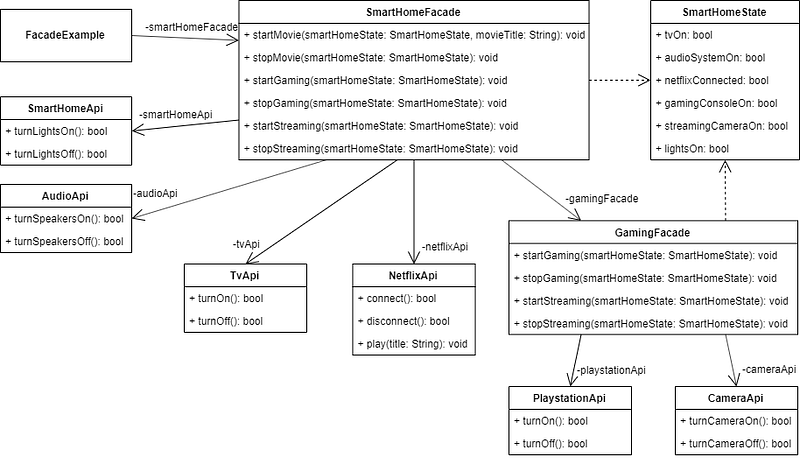
There are several APIs provided to communicate with smart devices (turn them on and off): AudioApi, CameraApi, PlaystationApi, SmartHomeApi and TvApi. NetflixApi provides methods to connect to the Netflix platform, disconnect from it and play the selected movie.
APIs are used by the facade classes:
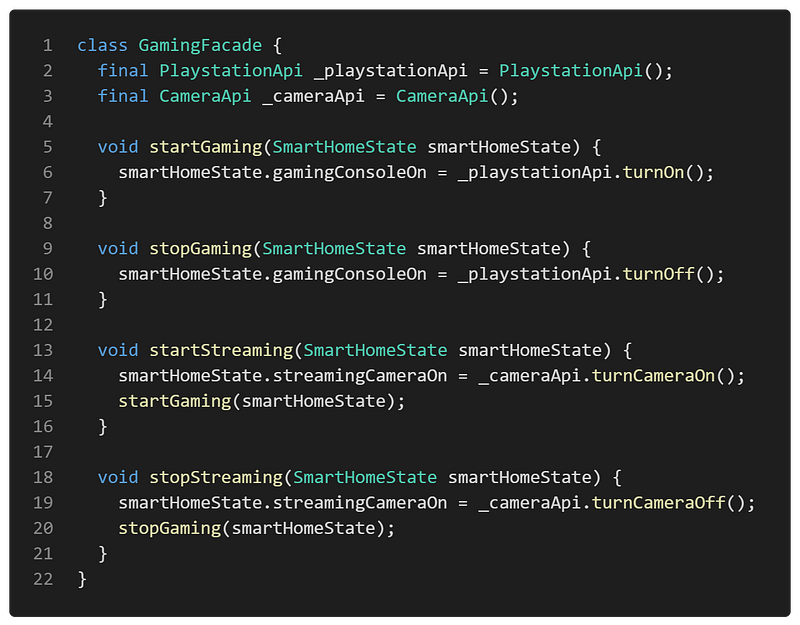
- GamingFacade — uses the PlaystationApi and CameraApi and provides methods related to gaming and streaming actions;
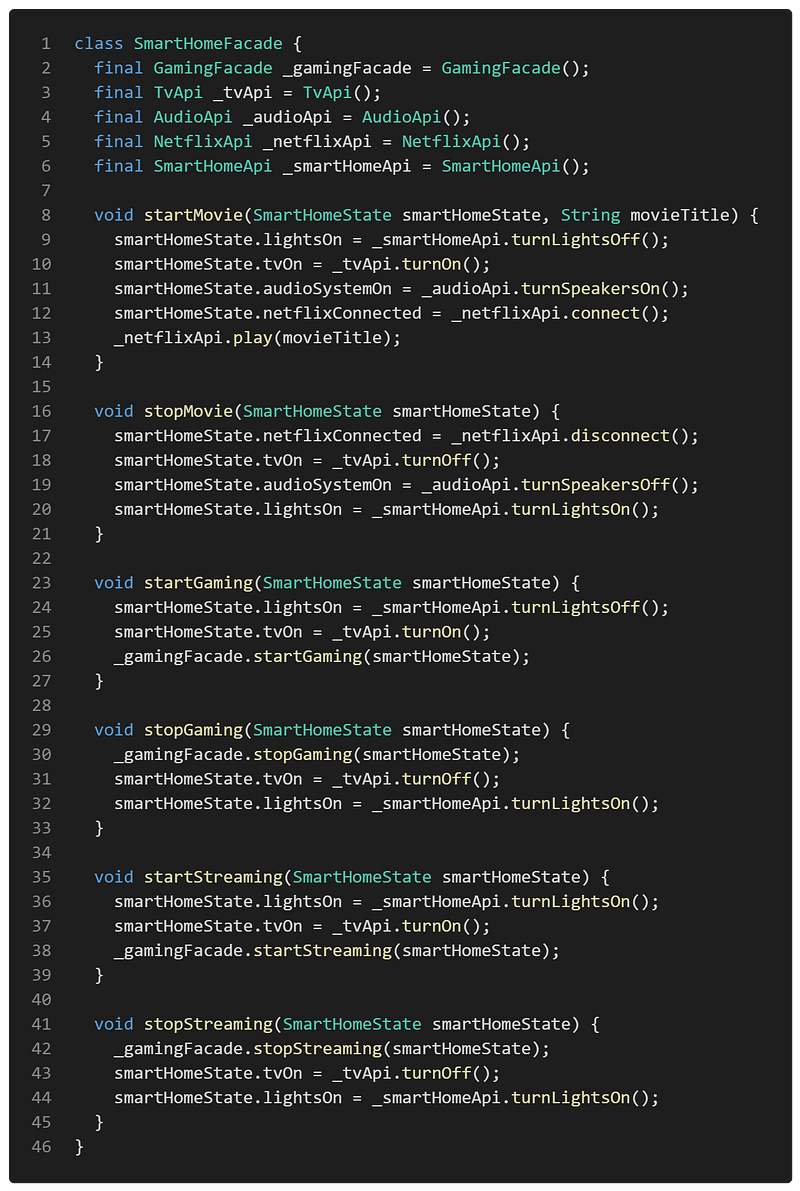
- SmartHomeFacade — uses the AudioApi, CameraApi, SmartHomeApi, TvApi and NetflixApi. It provides methods for gaming, streaming actions (GamingFacade is reused with some additional communication together with other smart devices) and actions related to playing a movie from the Netflix platform.
Both of the facades use the SmartHomeState class to save the current state of smart devices.
FacadeExample widget contains the SmartHomeFacade to communicate with the smart devices using the provided action methods in the facade.
APIs
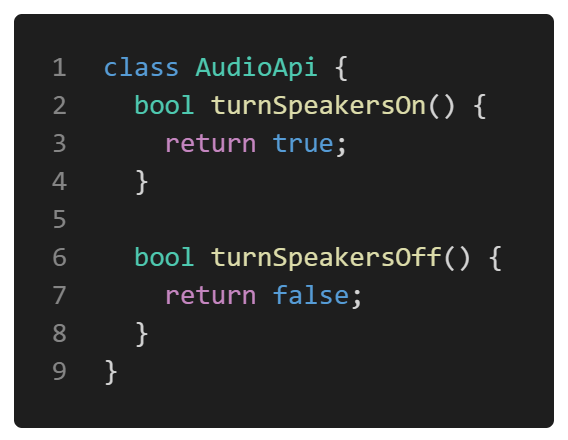
AudioApi — an API to turn the smart speakers ON/OFF.
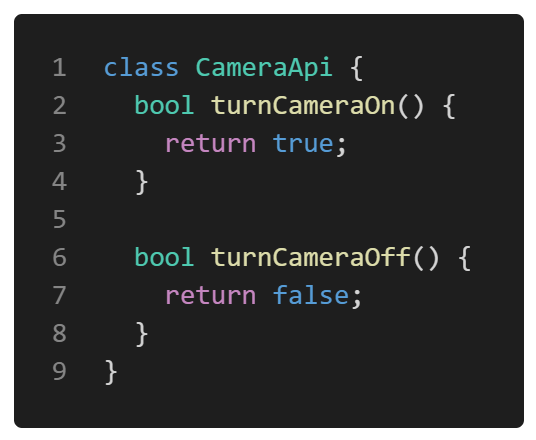
CameraApi — an API to turn the streaming camera ON/OFF.
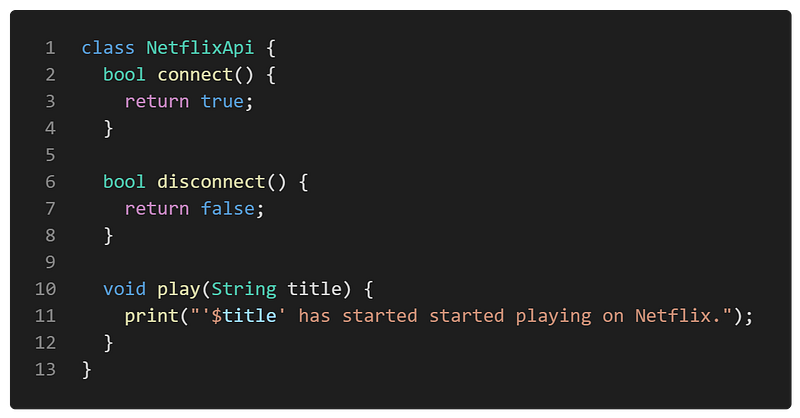
NetflixApi — an API to connect to the Netflix platform, disconnect from it and play the movie.
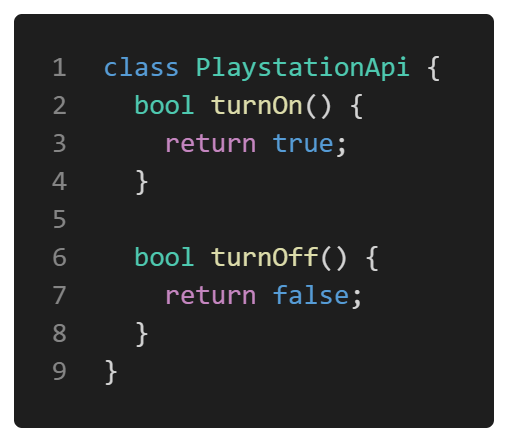
PlaystationApi — an API to turn the gaming console (PlayStation) ON/OFF.
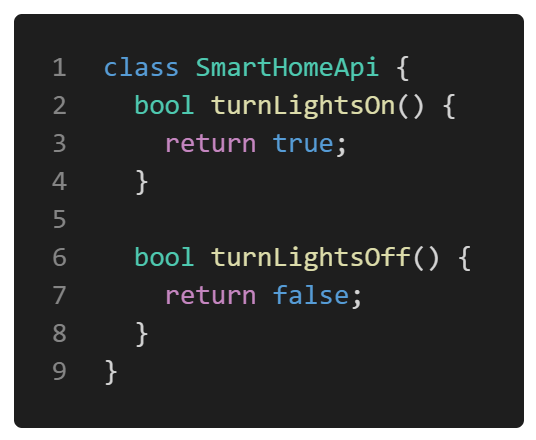
SmartHomeApi — an API to turn the smart lights ON/OFF.
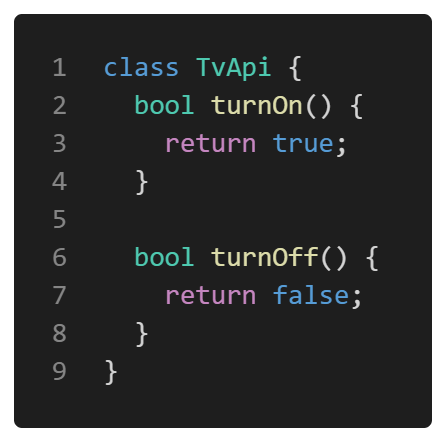
TvApi — an API to turn the smart TV ON/OFF.
Kittens break
If you have read to this point, you definitely deserved this!

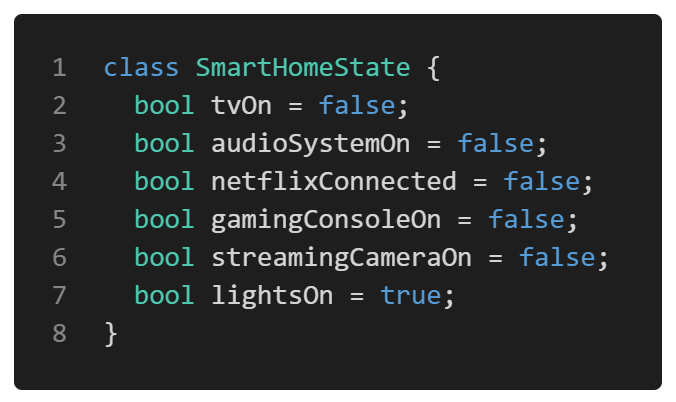
SmartHomeState
A class that holds the current state of all the smart devices at home.
GamingFacade
A facade class that uses APIs of the PlayStation and streaming camera and provides simplified methods to use them:
- startGaming() — uses the PlaystationApi to turn the gaming console on;
- stopGaming() — uses the PlaystationApi to turn the gaming console off;
- startStreaming() — uses the CameraApi to turn the streaming camera on and calls the startGaming method;
- stopStreaming() — uses the CameraApi to turn the streaming camera off and calls the stopGaming method.
SmartHomeFacade
A facade class that uses APIs of the smart TV, audio devices, Netflix platform and smart home equipment. Also, GamingFacade is used. Several methods are provided to simplify smart home actions:
- startMovie() — uses several different APIs to turn off the lights, turn on the smart TV and speakers, connect to the Netflix platform and start playing the selected movie;
- stopMovie() — uses several different APIs to disconnect from Netflix, turn off the smart TV and speakers, also turn the lights back on;
- startGaming() — uses the SmartHomeApi to turn the lights off, turns the smart TV on via the TvApi and calls the GamingFacade to start the gaming session;
- stopGaming() — uses the GamingFacade to stop the gaming session, turns the smart TV off using the TvApi and turns the lights back on via SmartHomeApi;
- startStreaming() — uses the SmartHomeApi to turn the lights on, turns the smart TV on via the TvApi and calls the GamingFacade to start the streaming session;
- stopStreaming() — uses the GamingFacade to stop the streaming session, turns the smart TV off using the TvApi and turns the lights back on via SmartHomeApi.
Example
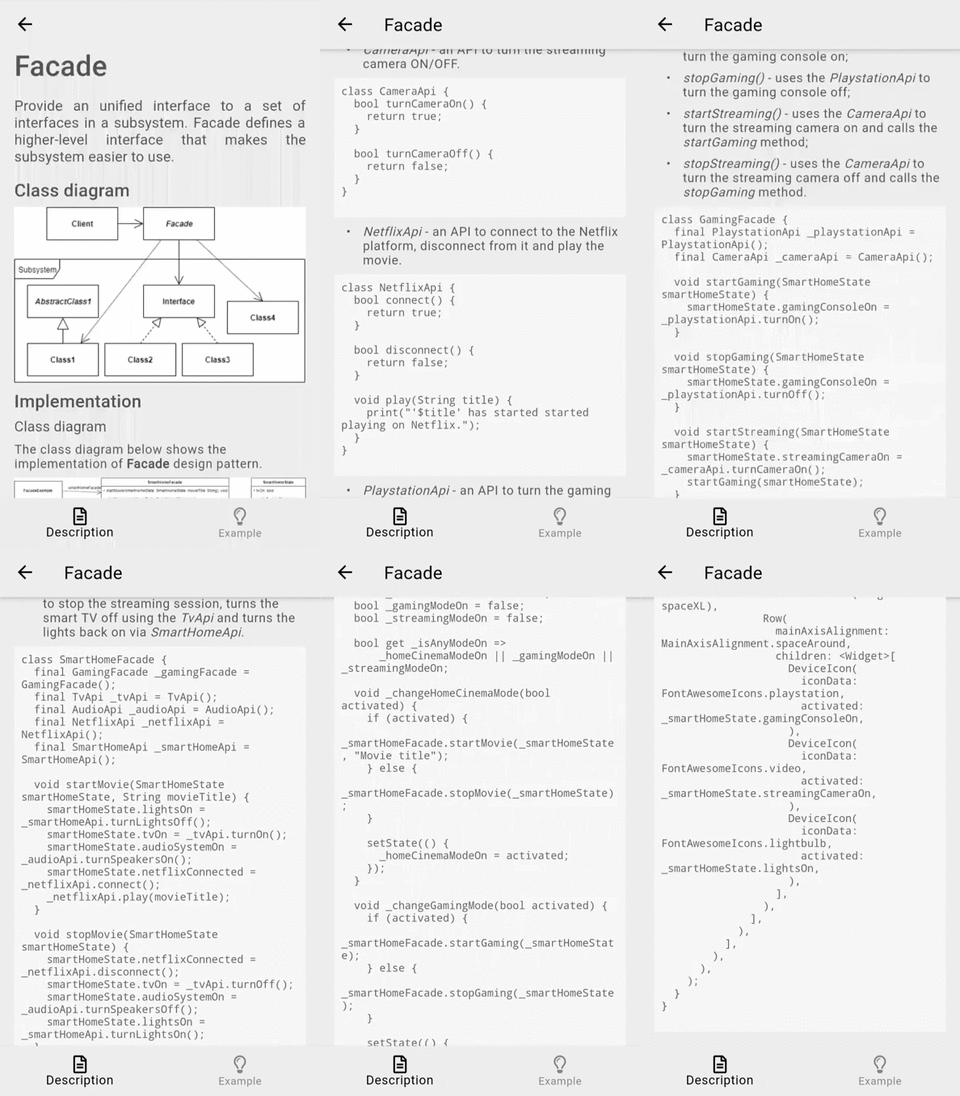
First of all, a markdown file is prepared and provided as a pattern’s description:
FacadeExample widget contains the SmartHomeState which holds the current state of smart devices and SmartHomeFacade to simplify the “smart actions”.
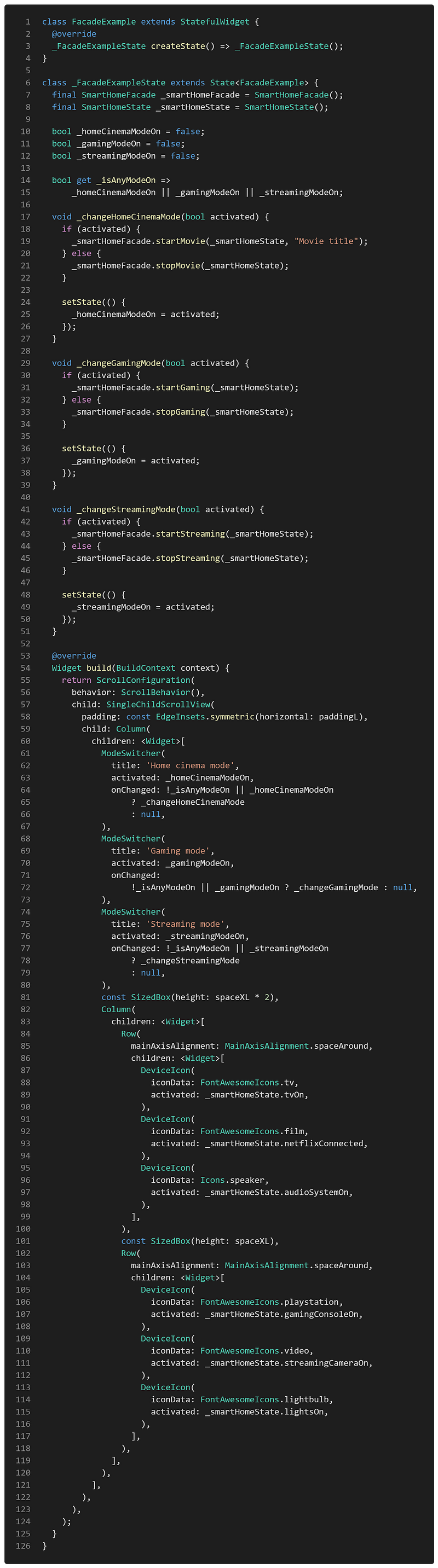
This widget only knows the simplified methods provided by the smart home facade but does not care about their implementation details, dependencies between classes or other facades and the amount of different APIs used to execute the single action. This allows implementing a complicated logic to handle the smart home actions just by turning the switch ON/OFF in ModeSwitcher widgets. Also, the implementation details of the smart devices’ handling methods in the SmartHomeFacade could be changed/improved without affecting the UI code.
The final result of the Facade design pattern’s implementation looks like this:
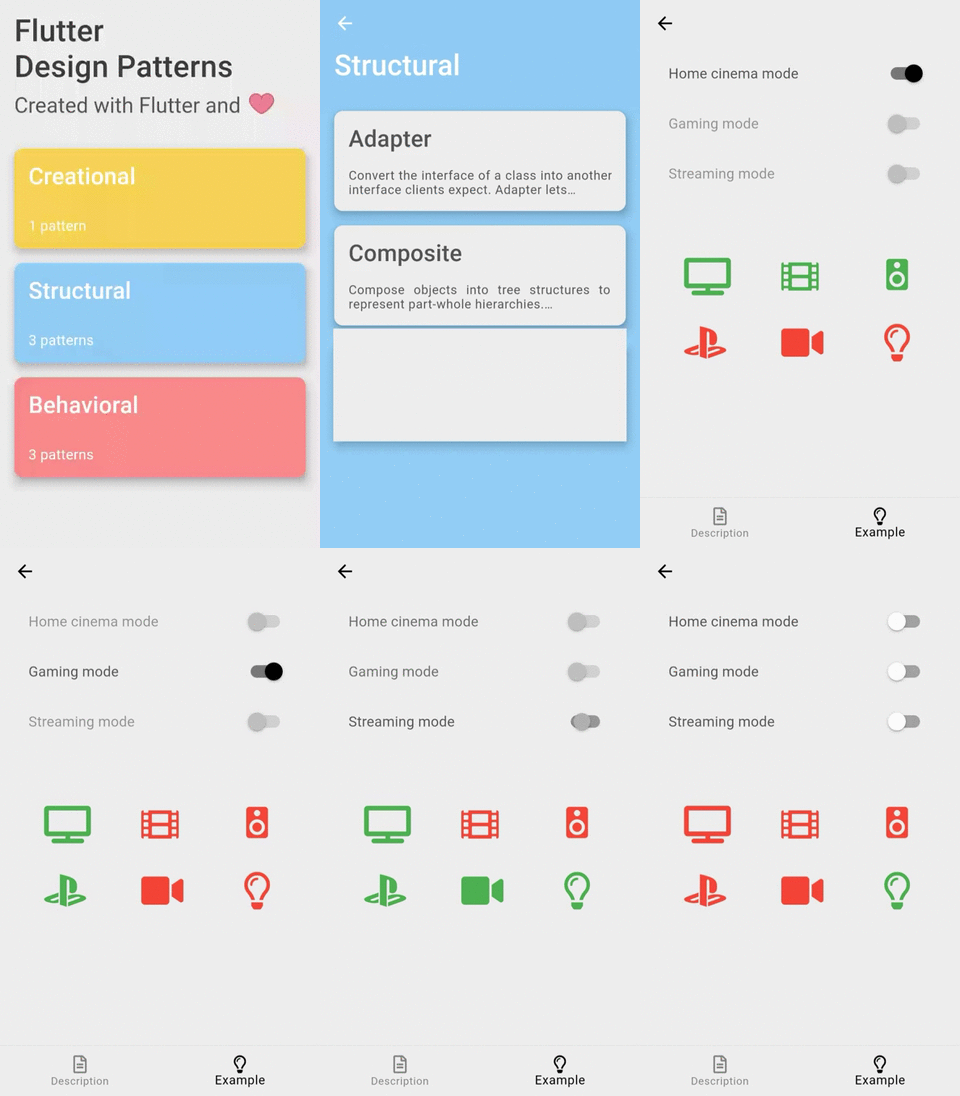
As you can see in the example, it is just enough to turn the switch on/off to communicate with multiple smart devices and change their state through the provided facade methods.
All of the code changes for the Facade design pattern and its example implementation could be found here.
Other articles in this series
- 0 — Introduction
- 1 — Singleton
- 2 — Adapter
- 3 — Template Method
- 4 — Composite
- 5 — Strategy
- 6 — State
- 8 — Interpreter
- 9 — Iterator
- 10 — Factory Method
- 11 — Abstract Factory
- 12 — Command
- 13 — Memento
- 14 — Prototype
- 15 — Proxy
- 16 — Decorator
- 17 — Bridge
- 18 — Builder
- 19 — Flyweight
- 20 — Chain of Responsibility
- 21 — Visitor
- 22 — Mediator
- 23 — Observer
Your contribution
👏 Press the clap button below to show your support and motivate me to write better! 💬 Leave a response to this article by providing your insights, comments or wishes for the series. 📢 Share this article with your friends, colleagues on social media. ➕ Follow me on Medium. ⭐ Star the Github repository.