
First Hands-On With ChatGPT Vision
I tested the groundbreaking new visual version of OpenAI’s chatbot
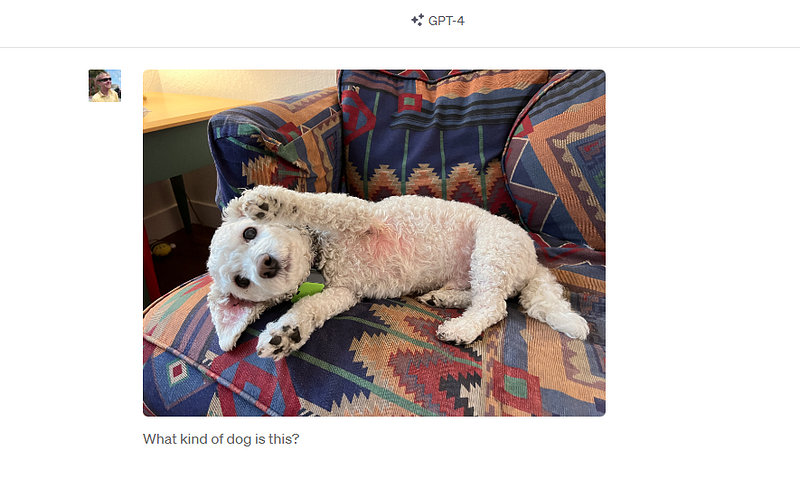
This week, OpenAI released a groundbreaking addition to their popular ChatGPT platform. In addition to processing text, ChatGPT is now able to process and chat about images.
It’s hard to overstate how big a deal this is. As much as 70% of content currently on the Internet is visual rather than written. People generate thousands of photos per year, and many of today’s biggest platforms (YouTube, TikTok, Instagram) are largely visual.
People are increasingly choosing to interact with machines in a visual way. And with its newest upgrade, ChatGPT can now participate in that process.
Visual ChatGPT is rolling out to select ChatGPT Plus users over the next few weeks. I was one of the first users to receive access. Here’s a first look at this remarkable new generative AI capability, and some of the things it can do.
Interacting with ChatGPT Visually
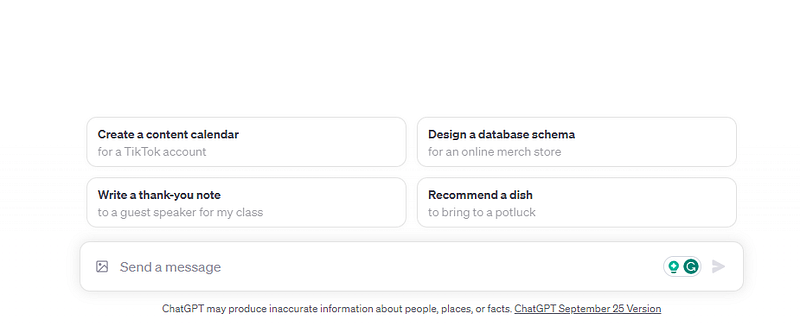
Visual interactions with ChatGPT are simple. Users who have received access can now see a small image icon next to the “Send a message” field in the ChatGPT interface.
In addition to entering a text prompt, you can now upload an image along with your text. That allows you to ask questions about an image, or to have ChatGPT analyze the visual contents of the image and chat with you about it.
Writing Alt Text
The first task I tested with ChatGPT Vision (the new feature doesn’t have an official name, so I’m calling it that) was writing alt text for an image.
Alt text is critically important for visually impaired people who browse the Internet using a screen reader. Alt text is attached to images on a blog or website. The text describes the visual content of the image, so that a person who cannot see the image can still understand its meaning.
Writing good alt text is hard, and expensive. Many website owners don’t bother to do it, or don’t do it well. That makes the Internet a less accessible place for visually impaired users. It can also negatively impact a site’s SEO.
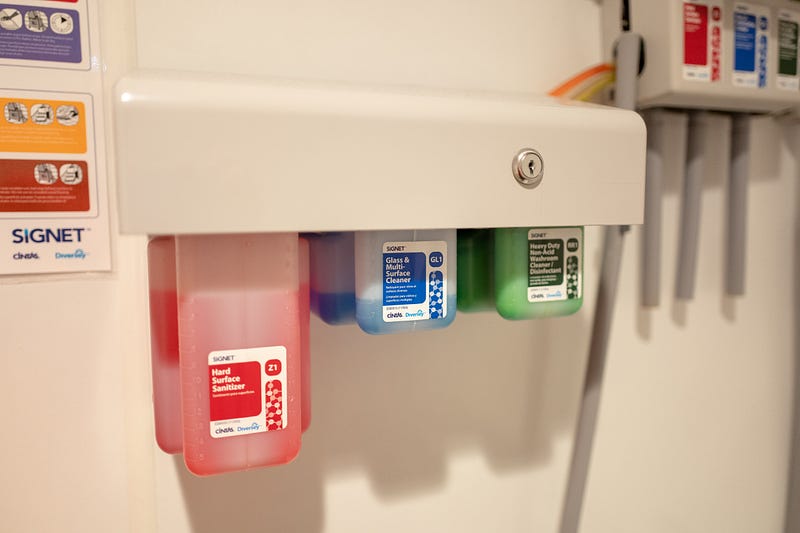
I decided to see how ChatGPT Vision would do at writing alt text for an image. I uploaded this image and asked it to “Write high-quality alt text for this image”
Here’s what it gave me:
A wall-mounted dispensing system labeled “SIGNET” featuring three translucent containers filled with cleaning solutions. From left to right, the containers are labeled: “Hard Surface Sanitizer” in red, “Glass & Multi-Surface Cleaner” in blue, and “Heavy Duty Non Chlor Washroom Disinfectant” in green. Above the dispensers are instructional stickers with diagrams indicating proper use. Each container has a measurement scale on its side and is connected to a tubing system for distribution.
That’s fantastic! The alt text doesn’t just describe the basics of the image (“tubing and cleaning solution on a wall”).
Rather, it gives the visual specifics (the colors of each cleaning solution, their relative positioning from left to right, and the text on each of them) of the image in enough detail that a visually-impaired person could easily understand what the image shows.
ChatGPT Vision generated that alt text in about 10 seconds, making it extremely fast, too. I could see the new system being a huge boon for web accessibility. Publishers could use ChatGPT vision to write better alt text for their own images, and visually-impaired users could use it to write alt text for images that lack it in real-time.
Analyzing My Spice Rack
For my next experiment, I uploaded a photo of my spice rack. I asked ChatGPT Vision to list the spices that I have. I also asked it which spices are running low.
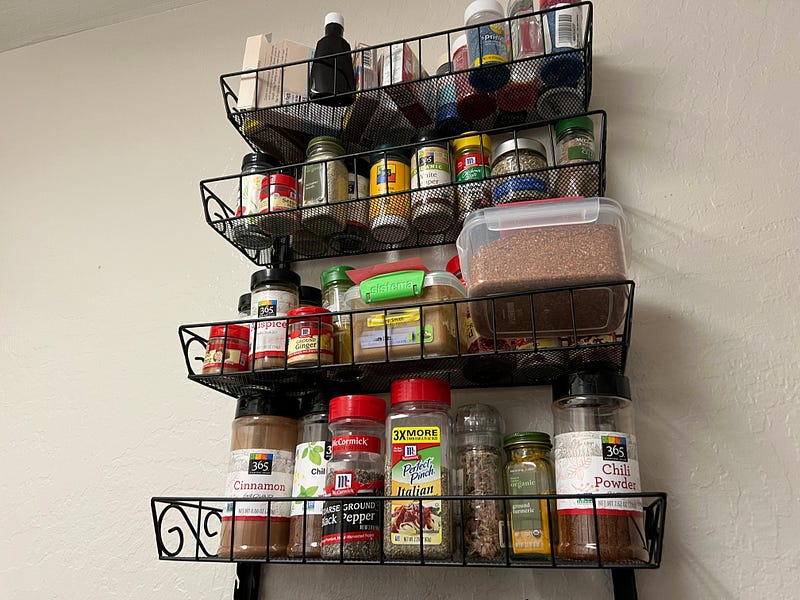
Amazingly, ChatGPT Vision not only listed the spices, it also recognized their brand names:
Seasame Seeds (Quantity appears good)
Morton Sea Salt (Can’t determine quantity from the image)
365 Ground Ginger (Quantity appears good)
365 Cinnamon (Quantity appears good)
McCormick Chili Powder (Quantity appears good)
McCormick Coarse Ground Black Pepper (Can’t determine quantity from the image)
365 Chili Powder (Quantity appears good)
McCormick Perfect Pinch Italian (Can’t determine quantity from the image)
Ground Turmeric (Can’t determine quantity from the image)
365 Ground White Pepper (Quantity appears good)
Ground Cumin (Can’t determine quantity from the image)
It wasn’t able to determine the quantities I had. But as a followup, it was able to recommend some recipes I could cook with these!
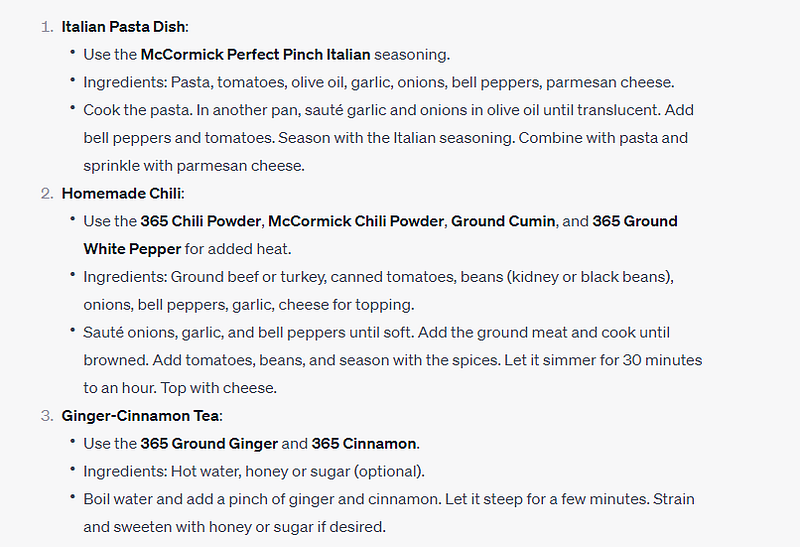
That’s a great example of the power of ChatGPT’s visual abilities. Because it’s still a chatbot, it’s not simply looking at the image, providing output, and moving on. You can have a dialog about the image, asking specific follow-up questions to dig deeper and go beyond the system’s initial response.
Analyzing a Graph
ChatGPT Vision isn’t limited to processing photos. It can also process graphs, infographics, and more.
For example, I fed it a Google Seach Console graph of traffic to one of my websites.
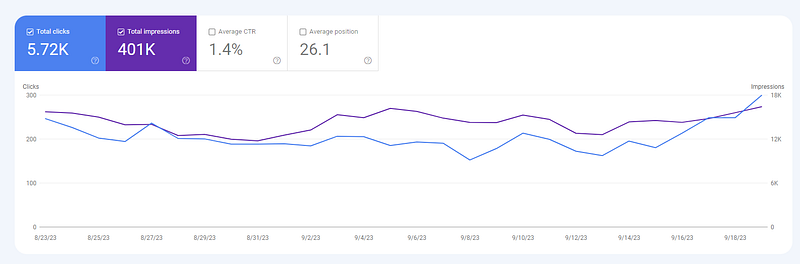
From the image, it correctly pulled out my key statistics, and also analyzed the trend of traffic to my website.
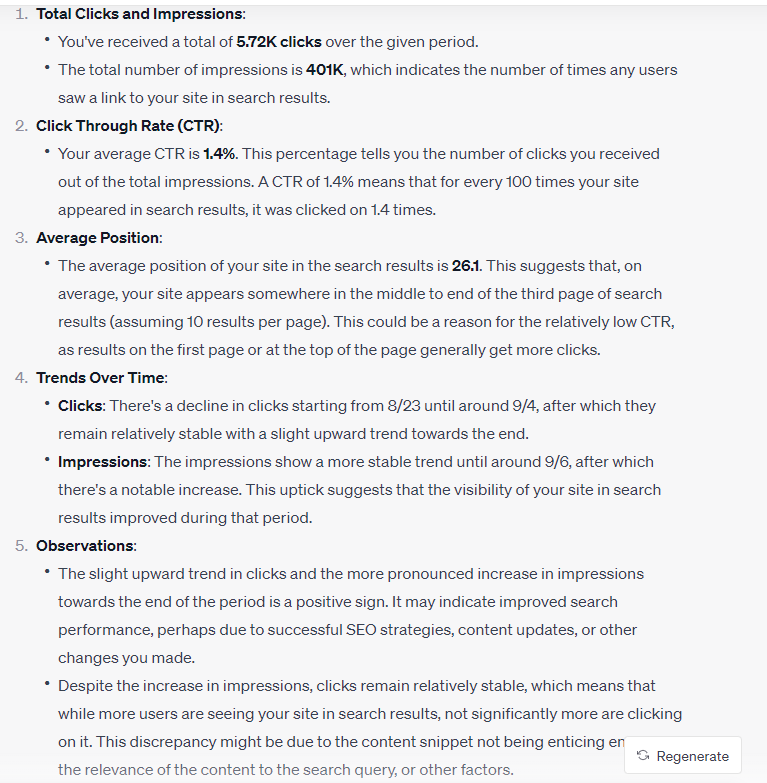
It even provided recommendations for how to improve my SEO, based on what it’s seeing.
The ability to analyze graphs and other visuals will be very helpful for users who want to better understand data, to verify the results of a scientific study, or even just to better understand what a graphic or chat is saying.
Determining the Film a Photo Was Taken With
I’m a photographer, and I frequently use analog film in my work. I also often work with historical photos, where the film used for the photo is unknown.
I uploaded one of my own photos, and asked ChatGPT Vision what kind of film it was taken on.
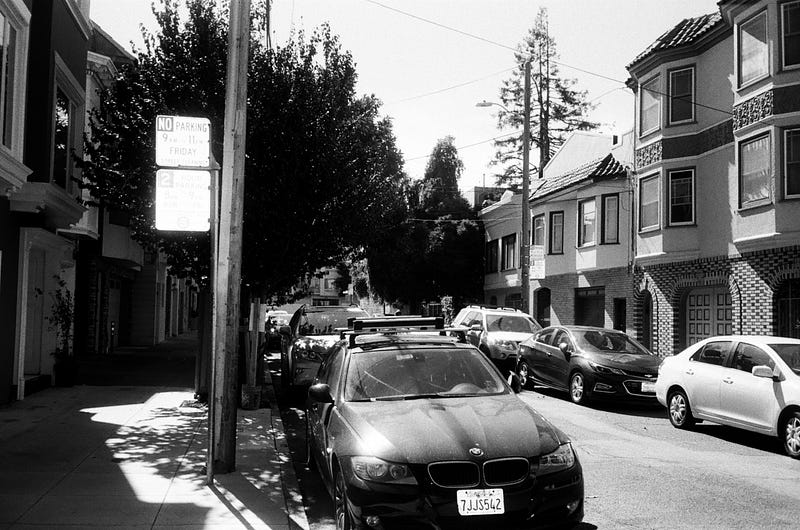
Here’s the result.
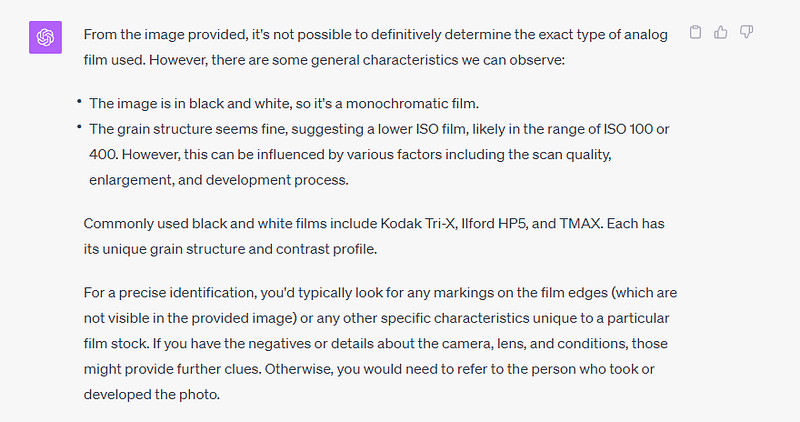
I love the depth of its analysis. It’s also right! This was shot on Kodak Tri-X at 400 speed, which is the first film it mentions in its list.
Determining Dog Breeds
I have a Bichon Frise named Lance, but I cut him short. Most people mistake him for a different breed.
I uploaded a photo of Lance, and asked ChatGPT Vision what breed he is.
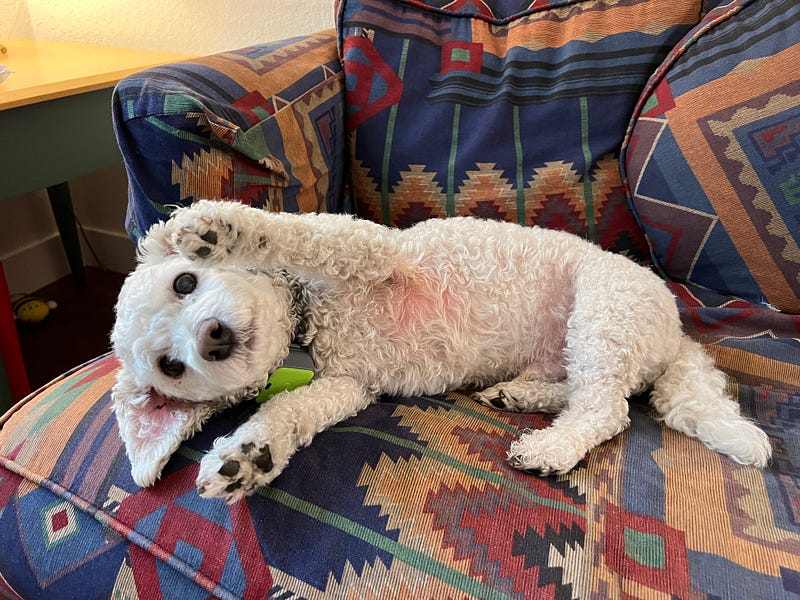
It responded with:
“Based on the image provided, your dog appears to have the physical characteristics of a curly-coated breed, potentially a Bichon Frise, Poodle, or a mix of such breeds.”
The system still equivocated and used the “P” word (a big no-no for Bichon people), but its first guess was indeed a Bichon Frise.
This highlights the fact that ChatGPT Vision goes beyond mere object identification. In elaborating on its response, the system said “The curly white coat and facial features are reminiscent of these types of dogs.”
It’s impressive that ChatGPT Vision is looking at things like facial features, not just seeing a white, fluffy dog and automatically saying “poodle.”
Limitations of ChatGPT Vision
ChatGPT vision is a powerful platform. I’ve just begun to test it, and I can already see a ton of real-world use cases for its tools.
That said, there are several things the system is designed not to do. For one, it won’t process or chat about images of people. That’s smart. Visual AI systems are plagued with biases. It’s better to avoid analyzing people-focused images completely, rather than risk reading biases into a visual analysis of a person.
The system also won’t offer medical advice. I tried to ask it about medical topics related to images, and it flat-out refused to answer. Again, that’s a good thing for now. The system is new, and its output might be inaccurate.
Down the line, though, I could see specialist versions of ChatGPT Vision being trained to do things like interpret X-Ray results or analyze other medical tests. But for now, we need guardrails around this kind of response.
Multimodal AI is Here
ChatGPT marks a huge step in the generative AI space. It’s one of the first times that a truly multimodal AI is being placed into the hands of everyday users.
Google Bard does have some visual features. But those appear to rely more heavily on Google’s existing Google Lens system. ChatGPT Vision, on the other hand, appears to really understand the visual contents and significance of an image.
That gives it an ability to delve into the deeper significance of an image’s visual contents, not just to do cool-but-limited tricks like translating text in an image or identifying a product or place.
I’m excited to continue experimenting with ChatGPT Vision.
I’ve tested thousands of ChatGPT prompts over the last year. As a full-time creator, there are a handful I come back to every day. I compiled them into a free guide, 7 Enormously Useful ChatGPT Prompts For Creators. Grab a copy today!