
The Future of Work and Productivity
Firefly & Photoshop: Generative AI in Adobe Creative Cloud May 2023 release
Adobe added Firefly straight into Photoshop, uniting the speed of generative AI with the power and accuracy of Photoshop
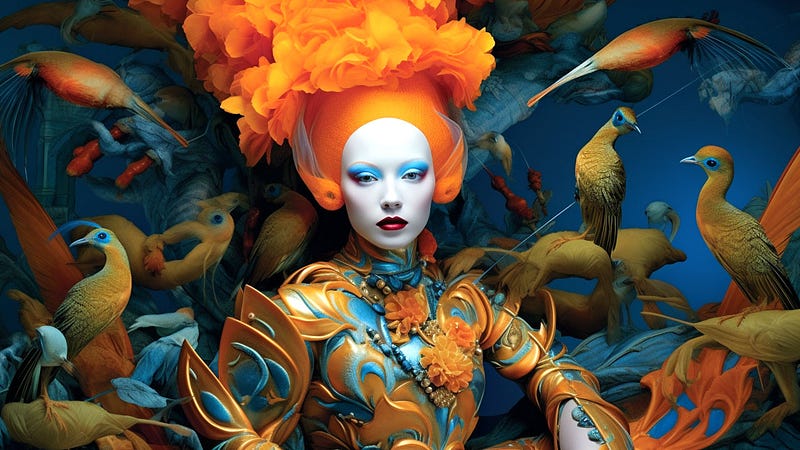
2023 Photoshop Comeback
Photoshop (beta)’s newest upgrade! Generative Fill and text prompts in Photoshop (beta) will inspire your creativity.
Is Photoshop redefining the boundaries of data quality, outshining its competitors with its groundbreaking Generative AI innovations?
Generative Fill makes fantastic scenes
Generative Fill, a remarkable new tool based on your imagination, lets you add, expand, or delete information from your photographs non-destructively using simple text prompts to generate realistic effects that will surprise you — in seconds.
Adobe Firefly: The New Generative AI Powering Photoshop in Creative Cloud 2023
Adobe has unveiled the future of its Creative Cloud, introducing generative AI as a creative co-pilot in Photoshop. This innovation, named Firefly, allows users to extend images and add or remove objects with ease. Firefly is directly integrated into Photoshop, combining the speed and convenience of generative AI with the precision of Photoshop.
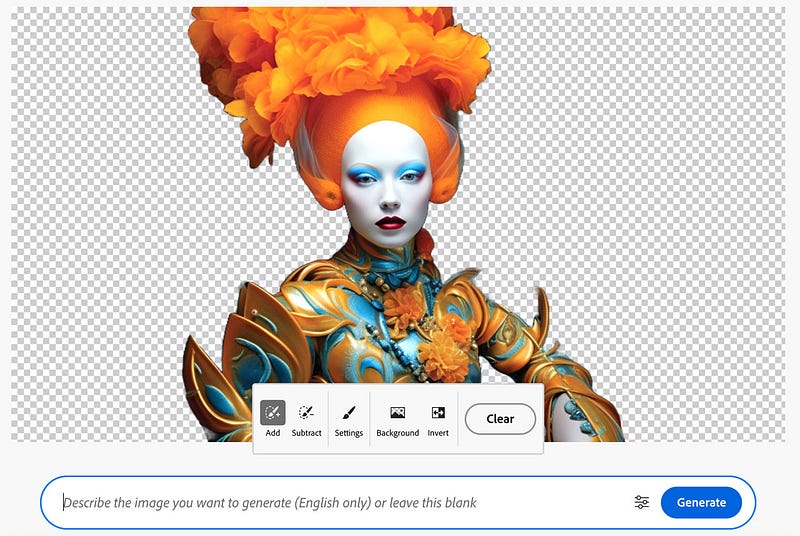
This marks the beginning of Adobe’s major initiative to incorporate generative AI into existing creative workflows across Creative Cloud, accelerating ideation, exploration, and production. The new feature, Generative Fill, is a world-first co-pilot in creative and design workflows, enabling users to add, extend, or remove content from images non-destructively in seconds using simple text prompts.

Only available in the Photoshop (Beta) desktop app. or https://firefly.adobe.com/
Creative Cloud 2023: Adobe’s Firefly Generative AI Takes Photoshop to New Heights
This is a game-changer for artists like us, as it allows us to bring our visions to life at the speed of our imaginations.
Is Photoshop Outperforming Its Competitors with Its Latest Generative AI Innovations?
Photoshop, after a year-long hiatus, has made a triumphant return to the digital art arena. While there may be competitors that excel in image generation, Photoshop’s decades of expertise in editing remain unrivaled. Its longstanding experience shines through, cementing its status as a professional tool par excellence in the realm of digital artistry.
Install Photoshop (Beta)
To get the Photoshop beta on your desktop, navigate to the ‘Beta apps’ section in your Creative Cloud desktop application and click ‘Install’ adjacent to ‘Photoshop (Beta)’.
To start using Generative Fill, first, use any selection tool in Photoshop to highlight an object or a specific area in your image. Following that, you can do any of the following:
- Click on the ‘Generative Fill’ button that appears in the contextual task bar.
- Go to ‘Edit’ and then select ‘Generative Fill’ from the application bar.
- Use Ctrl/Right+click within the selected area and opt for ‘Generative Fill’ from the dropdown menu.
Want cutting-edge AI technologies to boost your work? No-code solutions fascinate you?
AI is everywhere, But the question is, how much do you love it?
I invite you to explore the concept of Machine Learning Art by reading and learning from the many articles found on 🔵 MLearning.ai 🟠
Check out my instagram with new material every week
- If you enjoyed this, follow me on Medium for more
- Want to collaborate? Let’s connect on LinkedIn
- https://linktr.ee/datasculptor
- 3D Machine Learning generated model on sketchfab


