
Filling out the W-8BEN Tax form for non-USA Resident With-holdings
Check your emails from Medium, which state that from 1 January 2020, tax will be withheld from many Medium writers. An extract from Medium itself follows. See this link HERE for complete information.
For 2020, we will withhold royalty taxes for all writers to send to the US government in compliance with tax law for all earnings accrued after 1/1/2020 (first payment will be initiated by 2/8/2020). For US writers, the withholding rate is zero so the amount you see in your dashboard then receive is the amount you have earned. For non-US writers (non-resident aliens that are not US taxpayers), the withholding rate is determined based on the country you filed in your W-8 tax form and any tax treaty benefits you have claimed.
If you reside in one of the countries listed below, please take a moment to re-submit your W-8 form and select your country of residence under the section “Claim of Treaty Benefits (Part II)”. Watch this screencast if you run into any issues completing this section of the form.
When you go to your MPP Dashboard, you will see a notice about an X percentage tax with-holding, but the amount, e.g. 30% may NOT be correct. What this means is that you should check the info below, kindly provided by Daryl Bruce, for withholdings for your country. For example, I live in Australia, and the tax amount that will be with-held from my Medium Partner Program payments by the U.S. Revenue Department, will be only 5%.
If you need to change your tax withholdings amount, gather the following:
Your Tax File Number for yourself used in the country that you are a resident of
Your Email Address that you use with STRIPE,
and your wits, and a “deep breath.”
Very Important: Wait until after you have received your 8th December payment via Stripe.
On December 9th if you’ve got your November payment, and if not, wait until the money is in your bank, go to your MPP Dashboard and click on Update taxpayer information.
You will see your personal details. Check they are correct, then click Next. A very brief informational screen appears, don’t panic. Look for the line about updating your W-8BEN form and click on the blue underlined word (hypertext link) “here” — it will have something like “Update your W-8BEN form here.” You will have to complete a new form, as there’s no option to just edit your current information!
From here on, take your time, filling out the details (which you would have initially provided, making sure the email address is the one you use for communications with Stripe). Click on Continue and look at the top of your screen and you will see questions related to “Identification of Beneficial Owner (Part 1).
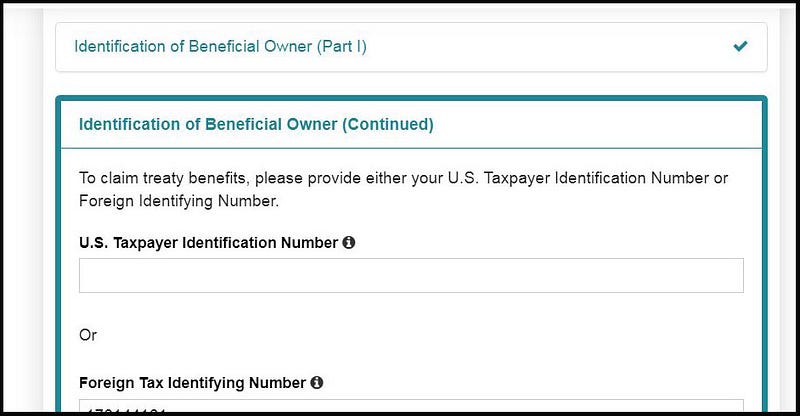
Here is where you MUST type in your Foreign Tax Identifying Number, i.e. your Tax File Number (it’s called a T.I.N. in the US) if you live outside of the USA.
Continue and then under “Country of Residence” select your country from the Drop-down list, and a message similar to below will pop-up, BUT with the correct with-holding amount for YOUR country.
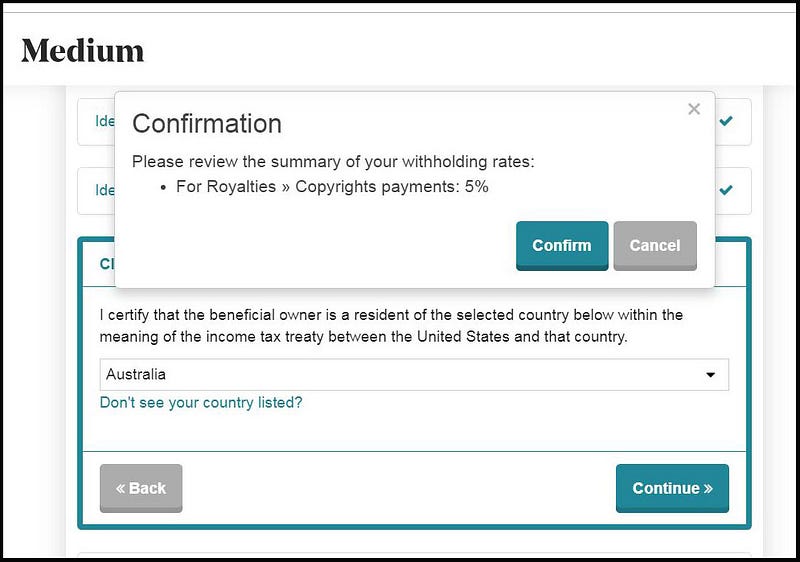
Click the Confirm button, then on Continue.
Tick every single one of the agreements that appear next.
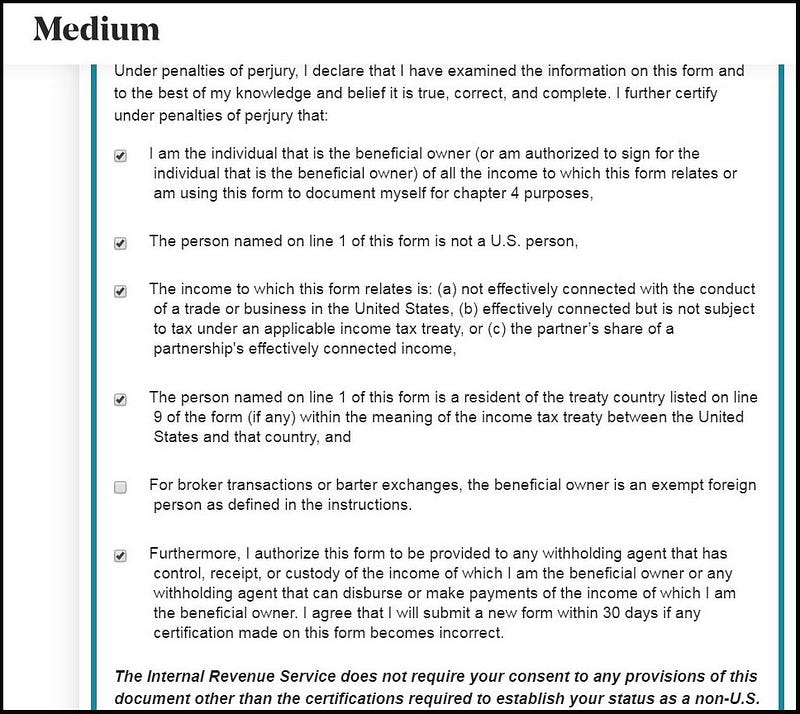
At first I didn’t tick the one about “broker transactions” because I thought that it didn’t apply to me, BUT it went red and as it was crying about that, I thought that I had better tick it !!
After that you have finished and will see the screen below.
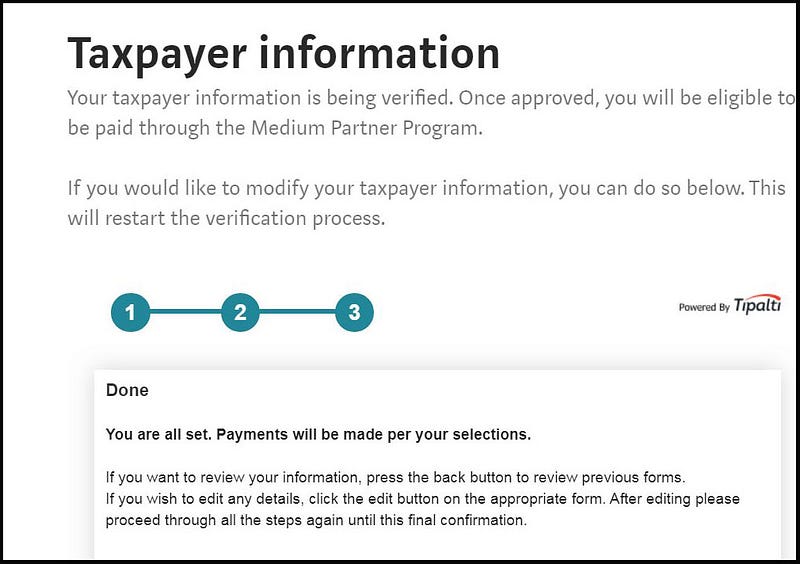
If you have stuffed up anywhere, just click on Back. If you’ve completed this, then realised you’ve made an error, don’t cry, just start from the very beginning again (go to your MPP Dashboard and click on “Update taxpayer information).
I was delighted after I did this (not strictly following my own advice) that I saw the following on my MPP Dashboard.
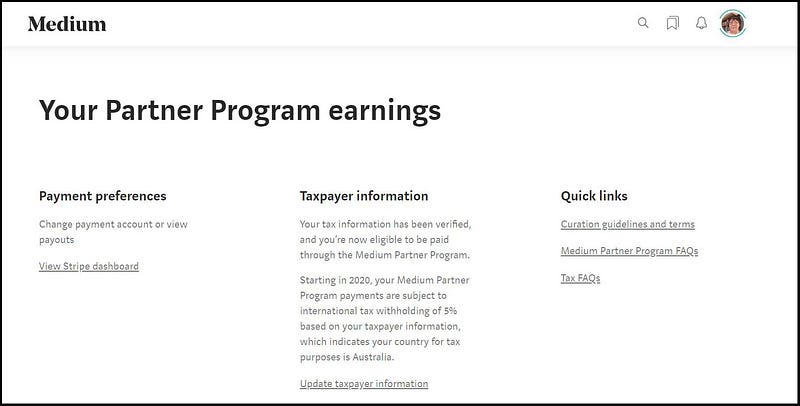
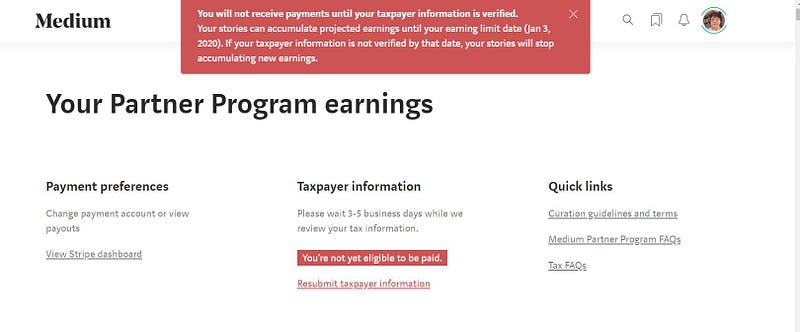
The scary screen at the top of this article was the result of me haphazardly ticking on “Update taxpayer information” then looking at the first screen, clicking Next then getting confused and scared, and exiting, without completing the update! So now you know if you see the scary red screen shown, it means that you were fiddling around not knowing what you were doing or what was expected, and that STUFFED up your tax connection.
Boy, I was NOT HAPPY when I saw “You’re not eligible to be paid” as I’m expecting $33 USD on the 8th December! 😛
Well, I hope this article helps some people grapple with this sudden and spectacular change. Who knows what’s around the corner next for any of us? The thing is to stay calm and logical and to help each other and focus on the positives. Thanks for reading this if you have.
You may be interested in the following story.